
Fillout Pricing: Free Limits, Emails and Payment Costs
Fillout is free for up to 1,000 responses a month. Its paid plans start at US$19 monthly for Starter, US$49 for Pro and US$89 for Business. Annual billing lowers the monthly equivalent to US$15, US$40 and US$75. For a real registration workflow, count all expected responses, then check the emails and domain you need. A free payment field alone does not establish that the complete registration process is free.
Compare Fillout's current prices
The following USD prices were checked on November 21, 2026, by switching between monthly and annual billing on Fillout's official pricing page. Annual totals are the displayed annual charges; taxes, payment processing and separately quoted services are outside this table.
| Plan | Pay monthly | Annual monthly equivalent | Annual charge | Responses per month |
|---|---|---|---|---|
| Free | US$0 | US$0 | US$0 | 1,000 |
| Starter | US$19 | US$15 | US$180 | 2,000 |
| Pro | US$49 | US$40 | US$480 | 5,000 |
| Business | US$89 | US$75 | US$900 | Unlimited |
All four plans list unlimited forms and seats. The relevant limit is therefore more often response volume or a required capability than the number of forms or colleagues. In the official comparison, respondent emails begin with Starter, branding removal and duplicate-submission prevention with Pro, and custom domains and partial-submission visibility with Business. More detailed permissions are listed separately under Team and Enterprise.
Annual billing is a commitment, not simply a cheaper way to run a short project. Three monthly Pro payments total US$147 before tax; the annual Pro charge is US$480. For an ongoing operation, twelve monthly payments total US$588, compared with the annual US$480. Match the payment term to the time you expect to keep the forms open, retain access and handle follow-up.
Treat an existing subscription separately from a new purchase. Record the plan and terms shown in your account before applying this public price table. If a quote includes additional products or services, list those separately so the form subscription remains comparable.
Calculate the response budget before choosing Starter
Imagine a training business opening registrations for a series of workshops. This is an illustrative planning case, not measured customer traffic:
| Monthly source | Planning assumption |
|---|---|
| Workshop registrations | 1,600 responses |
| Separate course inquiries | 400 responses |
| Combined base forecast | 2,000 responses |
| Chosen planning margin | 20%, or 400 responses |
| Capacity to plan around | 2,400 responses |
The 20% margin is an editorial assumption for this example. It is not Fillout's recommended allowance or a prediction. Replace it with your own peak-month evidence. At 2,400 planned responses, Starter's 2,000 allowance is too small for the forecast; Pro's 5,000 is the first listed allowance that covers it.
On monthly billing, that capacity decision changes the base from US$19 to US$49: US$30 more per month. With annual billing, the corresponding annual charges are US$180 and US$480, a US$300 difference. This calculation explains the upgrade. It does not assume that more features automatically make the higher plan worthwhile.
Build the estimate from every form in the intended operating account. Do not compare a single workshop's registrations with the allowance while overlooking the contact form, newsletter requests or another event. Confirm the account's usage display and billing scope before purchase, particularly if several teams contribute traffic.
Test responses deserve attention too. Check how the service records tests, deletions and repeated submissions rather than assuming they never affect usage. You do not need an invented exact buffer for these items. You need a documented forecast and a named person who checks consumption before the busiest registration period.
Repeat the calculation for a quieter month and a peak month. If only one short launch needs Pro, compare its monthly term with an annual contract. If the requirements include a custom domain, make that a separate decision: even a low-volume form can need Business because of its presentation requirements.
Check the work after submission, not just the form
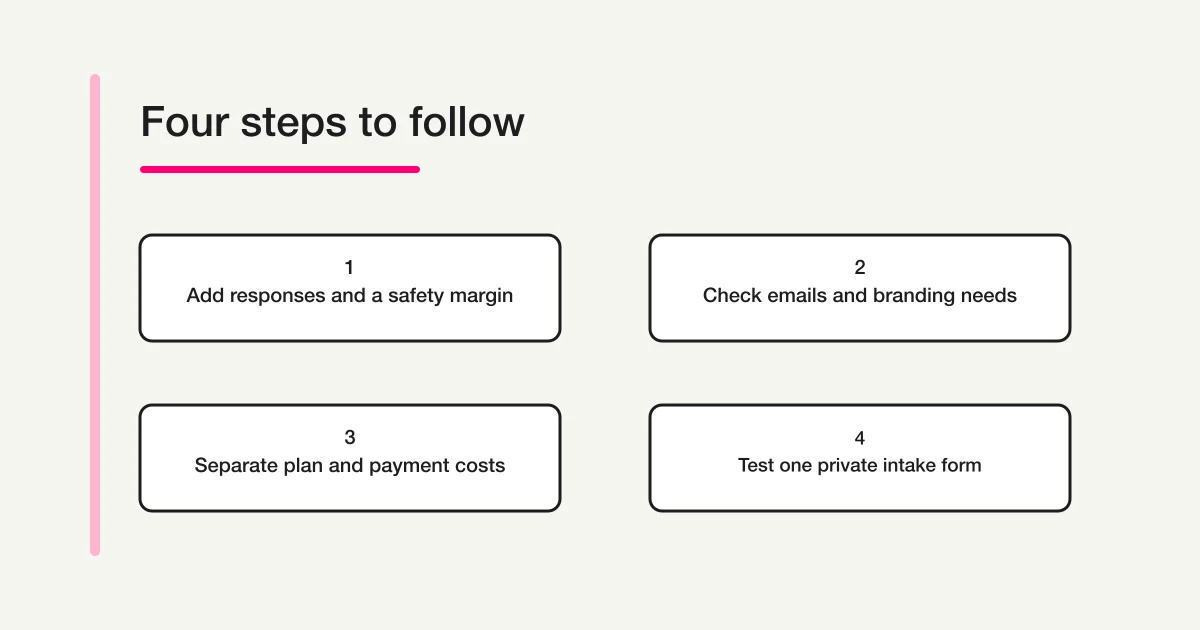
For an event organizer, a submission is the start of a small process. Someone may need an acknowledgment, a joining instruction or a reply to a question. Decide which messages are essential before choosing the plan.
Write a short acceptance checklist for the specific event:
- The form asks for the participant's name, email and selected session.
- Required questions block an incomplete registration.
- The organizer can find the saved record and identify its selected session.
- The participant receives the agreed acknowledgment through the intended service.
- Any branding or domain requirement matches the organization's public communication.
Fillout's pricing comparison places respondent emails on Starter and above. That makes email a possible upgrade trigger even below the free response allowance. If the acknowledgment is sent by a separate email system, include that system's subscription and limits in the comparison instead. Check the precise message and delivery path in a trial; the presence of an email feature is not a guarantee that your intended workflow is configured.
Do not confuse “unlimited seats” with identical access for every team structure. Fillout's workspace guidance describes the areas where forms are organized and shared, while the price comparison separates granular permissions. If a contractor should see one event but not another, test that specific boundary using fictional records and the intended role before agreeing to a plan. A count of invited users cannot answer that question.
Likewise, custom domain hosting and branding removal are different requirements. Pro can remove Fillout branding, while the public pricing table places a custom domain on Business. Put the required public address on the checklist so it does not emerge as an unplanned upgrade after the form has been approved.
Separate Fillout fees from payment-processing fees
Fillout's official Stripe integration page states that Fillout adds 0% payment fees, including on its free tier. This describes Fillout's added charge. Stripe's payment-processing charges remain a separate part of the merchant's costs.
A useful budget has three lines: the form subscription, payment-processing costs, and any other paid tools needed for the workflow. Use the rates actually applicable to your merchant account, currency and payment methods. Do not copy a US card-processing example into a different country and treat it as a quote.
For a hypothetical workshop selling 80 places at US$50, the payment volume would be US$4,000. Fillout's advertised added percentage contributes US$0 on that volume. The processor line still needs its own calculation. If the merchant's applicable rate has both a percentage and a fixed charge per successful transaction, calculate the percentage on US$4,000 and the fixed component across the 80 payments. Use the merchant's verified rate for each component.
This example deliberately leaves that rate open. The number the organizer needs is the total for the payment methods they will actually accept. Refund handling, recurring billing, currency conversion and disputes may require additional checks in the processor's own terms. Keep those questions on the payment checklist instead of inferring them from “0% added fees.”
For a registration that collects interest before payment, first test the questions without charging anyone. A working private intake draft helps establish the data you need. It does not prove that checkout, refunds or paid-event operations are ready.
Try the registration questions in FORMLOVA
If you already work in ChatGPT or Claude, FORMLOVA offers another way to prepare the intake: describe the registration in your AI chat, then inspect the saved draft. This trial helps answer whether the questions and required fields fit your workflow before you select the full production arrangement.
Start with three steps: register for FORMLOVA, verify your email, then connect a supported AI client. Check the current client connection requirements, since the AI account and permissions are separate from FORMLOVA's subscription. For example, full custom MCP writing in ChatGPT requires an eligible Business, Enterprise or Edu web setup and the necessary permissions. Do not assume every ChatGPT plan can create forms through the connection.
Use fictional data and ask for a draft that stays private:
Create a private draft for a weekend workshop registration. Ask for participant name, email, session choice and an optional question for the instructor. Require name, email and session choice. Explain the saved fields and the checks I should make before publishing. Do not publish, send email, invite colleagues or collect payments.
Inspect the resulting draft against the same checklist you used for Fillout. Check the field labels, required settings and session choices. If you change the session names, inspect the saved version again. These are the form's basic acceptance conditions; an attractive preview alone does not establish that they were saved correctly.
FORMLOVA Free supports creating and publishing forms, collecting responses without form or response count caps, and CSV or Excel export. For this private trial, use no uploads, team invitations or payments. File uploads and custom participant communication require Standard or above; paid forms and team management require Premium. The current FORMLOVA plans describe the operational features and limits.
Draft your workshop registration before choosing the full workflow
Use fictional details to check the questions and required fields on a private FORMLOVA draft.
Register free and draft a workshop registration
Register, verify your email and connect a supported ChatGPT or Claude setup. Then use the request above and inspect the saved draft.
Choose from requirements, then validate one real path
The result of the comparison should be a short operating decision. In the example, Pro covers a 2,400-response planning target. A different organizer might choose Starter because emails are needed for a smaller intake, or Business because the required public address uses a custom domain. None of those decisions follows from response count alone.
Before subscribing, test one complete path with fictional details: open the form, submit the required data, find the record, and check the intended acknowledgment where the trial allows it. Record the plan, account usage scope, billing term and required settings alongside the test. If a required feature cannot be tested, leave it as an unresolved purchase condition rather than marking it as passed.
For broader service selection, start with the form services comparison hub. The cross-provider comparison helps compare different operating approaches. The free AI form guide focuses on trying AI-assisted creation. Return to the response budget and delivery checklist when choosing a live registration plan.
Frequently asked questions
Does Fillout stop collecting responses when the limit is reached?
The official pricing FAQ says forms continue collecting responses; you can upgrade or wait for the count to reset on the first of the next month. Confirm what you can access and manage in your account if that happens. For a time-sensitive event, plan capacity in advance instead of using an allowance overrun as the operating strategy.
Is Free enough for a small paid workshop?
Payment collection is listed on Free, and Fillout adds no Stripe payment percentage. But the complete requirement may include participant emails, a particular public domain or more responses across the account. Check those separately, along with the processor's charges and any external email tool.
Do I pay more for each colleague?
The public plans list unlimited seats. That does not establish that every role or access boundary is included. A team handling sensitive or separated intakes should validate the required permissions before purchase.
Is the annual monthly figure charged one month at a time?
No. In this comparison it is the monthly equivalent of the displayed annual charge. Compare the upfront annual amount with the number of monthly payments your project actually needs.
Disclosure and Verification
I develop FORMLOVA. Fillout's public prices and listed features were checked on November 21, 2026, including both billing displays. Sources are the linked official pricing page, Stripe integration and workspace guidance. The FORMLOVA trial was checked against its current plan definition and connection requirements. The workshop, response forecast, 20% margin and sales example are fictional planning inputs; calculations are not customer results or a subscription quote. No payment, email campaign or live event registration was executed for this article.