
Wufoo Pricing by Plan and Monthly Entries
Wufoo Free covers five saved forms and 100 entries per month across the account. Starter costs $22 per month or $195 paid annually and raises the allowance to 1,000 entries. Professional costs $45 per month or $399 paid annually and adds capacity for five users, 5,000 monthly entries, and unlimited saved forms. Start by adding up what your forms receive in their busiest month. Then check how many forms you need to keep and who needs their own account access.
Compare monthly and annual prices
The following US dollar amounts and allowances were checked on November 18, 2026. The annual monthly equivalent is useful for comparing rates, while the annual total is the amount billed for the year at the displayed price. Wufoo describes monthly and annual payment terms separately. Wufoo pricing · Wufoo billing overview
| Plan | Month to month | Annual total | Annual equivalent per month | Saved forms | Monthly entries across all forms | Users |
|---|---|---|---|---|---|---|
| Free | $0 | $0 | $0 | 5 | 100 | 1 |
| Starter | $22 | $195 | $16.25 | 10 | 1,000 | 1 |
| Professional | $45 | $399 | $33.25 | Unlimited | 5,000 | 5 |
| Advanced | $113 | $999 | $83.25 | Unlimited | 25,000 | 20 |
| Ultimate | $286 | $2,523 | $210.25 | Unlimited | 200,000 | 60 |
A three-month project on Starter would have a base cost of $66 on monthly billing. A full year paying month to month would cost $264, compared with $195 paid upfront. At these rates, eight monthly payments cost $176 and nine cost $198. For a seasonal program, count the months you still need access for follow-up and reporting before choosing. Budget for taxes and any entry overage separately, and check the final price and renewal terms in checkout.
The Free plan lists ten fields per form. Wufoo describes the limit on paid plans as dependent on field types and configuration, so test your longest questionnaire if it uses many checkbox choices or paragraph fields. Storage for uploads is listed on paid plans, starting at 1 GB on Starter. If file intake is required, verify both the allowance for the whole account and the per-file or per-form upload limits before committing. Wufoo plan comparison
Add up entries across every form
One completed entry counts toward the same monthly allowance whether it comes from the event signup or the volunteer form. Wufoo also describes entries submitted through its API and manually added in its entry manager as entries. An event team that manually enters registrations collected at a reception desk should budget for that intake alongside submissions from its public link. Wufoo explanation of entries
Consider a fictional community workshop. Its regular month brings in 42 workshop registrations, 19 volunteer applications, and 15 venue inquiries. That is 76 entries. During a registration campaign, the team expects 95 workshop registrations, 24 volunteer applications, and 16 venue inquiries, for a combined 135. Each individual form is still under 100. The account as a whole is over the Free allowance.
- Free: Wufoo says forms are deactivated once the monthly entry limit is reached. A busy weekend can therefore affect the group's other intake as well. Leave room for entries from forms that remain in use while the campaign runs.
Before putting a closing date on a campaign, check the reset date under Account Usage in Wufoo’s Account Manager. Put that date next to the campaign opening and closing dates in your estimate so you can see which submissions share the same allowance. Wufoo entry limits
- Paid: Wufoo lists an overage of $0.05 per additional entry. At 1,270 entries on Starter, the estimated excess is 270 entries, or $13.50. With monthly billing, the estimated plan and overage together come to $35.50 before applicable taxes.
- Sustained volume: At 1,470 entries, the same Starter estimate comes to $45.50. Professional costs $45 with monthly billing and includes 5,000 entries. For a team that forecasts 1,470 regularly, compare Professional with its current plan before the next campaign.
Those examples model the public prices and overage schedule. Use your account's billing and usage information to map a campaign to the relevant monthly allowance. A twelve-month payment term still has monthly allowances. Wufoo pricing and overage policy
Choose the lowest plan that fits the whole job
Free can fit an occasional, straightforward intake with one operator and predictable traffic. For instance, a studio with one inquiry form and one class signup can use the free allowance while both fit inside 100 entries combined, and while each form fits the field allowance. If opening day could fill the available entries, choose a plan before sending the link to a large list.
Starter is a candidate for a team with one person managing up to ten saved forms. Its pricing card includes features such as a custom logo, confirmation emails, and uploads. Even if the entry estimate fits Free, a move to Starter may be justified by a single requirement such as accepting PDF applications. Check the busiest form with realistic sample files and estimate how long they need to stay in Wufoo.
Professional is where Wufoo's table adds up to five users, the ability to accept payments, and unlimited saved forms. Consider a class operator that keeps a separate signup for each of 12 locations. Even with under 1,000 monthly entries, that setup exceeds Starter's saved-form allowance if all 12 forms must remain in the account. If two coordinators need access to update schedules or review submissions, include both in the comparison. Charge processing costs and payment setup should be checked with the chosen payment provider.
Advanced and Ultimate expand monthly entry capacity, account users, and file storage. For a larger deployment, collect the expected entries by program and peak month, the access each person needs, and the total file storage needed. An agency with 27,000 forecast monthly entries and only eight users, for example, should compare the Advanced base price plus a projected $100 overage with Ultimate and with the quote or terms available to its account. Entry capacity and number of users can point to different plans. Wufoo plan comparison
Test one registration before moving it
If you want to compare how the team would build and maintain the form, start with a single registration. Pull out the questions, required flags, and confirmation message from the current form. Keep a separate note for things that happen afterward, such as payment, a calendar invitation, an export, or routing to staff. That gives you two things to check during a comparison: whether a participant can finish the form, and whether the coordinator has what they need after a submission.
If you already use ChatGPT or Claude, you can draft the core registration form through FORMLOVA. Start with a copy of the question list and fictional details. For the community workshop, try this request in your connected client:
Create a new private draft called Community Workshop Registration. Ask for the contact name, email address, session choice, and number of attendees. Offer Morning and Afternoon as session choices. Make those four fields required. Show the saved field list and what the coordinator should look for when reviewing registrations. Keep the form private and leave email sending turned off.
Open the draft in preview. Check whether someone can tell which session they selected and whether the attendee count is understandable for someone registering a group. If the coordinator needs to calculate demand, make sure the draft captures a numeric headcount. Put any paid registration or notification test on the same checklist so the team can evaluate the whole setup before changing a public link.
To try the draft, register for FORMLOVA, verify your email, and connect a supported AI client. FORMLOVA's Free plan includes form creation, publication, response collection without a form or response count cap, and CSV or Excel export. The client has separate requirements. Claude Free supports one custom connector. Creating forms through ChatGPT requires full MCP access on Business, Enterprise, or Edu on the web and the right permissions. Check the setup guide for account-specific steps. Pricing and setup were checked on November 18, 2026. FORMLOVA Free plan · FORMLOVA setup guide
Draft your workshop registration before switching
Use FORMLOVA's Free plan to check the questions and attendee count on a private draft.
Register free and draft a workshop form
Register, verify your email, and connect a supported ChatGPT or Claude setup. Then try the request above and inspect the saved draft.
Record the assumptions behind the purchase
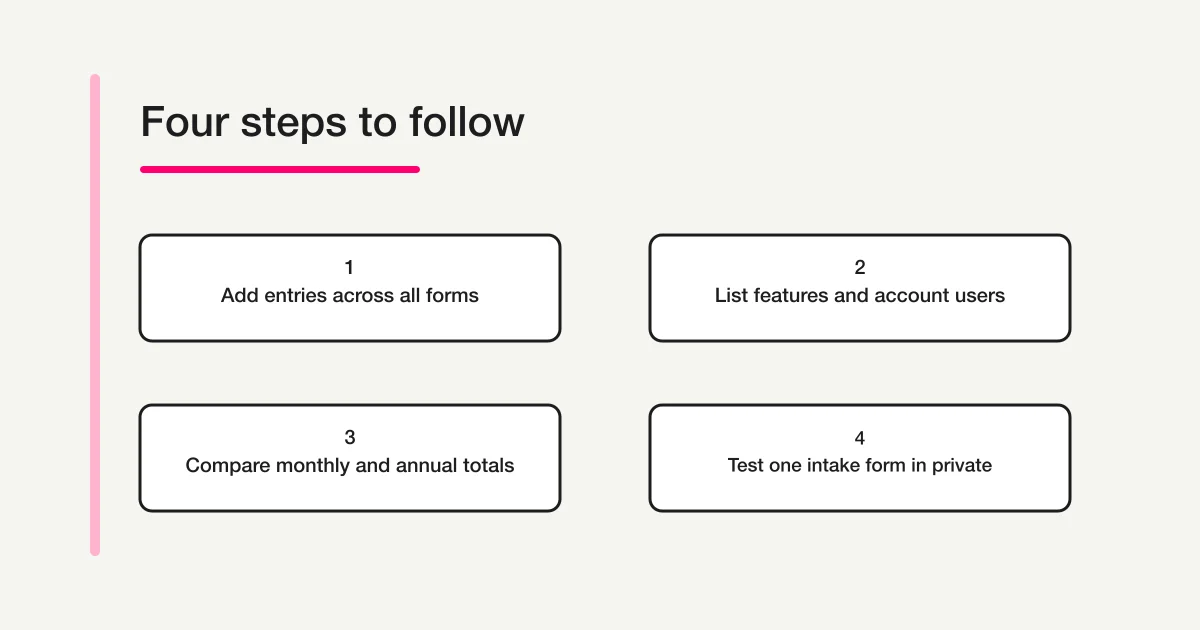
Write a short budget note that someone else can check when the season changes. For each form, list the owner, the expected low and high monthly entry counts, and whether it needs attachments, payments, or a follow-up email. Add the high counts for forms that get busy at the same time. Count saved forms as well as those currently linked from your website. Finally, list the people who need to edit forms or review entries in the product, with one row per person and the access they need.
Put monthly and annual totals on the same sheet, with a separate line for estimated overage. Record who will monitor usage and what decision to make if actual submissions approach the Free account limit or paid allowance. If registration stays open overnight, include the person who can take action when the primary operator is away.
For the workshop example, the registration form also shows why participant headcount and entry count belong in different columns. A family that registers four people on one submission can take four seats while using one entry. The venue coordinator needs the sum of attendees to ensure the room fits. The person estimating subscription costs needs the number of separate entries across the account. If the signup process changes so that each attendee fills out a separate form, revise both the maximum entry estimate and the workflow used to reserve seats.
If you are replacing a form that is already live, list where people find it, including event pages, newsletters, printed QR codes, and embedded copies. Decide when each link can be updated and who will watch for stragglers in the old inbox. A team that needs both services during the handover may owe for an extra month. Make that overlap visible in the estimate and schedule the change before the next promotion goes out.
For a wider shortlist, the form services comparison hub points to guides by buying situation, and the cross-provider comparison puts several services side by side. To compare a free AI-assisted trial with other ways of building the same form, see the free AI form builder guide.
Frequently asked questions
Do I get 100 free entries for each Wufoo form?
The pricing table says Free includes 100 monthly entries across all forms in one account. A month with 60 entries on one form and 40 on another uses that allowance. If multiple campaigns are active at once, combine their expected volume before choosing Free.
Does an occasional spike require moving up a paid plan?
Estimate the overage and compare the resulting bill with the next plan for that month. At 1,100 entries, 100 over Starter's allowance adds an estimated $5. Also check whether the team needs something else offered by the higher plan, such as another user or additional saved forms.
Can I pay monthly if I only need Wufoo for a short project?
Wufoo's billing overview describes a month-to-month option and an annual option charged upfront. Check the current checkout terms for the plan and estimate how long you need the forms and data available after the project ends. Give yourself time to export approved records and verify that the team can read them before closing the account.
Disclosure and Verification
I develop FORMLOVA. I checked Wufoo's public US pricing, billing explanation, and entry definition, and FORMLOVA's plan and setup pages on November 18, 2026. The workshop and cost scenarios use hypothetical activity to show how the allowances apply.