
Formstack Pricing for Forms and Suite
Formstack Forms starts at $99 with monthly billing or $83 per month on annual billing. Formstack Suite starts at $299 with monthly billing or $250 per month on annual billing. Use the Forms price as your starting point when the work is collecting and reviewing responses. Compare Suite when each request also needs to become a document or go through electronic signature. Before choosing, check how many records your busiest form must keep and how many people need to edit it.
Compare the displayed starting plans
The official Formstack pricing page displayed the starting figures below on November 17, 2026. Prices are in US dollars. The annual figures are shown as monthly equivalents. Confirm the amount due and renewal terms in checkout or a written quote.
| Included in the displayed starting offer | Forms | Suite |
|---|---|---|
| Monthly billing | $99/month | $299/month |
| Annual billing, shown per month | $83/month | $250/month |
| Builder users | 1 | 3 |
| Forms | 25 | 100 |
| Submissions per form | 1,000 | 5,000 |
| File storage | 2 GB | 10 GB |
| Document generation and deliveries | Check a separate Documents offer if needed | Includes Documents and lists 250 deliveries per month |
| Electronic signatures | Check a separate Sign offer if needed | Includes Sign and lists unlimited e-signatures |
The comparison page lists Salesforce Solutions and Enterprise at custom prices. If your requirements include forms built inside Salesforce, ask for a quote for that product. The Forms table is for the public Forms offer, so its starting price is a poor basis for budgeting work that depends on the Salesforce-native package.
For an eight-week intake, ask for the total cost across the two billing periods you expect to use. At the displayed monthly rates, two months would be $198 for Forms or $598 for Suite before taxes or any extras. If the same intake will run all year, ask how much is billed at the start, what renews automatically, and how features or seats are charged if you add them midterm. The public annual equivalent may be rounded, so use the amount due on the actual quote in your budget.
Count what the form needs to keep
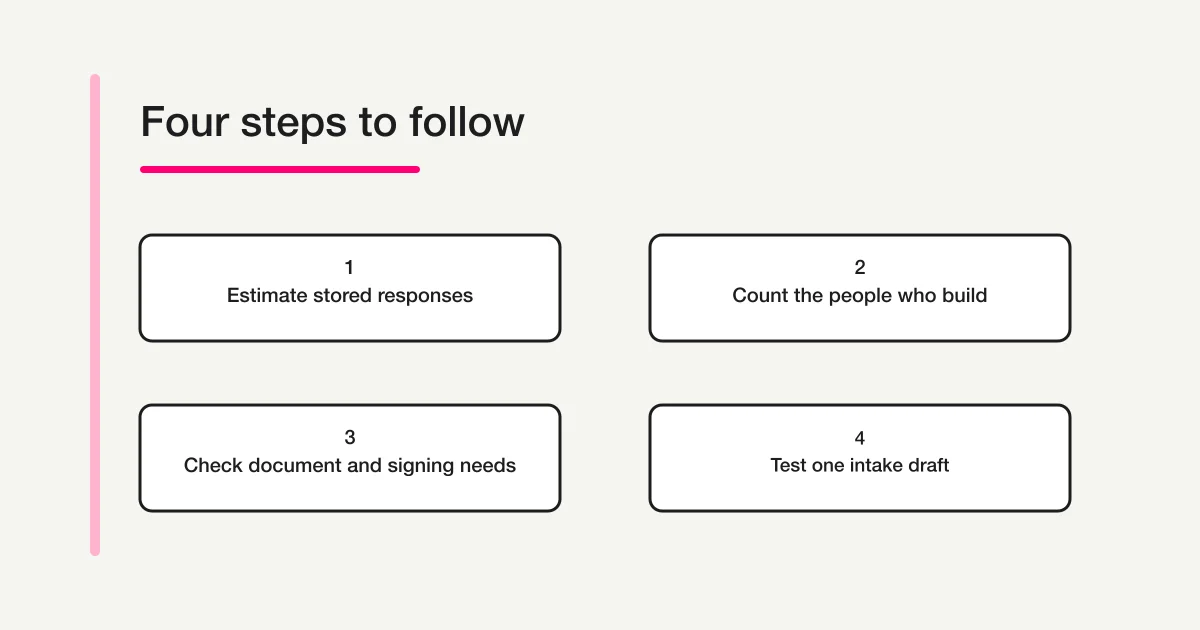
The official Forms account limits guide describes a per-form count of submissions stored at a given time. A Forms account with room for 1,000 records does not get space for another 1,000 each month. For a year-round intake, estimate how many records will still be in the form near the end of its retention window.
For example, a fictional training provider keeps completed quote requests available to its coordinators for six months. The main quote form receives about 180 requests per month, and a workshop form collects about 80. At those rates the quote form would hold about 1,080 records after six months. The workshop form would hold about 480. The quote form exceeds the displayed Forms cap even though both forms receive fewer than 1,000 submissions in any one month. The decision is whether to pay for additional capacity, change where approved records are retained, or obtain a broader quote.
Use the busiest recent month as a second check. If a seasonal campaign takes the quote form to 300 requests during one month, five months at 180 plus one at 300 would bring stored records to roughly 1,200. Check that forecast against any backlog already in the form. To see when the limit matters, start with records already stored, add expected arrivals, and subtract only records that your retention process allows you to remove from that form.
Formstack's support guides say overflow submissions are emailed instead of stored in the form's database and that integrations continue to run. A coordinator who works from the dashboard may therefore miss those submissions. Before launch, decide who checks capacity alerts, who can retrieve a missing case, and whether a shared mailbox or other approved destination is suitable for the information collected. The pricing card states the starting capacity for a current offer. The Suite account limits guide also uses a different figure for a named Teams plan, so use your written quote and account usage screen to resolve the limit for your subscription.
Count forms and files separately. Formstack says archived forms count toward the account's form limit. If each location or cohort gets its own form, count the ones you plan to keep, including inactive copies. For file uploads, estimate how many files must be retained and the typical size. An intake receiving 350 files of roughly 4 MB each adds about 1.4 GB. The Forms guide says the upload prompt can become unavailable at the storage limit, even when the submission count still fits.
List the people who need a login
The public table counts Builder users. Begin with people who must actually build, edit, or manage Forms in the product. Then list people who only need a notification, a permitted export, or a response link. According to Formstack's user access overview, receiving submission information by email and accepting responses from multiple people do not by themselves require extra user accounts.
The difference matters for a small team. Suppose one coordinator owns the form and two team leads only receive a summary. One builder may be enough for the editing work. If a second coordinator must cover leave, change the questions and inspect responses directly, request a Forms quote that covers both users before assuming the one-builder starting price fits. Ask what role each person receives, whether they can see responses, and whether access spans Forms, Documents, and Sign when those tools are in scope.
The public pricing page mentions additional users and capacity, while its Forms limits guide says some plans support à la carte users. Obtain the amount and eligibility for the exact plan. For purchase approval, give the approver a list of named roles and required permissions alongside the quote, so that a change in staffing can be priced separately from a change in response volume.
Price the document workflow separately
Suite combines Forms with Documents and Sign. Walk through what happens after a submission before budgeting that bundle. If an intake only needs a review and a status update, the form is the main work item. If a manager has to generate an agreement from answers, deliver a copy, and then get signatures, the finished document is part of the work you need to buy and test.
Formstack's document merge guide explains that sending a document to multiple destinations can consume more than one merge. For a fictional service team, 140 approved requests sent to one email destination would represent roughly 140 deliveries. Sending each of those documents to an email address and a separate file destination represents roughly 280 deliveries, above the 250 shown for the Suite starting offer. Check your template and delivery route for additional conversions or steps when building the estimate.
Formstack's Documents guidance describes a monthly merge cycle and says documents may be delivered in test mode, with watermarks, when the live limit is reached and automatic upgrades are off. That is a different operational consequence from a form's stored submission limit. The start date of the document billing cycle and the location of the usage report both belong in the handoff to whoever takes care of renewals.
Test one output with fictitious data. Check that each field maps to the right place, that the file lands in the correct destination, and that the signer gets the intended version. If you already use another document or signing product, compare the cost of keeping it with the cost of changing the existing process. If the requirement is document generation alone, request separate commercial terms for Documents and check what the offer includes.
Test whether the intake itself works
Formstack advertises a 14-day trial of its core Forms product on its pricing page. Give the trial a defined result to check: a person can understand the questions, the coordinator can see what needs attention, and the submission reaches the intended place. Ask about trials for Documents or Sign if those steps are required for the purchase decision.
If your team already uses ChatGPT or Claude, you can also build a small intake prototype through FORMLOVA. Keep the first test private and focused on the routing information a coordinator needs. A fictional training provider could try this request after connecting a supported client:
Create a new private draft named Training Quote Request. Ask for the contact name, work email, training topic, and a short description of what the team needs. Make all four fields required. Show me the saved field list and suggest how I can review new requests by status. Leave existing forms alone, keep the draft private, and do not send email.
Open the saved form in preview after running the request. Check that an applicant can distinguish the topic from the description, and that the email field is marked required. Make a list of the information the coordinator needs when they begin reviewing a request. If an agreement or signature was an essential part of the budget exercise, leave that requirement on the separate test list.
Start by registering for FORMLOVA, verifying your email, and connecting a compatible AI client. FORMLOVA's Free plan includes unlimited form creation, publication, and response collection, plus response search, status management, and CSV or Excel export. The AI client's plan and permissions are separate. Claude Free provides one custom connector. ChatGPT form creation requires full MCP support on Business, Enterprise, or Edu web with the necessary permissions, while Pro supports reading and fetching. These conditions follow the FORMLOVA setup guide checked November 17, 2026.
Try the quote request form before choosing a subscription
Use FORMLOVA's Free plan to prepare a private four-field intake draft and check what your coordinator would need from each submission.
Register free and draft a quote request form
Register, verify your email, and connect a supported ChatGPT or Claude setup. Then give it the request above and inspect the saved draft.
Put the purchase decision on one page
For each plan being considered, record what the team has confirmed and what still needs a price or test:
- The contract length, amount due, currency, renewal date, and quoted extras.
- The busiest form's peak number of retained responses, plus room for existing records and seasonal increases.
- The number of forms, including archived forms, and the estimated file volume.
- The number of people who edit forms or review submissions in the product, and their required permissions.
- Any document destinations, estimated monthly deliveries, signing steps, and a plan for handling usage notices.
If the full cost still depends on whether two people need editing access or how many destinations a document uses, write those decisions beside the quote. For broader product selection, use the form services comparison hub and the cross-provider comparison. If a Slack notification is the requirement, the form response notification guide covers that specific step.
Frequently asked questions
Is there a Formstack free plan?
Formstack's public pricing page offers a 14-day trial of core Forms. The displayed Forms and Suite starting plans are paid. Check the trial terms for what happens at the end of the trial and which product features you can test during it.
Can I store another 1,000 submissions each month?
The Forms help center describes the starting example as records stored in a particular form at one time. Verify your plan's exact allowance and project retained records across the whole retention period. The monthly reset discussed in the Documents guide is for merges.
Is Suite necessary if I need a second editor?
The Suite starting card lists three Builder users. Check whether a Forms offer can cover your second editor and get a quote for both options. Then compare them against any document generation or e-signature work the team needs.
Disclosure and Verification
I develop FORMLOVA. I checked Formstack's public pricing and linked help pages, along with the FORMLOVA plan and setup guides, on November 17, 2026. All work examples use hypothetical counts. The image illustrates a plan selection process.