Zoho Forms Pricing by Submissions, Users and Storage
Zoho Forms Free includes 3 forms, 500 monthly submissions, 1 user and 200 MB of file storage. Basic starts at US$12 month to month, or US$10 per month billed annually, with more capacity but still one user. If several people need access inside the service, compare Standard before choosing Basic just because the submission estimate fits. The right budget depends on all three constraints: incoming submissions, staff access and retained files.
Compare the current USD plans
These public USD prices and allowances were checked on November 19, 2026. The yearly monthly rate is a comparison figure for annual billing. Multiply it by twelve to compare the annual base cost with twelve monthly payments. Applicable taxes and add-ons are separate. Zoho Forms pricing · Official plan comparison
| Plan | Monthly billing | Annual billing, per month | Annual base cost | Users | Monthly submissions | File storage |
|---|---|---|---|---|---|---|
| Free | US$0 | US$0 | US$0 | 1 | 500 | 200 MB |
| Basic | US$12 | US$10 | US$120 | 1 | 10,000 | 500 MB |
| Standard | US$30 | US$25 | US$300 | 10 | 25,000 | 2 GB |
| Professional | US$60 | US$50 | US$600 | 25 | 75,000 | 5 GB |
| Premium | US$110 | US$90 | US$1,080 | 100 | 150,000 | 10 GB |
Paid plans list unlimited forms; Free has three. The monthly and yearly USD rates are also present in the official price data used by the pricing page. Check the currency and billing period shown to your account before buying. A local currency figure is not a dollar amount converted at today's exchange rate.
For a four-month project on Basic, the displayed monthly rate gives a base estimate of US$48. Annual billing would be US$120 for the year. For a year of continuous use, twelve monthly payments total US$144. The annual option saves US$24 at these rates, but only if a year is the commitment you intend to make. Include the time you need for follow-up, exports and the handover after the public form closes.
Count the work before choosing the plan
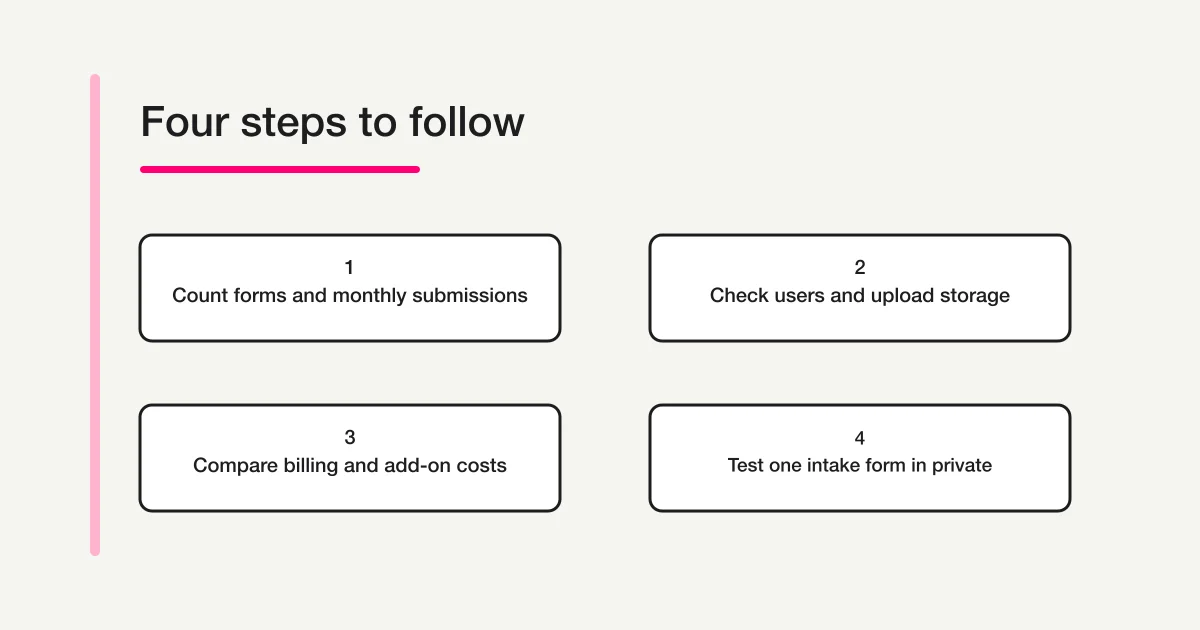
Start with a small table of the forms that will stay in use. For a fictional consulting studio, that might be a consultation request, an existing-client inquiry and a workshop signup. Write down the expected submissions for each during a normal month and during the busiest month. Use separate rows for separate intake routes so that a quiet workshop does not hide a busy consultation campaign.
Next, list people who need to sign in and what they need to do. A respondent completing the public form is different from a staff member working inside the service. One operator may create forms while two colleagues review requests or cover absences. That staffing arrangement matters even when all incoming requests could fit in Free's volume allowance.
Finally, identify files you actually need to collect. Ask whether a prospective customer must attach a document at the first contact, or whether the team can request it later through its approved process. Keep the decision tied to the work: an optional attachment field can become the largest part of the storage estimate. Avoid collecting sensitive documents simply to make a trial look realistic.
The official comparison lists collaborators and multilevel approvals from Standard onward. It also distinguishes general submission capacity from file storage. Use the feature table to check the actions your staff need rather than assuming every paid tier offers the same collaboration. Zoho Forms feature comparison
Work through a consultation intake budget
Imagine the studio expects 420 consultation requests, 90 client inquiries and 60 workshop registrations in its busy month. Together they make 570 submissions. That estimate is above Free's 500 even though no individual form reaches 500. Before ordering a plan, confirm how the service applies the allowance to your organization and when the usage period resets; do not create a budget that treats each form as a separate free subscription.
Now suppose three coordinators need their own access to work on the requests. Basic's submission allowance is ample for 570, but the published user allowance is one. Standard is the first plan in the table whose included users cover all three. Its displayed base cost is US$30 with monthly billing or US$300 for a year on annual billing. Those are plan-level prices in the table, not three times the plan price.
File retention can change the decision again. Suppose 80 consultation requests a month include a 4 MB attachment. That produces approximately 320 MB of new files each month, using decimal units for this illustration. After three months, those attachments alone are about 960 MB; after six, about 1,920 MB. This simplified model excludes existing files, generated documents and any other items that may use storage. It does not establish an exact date when a limit will be reached.
A 500 MB storage allowance therefore deserves attention well before the submission count reaches 10,000. Even Standard's 2 GB should be checked against the intended retention period. Put the existing storage usage, expected monthly growth and approved retention policy beside the plan quote. Confirm what the provider counts toward storage and how your account handles extra capacity before committing.
The point of the example is a reproducible calculation. Replace 570 with your busiest-month total, three with the number of staff who need access, and 320 MB with your own expected file growth. Mark which requirement determines the plan. That makes it easier to reconsider the choice when the team grows or changes its intake process.
Compare an upgrade with an add-on
Zoho's pricing page lists extra submission and storage add-ons for paid plans, and a user add-on restricted to Premium. Confirm the current price, period and account eligibility when assessing an add-on. Zoho Forms add-ons
For the studio, buying more submission capacity would not answer the three-coordinator requirement if the base plan still includes one user. Similarly, moving up for a large submission allowance may be unnecessary if the only pressure is accumulated files. Ask for the cost of the smallest suitable base plan plus the specific extra capacity, then compare it with the next plan over the same period.
Prepare two estimates when demand is uncertain. One uses an ordinary month; the other covers a campaign month. If you expect a temporary spike, record whether the additional capacity can be bought for that period, how renewal works and what happens after it ends. Check those terms in the account rather than assuming another provider's overage policy applies to Zoho Forms.
Avoid treating a storage limit as a reason to delete records immediately. First decide what your business needs to retain and what it is allowed to remove. Then check the approved export, access and deletion process. A cheap plan that depends on manual cleanup every Friday has an operating cost as well as a subscription price.
Try one private consultation form in FORMLOVA
If you already use ChatGPT or Claude, a small private draft can help you compare how you want to create and maintain the questions. Use the studio's consultation intake as the test, with fictional information and no attachments. This checks the core intake separately from the paid file-collection and team features you may need later.
First register for FORMLOVA, verify your email and connect a supported AI client. FORMLOVA's Free plan supports creating and publishing forms, collecting responses without form or response count caps, and CSV or Excel export. File uploads require Standard or above; do not include an upload field in a free trial and assume it is covered. The comparison should include each service's required features, not just its entry-level price. FORMLOVA plans
The AI client's conditions are separate. Claude Free supports one custom connector. Creating forms through ChatGPT requires full MCP access on Business, Enterprise or Edu on the web, with the necessary permissions. Check the current account requirements and connection steps in the FORMLOVA setup guide, then try this request:
Create a private draft called Studio Consultation Request. Ask for the contact name, company name, email address, consultation topic and a short description. Make name, email, topic and description required. Offer New project, Existing service and Other as the topic choices. Show the saved questions and required flags. Keep the form private, do not add a file upload and do not send any email.
Inspect the saved draft in preview. Check that a visitor can tell what to describe and that the topic options match the way your team sorts inquiries. Try the Other option with a fictional question. If the team needs a preferred contact time, ask the connected AI to add that question and inspect the revised saved form. Treat the request as a trial instruction; the output and field labels are what you verify in your account.
Draft your consultation intake before choosing a subscription
Use FORMLOVA Free to check the consultation questions and required fields on a private draft with fictional data.
Register free and draft a consultation form
Register, verify your email and connect a supported ChatGPT or Claude setup. Then use the request above and inspect the saved draft.
Keep the purchase note useful after launch
A short decision note should include the plan, currency, billing term and the requirement that determined the choice. For the studio, the decisive requirement might be access for three coordinators, while file growth is the next condition to monitor. Write down who checks usage and when the team will review its forecast after a campaign.
Keep a separate checklist for the move itself. List the places where the current form is linked, who receives requests, how the team identifies the next action and where approved exports go. Test one fictional submission through the intended process before replacing a public link. A pricing comparison does not prove that integrations, permissions or follow-up messages are configured correctly.
If your organization already pays for other Zoho products, verify the actual entitlement available to it. Zoho Forms, Zoho CRM and Zoho Creator are separate product names with different purchasing questions. A CRM subscription price is not evidence of the cost of a standalone Forms plan. Ask which Forms plan and limits your account includes, and keep that answer with the quote.
For a wider shortlist, the form services comparison hub helps you choose which comparisons to read. The cross-provider comparison covers the broader service decision. If your first goal is testing AI-assisted creation on a free plan, use the free AI form guide alongside the private consultation trial above.
Frequently asked questions
Is Zoho Forms free for a small business?
The public Free plan includes three forms, one user, 500 monthly submissions and 200 MB storage. Compare all four with the intended intake. A small team can outgrow the included user count before it reaches the submission allowance.
Does Basic include access for several coordinators?
The public table includes one user in Basic and ten in Standard. Check the roles each colleague needs and the collaboration features before choosing. Do not plan to share one login as a substitute for the access the team requires.
Should I choose monthly or annual billing?
Compare the same working period. Basic is US$12 per month on monthly billing or US$120 for a full year on annual billing at the checked rates. Monthly billing can fit a shorter project even when its monthly rate is higher. Confirm renewal and cancellation terms in checkout.
Can I compare FORMLOVA using only the questions?
Yes. The private request above checks the intake structure without uploads or external sending. Then assess paid capabilities such as file collection and team management separately, using the current plans and the access your operators need.
Disclosure and Verification
I develop FORMLOVA. Prices, allowances and feature availability were checked against Zoho Forms' public pricing, plan comparison and official pricing data on November 19, 2026. FORMLOVA's plan definition and connection guidance were checked for the trial. All studio volumes, file sizes and costs calculated from them are hypothetical examples. Final taxes, account-specific entitlements and purchase terms should be verified with the provider.