
Last updated: October 15, 2026
For a quick internal survey, start with the Google or Microsoft account your organization already uses. For payments, signatures, or PDFs, shortlist tools against those required features. For an inquiry form, also test how you will find a response, track its status, and export the records after submission.
FORMLOVA is a candidate when you want that inquiry handling to continue through chat. Its free plan lets you try creation, response collection, search, status changes, and CSV/Excel export. Custom auto-replies and reminders belong to Standard or above; bulk email and team management belong to Premium or above.
Use the comparison criteria below to narrow your shortlist, then test one contact form with the suggested requests. You can decide from the complete task before moving all your forms or choosing a paid plan.
Start With Your Use Case And Required Follow-Up
Write down who will respond, which fields you need, and what happens after submission. For a one-time internal survey, account fit and export may be enough. For customer inquiries, add the person responsible, status tracking, and the format needed by the next system.
Then split requirements into three groups: collection you need now, follow-up you need now, and features you might use later. This avoids choosing an upgrade because it has many features you will not use.
Use this reading map when a particular vendor or requirement needs a closer check:
| If You Need To Know | Read This First | What It Helps You Decide |
|---|---|---|
| The overall landscape across major tools | FORMLOVA vs major form services | Pricing, free plans, response limits, operations, MCP support |
| Whether Google Forms is enough, including the Google Forms MCP boundary | Google Forms MCP and alternatives | Where Google Forms is sufficient, where Workspace MCP stops, and where operations become hard |
| Whether Microsoft Forms fits external workflows | Microsoft Forms free limits, response limits, and alternatives | Microsoft 365 fit, free response limits, MCP status, and external form tradeoffs |
| Whether Typeform is worth the price | Typeform alternative: FORMLOVA vs Typeform | Conversational UX, response limits, branding, and operations |
| Whether formrun fits your inquiry workflow | formrun alternative: FORMLOVA vs formrun | Japanese inquiry management versus chat-first operations |
| Whether Jotform is too broad or too constrained | Jotform alternative: FORMLOVA vs Jotform | Platform breadth versus operations focus |
| Whether SurveyMonkey is the right survey tool | SurveyMonkey alternative: FORMLOVA vs SurveyMonkey | Research survey workflows versus operational forms |
| Whether Tally's free plan, password protection, and MCP are enough | Tally pricing, password protection, and MCP compared with FORMLOVA | Free plan breadth, password-gated forms, Tally MCP, and post-submit workflow depth |
| Which free AI form builder to try | How to choose a free AI form builder | Free limits, AI creation, response management, export, MCP |
This hub intentionally does not duplicate every detail from those articles. Vendor pricing, limits, and MCP capabilities move. The safer workflow is to use this page as a decision map, then verify the specific vendor page from the detailed comparison.
The Five Criteria That Actually Matter
Before you compare tools, decide what you are comparing.
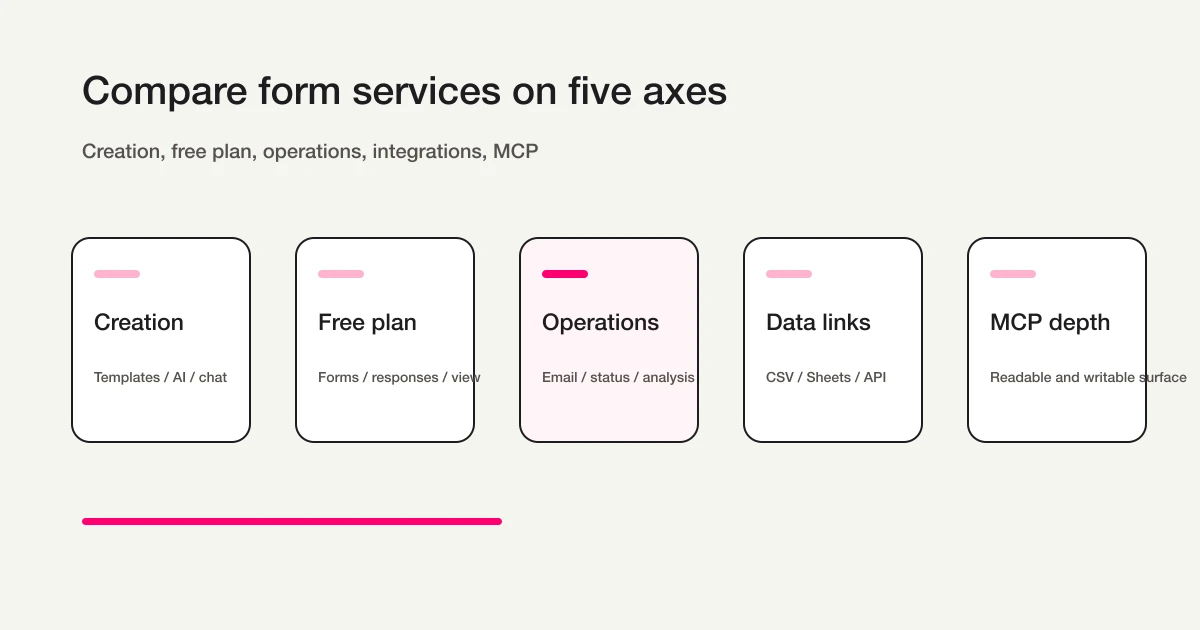
First, compare the creation experience.
Some tools are template-first. Some are drag-and-drop. Some are conversational. Some can generate a first draft from a prompt. Creation speed matters when a non-technical team needs to launch many forms.
Second, compare the free plan and response limits.
"Free" can mean many different things. Can you create unlimited forms? Can you collect unlimited submissions? Can you view all responses? Can you export them? Are files, storage, custom domains, branding removal, or AI features limited? The official pricing and help pages matter here.
Third, compare post-submit operations.
Auto-replies, notifications, reminders, response status, spam or sales email classification, analytics, PDF reporting, A/B testing, workflow routing, and team handoff determine whether the form is usable after launch.
Fourth, compare data portability and integrations.
CSV, Excel, Google Sheets, webhooks, APIs, CRM integrations, and automation platforms are not secondary details. They decide whether the form can become part of the rest of the business process.
Fifth, compare AI and MCP support.
AI form creation is becoming common. The sharper question is whether the AI client can keep working after the form is published. Can it find forms, edit fields, inspect submissions, summarize responses, change email settings, or trigger workflows?
Which Tool Category Fits Which Job?
Use categories before you use brand names.
| Job | Likely Starting Point | What To Verify |
|---|---|---|
| Quick internal survey or class feedback | Google Forms / Microsoft Forms | Existing account fit, collaboration, export, response limits |
| Landing page, quiz, or branded lead experience | Typeform | Monthly responses, branding, logic, analytics, price |
| Broad form platform with payments, signatures, PDFs | Jotform | Form limits, submissions, storage, branding, MCP scope |
| Japanese inquiry management | formrun | Monthly responses, team workflow, board management |
| Research survey and reporting | SurveyMonkey | Viewable responses, analysis limits, overage rules |
| Generous free form creation | Tally / FORMLOVA | Free plan scope, export, post-submit operations |
| Chat-first operations through AI clients | FORMLOVA / Tally / Jotform / Typeform | What MCP can read, write, and safely avoid |
FORMLOVA is most relevant when the form is not the final artifact.
It is a fit when you expect the form to generate operational work:
You need to manage inquiries after they arrive
You need to route or classify submissions
You need auto-replies or reminders
You need exports and analysis
You want ChatGPT, Claude, or Cursor to operate the form surface
It may not be the first tool to evaluate when all you need is a one-time internal poll, a highly polished conversational quiz, or a broad suite of payment/signature/PDF widgets. In those cases, Google Forms, Microsoft Forms, Typeform, or Jotform may be the more direct first comparison.
Compare One Contact Form Through The Free Workflow
Use the same small task in your shortlisted tools: a contact form with name, email, inquiry category, and message. Review the required fields and mobile layout, publish a test form, and submit two fictional inquiries using an address you control.
After connecting FORMLOVA to a supported AI client, try this suggested request:
Draft a contact form with required name, email, inquiry category
(product question / quote / other), and message fields.
Show me the fields and required settings before publishing. Do not send emails.
After reviewing and publishing the test form and sending the two test responses, ask:
Find the quote inquiry and show its current status and available status choices.
After I select the next status, update only that response.
Export the test form's responses to CSV for a column check.
Creation, publishing, collection, search, status changes, and CSV/Excel export are included in the free plan. Check whether the draft collects only necessary information, whether you can identify and update the right response, and whether the export fits the next task.
Compare FORMLOVA using one complete inquiry task
Create a contact form and test search, status changes, and CSV export on the free plan. Check those everyday tasks before paying for email automation or moving existing forms.
Sign up free to try the contact-form workflow
Sign up, verify your email, and connect a supported AI client. Then use the request above to create a draft. Your AI client's access and fees follow its provider's contract.
Free Plans Need A Practical Checklist
Free plans are where many form comparisons become misleading.
A useful free-plan comparison asks:
How many forms can I create?
How many submissions can I collect?
Can I view every response?
Can I export responses to CSV or Excel?
Can I sync to Google Sheets or another database?
Are auto-replies, notifications, analytics, and logic included?
Is the vendor branding removable?
Are AI creation or MCP operations included?
What happens when I exceed the limit?
Google Forms is the baseline for simple free form creation. Google's help center describes how Forms can create surveys, quizzes, and forms, send them to people, and analyze responses in real time.
Microsoft publishes form, question, response, and character limits in its support documentation. That makes it easier to evaluate Microsoft Forms for organizations already using Microsoft 365, especially for internal collection.
Typeform, Jotform, SurveyMonkey, and formrun each have free-to-paid boundaries that should be checked on their official pricing or help pages. The important questions are usually response volume, viewable responses, storage, branding, export, and advanced workflow features.
Tally is strong when the buyer wants a generous free form builder. Its official pricing and MCP help pages should be checked together: the free plan is one question, while post-submit operations and AI-client control are a second question.
FORMLOVA's free plan includes unlimited form creation and response collection, search, status management, CSV/Excel export, basic analytics, and design changes. Custom auto-replies, reminders, detailed analytics, and A/B testing are Standard features; bulk email, email sequences, and team management are Premium features. The Free plan allows 100 quota-counted emails per month. Response notifications are a digest every six hours and do not consume that quota. It is not a 100-response limit or an immediate-notification promise. Webhook and field-update workflows are included in the free plan, so do not treat every workflow as paid.
MCP Support Is Not One Checkbox
MCP stands for Model Context Protocol.
In practical terms, it lets AI clients such as ChatGPT, Claude, Cursor, and similar tools connect to external systems through a standard interface. For form services, MCP changes the buying criteria because the form dashboard is no longer the only control surface.
An MCP-enabled form service may allow an assistant to:
- create a form from a description
- edit fields and settings
- list existing forms
- fetch submissions
- summarize or filter responses
- inspect workflow or email settings
- prepare exports or follow-up actions
But the depth varies.
Jotform's official MCP page lists form creation, editing, submission creation, and retrieval. Tally's official MCP help covers creation, editing, workspace browsing, and retrieval for analysis in the AI conversation. Typeform's current developer documentation covers form building, automations, contacts, and response analytics, with access controlled by the account's plan. Typeform should therefore not be treated as a read-only forms connector. Check the specific action you need rather than assuming FORMLOVA is the only option for operating forms through chat.
So the question is not "Does this vendor have MCP?"
The question is "Which operational surface does MCP expose?"
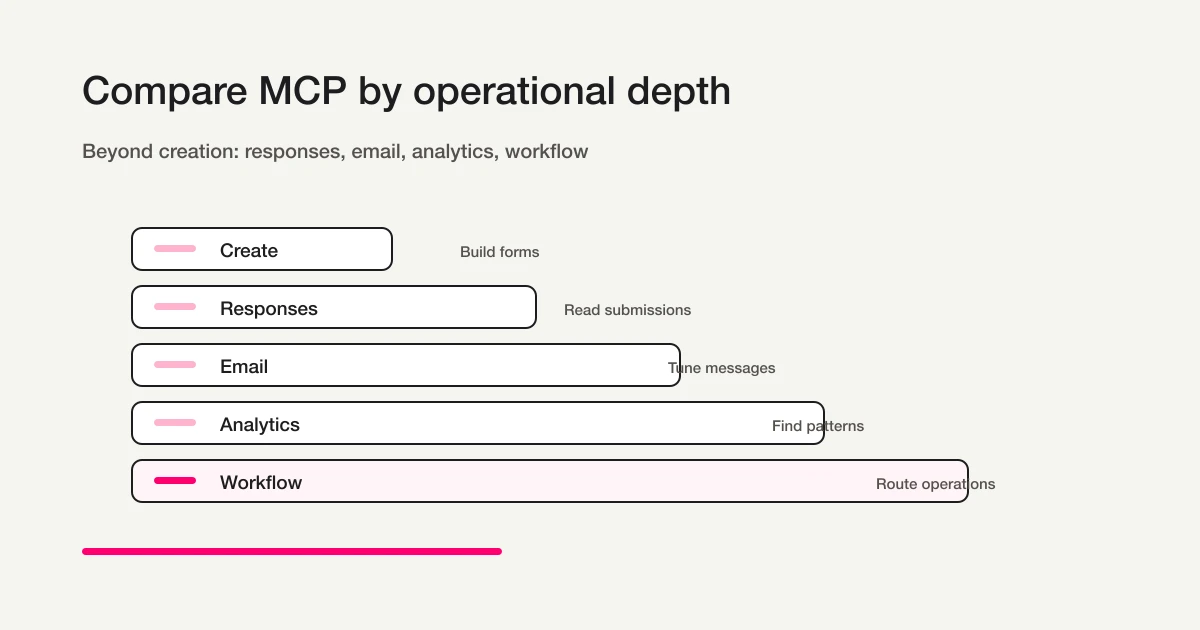
FORMLOVA's thesis is that MCP should not stop at form creation. The valuable layer is the post-submit layer: responses, status, messages, analysis, workflows, and team operations. The distinction is explained in MCP form builder vs AI form builder.
How To Use The Detailed Comparisons
Start with the broad comparison if you have not chosen a shortlist.
FORMLOVA vs major form services compares Google Forms, Microsoft Forms, Typeform, Jotform, formrun, Tally, SurveyMonkey, and FORMLOVA across pricing, free plans, operations, and MCP support.
Use the Google and Microsoft articles when the main question is whether your existing productivity suite is enough.
Google Forms MCP and alternatives is about the boundary between a free, familiar form builder, Google Workspace MCP, Apps Script automation, and a workflow that needs richer design, email, reminders, response management, and MCP operations.
Microsoft Forms free limits, response limits, and alternatives is about the difference between internal Microsoft 365 collection and external-facing workflows that need more operational control, including the current Forms MCP boundary.
Use the Typeform, Jotform, formrun, SurveyMonkey, and Tally articles when you already have a likely alternative in mind.
Typeform should be evaluated when experience and conversion are the center of the form. Jotform should be evaluated when broad platform features matter. formrun should be evaluated when Japanese inquiry management and board-style handling matter. SurveyMonkey should be evaluated when the work is survey research and analysis. Tally should be evaluated when the free plan and simple creation experience are the primary draw.
After The Tool Comparison, Move To The Form Use Case
For survey-specific free-tier limits, use the seven free survey form tools comparison to compare response units, questions, logic, collaboration, and full export.
For a booking-specific zero-monthly-fee comparison, use the free booking form comparison to separate reservation requests from instant confirmation and check volume, notifications, payments, calendar sync, and exports.
Once you choose a likely tool category, the next step is not another pricing table.
It is the actual form.
If you are building a contact form, use the contact form template guide to decide fields, consent copy, auto-replies, and sales-email handling.
If you are building a webinar registration flow, use the webinar registration form guide to think through confirmation emails, event links, reminders, and attendee management.
If you are building an event form, use the event registration form guide to handle capacity, waitlists, check-in, and post-event follow-up.
If you are building a job application form, use the job application form guide to keep the questions relevant, fair, and operationally useful.
If you are building a survey, use the survey form guide to design questions around the analysis you need afterward.
If you want the parent guide for creating a form from scratch, start with the FORMLOVA Form Creation Guide.
Decide What To Do After The Trial
Record each required task as available on free, available on paid, possible with an external tool, or not confirmed. Keep the same checklist for every shortlisted service. A feature being available through MCP does not by itself establish that it is included in your plan.
If your existing tool handles the tasks, keep it. If FORMLOVA fits the search, status, and export work, use the free setup as the starting point. For confirmation emails, reminders, detailed analytics, or team handling, check the specific paid boundary before expanding. If you need to preserve past responses, verify export/import separately rather than assuming a new form draft migrates them.
FAQ
What should I compare first when choosing a form service?
Compare the work that happens after submission. If the form is only a quick internal survey, a basic tool may be enough. If the form creates follow-up work, compare auto-replies, notifications, status management, exports, analysis, workflow routing, and MCP support.
Are Google Forms and Microsoft Forms still good choices?
Yes. They are strong choices for simple collection inside organizations that already use Google Workspace or Microsoft 365. They become less ideal when the public-facing workflow needs richer branding, custom email, reminders, response status, routing, or chat-based operations.
How is Typeform different from FORMLOVA?
Typeform is strongest when the response experience itself is part of the brand. FORMLOVA is strongest when the post-submit workflow matters: response review, classification, email, analytics, workflow actions, and MCP-based operations. Read the Typeform alternative comparison for the detailed tradeoff.
How is Jotform different from FORMLOVA?
Jotform is a broad form platform with many surrounding features, including templates, payments, signatures, PDFs, and integrations. FORMLOVA is narrower in one sense and deeper in another: it focuses on making form operations manageable through chat and MCP after the form is live.
How should I judge MCP support?
Do not treat MCP as a single checkbox. Check what the MCP server can read, what it can write, how it authenticates, whether destructive actions are allowed, what rate limits apply, and whether it reaches the operations you actually need. Creating a form through AI is useful, but managing submissions and workflow after publication is where the value compounds.
Who should try FORMLOVA first?
Try FORMLOVA first if your form is part of an operational workflow: inquiries, lead capture, events, webinars, recruiting, surveys, or customer follow-up. It is most relevant when you need to create the form, collect responses, manage them, export them, analyze them, and operate the surface from AI clients.
Make The Choice From A Form You Have Tested
Pick the use case, shortlist services for the required collection and follow-up, and run the same trial in each. Compare the form on mobile and desktop as well as the response-handling work.
Use the broad service comparison if a pricing or integration question remains, or the form creation guide if you need help choosing fields. If the contact-form trial matches your needs, register for FORMLOVA free, verify your email, and follow the setup guide to connect an AI client. Start with collection and response handling, then add paid operations only for a requirement you have confirmed.
Disclosure and Verification
This guide is the parent page for FORMLOVA's form service comparison cluster. I am the developer of FORMLOVA, so I separate official facts, evaluation criteria, and FORMLOVA's product thesis as clearly as possible. Pricing, response limits, AI features, and MCP support can change. On October 15, 2026, I rechecked the official Tally pricing, password-protection, and MCP pages, Jotform MCP, and Typeform MCP documentation, and corrected the outdated Typeform scope. FORMLOVA free and paid boundaries were checked against the current plan definition. The contact-form requests are proposed tests, not observed outcomes. Verify current billing and feature access before buying.