
FormMailer Pricing: Plans, Upload Limits and Billing
FormMailer offers Free and four paid plans: Lite at ¥1,485, Entry at ¥2,475, Standard at ¥5,742 and Premium at ¥12,672 per month, including tax, when paid by credit card. Choose from your actual questions, attachments and reviewers. For an inquiry form with eight fields, one 4 MB upload and one colleague added to the owner, Entry is the first plan that fits those requirements. Also compare the payment method: its twelve-month bank-transfer amount costs more than twelve regular card payments.
Compare the plan limits against your intake
The following figures were checked on November 23, 2026, against the official pricing page and plan PDF updated November 11. Amounts are Japanese yen, including tax. These are current plan limits, rather than measured performance in a live intake.
| Plan | Card payment per month | Forms | Fields per form | Responses per form per hour | Additional team members |
|---|---|---|---|---|---|
| Free | ¥0 | 5 | 7 | 50 | — |
| Lite | ¥1,485 | 10 | 50 | 100 | 0 |
| Entry | ¥2,475 | 20 | 100 | 200 | 1 |
| Standard | ¥5,742 | 100 | 200 | 500 | 5 |
| Premium | ¥12,672 | 300 | 300 | 1,000 | 10 |
Free has no file uploads. The website describes its response retention as six months; the PDF specifies 180 days. Plan exports around the stated limit rather than assuming six calendar months of indefinite access. Paid retention can be configured up to indefinite retention. Keep your required retention period separate from the number of responses you expect.
Start with one representative form, not every feature you might use someday. Write down the questions you actually need, the largest document people must attach, and who needs their own access. That produces a purchase requirement a colleague can check. A plan with many unused forms may still be necessary because of a single required file or reviewer.
Budget the payment method, not an assumed annual discount
The current published bank-transfer totals are shown below. Card amounts in the final column are calculations using twelve regular monthly payments, not an annual card product. Initial prorated charges are outside that simple comparison.
| Plan | Bank transfer: 3 months | Bank transfer: 12 months | Card monthly price × 12 |
|---|---|---|---|
| Lite | ¥5,346 | ¥19,602 | ¥17,820 |
| Entry | ¥8,943 | ¥32,670 | ¥29,700 |
| Standard | ¥20,394 | ¥73,656 | ¥68,904 |
| Premium | ¥44,550 | ¥160,512 | ¥152,064 |
These published totals come from the same official comparison, checked November 23. For Entry, ¥2,475 × 12 is ¥29,700. Its twelve-month bank-transfer total is ¥32,670, a difference of ¥2,970. Do not describe that transfer option as a discounted annual subscription.
The official payment guidance describes card billing as automatic monthly renewal and bank transfer as manual renewal for three or twelve months. The initial charge includes prorating; the pricing page explains the remainder of the initial month plus the following month. Confirm the actual first charge for your start date rather than treating the headline as the whole initial invoice.
The provider explains the higher transfer price by the administration and outsourced collection costs associated with invoicing and payment checking. If your organization requires an invoice and transfer approval, put that requirement in the budget. A cheaper payment method is useful only when your team can use it.
For an English-speaking purchaser, also confirm your organization's eligibility, accepted payment instrument and ability to work with the Japanese service and help materials. This article does not establish that an overseas card will be accepted. Keep the approved payment method and renewal owner beside the plan name, so an intake does not depend on an unassigned renewal task.
Work through an eight-field inquiry with a 4 MB file
Consider a fictional design consultancy collecting project inquiries. The owner wants a colleague to inspect requests. Its first draft asks for name, email, organization, inquiry category, project outline, preferred contact time, budget range and an attached project brief. Those eight fields and the file requirement are example assumptions, not customer measurements.
Free does not fit this draft: the question set exceeds its field allowance, and it needs an upload. Lite has room for the questions, but a 4 MB brief exceeds its individual upload limit. Entry accepts that file size and allows one additional team member. Under these assumptions, Entry is the first candidate; choosing it is a consequence of the requirements rather than the plan's marketing description.
Use the official upload guidance, checked November 23, for these separate size limits:
| Paid plan | Largest individual file | Account file storage |
|---|---|---|
| Lite | 3 MB | 1 GB |
| Entry | 5 MB | 3 GB |
| Standard | 30 MB | 10 GB |
| Premium | 100 MB | 30 GB |
The storage column is also confirmed by the official file-storage help. It is an account-wide allowance. A large total allowance cannot make a single oversized upload acceptable.
Now change one assumption: typical files average 2 MB, thirty inquiries arrive each month, and six months of files remain stored. The simple estimate is 2 MB × 30 × 6 = 360 MB. This is a planning calculation, not the service's measured storage accounting. Existing files and other counted data need their own allowance.
That estimate fits within Lite's total capacity, yet it does not solve the original 4 MB brief. The average helps budget accumulated storage; the largest necessary file determines whether a particular person can submit. Keep both figures in your requirements. Asking a client to compress every document may change the work more than the subscription difference saves.
Count colleagues separately from forms
Suppose a second colleague must inspect inquiries alongside the owner and the first colleague. The question list and file have not changed, but the additional-member requirement is now two. Standard becomes the first candidate in the listed allowances. Likewise, a necessary 10 MB individual brief rules out Entry even if only a few requests arrive each month.
The team-management guidance, checked November 23, distinguishes the administrator from added team members. Members can receive editing and response-viewing permissions; they do not simply become equivalent administrators. Define the access you need before counting the people.
For the consultancy, write three separate responsibilities: the owner approves billing and form structure, a colleague reviews incoming briefs, and another person handles follow-up. Decide which of those tasks actually requires access to responses. Receiving a notification and viewing a saved client brief are different acceptance conditions.
The result might be Entry with one reviewer, Standard with two reviewers, or a simpler process that keeps one reviewer and hands off an approved summary elsewhere. Choose that process because it suits the work and access requirements. Do not share an owner's credentials merely to make the member count fit.
If a custom domain or an external integration is essential, compare that requirement explicitly in the current official table as well. Do not infer integration availability from a large form allowance. For what happens after an inquiry arrives, the separate response-status management guide covers the handling decision in more depth.
Use the trial to verify a small set of acceptance conditions
A trial can answer whether the questions and review process work for the intended people. It cannot prove a launch's peak capacity from a few successful test submissions. The plan PDF lists separate paid-trial limits of ten responses per form per hour and fifty per account per hour, so keep trial observations separate from the normal paid-plan allowances.
The response-limit guidance describes the limit per form per hour. A monthly total does not answer whether a concentrated announcement will fit that limit. Estimate the busiest hour separately, then plan a controlled test rather than generating a burst of submissions.
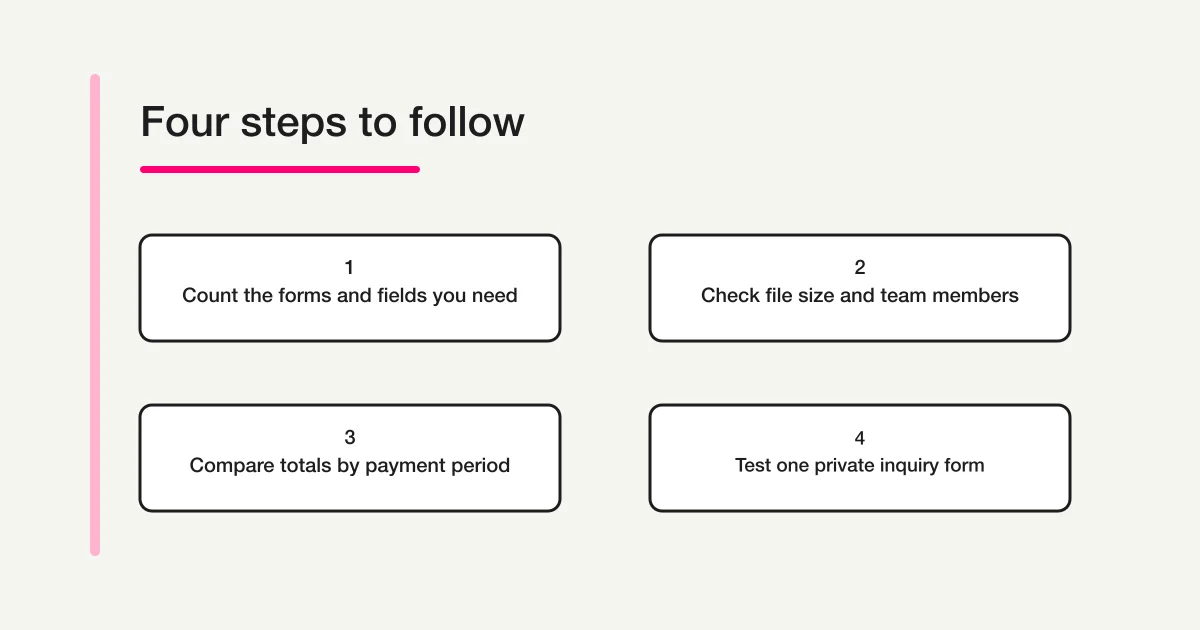
For the consultancy, useful acceptance conditions are concrete: a harmless 4 MB sample brief can be submitted; the required fields block an incomplete draft; the intended colleague can read the saved request; and the owner knows where usage and renewal are shown. Check with fictional details and addresses you control.
Also decide what happens when stored files approach capacity. Official storage help says submissions can continue after the allowance is reached, while files received after that point cannot be viewed or downloaded through the response details. A form appearing open therefore does not prove staff can retrieve every new brief. Assign someone to watch capacity before making uploads part of a client promise.
Try the questions privately in FORMLOVA
If you already use ChatGPT or Claude at work, FORMLOVA lets you draft and revise the inquiry through a supported AI chat. You can first inspect the text questions without setting up paid uploads or adding reviewers. This isolates the question design from the subscription decision.
Start in this order: register for FORMLOVA, verify your email, and connect a supported AI client. Read the current AI connection requirements. Full ChatGPT form creation requires an eligible Business, Enterprise or Edu web setup and the necessary permissions. Do not assume every ChatGPT account can create through the connection; client-side eligibility and costs are separate.
Then use this request with fictional details:
Create a private inquiry-form draft for a design consultancy. Ask for name, email, organization, inquiry category, project outline, preferred contact time and budget range. Require name, email, inquiry category and project outline. Do not add the project-brief upload yet. Show the saved field list and explain which questions I should review. Do not publish, send email, add team members or collect payments.
Inspect the saved questions, rather than accepting the chat's description alone. Check that category choices match the consultancy's services and that optional questions remain optional. Ask for one revision, such as making the project-outline prompt more specific, then reopen the draft and compare it with the request.
FORMLOVA Free includes form creation and publishing, response collection without form or response count caps, response search, and CSV or Excel export. Its monthly email allowance is 100 messages; unlimited responses do not mean unlimited email. Uploads and custom automatic replies require Standard or above; team management requires Premium. Keep this first trial attachment-free and compare the current plans before extending it into those operations. Registration itself does not create the form or complete the AI connection.
Inspect your inquiry questions before choosing upload operations
Create a private, attachment-free draft and review required fields and inquiry categories using fictional details.
Register free and draft your inquiry questions
Register, verify your email and connect a supported ChatGPT or Claude setup. Then use the request above and inspect the saved draft.
Choose from the requirement that changes the plan
Free is a candidate for a small attachment-free form within its allowances. Lite becomes relevant when the expanded questions and modest uploads fit, with the owner operating alone. The consultancy's original 4 MB file and one added reviewer point to Entry. Two added reviewers or a required 10 MB file point to Standard. Check Premium against a concrete requirement that the lower plan cannot meet.
FORMLOVA is worth trying when your preferred working surface is the AI chat you already use. FormMailer may suit a team that prefers its visual editing and Japanese operating environment. Compare the way the intended operators will work, along with the plan limits and approved payment process.
Write the decision in one sentence: “We need eight fields, a 4 MB brief, one additional reviewer and card monthly renewal.” Attach the outstanding acceptance tests. For a wider provider decision, use the form-services comparison hub and the cross-provider comparison. This article's result is a plan requirement to verify, not a promise of automatic migration.
Questions before subscribing
Does paying for twelve months by bank transfer save money?
Not in the current published comparison. Compare the full transfer amount with twelve regular card payments, including your required approval process and the first prorated charge. A longer term is not automatically a discount.
Can enough total storage compensate for an oversized file?
No. An account's accumulated file allowance and each upload's size limit answer different questions. Test the largest file you actually need, then estimate cumulative storage separately.
Does one added team member mean only one person altogether?
The added-member allowance is separate from the administrator. Check the permissions each person needs, as an added member does not receive every administrative ability.
Can I try FORMLOVA without setting up uploads first?
Yes. Register, verify your email and connect a supported AI client, then inspect a private text-only draft. Add uploads, custom replies or team access only after checking the plan required for those operations.
Disclosure and Verification
I develop FORMLOVA. FormMailer's public pricing, plan PDF and linked official help were checked on November 23, 2026. The PDF is dated November 11. The website's six-month Free retention description and the PDF's 180-day wording are shown separately. The consultancy, file sizes and arithmetic are illustrative. No subscription, live intake, payment, member invitation or email delivery was executed for this article. FORMLOVA's trial scope was checked against its plan definition and current connection guidance; checkout-specific eligibility and future registration effects remain unmeasured.