
An expense reimbursement form is an intake point. Submitting it does not automatically approve the expense, create an accounting entry, issue payment, or satisfy recordkeeping requirements. Start by deciding who can submit which expenses and who will review each request. Then ask only for the information needed to move that request to its next step.
This guide uses a fictional small team that receives employee travel expenses. It focuses on collecting consistent request details and handing them to a reviewer. It does not replace accounting software or a dedicated expense management system. For a broader approach to planning an intake form, see FORMLOVA's form creation guide.
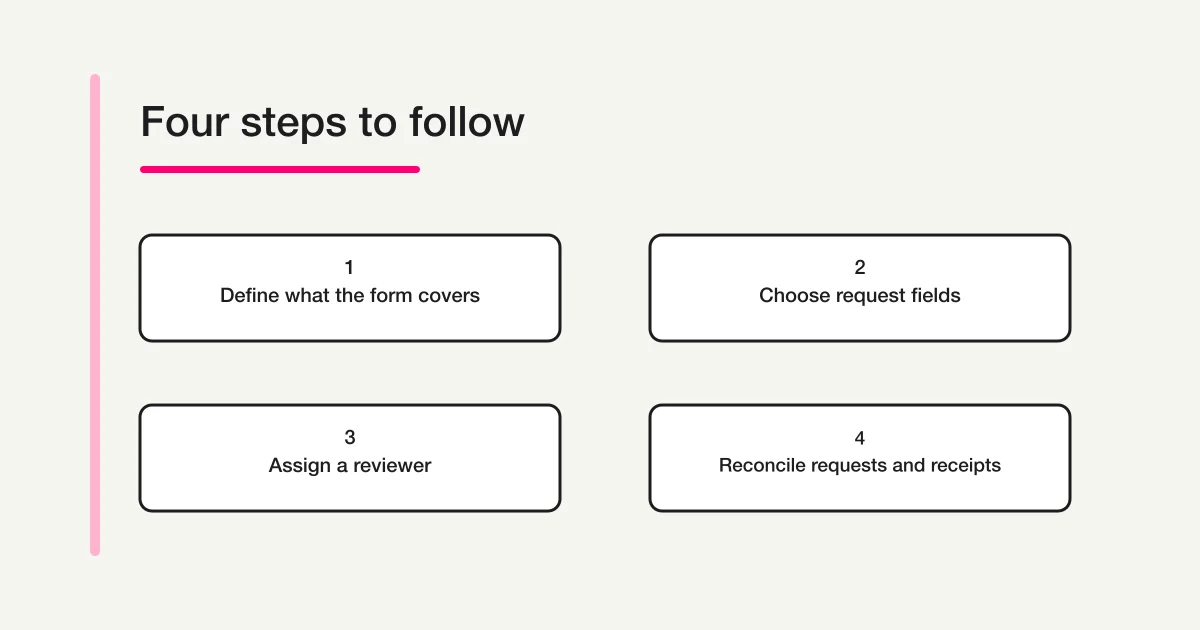
Define what the form is responsible for
Before writing questions, draw a boundary around the form's job. For example: “Collect an employee's out-of-pocket travel expense details so the finance reviewer can compare them with supporting records and enter approved expenses into the accounting system.” In that process, the form receives information; the finance process makes decisions and records the accounting outcome.
| Stage | Form or team action | Record to keep |
|---|---|---|
| Request | Employee submits date, amount, route, and business purpose | Submission time and requester |
| Initial review | Reviewer checks required details against company policy | Review status and follow-up owner |
| Proof check | Reviewer compares the request with a receipt, invoice, or travel record | Reviewer and reconciliation result |
| Accounting | Finance follows the organization's accounting and approval process | The accounting system's record |
This distinction prevents two common misunderstandings. An employee should not assume a successful submission means the expense has been reimbursed. A reviewer should not assume someone else has checked the receipt or entered the expense. The completion message should confirm receipt and explain what happens next, including the expected contact method or timing if the organization can provide it.
The exact steps depend on the organization's policy. A small nonprofit, a growing company, and a public agency may have different roles and supporting documents. Use the organization's rules and finance team's instructions as the source of truth. A general web form can help collect information, but it should not invent approval rules or determine tax treatment.
Choose fields that support the next decision
Consider a fictional employee who paid for train travel to visit a client. The request form could include the following fields. Adapt the labels, required settings, and options to the real policy before publishing.
| Field | Example setting | What the reviewer can check |
|---|---|---|
| Employee name or internal ID | Required | Who submitted the request and whether they are in scope |
| Work email address | Required | Where to ask about a missing detail |
| Date the expense occurred | Required | Which period or trip the expense belongs to |
| Amount | Required | The requested amount, using the organization's currency and tax convention |
| Merchant, payee, or travel route | Required | Who was paid or which service was used |
| Business purpose | Required | Why the expense relates to work |
| Expense category | Required if finance uses it | How the request should be classified for review |
| Department or project | Required only if applicable | Which internal team or project should be associated with it |
| Receipt reference or approved storage location | Follow internal policy | Where the reviewer can find supporting proof |
| Additional context | Optional | Details not already captured by another question |
For a broader list of question types and ways to decide whether a field is required, see the form field examples guide. This expense-request example stays focused on the details a reviewer needs to identify a request and check its supporting record.
Use concrete labels. A field called “Details” gives employees little guidance; “Travel route or destination” tells them what to provide. If the amount field expects a number without a currency symbol, show that in the instructions. For a transit expense, explain whether to enter one leg or the round trip. If one request can contain several expenses, decide whether people submit one line per expense or provide a clearly separated breakdown. That choice should match the review and accounting process.
Do not request sensitive or unnecessary information just because a form makes it possible. Bank account details, card numbers, home addresses, and personal identifiers should not be added to an ordinary reimbursement intake unless the organization's authorized process requires them and provides appropriate handling. A form should not collect the same information already available in a secure internal system without a clear reason.
Supporting documents need their own handling decision. Tell employees where receipts or electronic invoices should be stored or submitted, and how to reference them from the form. Do not assume the form can accept attachments or that a row in an answer export is a substitute for an original record. Japan's National Tax Agency provides guidance on preserving electronic transaction data, including data exchanged electronically; consult the organization's finance team for how that guidance applies to its process. The form response is not a substitute for the required source record or a tax compliance determination (National Tax Agency: How to Preserve Electronic Transaction Data).
Keep required questions focused
For each proposed question, ask: “What would the reviewer be unable to decide or do if this answer were blank?” Make a field required only when a missing answer would block the next step. This keeps the request short and avoids collecting information that does not serve the stated purpose.
The employee's identity, a contact route, expense date, amount, merchant or route, and business purpose are often needed to identify and review a request. A free-text notes field can usually remain optional if the structured fields capture the routine details. A department or project should be required only when the organization uses it to route or classify the expense.
Use answer formats that make responses consistent. An expense category can be a list of the categories the finance team actually accepts. If “Other” is available, decide whether a short explanation is needed only for that choice. Give a clear example for the amount and route. Avoid making a long narrative the only way to report a multi-part trip if the reviewer needs to compare each leg separately.
There is no universal rule that one form should cover every expense type. Mileage, lodging, meals, equipment, and subscriptions may require different information or supporting documents. If the same form becomes difficult to understand, split the intake by expense type or use a conditional path only when the form tool and the review process support it. Do not add branching simply because it looks sophisticated.
Before sharing the form, confirm who can see the responses and who can export them. Expense requests can reveal travel patterns, business relationships, and internal project information. Limit access to the people who need it for review, and keep downloaded files in an approved location. Set a retention and deletion practice with the finance or privacy owner instead of keeping exports indefinitely. If a third-party processor is involved, use the organization's normal vendor and data-handling review. A helpful form minimizes the information collected and makes access to the answers predictable.
Also decide how to handle corrections. If an employee notices a wrong date or amount after submission, should they contact the reviewer, submit a corrected request, or edit a response where that is supported? Choose one method and explain it. A corrected entry should not silently erase the audit trail the organization needs. Make sure reviewers can tell which request is current and how a duplicate or withdrawn request is represented in the official process.
Assign ownership after submission
Choose who sees new requests first and who follows up when something is missing. Decide where reviewers record the status, how a requester can correct an entry, and how a backup person handles submissions when the primary reviewer is away. These operational choices matter as much as the questions themselves: a well-written form still creates a queue if no one owns the next step.
Keep status names tied to real actions. For example, “Received,” “Checking details,” “Needs requester update,” and “Recorded in accounting” can describe a small intake process. If the team uses “Approved,” define whose approval it means and where the official decision is stored. Do not label a status “Paid” just because a request was submitted or marked ready for finance.
The confirmation message can say, “Your request has been received. The finance team will review the details and contact you if information is missing. Submission does not confirm approval or payment.” Add a timing estimate only if the organization can support it. If employees should not submit duplicate requests while waiting, explain how to check the status or whom to contact.
Test a fictional request queue
The table below is hypothetical test data, not a real reimbursement record or a FORMLOVA product test.
| Requester | Date | Route | Amount | Purpose | Status |
|---|---|---|---|---|---|
| Sato | Oct 21 | Shinjuku to Yokohama | ¥1,240 | Client visit | Received |
| Suzuki | Oct 22 | Tokyo to Nagoya | ¥11,300 | Trade show | Checking proof |
| Takahashi | Oct 23 | Shibuya to Shinagawa | Missing | Internal meeting | Needs requester update |
The missing amount in the third row gives the reviewer a concrete reason to follow up before comparing supporting proof. The second row can be checked against the travel record for the trip. The first still needs the reviewer's normal policy check. Before launch, use fictional test entries to see whether a reviewer can spot missing information, identify a duplicate request, find the associated receipt, and contact the right employee.
Draft an expense intake form
In an AI chat connected to FORMLOVA, ask: “Draft a private form to collect employee out-of-pocket travel expenses for review. Include requester, date, amount, route, business purpose, category, and a reference to the approved receipt location. Do not publish it yet.” Then read each question as an employee would: is the expected answer clear, and can the person submit without guessing?
The free plan includes form creation and publication, response collection, basic analytics, response search, and CSV/Excel export. Those features can support intake and review. They do not mean that FORMLOVA approves expenses, creates journal entries, pays employees, or stores official accounting records. Keep those steps in the organization's existing process.
Draft a free employee expense request form
Organize the date, amount, business purpose, and follow-up details in one intake. The free plan includes form creation and publication, response search, and CSV/Excel export. Handle approval, accounting, and payment through your organization's process.
Create a free expense request form
Register, verify your email, and connect FORMLOVA to a supported AI chat. Use the request above to create a private draft. The AI client's own terms and costs are separate. Submit a fictional test response to check required fields and the confirmation message before publishing and sharing the form.
After creating the draft, submit a fictional test request. Check that required questions block an incomplete submission only when they should; optional questions can be skipped; the confirmation message explains the next step; and the right reviewer can find the response. Remove or clearly mark test entries so they are not confused with real requests. If you export answers, confirm that the export is stored and shared according to the organization's policy.
Pre-launch checklist
- Eligible requesters and covered expense types are explained before submission.
- The request includes the details a reviewer needs: requester, date, amount, payee or route, and purpose.
- Required and optional questions reflect actual review needs.
- Employees know where to submit or store supporting documents.
- The confirmation message says that receipt is not the same as approval or payment.
- A primary reviewer, backup, follow-up method, and status record are defined.
- A fictional test request reveals missing fields and confirms the handoff.
- The finance team has confirmed that the form fits its existing policy and recordkeeping process.
An expense reimbursement form is most useful when it gives both sides a clear next step. Employees know what to submit and where proof belongs. Reviewers know who owns the request and which system holds the official accounting record. Keep the form focused on intake, and let the organization's finance process govern approval, reimbursement, and record retention.
References
Disclosure and Verification
The request examples and amounts in this guide are fictional. The National Tax Agency link is provided as a source about electronic transaction data; this article does not make a tax or legal determination. Confirm the questions, approval process, and location for supporting documents with the organization's finance team before use. Reviewed: 2026-10-27.