
Gravity Forms Pricing: Site Limits and Renewal Costs
Gravity Forms costs $59 a year for Basic or $159 a year for Pro. As checked on November 29, 2026, a new Elite license is on offer at $149 for its first year, with renewal at $259 a year. Choose using the sites and add-ons you need, then compare the continuing cost. The lowest first payment does not settle the second-year budget.
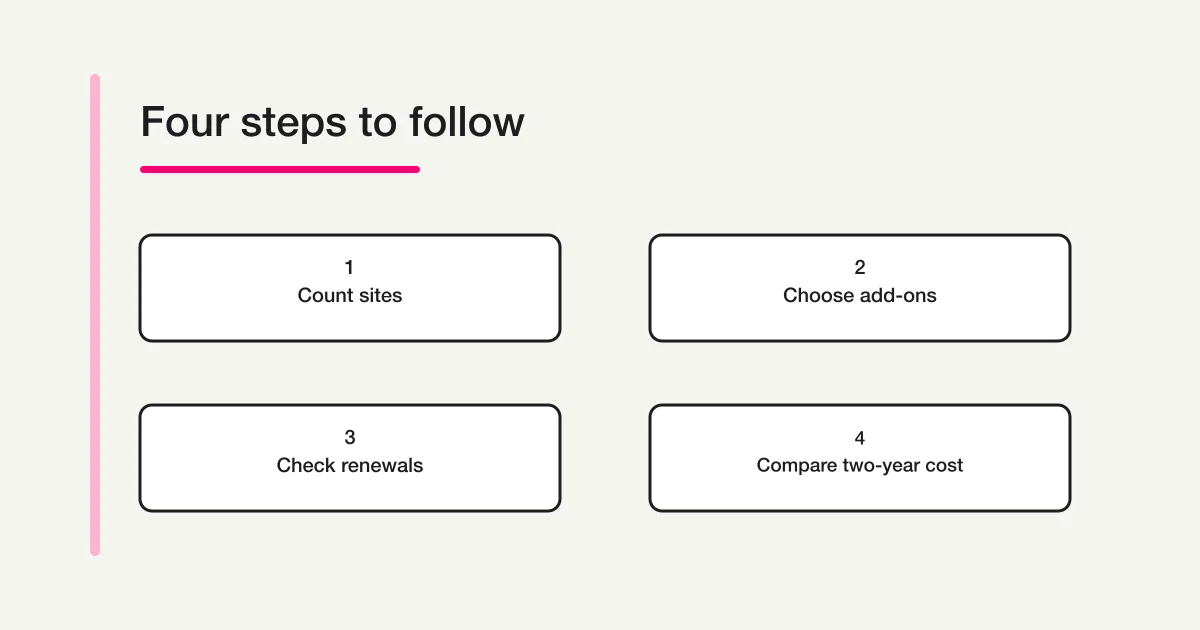
For a two-site project that needs Stripe and Zapier but no Elite-only feature, the current offer makes Elite $10 cheaper initially. Keeping the same license for two years reverses that result: Pro comes to $318, while Elite comes to $408, assuming the displayed rates remain unchanged. Here is how to check that decision against your own requirements.
Separate the annual license from the introductory offer
This snapshot comes from Gravity Forms' official pricing page, checked on November 29, 2026. Amounts are in US dollars.
| License | Annual price shown | Site coverage | Price period to record |
|---|---|---|---|
| Basic | $59 | 1 site | Annual license |
| Pro | $159 | 3 sites | Annual license |
| Elite | $149 initially; $259 on renewal | Unlimited sites | Current new-license offer, then regular renewal |
The Elite offer runs from November 23 through December 1, 2026 and applies to new licenses. It is not a standing $149 renewal promise. If you read this after the offer, replace the first-year amount with the current checkout amount before using the calculation below.
Put two amounts in your purchasing note: the payment due now and the amount expected at renewal. A screenshot of a sale price without its period can leave the next person with an incomplete budget. Keep the date and eligibility beside the number, particularly when someone else will approve or maintain the purchase.
Count sites before counting forms
For this purchase, the site allowance is an early filter. Write down every website that needs the plugin, who controls it and whether it is part of a WordPress Multisite installation. A form on a second website is a different planning question from another form on the same website.
The official license-types guide gives Basic one site, Pro three and Elite unlimited sites. It also lists WordPress Multisite support under Elite, rather than treating several independent installations and one Multisite installation as interchangeable.
For example, a company may have a main site and a separately maintained event site. That makes two sites in this illustrative comparison. If its setup is actually Multisite, return to the licensing requirement instead of choosing Pro merely because the visible site count is below three. Ask the person responsible for WordPress to confirm the architecture before buying.
You can keep the first part of the decision sheet small:
- Which production websites need the plugin?
- Who owns each site and the license account?
- Is WordPress Multisite involved?
- Which sites are already covered by an existing agreement?
Those answers keep a license comparison attached to the real project. They also help distinguish a new purchase from work that belongs under an existing provider's contract.
Name the add-ons the job actually requires
An add-on is an extension that connects a form to another service or adds a particular capability. Make a short requirements list using the work you must complete, rather than choosing a tier from its name.
The current official comparison places Stripe and Zapier among the Pro add-ons, available with Pro and Elite. Survey, User Registration and Signature are examples of Elite add-ons. Check the current inclusion of every extension you need; an attractive site allowance alone is not enough.
For a paid workshop, the requirements might include a payment connection and a route into an existing administrative tool. For a simple inquiry form, neither may be necessary. Write “send accepted registration data to our existing system” first, then identify the specific connector needed to do that work.
Also separate the plugin extension from the outside service. A license including a connector does not establish the price of the connected service, its available account permissions or the payment processor's charges. Confirm those items with their providers. A useful budget has a line for each responsibility instead of calling the plugin price the total operating cost.
Work through a two-site, two-year example
Consider this hypothetical purchasing case, not a tested customer installation:
- Two independent WordPress sites need the form plugin.
- Stripe and Zapier are required.
- The project does not require an Elite-only extension or Multisite.
- The same license is kept for two years.
- The displayed renewal amounts remain unchanged.
| Same-license scenario | First year | Second year | Two-year license total |
|---|---|---|---|
| Pro | $159 | $159 | $318 |
| Elite under the current new-license offer | $149 | $259 | $408 |
The first-year comparison is $159 − $149 = $10 in Elite's favor. The renewal comparison is $259 − $159 = $100 in Pro's favor. Together, Elite costs $90 more over the two years in this example.
This is license-only arithmetic. Taxes, hosting, implementation, maintenance, connected-service subscriptions and payment-processing charges are outside the table. Replace the assumptions with your own before deciding. If you need an Elite-only capability, Pro is no longer a comparable answer to the same job, even if its total is lower.
The example also shows why “which tier is cheaper?” needs a period. A team running one short project may care about a different horizon from a business maintaining the same forms next year. Record the horizon explicitly instead of silently mixing the introductory payment with the renewal budget.
Do not assume you can downgrade after the offer
The official license-types table lists downgrading as unavailable for Basic, Pro and Elite. Do not turn the worked example into a plan to buy discounted Elite and simply switch its renewal to Pro later. That change is not part of the scenario.
The upgrade documentation also distinguishes a new purchase from an upgrade. An upgrade price depends on the existing purchase, the remaining term and the new license. Its renewal timing can depend on the subscription. A new-license promotion is not a substitute for the account's upgrade calculation.
If you already have a license, open its current upgrade and subscription details and record the quoted amount, next renewal date and resulting license. Do not calculate the charge by subtracting two public prices alone. Review the summary before purchasing; this article has not changed any license or completed a checkout.
For a new buyer, the practical lesson is to choose a continuing arrangement you can explain without relying on an unverified future change. That makes the initial approval clearer and the later handover easier.
Budget for maintenance as well as access
Gravity Forms is a WordPress plugin, so the form operates within a website that someone maintains. Establish who will handle WordPress and plugin updates, check the form after changes, and investigate a missing notification. Assigning those tasks is separate from choosing which license contains an add-on.
The official expiry guide says an installed product may continue operating after expiry, but updates, technical support, downloads and new-site registration are restricted. It does not guarantee that an outdated installation will keep working indefinitely as surrounding software and integrations change.
Therefore, “the form still appears” is not a complete renewal decision. In your plan, identify the renewal owner, the date they will review the subscription and the person who can test the full submission route. Use a test appropriate to your own environment and permissions; do not use an actual customer's submission as an unplanned test.
For a broader choice between maintaining a WordPress form and using a hosted service, the form-service comparison guide provides the surrounding reading order. Settle where the form should operate before treating two different pricing models as equivalent.
Clarify the first form before committing to the environment
Sometimes the immediate uncertainty is simpler than the license: what should the registration ask, and which fields should be required? If you already use ChatGPT or Claude, you can separately explore that question with FORMLOVA.
For example, plan an information-session registration with four fields: name, email, preferred session date and consultation details. Compare keeping session registrations and individual consultations together with separating them into two forms. Ask the AI to show the proposed questions and required/optional choices before saving a private draft. This checks the shape of the intake. It does not install a WordPress plugin, move Gravity Forms entries or establish that a particular integration has been reproduced.
Start in three steps: register for FORMLOVA, confirm your email, and connect an AI client with permission to create forms. FORMLOVA's core form creation can be tried for free. AI-client access and costs are separate. Claude Free supports a custom connector within its connector limit; ChatGPT creation requires a full-MCP business environment and the relevant organizational permissions. Check the current client-compatibility and connection guide for your account rather than assuming every ChatGPT plan can create or update forms.
After connecting, you can use this request:
Help me plan a private registration form for an information session. Use name, email, preferred session date and consultation details. Compare how the operator would review requests if session registrations and individual consultations were kept together or separated. First suggest the field types, date choices, and which fields should be required or optional. Ask me to confirm the proposal before saving a private draft. Do not publish, collect responses or send email. Do not connect it to WordPress or import any existing records.
Use invented details while reviewing the draft. Compare the proposed fields with the actual session arrangements, then decide what should happen after someone registers. Registration for the service alone does not create the form; the connected AI and your review are part of the process.
Plan your information-session intake before choosing the setup
Try a private four-field form draft, review the questions and required fields, and keep publishing and integrations as separate decisions.
Try FORMLOVA with the AI you already use


Keep a purchasing note someone else can use
Before approving the budget, write a short record that connects the form to its future operator:
| Question | What to record |
|---|---|
| What are we collecting? | The purpose, questions and expected next action |
| Where will it operate? | The sites, installation type and responsible owner |
| Which extensions are required? | Specific add-ons and the work each supports |
| What is due now and later? | Initial payment, renewal amount and dates |
| Which costs sit elsewhere? | Hosting, maintenance and connected services |
| Who will check it? | The person responsible for updates and submission tests |
This need not become a large specification. Its value is that another person can see why the license was chosen and what the price excludes. If a requirement changes, such as adding a site or needing a different extension, you can revisit the relevant line instead of starting the whole comparison again.
Frequently asked questions
Is the $149 Elite amount its regular renewal price?
No. In the November 29 snapshot, it is the current new-license first-year offer. The same page states a $259 renewal. Recheck the current offer and checkout terms when purchasing.
Does having two sites automatically mean I should choose Pro?
No. Site count is one filter. The required add-ons and installation type must also fit. In particular, the official license table places Multisite under Elite. The two-site example assumes independent installations and no Elite-only requirement.
Can I upgrade later for the public price difference?
Do not assume that amount. The official upgrade process calculates the applicable charge and renewal details for the existing subscription. Read that account-specific summary before deciding.
Is a hosted form price directly comparable with this annual license?
Only after you compare the operating model and included work. For a separate example of cloud-plan allowances, see Jotform's pricing and limits. For the wider selection questions, use the cross-service comparison. Keep website maintenance and connected-service costs visible in your own comparison.
Disclosure and Verification
I build FORMLOVA. This guide uses Gravity Forms' public pricing and license documentation checked on November 29, 2026. It is purchasing guidance with hypothetical arithmetic, not a report of a completed purchase, migration or customer result. Prices and offers may change; check the current pricing and your account's terms before paying.
The FORMLOVA example is limited to planning and saving a private intake draft after review. Its free core creation is separate from AI-client subscriptions, permissions and other paid operating capabilities. No WordPress integration, data migration, publication or email delivery is claimed by that example.
Official references:
- Gravity Forms pricing
- Gravity Forms license types
- Upgrading a Gravity Forms license
- Gravity Forms license expiry
The planned search-position check is December 27, 2026. Search Console's average position, request acceptance and actual Google indexing are separate observations.