
Jotform Pricing: Free Limits and Paid Plans
Jotform offers a free Starter plan. Its paid self-service plans are Bronze at $39 per month, Silver at $49 per month, and Gold at $129 per month when billed monthly. Annual billing shows lower monthly equivalents: $34, $39, and $99 respectively. Choose a plan by the first capacity limit your actual work reaches, rather than by the price alone.
A monthly submission allowance is different from the total number of submissions you can keep. The number of forms and the space occupied by uploaded files are separate limits, too. This guide separates those counters, explains the annual commitment, and gives fictional intake examples you can adapt before buying.
Jotform plans and prices at a glance
The following figures were checked against the official Jotform pricing page on November 15, 2026. Prices are in US dollars. The annual column is a monthly equivalent for an annually billed subscription; it is not a month-to-month offer at that price. Check the final checkout for the currency, taxes, discounts, and terms that apply to your account.
| Plan | Billed monthly | Annual billing: monthly equivalent | Form limit | Monthly submissions | Upload space | Total submission storage |
|---|---|---|---|---|---|---|
| Starter | Free | Free | 5 | 100 | 100 MB | 500 |
| Bronze | $39 | $34 | 25 | 1,000 | 1 GB | 10,000 |
| Silver | $49 | $39 | 50 | 2,500 | 10 GB | 25,000 |
| Gold | $129 | $99 | 100 | 10,000 | 100 GB | 100,000 |
| Enterprise | Request a quote | Request a quote | Confirm with Jotform | Confirm with Jotform | Confirm with Jotform | Confirm with Jotform |
Enterprise is a separate quote-based discussion. A self-service capacity table does not establish the price or conditions for an enterprise agreement. If your purchasing process requires a particular contract, identity system, security review, or support arrangement, include that requirement in the conversation with Jotform.
The table is useful for narrowing the choice, but a plan fits only when all the required limits fit. Bronze may provide enough monthly submissions while providing too few forms for your setup. Silver may cover your normal intake while an attachment-heavy process needs a closer storage estimate. Write down the unit beside every forecast.
What the free plan's limits actually mean
Starter includes five forms, 100 submissions per month, 100 MB of upload space, and total storage for 500 submissions. The official pricing page also lists 10 payment submissions per month for Starter. That is a separate payment-related allowance, not an extra 10 ordinary submissions beyond the general monthly allowance.
These numbers answer different questions:
- Forms: How many separate forms does the account need?
- Monthly submissions: How many completed responses do people send during a month?
- Total submission storage: How much collected response history needs to remain stored?
- Upload space: How much space do uploaded documents or images occupy?
- Payment submissions: Does the intended paid intake fit the applicable payment allowance?
For example, a fictional class organizer receives 80 applications each month through one form. That forecast is below the monthly 100-submission allowance. Keeping seven months of that history would mean 560 stored submissions, however, if every submission remained and no other forms contributed responses. The monthly allowance can fit while total storage does not.
That is a capacity calculation, not advice to remove records automatically. Decide what history you need, how you will export it, and what retention rules apply to your work. Check how Jotform handles the relevant limit before relying on deletion, renewal, or an upgrade as a recovery plan.
Free is useful for checking the actual input fields, confirmation flow, and management experience. It is less useful as a production assumption when the expected work already exceeds an allowance. A test should help you discover that boundary before sending an invitation to customers.
Monthly billing versus annual billing
The annual monthly equivalent makes plans easier to compare, but it can hide the amount committed for a year. Multiplying the published equivalent by 12 gives the following arithmetic. These are calculations from the November 15 pricing table, not separate promotional offers or checkout quotes.
| Plan | Twelve months paid month by month | Annual equivalent multiplied by 12 | Difference in this calculation |
|---|---|---|---|
| Bronze | $39 × 12 = $468 | $34 × 12 = $408 | $60 |
| Silver | $49 × 12 = $588 | $39 × 12 = $468 | $120 |
| Gold | $129 × 12 = $1,548 | $99 × 12 = $1,188 | $360 |
If you need a form for a short project, the lower annual monthly equivalent does not by itself make annual billing the lower total spend. Two months of Bronze at the listed monthly rate would be $78 before account-specific taxes or adjustments. The annual calculation is $408. The useful comparison is the expected commitment for your project, not just the smaller number shown beside “month.”
For ongoing work, use a trial period to establish normal intake and any seasonal peak before making an annual commitment. Read the renewal, cancellation, and refund terms at checkout rather than inferring them from the capacity table. Do not convert these dollar amounts into a fixed local-currency promise; exchange rates and payment conditions can change.
Three examples of choosing by the limiting requirement
Imagine a small studio with six separate inquiry forms and about 70 submissions a month. The monthly volume is below Starter's allowance, but six forms exceed its five-form limit. Bronze is the first listed self-service plan whose form count and submission count both cover that forecast. Necessary features still need their own check.
Now imagine an organizer expecting 1,400 applications in a busy month across three events. Bronze's 1,000 monthly submissions do not cover that estimate. Silver's 2,500 can cover it on the submission count alone. The organizer should also count other active forms, payment-related submissions if used, uploads, and the history that will remain stored.
Finally, imagine a business collecting 8,000 submissions in a month. Gold's listed monthly allowance can cover that number, but a forecast of 12,000 cannot. The larger number is a reason to discuss a suitable arrangement with Jotform. It is not evidence that a self-service limit will be waived or that a quoted Enterprise plan will have a particular price.
In each example, the point is to identify the first constraint. You do not need a larger plan merely because your company is larger. A large business may have a small, simple public intake. A solo operator may run many forms or collect large files. Choose using the work that will actually happen in the account.
Estimate files and retained history before purchasing
An application with attachments has two workloads: receiving the answer and keeping the files. Counting responses alone overlooks the second workload. Use a few realistic sample files to estimate the typical size, then multiply by the number of uploads expected to remain.
Suppose a fictional design inquiry process receives 200 files averaging 5 MB each. The simple estimate is 1,000 MB before other stored files are considered. That estimate needs checking against the provider's capacity units and actual usage display. It does not guarantee that a particular plan will fit exactly at its boundary.
A practical requirements sheet can stay short:
| Requirement | What to write down |
|---|---|
| Separate forms | The forms needed now, plus already planned new intake |
| Normal month | Expected submissions across the account |
| Busy month | A launch or event estimate, with its assumptions |
| Stored history | Records that must remain available and for how long |
| Attachments | Typical file size and expected retained file count |
| Paid intake | Whether payments are required and the relevant allowance |
Leave room between a normal forecast and a hard boundary when that room is justified by your work. Do not invent an arbitrary safety percentage. Use previous event counts, expected invitations, or a clear campaign scenario, and label forecasts as forecasts. Then confirm where the service shows usage and how it warns you as a limit approaches.
When to compare another form service
A pricing question and a switching question overlap, but they are different decisions. If Jotform's editor, documents, signatures, or surrounding products are necessary for your process, keep those requirements in the comparison. A lower price for a narrower workflow is not automatically a replacement.
For the wider decision, the Jotform alternative comparison discusses service fit and operations. The form services comparison hub helps you choose which comparison to read. This page stays focused on Jotform's billing and capacity rather than repeating every service's features.
FORMLOVA is worth trying when you already use ChatGPT or Claude and want to create a form and handle its responses through conversation. Its free plan allows unlimited form creation, publishing, and response collection. That does not mean every feature or every outbound email is unlimited. Check the current FORMLOVA plans for the functions your process needs.
Try a small application draft through your AI
For a concrete comparison, use the same fictional application in each service. A training organizer might start with a name, an email address, and a preferred plan. In FORMLOVA, the request can be:
Create a new unpublished application form with name, email address, and preferred plan. Use Basic and Extended as the plan choices. Save it as a separate draft without changing any existing form. Do not publish it or send email. Show the saved form name, fields, required settings, and preview so I can review them.
Start with three steps: sign up, verify your email, and connect FORMLOVA to a supported AI client. Then give the AI the request. A field list written in the chat is not the same as a saved draft, so check the saved form before deciding whether to publish it. Use fictional data while comparing services.
AI access and costs are separate from the FORMLOVA plan. Claude Free supports one custom connector. For creating and updating through ChatGPT, full MCP support requires an eligible Business, Enterprise, or Edu web account and the necessary permissions; ChatGPT Pro is limited to read/fetch. Do not assume that a Free, Plus, or Pro ChatGPT account can create the draft. The current connection requirements explain the supported paths and organization restrictions.
Check your application fields in a saved draft
Use FORMLOVA's free plan to try a name, email, and preferred-plan form, then review the saved fields before publishing.
Sign up free to draft your application form
Register, verify your email, and connect a supported ChatGPT or Claude account before sending the request above. AI access conditions and costs are separate.
Compare the work after the draft exists
During the test, change a required field, preview the form, and inspect a fictional response when you are ready to test collection. Record whether the person responsible for intake can find the data and decide what to do next. These observations are more useful than comparing two screenshots of a finished form.
Keep the feature boundary visible. In FORMLOVA, customized automatic replies and reminders require Standard or above; bulk email belongs to Premium. The draft example above does not send messages and does not require those paid functions. A plan that fits collection may still need an upgrade for the communication process you intend to run.
If you are comparing free options more broadly, the free form service comparison separates free capacity from operating features. For a wider price-and-function overview, use the eight-service form comparison. Bring the same requirements sheet to each comparison so that the buying decision remains consistent.
Questions to settle before paying
Is Jotform completely free? Starter is a continuing free plan with the capacities listed above. It is not the same as having unlimited forms, unlimited monthly intake, or unlimited stored history. Check every counter your process uses.
Does the annual price mean I can pay that amount each month? The listed $34, $39, and $99 figures are monthly equivalents for annual billing. Compare the billing cycle and the checkout total before subscribing.
Which plan covers 1,000 submissions? Bronze lists 1,000 monthly submissions. That answer only addresses monthly intake; form count, stored responses, attachments, required functions, and any payment-related limits also need to fit.
Can I choose using the free plan alone? You can use it to inspect the workflow, but your production estimate may exceed its capacity. Model the planned workload before inviting real applicants.
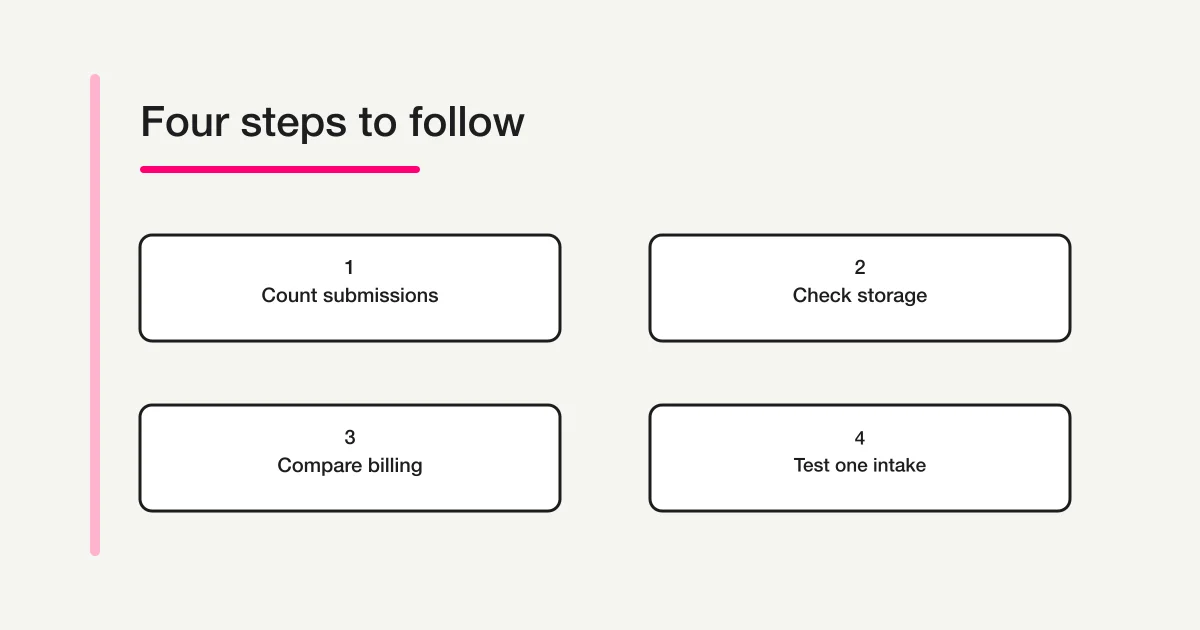
What should I check next? Count the forms, monthly intake, files, and retained history. Test the actual workflow with fictional data. Then choose a billing commitment only after the relevant limits and required functions fit.
Disclosure and Verification
I develop FORMLOVA. Jotform prices and capacities in this article were checked on November 15, 2026, against the official Jotform pricing page. The examples are fictional planning scenarios, not measured customer outcomes. Annual totals are arithmetic using the displayed monthly equivalents. Checkout conditions can differ by account, currency, taxes, or an offer.
FORMLOVA free scope and paid-function boundaries follow its current pricing information, checked on the same date. AI conditions follow the connection guide. Recheck prices and limits before purchasing, and revisit the usage assumptions when your intake changes.