
Formsite Pricing: Plans, Saved Results, and Team Costs
Formsite's paid plans start at $24.95 with monthly billing, or $249.95 for a year on Personal. Choose a plan using the results you need to keep in each form, the people who need separate access, and your billing period. A saved-result allowance is a different unit from new submissions received during a month.
For example, three forms holding 400, 700 and 1,800 results do not automatically require a higher-capacity tier just because their combined total is 2,900. First compare each form with the plan's per-form limit. Then check the form count, file space, notification allowance and operator access. This guide works through that decision before adding any optional costs.
Compare monthly billing with the actual annual payment
These US-dollar prices were checked on November 28, 2026 against Formsite's official pricing page. Monthly prices are the monthly-billing amounts, not the rounded monthly equivalents displayed under yearly billing.
| Paid plan | Monthly billing | Payment for one year |
|---|---|---|
| Personal | $24.95 | $249.95 |
| Professional | $39.95 | $399.95 |
| Business | $69.95 | $699.95 |
| Business + | $99.95 | $999.95 |
| Enterprise | $249.95 | $2,499.95 |
Start by choosing the period you are evaluating. A short pilot and a continuing registration desk involve different commitments. Put the payment period beside every figure in your purchasing note so that someone reading it later can understand what the number buys.
For Business, twelve monthly payments come to $69.95 × 12 = $839.40. The published annual payment is $699.95, a difference of $139.45 before any options or account-specific charges. That calculation uses the annual total rather than multiplying the displayed yearly-billing equivalent of $59 by twelve.
The arithmetic helps with budgeting; it does not decide whether a year is the right commitment. First establish that the form's questions, access arrangement and operation suit the job. Check the current checkout and applicable charges before paying, especially if procurement needs an invoice or a particular billing arrangement.
Read “results per form” as a separate requirement
A result is a submitted record stored in a form. The current detailed service comparison separates saved results, form count and file space. The paid pricing table gives these allowances:
| Plan | Forms | Saved results per form | File space | Included sub-users |
|---|---|---|---|---|
| Personal | 5 | 500 | 500 MB | Check access requirements |
| Professional | 10 | 1,000 | 1 GB | Check access requirements |
| Business | 25 | 2,500 | 2 GB | 1 |
| Business + | 100 | 10,000 | 4 GB | 5 |
| Enterprise | 1,000 | 50,000 | 10 GB | 20 |
Sources: official pricing and detailed comparison, checked November 28, 2026. A sub-user is an additional login with its own permissions, rather than another email address receiving a message.
Write the unit into your own requirements table. “Need 2,900 results” is incomplete if those records belong to several forms. “Need to keep 1,800 results in our busiest form” is much closer to a useful purchasing requirement. Keep expected future growth beside the present count rather than hiding it in an unexplained total.
Also distinguish records you must keep available inside the service from files you have exported elsewhere. An exported spreadsheet may serve a separate reporting purpose, but it is not automatically a substitute for the history that staff need while handling a registration.
Work through three forms before upgrading
Consider an organization running three separate information-session registration forms. Its required saved history is 400 records for one session series, 700 for another and 1,800 for the busiest series. Assume that it needs only these three forms, remains within 2 GB of file space and meets the other relevant Business conditions.
| Registration form | Records to retain | Compared with Business's 2,500 per form |
|---|---|---|
| Session series A | 400 | Within the allowance |
| Session series B | 700 | Within the allowance |
| Session series C | 1,800 | Within the allowance |
The combined count is 2,900, but none of the three individual forms exceeds 2,500. On this saved-result requirement alone, Business covers the example. The combined total is not a reason by itself to choose Business +. Professional's 1,000 per form, however, would be below the 1,800 required for series C.
Now change one assumption: series C needs to retain 2,800 results inside its form. That form would exceed Business's listed 2,500 allowance even if the other two forms were empty. This is the point at which a larger per-form capacity becomes relevant. The distribution of the records matters, not just their sum.
For your own operation, use the largest history each form needs during the period you are planning. Include existing records and expected additions. If the requirement is uncertain, record a realistic planning range and the date at which you will reassess it. That gives staff a visible trigger for another capacity check.
Budget for people separately from records
Suppose the same organization has an account owner plus two staff members who need their own logins. Business includes one sub-user. The official pricing page lists additional sub-users at $10 per month each. With one additional sub-user beyond the included one, the simple monthly comparison is:
- Business base: $69.95.
- One extra sub-user: $10.
- Combined monthly figure: $79.95.
- Business + base: $99.95, which is $20 more than that combination.
This is a hypothetical monthly comparison, before any other options or applicable charges. It does not establish an annual add-on price. If you want annual billing, confirm the additional-user terms rather than putting an unverified annual amount into the calculation.
Business + includes more form and result capacity as well as more sub-users. Decide whether those additional allowances are useful for your work. A lower monthly combination can be sufficient for the assumptions above, while a different staffing or capacity requirement could change the decision.
Before choosing, write what each person needs to do: edit a form, review submissions, export records or manage billing. Formsite's sub-user permissions explanation distinguishes the owner and additional logins and describes access controls. Confirm the appropriate permission level for each role. Sending notifications to two people does not demonstrate that two people can operate the account independently.
Check monthly notifications as their own line
The detailed comparison lists Email Notifications per Month separately: 500 on Personal, 1,000 on Professional and 2,500 on Business. Those figures do not change the meaning of “results per form.”
A retained history of 1,800 results does not tell you how many notifications the operation will send next month. Conversely, a low stored-record count does not show that a busy month's notification needs fit. Keep storage and email requirements in separate rows even when a plan happens to show the same number in both places.
Estimate the messages your actual setup will produce. If several recipients, confirmations or other email options are involved, ask how those messages count toward the provider's allowance. This guide does not assume that one new submission always equals exactly one counted notification.
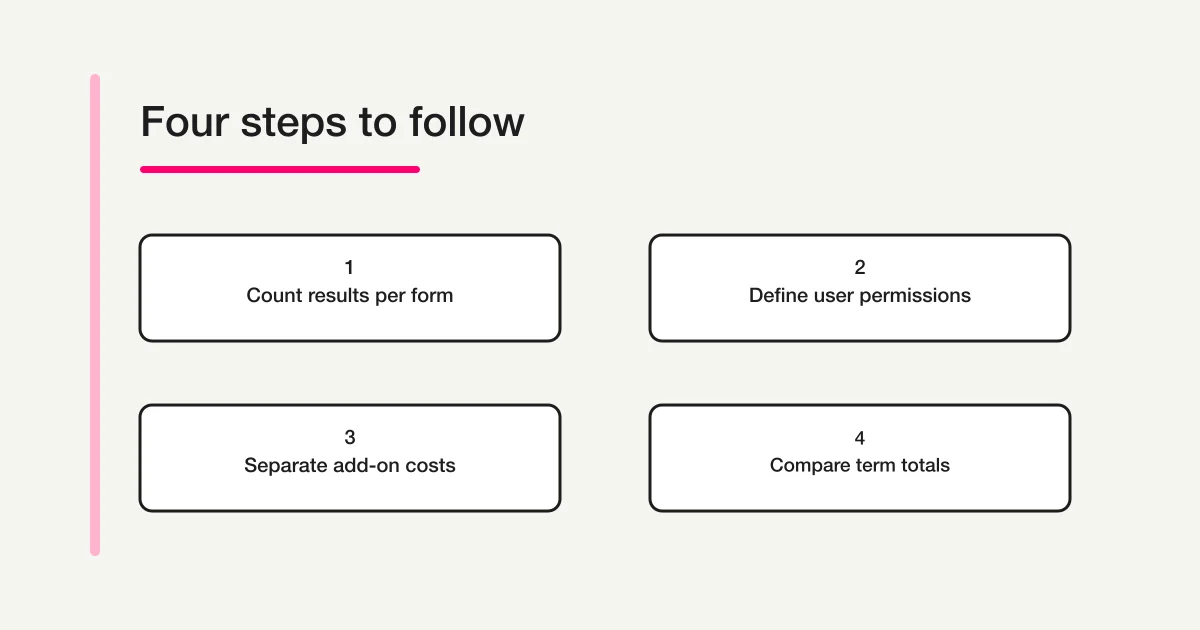
You can then make a purchasing note with three independent answers: the largest history to retain in any one form, the access each operator needs, and the expected monthly notification requirement. A plan should meet all three, along with the other features you rely on.
Decide how you will handle approaching capacity
Formsite's explanation of form statistics describes a result as a row of data, explains that forms stop taking new results when they reach their result limit, and discusses exporting and deleting results to make room. The example above therefore needs an operating decision as well as a price decision.
Choose who will inspect capacity and when. If you remove old records, first decide which history the organization must retain and whether staff still need it inside the form service. An export is only useful when its contents and storage location are understood. Do not treat deletion as an automatic housekeeping step for every business.
The statistics article was published in 2023, so use the current pricing table for today's plan names and allowances. Confirm the behavior for your actual account before relying on it during a live event. The calculation here is a planning example, not an observed account migration or a tested full-capacity submission.
Clarify one registration form before comparing the whole process
If you already use ChatGPT or Claude, you can separately try planning a small registration form in FORMLOVA. The purpose is to settle the questions and review a private draft. It does not move Formsite's records or reproduce its storage and staff-access arrangements.
Start with three steps: register for FORMLOVA, confirm your email, and connect a supported AI client with permission to create forms. Claude's free plan can be used; ChatGPT's creation access depends on its business-plan, plugin and permission requirements. Check your own environment in the current connection guide. AI-client subscriptions and usage conditions are separate from FORMLOVA's free core form creation.
Then use this request:
Prepare a private information-session registration form with Session, Name, Email and Questions. First propose which fields are required and show the session choices; ask me to confirm them before saving. After saving the agreed draft, show the fields and explain how I can inspect a registration. Do not publish the form, submit responses or send email.
Review the proposed choices before authorizing the saved draft. The session label should tell the respondent which event they are selecting. Decide whether Questions needs to be required; a person who has nothing to ask should not be forced to invent an answer. Keep only the information needed to handle the registration.
Prepare the questions for one session registration
Use FORMLOVA's free core form creation to review a private four-field registration draft before choosing the wider operating process.
Try FORMLOVA with the AI you already use


Ask the assistant to distinguish the proposal in chat from the form it actually saved. Check the saved field labels and required settings before considering publication. You can use that agreed question set when testing another service too, so the comparison starts from the same job rather than from unrelated templates.
This example uses no attachments, customized confirmation emails or scheduled reminders. Those require their own plan checks. A private draft is the first result here; registration alone does not create it, and no completed form or successful migration is being claimed in this article.
Make the final choice with a short worksheet
Before committing, record the following for the period you intend to operate:
| Requirement | Your answer |
|---|---|
| Billing period | Monthly pilot or confirmed annual use |
| Form count | Existing forms plus planned additions |
| Largest saved history | A separate figure for each form |
| File space | Expected total and any large uploads |
| Operators | Owner, additional logins and required permissions |
| Notifications | Estimated monthly need and counting rules to confirm |
| Additional functions | Any essential requirement outside this example |
Use the form services comparison hub to choose the next comparison to read, or the cross-service comparison to check a broader shortlist. If you are comparing a provider that prices monthly entries, the Wufoo pricing guide shows why its capacity figures need a different unit. For the follow-up work itself, see the inquiry operations guide.
Questions before paying
Is the free trial the same as the Free level?
No. Formsite advertises a 14-day Professional trial without a credit card. Its pricing FAQ says that the account then returns to the Free level, with five forms, ten results per form and 50 MB of file space. Use that small allowance for evaluation rather than budgeting a production operation from the trial's temporary access.
Is the annual price divided by twelve a monthly subscription?
It is a budgeting equivalent. Use the monthly-billing column when comparing a one-month payment, and the actual annual total when comparing a year. Keep add-on billing terms separate until confirmed.
Should I add every form's stored results before choosing a tier?
Record the total if it helps your own reporting, but compare the published per-form allowance with each individual form. Then check form count, files, notifications and operators separately.
Disclosure and Verification
Checked November 28, 2026 using Formsite's official pricing, detailed comparison, form-statistics and sub-user-permissions pages linked above. All listed Formsite prices are US dollars. The three-form, two-staff and annual-payment calculations are hypothetical purchasing examples, not a purchase, quotation, performance result or account test.
I write for FORMLOVA. Its current plan definition and connection requirements were checked for the private, attachment-free registration example. No customer data, payment, migration, production response or email send was used to demonstrate that example.