
SelectType Pricing: Choose Individual or Package Plans
SelectType pricing depends on which feature groups you need and which limit your work reaches first. Individual paid plans start at ¥1,650 a month including tax for one feature group. Packages combine the groups, but a package is not automatically the lowest-cost choice when you need different tiers for reservations and forms.
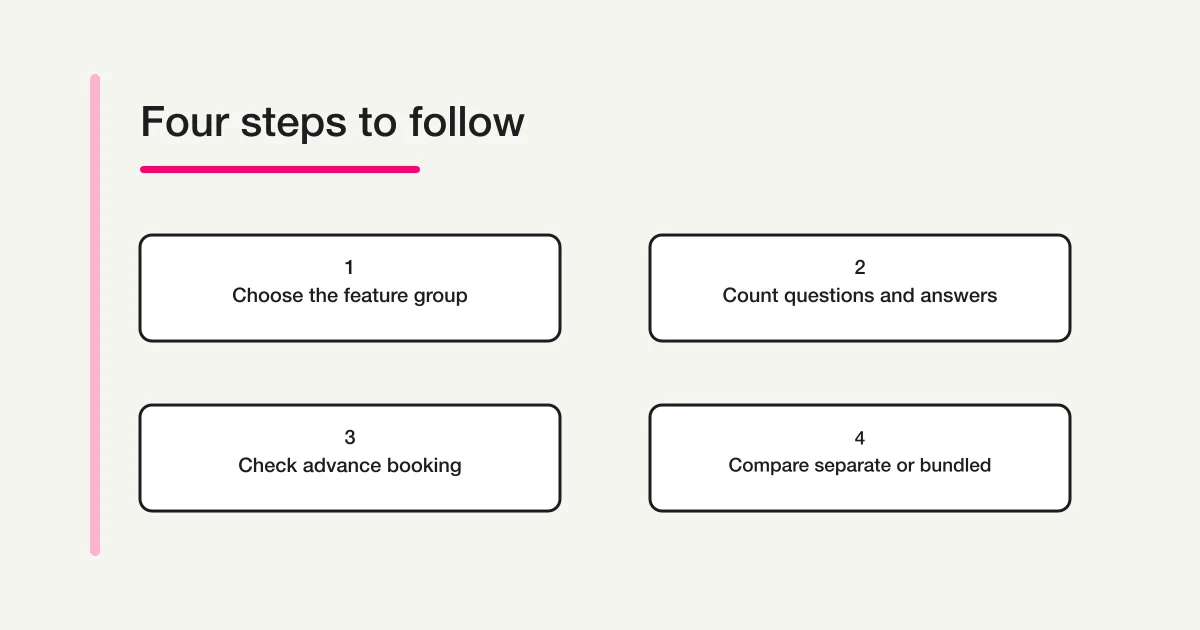
Start with three questions: how many questions must your form contain, how many answers must that form hold, and how far ahead must people book? The worked examples below show why a 12-question form can require an upgrade even with only 90 answers, and why 45-day advance booking leads to a different tier.
Separate the feature groups before comparing prices
SelectType publishes individual plans for reservations, forms, and its website/member system. The form group includes surveys, diagnostic tests and email forms. A package combines the groups at the specified level. The shared tier names do not mean that paying for one individual group upgrades every other group.
The following monthly prices were checked on November 26, 2026 against the official individual pricing table and official package pricing table. All figures in this article are Japanese yen, including tax.
| Tier | One individual feature group per month | Package per month |
|---|---|---|
| Free | No charge | No separate paid-package price used here |
| Basic | ¥1,650 | ¥3,300 |
| Professional | ¥3,300 | ¥5,500 |
| Premium | ¥11,000 | ¥16,500 |
Use this as a starting table, not the final order. Write down which paid group each amount belongs to. If you only need a form, do not multiply that subscription by the number of unrelated features displayed on the site. If you need more than one group, calculate both the individual combination and a package that meets all of your requirements.
The examples use listed monthly prices, without assuming annual discounts, campaign terms, migration assistance or currency conversion. Check the actual order and contract conditions before committing a budget.
Find the form limit that matters to your work
A form can be small in response volume and still exceed a question limit. SelectType's table distinguishes the number of forms, questions per form, and answers per form. They are different constraints.
| Forms plan | Forms | Questions per form | Answers per form |
|---|---|---|---|
| Free | 3 | 10 | 100 |
| Basic | 10 | 30 | 1,000 |
| Professional | 100 | 100 | 10,000 |
| Premium | 500 | 100 | 50,000 |
These are the capacities shown in the official forms table on November 26, 2026. In particular, the answer row is labeled answers per form. Do not turn it into a monthly response allowance or assume that it resets each month. The pricing table alone does not establish such a reset.
Imagine a studio preparing a consultation inquiry with 12 questions and expecting to keep 90 answers. Free fits the response count but not the question count: 12 is greater than 10. Basic's 30-question limit fits this example, so its individual forms price is ¥1,650 a month including tax, assuming no other requirement forces a higher tier.
That decision is not “90 answers means paid.” It is “this form needs 12 questions.” The distinction matters when you explain the purchase to someone else or revise the form later.
Before paying, see whether every question earns its place. You might remove a redundant question or collect an unnecessary detail later. That is a design decision, not a trick for bypassing a limit. Keep the questions you actually need to review an inquiry reliably, then choose the plan that fits them.
Check advance booking separately from accepted bookings
Reservation pricing has another set of units. A system may accept unlimited bookings while retaining only a stated number of recent historical records. It may also restrict how far in advance a date can be booked. Those values answer different questions.
| Reservations plan | Advance booking window | Accepted bookings | Recent reservation history retained |
|---|---|---|---|
| Free | 7 days | Unlimited | 100 records |
| Basic | 30 days | Unlimited | 300 records |
| Professional | 90 days | Unlimited | 10,000 records |
| Premium | 366 days | Unlimited | 50,000 records |
These rows were checked in the official reservations table on November 26, 2026. Unlimited booking acceptance does not mean unlimited stored history, and a history allowance is not a monthly booking limit.
Suppose the studio wants clients to book 45 days ahead. Basic's 30-day window does not meet that requirement. Professional's 90-day window does, making ¥3,300 a month including tax the relevant individual reservation price for this example, subject to its other limits and features.
Write the requirement as an actual date horizon rather than “we need bookings.” A team that only opens next week's appointments has a different purchasing problem from a team announcing appointments six weeks in advance. Check the requirement against how you plan to release dates, not just how many people usually attend.
Also decide how much history the operator needs to inspect. If past records support follow-up or reporting, ask how that need relates to the published retained-history limit and your export procedures. Do not infer unlimited historical access from the acceptance row.
Calculate the mixed-tier option before buying a package
Now combine the two examples: a 12-question inquiry and 45-day advance booking. The form requirement points to Forms Basic, while the reservation requirement points to Reservations Professional.
| Example requirement | Individual monthly calculation | Relevant package comparison |
|---|---|---|
| Forms Basic plus Reservations Professional; no paid website tier required | ¥1,650 + ¥3,300 = ¥4,950 | Professional package ¥5,500 |
| All three feature groups at Professional | ¥3,300 × 3 = ¥9,900 | Professional package ¥5,500 |
The first line is ¥550 lower for the two individual components. The second line is ¥4,400 lower for the package. These are arithmetic comparisons of the listed monthly prices, not completed purchases or vendor quotations. Confirm that the mixed individual tiers and any account conditions meet your intended contract before ordering.
The package can still be useful in the first example if you need what the additional scope provides. Conversely, a low package price is not a reason to buy functions you will not use. Write the required groups and tiers beside the total so the difference remains explainable.
A practical purchasing note might read: “We currently need Forms Basic and Reservations Professional. The listed individual total is ¥4,950. A Professional package is ¥5,500; we will compare its additional scope before choosing.” That is more useful than “the package is cheaper,” which only holds for some combinations.
If another requirement changes the form tier, calculate again. For example, the moment both forms and reservations need Professional, the previous mixed-tier total no longer describes the same workload. A saved worksheet makes that change visible.
Compare operational fit alongside subscription cost
Prices become meaningful when each service is evaluated against the same job. Keep a short checklist that names the work the operator and respondent need to complete.
| Requirement to write down | What to establish before a purchase |
|---|---|
| Inquiry intake | Which questions are necessary, and who reviews the answers? |
| Booking | Does the customer need an immediately confirmed slot or only a preferred time? |
| Historical access | Which past records must remain available to the operator? |
| Existing site | Do you need a paid website/member group or will the current site remain? |
| Ongoing maintenance | Who changes questions, schedules and access settings? |
| Moving from another service | Which fields, history and communications must be carried over, and by what verified method? |
For booking, distinguish a request from a confirmed appointment. Asking for a preferred time in an inquiry does not establish that a slot is available, prevent another person selecting it, or confirm the appointment. If those guarantees matter, evaluate the reservation workflow specifically.
For migration, keep existing links and customer communications in the plan. A price comparison does not demonstrate that old forms, history or notifications can be moved automatically. Establish the actual method, identify who checks the result, and only then decide the changeover date.
The FORMLOVA reservation form guide helps separate intake questions from the wider booking process. For a broader comparison, use the form service comparison guide after writing your own requirements.
Try a small private intake draft in FORMLOVA
If the immediate task is collecting consultation inquiries, you can first test the questions and review process separately from a reservation-calendar contract. This is useful for people who already use ChatGPT or Claude and want to manage form work through their AI conversation.
Start with four questions: Name, Email, Consultation details and Preferred timing. The last question collects a preference; it does not promise an available or confirmed appointment. Keep this first draft private while deciding what information the reviewer needs.
If you prefer to create the account first, use the three-step route: register for FORMLOVA, confirm your email, then connect your supported AI client with creation permission. The current setup guide also describes adding the connection URL first and authenticating when prompted. AI-client plan requirements, permissions and any subscription or usage charges remain separate.
Use this request after connecting:
Create a private consultation inquiry draft with Name, Email, Consultation details and Preferred timing. Before saving, propose which questions should be required and which should be optional, and ask me to confirm that choice. Explain that Preferred timing is a request and does not confirm an available appointment. After saving the agreed draft, show me the questions and how I would inspect a response. Do not publish it, submit a response or send email.
Review the proposed questions first. Then confirm the required and optional choices that suit your operation. If the assistant only proposes a form, distinguish that proposal from a saved draft. Ask it to identify what it has actually created before treating the task as complete.
Inspect the questions for your consultation intake
Use FORMLOVA's free core form creation to prepare a private four-question draft before deciding the wider booking workflow.
Try FORMLOVA with the AI you already use


This attachment-free example does not rely on paid file uploads, customized replies or scheduled operations. It is a way to inspect a first intake draft. If you need automatic slot confirmation or another reservation-specific function, keep that requirement in the separate system evaluation instead of assuming the draft supplies it.
Use a short worksheet for the final decision
Before choosing a subscription, record one ordinary month and any foreseeable change in scope. Use actual requirements where you have them and label estimates where you do not.
Write down the required feature groups, number of forms, maximum questions in a form, answers that must be stored per form, advance booking horizon and history access needs. Add any other essential function separately. Then calculate the individual plans and the least package that meets all those requirements.
Keep the date and source of the prices with the calculation. If the provider changes a limit, your team can update the affected row rather than rebuilding the whole decision from memory. If your requirements change, revise the group or tier first and calculate the new total afterward.
You can use the FORMLOVA comparison hub to choose the next comparison once this worksheet is clear. The useful outcome is a plan you can explain in terms of the work it covers, with unresolved contractual or migration questions still visible.
FAQ
Is the 100-answer Free form allowance monthly?
The current official forms table labels it as 100 answers per form. It does not establish a monthly reset. Check the provider's current detailed conditions for how stored-answer capacity is handled; do not label this value as 100 monthly responses.
Does unlimited reservation acceptance mean unlimited history?
No. The pricing table has a separate row for recent reservation history. Check that row against how much past information you need to keep accessible. It also has a separate advance-booking window.
Is a package always cheaper than individual plans?
It depends on the groups and tiers required. The listed monthly example of Forms Basic plus Reservations Professional totals ¥4,950, below a Professional package at ¥5,500. All three groups at Professional total ¥9,900 individually, above that package. Verify the purchase conditions before treating either calculation as your final contract.
Disclosure and Verification
Checked on November 26, 2026 using SelectType's official individual pricing and official package pricing. Prices are tax-inclusive monthly figures. The 12-question/90-answer, 45-day and three-group cases are hypothetical planning examples, not customer results. Payment processing, contractual changes and migration work are outside these subscription calculations.
FORMLOVA's current plan definition was checked for the free core-creation example, and the setup requirements were checked against its official guide. I write for FORMLOVA. The private draft example is separate from confirming a reservation slot or moving an existing service into production.