
You cannot estimate survey completion time from the number of questions alone. Reading, question format, branching, recall, and mobile input all affect how long an answer takes. Start with an estimate for each respondent path, ask someone who has not seen the survey to try it, and use the observed times to revise the notice.
“About five minutes” is not automatically true for every respondent. A time notice helps people decide whether they can take part. This guide explains how to estimate completion time and how to describe that estimate without promising more precision than you have.
There is no universal survey duration
Two surveys with ten questions can take very different amounts of time. One may use short questions with simple choices. Another may ask respondents to recall past events and write explanations. Question count alone leaves out reading, thinking, and typing.
Pew Research Center describes a method for managing the length of its American Trends Panel surveys. It uses historical response times to assign different weights to question formats. The Center's 15-minute cap is based on prior research for that panel. It is not a universal limit for every survey. Do not transfer one panel's timing directly to a different audience, device, or questionnaire.
Time also reflects how clearly questions are written and how much effort they require. The American Association for Public Opinion Research (AAPOR) recommends keeping questionnaires and individual questions short, and limiting difficult, sensitive, or open-ended questions to reduce respondent burden. The goal is not to remove useful questions just to advertise a shorter survey. First check whether each question is necessary and easy to answer.
List the work a respondent has to do
Before estimating, make one list of everything a respondent reads and enters. Include the opening text, consent wording, questions, answer choices, help text, and any confirmation step.
| What to review | Ask yourself | Examples that can add effort |
|---|---|---|
| Reading | How much text must a respondent read? | Long introductions or choices with subtle differences |
| Answer format | Is the task selecting, entering a value, or writing? | Open-ended answers, grids, or calculations |
| Recall | Must the respondent remember when, how often, or how much? | Questions about a past period or records they need to check |
| Respondent path | Which questions appear for each type of respondent? | Extra questions after an experience or eligibility question |
| Device | Is the survey comfortable on a phone as well as a computer? | Long choices, wide tables, or hard-to-use input controls |
A fixed rule such as “a choice takes a few seconds” or “an open answer takes half a minute” cannot guarantee the real completion time. Even a short written answer may require thought. A choice question may take longer when people need to compare several options. If you use seconds or weights, record them as assumptions based on a source or prior data. Keep them separate from measured times.
Keep a planning estimate transparent
You can organize an estimate as a set of parts instead of one unexplained number:
planned time for a respondent path = reading + answering + transitions + review
This is a checklist, not a validated equation. “Reading” includes instructions and answer choices. “Answering” includes selecting, recalling, or typing. “Transitions” covers moving between sections and resolving instructions. “Review” covers checking entries before submission. Add only the parts that actually occur on the respondent's path.
| Respondent path | Reading and instructions | Answer tasks | Branches and transitions | Pilot observation | Notice decision |
|---|---|---|---|---|---|
| No prior experience | Record what appears on this route | Count its choices and written answers | Note skipped or conditional sections | Fill in after a pilot | Use only after reviewing test variation |
| Prior experience | Record the additional instructions | Include any experience questions | Include its later questions | Fill in after a pilot | Add “depending on your answers” if useful |
The table is intentionally blank. It separates assumptions from observed times; it does not supply default seconds for each question type. If you lack prior timing data, use a rough range to plan the pilot and revise it after someone unfamiliar with the survey tries the form. Avoid reporting the planned estimate as if it were already measured.
If a survey has several complex routes, give each route its own estimate first. Then decide whether the invitation should show one overall range or a note that the duration depends on answers. When the difference is substantial, a single average can hide a long route that some people must complete. Clear wording is more useful than false precision.
Estimate each route, not only the longest form
With branching, adding every question can exaggerate the time for respondents who see only part of the survey. List the questions and instructions shown on each route. For example, map the paths for people with prior experience and those without it.
Review a typical route and the longest route. If most respondents follow a short route, you can use it as your central estimate while making clear that answers may change the time. If a group faces a much longer path, consider a range or a note that duration varies by answer. Do not hide a substantial route just to advertise a lower number.
Pilot with someone who has not seen the survey
After making a rough estimate, ask a first-time respondent to complete the survey on the device they normally use. The designer already knows what each question means and where to go next, so the designer's own time can be too short to represent a new respondent's experience.
Record the time from opening the survey to submitting it. Note pauses, backtracking, interruptions, and any questions that were unclear. A small pilot is not a statistical result for the whole audience. It is a practical way to catch confusing wording, overlooked steps, and questions that take longer than expected. Look at the variation between respondents as well as an average.
Use the same start and end points for every trial. For example, decide whether the clock starts when the invitation opens or when the form appears, and whether a confirmation page counts. If a respondent leaves the form open while doing something else, mark the attempt as interrupted instead of comparing its total elapsed time with uninterrupted trials. Consistent notes make the estimate easier to explain and repeat.
Use a short note for each trial: device, route, start time, submission time, interruptions, and any part that caused a pause. Do not combine interrupted and uninterrupted attempts without saying so. If one tester has context that ordinary respondents will not have, mark that difference rather than treating the time as typical. Repeat the trial after changes to long prompts, question order, or routing.
| Ask the pilot respondent to | Record |
|---|---|
| Start from the invitation instead of previewing the questions first | Start and submission times |
| Use their normal phone or computer | Device and any display difficulty |
| Say when a question or option is unclear | Re-reading, questions, or hesitation |
| Complete a route that fits the intended audience | Differences from the expected respondent group |
Keep test responses out of the production dataset. Use a separate test form when possible. If you must test the production form, agree in advance how to identify and exclude test records. An unpublished preview can check display and input, but it does not save a response. To confirm that a response is recorded, you need a test after publication.
Write a notice that matches the evidence
Use the time taken by first-time respondents on a representative path as a reference. A few trials do not reveal the exact time for every person. Retest when the questions, branching, long text, or expected device changes.
For example, if several first-time testers in a fictional case took about five to seven minutes, you could write: “Estimated time: about 5–7 minutes. Your time may vary depending on your answers.” This is an example of wording, not a result from a real survey. Do not reuse the numbers unless your own pilot supports them. Decide whether to give a range or a single estimate based on the spread you observed.
Example invitation:
This survey takes about 5–7 minutes for most people who tested it. Your time may vary depending on your answers. We will use your responses to improve future guidance.
The example also says why the answers are collected. If the survey asks for personal information, explain the purpose and check whether each required field is necessary. Asking for unrelated contact details can make participation harder.
If you are still writing the questions and introduction, see the survey creation examples and wording guide. This article stays focused on how long to say the survey takes and how to check that estimate.
When the estimate is far from the observed time, compare the respondent's route with your plan. Remove duplicate questions, shorten unclear text, and skip questions that do not apply. Then test again and update the notice. Do not use response rate alone to decide whether to cut a question; consider the information it provides and the quality of answers as well.
Draft a survey you can test
FORMLOVA Free lets you draft a survey, publish it to collect responses, and review submitted answers. It does not automatically measure how long a respondent takes. Ask a person to complete the survey, time the attempt, and verify that the response is saved.
For example, first write down the survey purpose, audience, and questions. Draft the form, preview the question order and mobile layout, and revise it before publishing. Then ask a colleague to submit a test response. Record the time and confirm the saved response. Exclude test records before sending the real invitation, and include a time estimate that your trial supports. If you use an external AI client, its terms and costs are set by that provider.
Draft a survey you can test for respondent effort
Build a form with clear question order and response types, then preview it before launch. After publication, check whether a test answer was saved.
Sign up free to draft a survey
After signup, verify your email and connect a compatible AI chat to request the draft. Form creation, publication, response collection, and response review are available on Free.
Summary
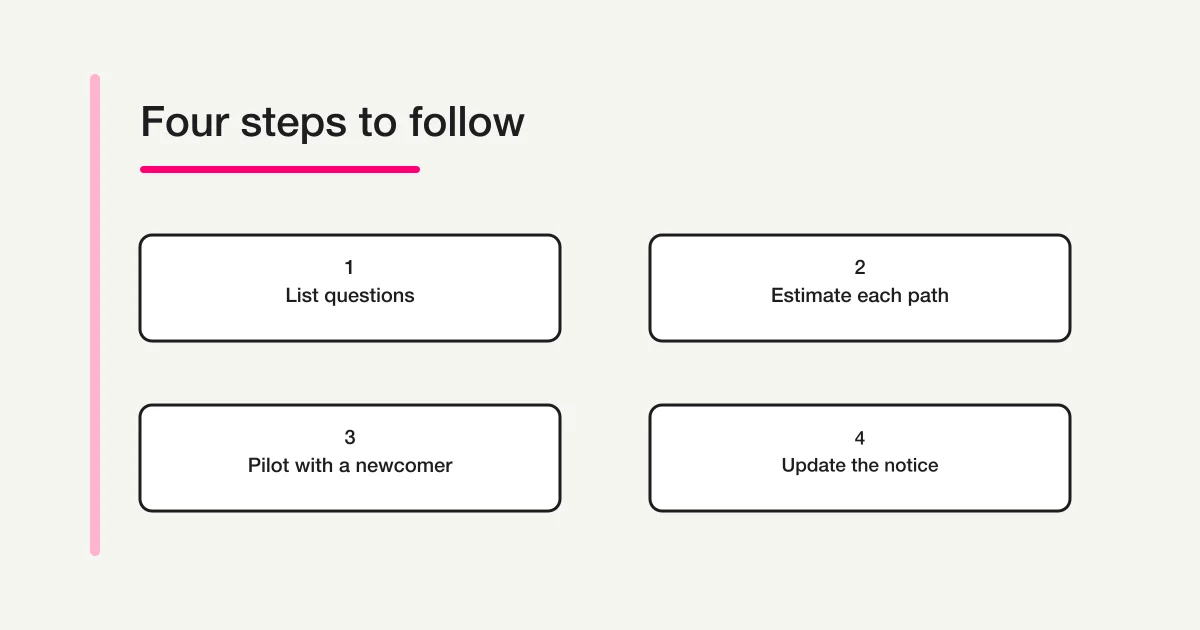
Question count alone does not tell you how long a survey takes. Review reading, response format, branching, recall, and the respondent's device. Estimate each route, ask someone new to the survey to try it, record the time and confusing steps, and revise the respondent-facing notice. Repeat the pilot when the survey changes.
For target completed responses, see the survey sample-size guide. For question wording, read the survey design guide. To define the denominator for a response rate, use the survey response-rate guide. The broader survey creation and analysis guide covers the full questionnaire workflow.
Disclosure and Verification
Pew Research Center's method for managing online survey length describes a system built from its American Trends Panel's historical response times. Its per-question weights and 15-minute cap are specific to that panel. AAPOR's Best Practices for Survey Research recommends limiting unnecessary burden, including difficult and open-ended questions. Neither source supplies a universal completion-time formula for every questionnaire.
The examples in this article are for planning and wording only. They are not FORMLOVA measurements, a timing benchmark, or a promise about response rate. Measure your own questionnaire with people who resemble its intended respondents.
Can I calculate survey time by multiplying each question by a fixed number of seconds?
That can be a planning assumption, but it cannot predict every respondent's time. It may miss reading, question complexity, open-ended answers, branching, and device differences. Record the assumptions and compare them with a pilot by someone who has not seen the form.
Should I say every survey takes five minutes?
Only use that wording if your own pilot supports it. If observed times vary, provide a range or explain that duration depends on answers. A notice that is much shorter than the actual experience can set the wrong expectation.
Where can I find the average completion time?
It depends on the form service and how it defines the measurement. If a service provides timing data, check what start and end events it uses. FORMLOVA does not advertise automatic respondent-time measurement. You can ask pilot participants to record when they begin and submit.