
Add an occupation question only when you will use the answer for a defined comparison, routing decision, or follow-up. Before writing the choices, decide whether you mean the respondent’s work, their employer’s industry, or their employment status. Those are different questions and should not be mixed in one list.
This guide is for people creating a survey. Someone filling out an existing form and wondering what to write needs a different answer.
Start with how you will use the answer
Write one sentence describing what you expect to compare or decide after collecting responses.
| Purpose | Possible question | When it may be useful |
|---|---|---|
| Compare participants by the work they do | Main occupation or job function | When the comparison will change a decision or explain a result |
| Send an inquiry to the right team | Role or work area | Only when the response changes who handles the request |
| Understand the businesses represented in a B2B survey | Employer’s industry | When the organization’s line of business matters more than the respondent’s role |
| Send event details | Contact and attendance information | Usually no occupation field is needed for this task alone |
If the answer will not change a report, response, or follow-up, leave the field out. Adding a demographic question “just in case” increases the effort of completing and managing the survey without defining what the answer is for.
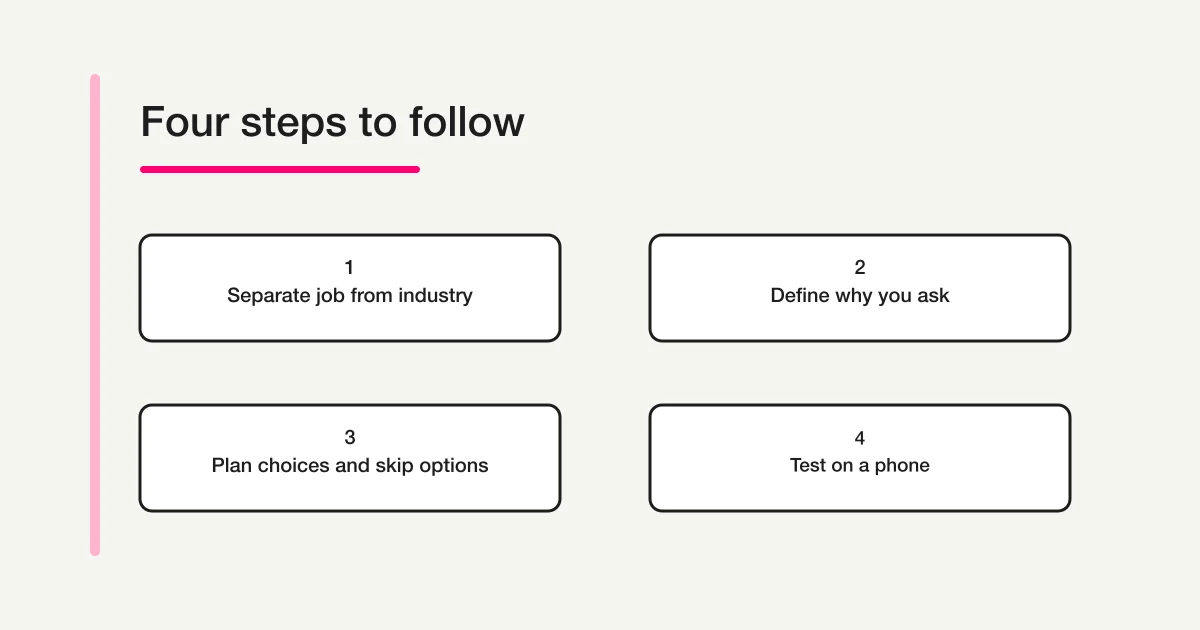
Separate occupation, industry, and employment status
An occupation describes the person’s work. An industry describes the main business of an employer or organization. Employment status describes a person’s work arrangement or current situation. Mixing these in one set of options makes the question hard to answer consistently.
For example, “employee” describes a status, while “healthcare” describes an industry. Someone employed as an accountant at a hospital could fit both. Choose one axis or ask separate questions with a clear reason for each:
- To learn about the work people do: “Which option best describes your main job function?”
- To learn about an organization’s business: “Which option best describes your employer’s main industry?”
- To learn about a working arrangement: “Which option best describes your current employment status?”
Detailed occupational classifications can help when a study needs comparable, precise categories. They are not automatically the right menu for a general customer survey. The Japanese Statistics Bureau explains that the Population Census uses detailed classifications and asks respondents to describe their actual work so the statistical office can classify it accurately. That approach illustrates the difference between an official classification task and asking people to choose a few practical categories in a short survey. Statistics Bureau explanation
Build choices around one purpose
Keep options at the broadest level that still supports the comparison you plan to make. The following are starting examples for a general audience, not a complete or official occupational taxonomy.
| Example option | Check before using it |
|---|---|
| Management or business leadership | Are you asking about title, decision authority, or day-to-day work? |
| Administration, HR, or accounting | Do these functions belong in one group for your analysis? |
| Sales, marketing, or retail | Should customer-facing work be grouped or compared separately? |
| Technology, engineering, or research | Will a broad category answer the question, or do you need a narrower one? |
| Healthcare or social services | Is this group relevant to your survey population? |
| Education or training | Do educators and support roles need different treatment? |
| Manufacturing, construction, or transport | Avoid splitting into detailed roles unless you will use those differences. |
| Hospitality or other services | Keep categories comparable and understandable to respondents. |
| Other (optional details) | Decide who will review and code free-text answers. |
Too many detailed options can create small groups with only one or two responses. If results will be shared, consider whether those small groups need to be shown separately. More detail in an occupation field does not, by itself, make a survey anonymous.
When the question is about employment status
If you want to compare work status rather than job function, state that in the prompt. A short example might include “employed by an organization,” “self-employed or freelance,” “student,” “not currently working,” “other,” and “prefer not to answer.” These categories describe a current situation, not a person’s occupation.
Some people work while studying or hold more than one job. If those cases matter, ask respondents for their “main current situation,” allow multiple selections, or separate the questions. Do not force a single answer if the options are not mutually exclusive.
When you need industry, title, or role
For a company survey, ask for the employer’s industry instead of placing industry names in an occupation list. Ask for job title or seniority only if it will be used. When several details are needed, consider separate questions so respondents can see what each answer means and you can analyze them independently.
Choose between single choice, multiple choice, and text
| Response type | Use it when | Plan for |
|---|---|---|
| Single choice | You need one main job function for a consistent comparison | Explain how people with multiple jobs should choose |
| Multiple choice | Several functions can apply and you will use them separately | Define how you will count multi-select answers |
| Free text | The field is specialized and you do not yet know useful categories | Assign a reviewer and a coding rule for similar answers |
| Choices plus optional “Other” | You need consistent categories but want to capture exceptions | Keep the detail field optional and decide how to group it |
If you have no basis for a complete menu of options, a small pilot with optional text responses can help you learn what people actually write. Review the answers, define a consistent grouping, and only then decide whether a fixed list will serve the next survey. Free text does not remove work; it moves part of the work to later review and cleanup.
Write a question respondents can answer consistently
The question stem should identify the person, time period, and answer rule. “What is your occupation?” can mean the job someone does today, their longest-held job, or the profession they identify with. If your analysis depends on one interpretation, say so directly.
For example, these prompts ask different things:
- “Which option best describes your main paid job right now?” This asks for a current job and gives people with more than one job a way to choose.
- “Which field do you work in most often?” This points to a work area but may not distinguish a role from an employer’s industry.
- “What was your occupation before retirement?” This sets a past reference point for people who are no longer working.
Choose wording that fits the respondent group. In an event follow-up survey, “current main role” may be enough. In a survey for a professional association, respondents may expect a discipline or credential. Do not add technical definitions unless they help people pick the intended category. If you use a term such as “industry,” include a short explanation or examples when the audience may interpret it differently.
Keep labels parallel. A list that combines “teacher,” “working in a school,” and “education” gives respondents three different kinds of answer. Decide whether you want a role, workplace, or industry and use the same kind of label throughout. If an option needs a long explanation to make sense, it may belong in a separate question or a short note above the list.
The order also affects how quickly people can scan the question. Put common options first when you have a reason to expect that order, or use a stable logical grouping. Keep “Other,” “Not applicable,” and “Prefer not to answer” at the end so they remain easy to find but do not compete with the main categories. Do not place an example that looks like an answer inside the question unless it helps respondents understand what belongs in the field.
After drafting, ask a colleague who did not write the question to explain what they think it asks and how they would choose an option. If their explanation differs from your intended measure, revise the prompt before collecting responses. A short check like this catches ambiguity earlier than trying to repair inconsistent categories after a survey closes.
Keep “Other,” “Not applicable,” and “Prefer not to answer” distinct
These options mean different things:
- Other means the person’s answer is missing from the list.
- Not applicable means the question does not fit the person’s situation.
- Prefer not to answer means the person chooses not to disclose the information.
If those differences matter to your analysis or follow-up, keep them separate. If they do not matter, you may not need an extra option at all. A required field can cause people with no suitable choice to select an inaccurate answer. Make the question optional when it is useful but not necessary for the survey’s task.
When collecting contact details through an application form, explain how those details will be used. The Japanese Personal Information Protection Commission describes the purpose statement required when directly collecting contact information in application forms. This reference concerns contact information and should not be read as a blanket legal rule about every occupation question. PPC FAQ
Test the question before publishing
Try the form from the perspective of people whose answers could be difficult to classify:
- Someone whose role includes both management and sales.
- Someone who is self-employed or has more than one job.
- A student, job seeker, or person who is not currently working.
If someone cannot choose, clarify the prompt (“main job”), allow multiple answers, separate work status from job function, or include an appropriate skip choice. On a phone, check whether the option labels are easy to scan and whether a required setting is justified. A quick review before sharing can catch a question that is technically complete but difficult to answer.
Draft a survey with an occupation question in FORMLOVA
Once the purpose and options are clear, start with the form creation guide. For the question order, see the survey design guide; for a general overview of field types, see the form field examples guide.
The Free plan supports drafting a form, adding standard choice fields, previewing it, and collecting responses. Start with the occupation question and only the other fields needed for the survey. In FORMLOVA, connect the service to a supported AI chat and ask: “Draft a short survey to improve our event follow-up. Include a single-choice question for the respondent’s main current job function. Make an optional short-text field available for an answer that is not listed. Keep it as a draft and show me which fields are required.” Review the options and the preview before publishing.
Draft a survey with an occupation question
Create standard choice fields and an optional detail field, then review the respondent experience in preview.
Sign up free to create a survey
After signup, verify your email and connect FORMLOVA to a supported AI chat to draft the form with the prompt above. Check that AI provider’s terms and fees.
Remove the occupation question if the survey no longer has a use for it. A useful field is one that helps with a real decision and remains understandable to the person answering it.
Frequently asked questions
What options should I include in an occupation question?
It depends on what you plan to compare. Use job functions for work performed, employment statuses for current work situations, and industry for the employer’s business. Keep the list short enough to use and decide whether “Other,” “Not applicable,” or “Prefer not to answer” is needed.
What is the difference between occupation and industry?
Occupation describes a person’s work; industry describes the business of the organization they work for. Someone who handles accounting at a hospital might work in an accounting role and the healthcare industry. State which one you want to learn about.
Should an occupation question be required?
Make it required only when the answer is essential to completing the survey’s task. If the answer is helpful but not necessary, optional response or a suitable skip choice can avoid forcing an inaccurate answer.
Should I use “Other” or “Prefer not to answer”?
“Other” captures an answer missing from the choices. “Prefer not to answer” captures a decision not to provide the information. Keep them separate if you need to distinguish those cases; otherwise, do not add choices that you will not use.
Can I copy an official occupation classification?
You can consult an official classification when your research requires detailed, comparable categories. A short customer survey may need a simpler list. Match the level of detail to the intended analysis and the effort respondents can reasonably take.
References
- Statistics Bureau of Japan: 2025 Population Census Q&A
- Personal Information Protection Commission: FAQ on collecting contact details through application forms
Disclosure and Verification
This article is published on FORMLOVA’s product blog, and the author is FORMLOVA’s developer. The Statistics Bureau explanation of occupational classification and the Personal Information Protection Commission FAQ on the purpose of collecting contact details were reviewed on October 17, 2026. FORMLOVA Free plan capabilities described here were checked against the current plan definition on that date. When collecting or using personal information in a survey, check your organization’s policies and consult a qualified professional when needed. Check the terms and fees of the supported AI chat provider.