
Last updated: 2026-10-15
An MCP form service lets an AI client operate forms and their responses through a shared protocol. To evaluate one, follow a single form from draft review to publication and response management, then check the permissions and confirmation required at each step.
AI form creation is easier to understand. You ask ChatGPT or Claude to create a contact form, registration form, survey, or job application form. The assistant proposes fields and copy. Some products can turn the prompt into a real draft form.
By May 13, 2026, official MCP surfaces are visible across more form products. Jotform, Tally, Typeform, and Weavely all document MCP-related entry points for form workflows.
That is useful, but it is not the full workflow.
The hard part starts after the form is published. Submissions arrive. Sales pitches and spam mix with real inquiries. A respondent needs a confirmation email. An event needs a reminder. A recruiter needs a candidate status. A sales team needs hot leads. A marketer needs analytics that exclude junk submissions. A team needs a workflow, not just a form.
FORMLOVA's MCP thesis is about that second half.
FORMLOVA is not trying to be only an AI form generator. The product is being shaped as a form operations layer that AI clients can reach: create the form, review it, read submissions, classify them, manage messages, analyze results, and hand off work safely.
Use this guide as the map for the MCP cluster.
If you want the broader product philosophy first, start with the FORMLOVA design philosophy. It explains why the product is built around work completing inside the AI chat flow.
For the industry-level context, SaaS Is Moving from Chosen to Called maps how software is splitting between built-in AI and MCP-open products.
This page does not try to rank every MCP-enabled form product. Its job is to organize FORMLOVA's own MCP articles and move the comparison axis from "does MCP exist?" to "how far does the post-publish workflow go?"
The Short Answer -- MCP Matters After Publication
MCP stands for Model Context Protocol.
The official MCP documentation describes it as an open standard for connecting AI applications to external systems: data sources, tools, and workflows. The specification describes hosts, clients, and servers communicating through JSON-RPC, with servers exposing capabilities such as Resources, Prompts, and Tools.
For form services, the practical meaning is simple: an AI client can reach the real form system.
But the important question is not whether a vendor has MCP.
The important question is how deep the operational surface goes.
| Depth | What The AI Client Can Do | Why It Matters |
|---|---|---|
| Create | Build forms and add fields | Escapes the blank page |
| Review | Inspect previews and draft state | Prevents AI-created mistakes before publishing |
| Responses | Search, read, and export submissions | Returns to real data after launch |
| Classification | Separate real inquiries, sales pitches, and uncertain responses | Reduces noise before action |
| Messaging | Manage auto-replies, reminders, and conditional email | Handles the respondent relationship |
| Analytics | Read conversion rates and response patterns | Supports iteration |
| Workflow | Notify owners and route work to other systems | Turns the form into an operating process |
FORMLOVA cares most about the lower half of that table.
If all you need is a first draft, an AI form builder may be enough. If the form creates ongoing work, evaluate the service as an MCP form operations layer.
The May 13, 2026 Update -- MCP Is Becoming An Entry Ticket
The form category can no longer be evaluated by asking only whether a vendor has MCP.
Official MCP surfaces now exist in multiple form products. Jotform documents an MCP server and MCP App. Typeform’s current official MCP uses OAuth 2.0 and supports form creation, editing, publishing, automations, contacts, and analytics. Tally lists MCP, a Claude connector, and a ChatGPT plugin. Weavely documents MCP support for conversational form creation through publishing. That is useful for buyers because it makes the category real. It also means the durable question is depth.
| Evaluation axis | Shallow comparison | Practical comparison |
|---|---|---|
| MCP support | Does official MCP exist? | Which operations does it officially reach? |
| Creation | Can it create a form? | Can it preview, revise, and publish safely? |
| Responses | Can it fetch submissions? | Can it classify, update status, analyze, and export them? |
| Messaging | Can it touch email or notification data? | Are approvals, permissions, and logs present for external impact? |
| Operations | Does it expose many tools? | Do tools map to real work: inquiries, events, hiring, lead capture, surveys? |
FORMLOVA should be compared on that operational depth. The more MCP-enabled form products appear, the more important it becomes to separate creation-level MCP from post-publish operations.
Creating a form is different from finding only unhandled real inquiries after excluding sales pitches. Fetching submissions is different from preparing a reminder email and stopping for human review before anything is sent. This guide is organized around that difference.
Read The FORMLOVA MCP Cluster In This Order
Each article in the cluster has a different role.
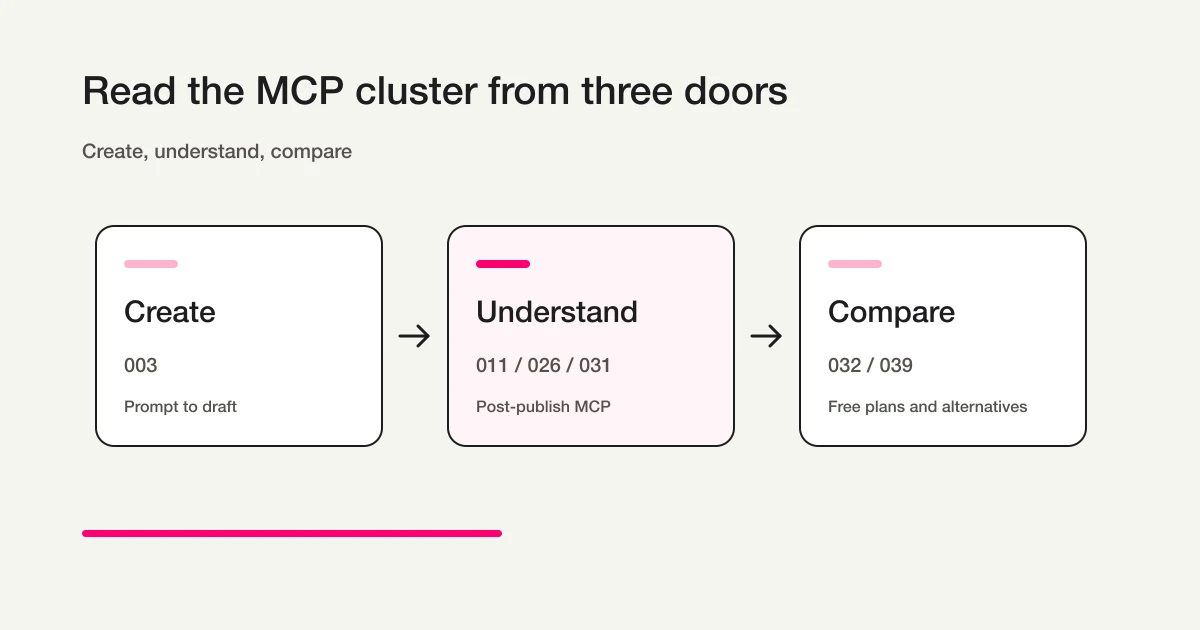
| What You Want To Understand | Read This | Role |
|---|---|---|
| How to create a real form through ChatGPT or Claude | How to Create a Form with ChatGPT or Claude | Practical guide from prompt to draft and preview |
| How to connect from ChatGPT developer mode | FORMLOVA with ChatGPT Guide | Custom connector setup, OAuth, and post-publish operations from ChatGPT |
| How to connect from Claude Desktop | Claude Desktop FORMLOVA Guide | Connector setup, OAuth, first prompts, and post-publish operations from the desktop client |
| How to use FORMLOVA from Claude Code | Claude Code FORMLOVA Guide | CLI setup for creating, publishing, and operating forms from a terminal workflow |
| How to use FORMLOVA from Gemini CLI | FORMLOVA with Gemini CLI Guide | gemini mcp add, OAuth, and post-publish operations from a terminal workflow |
| How to set up Cursor MCP servers for FORMLOVA | Cursor MCP Server Setup Guide for FORMLOVA | IDE MCP setup, .cursor/mcp.json, Slack/FORMLOVA boundaries, and form operations alongside development work |
| Why FORMLOVA starts after publishing | Most form tools stop at creation | See -> Route -> Act product thesis |
| What FORMLOVA means by MCP form service | MCP Form Service: What "MCP Form" Means Beyond AI Form Creation | Deep concept article on operations, responses, analysis, and notifications |
| How a large MCP tool library affects model context | MCP Context Cost and Progressive Tool Discovery | Source-level measurement that separates tools/list from host-side tool search |
| How MCP form builders differ from AI form builders | MCP Form Builder vs AI Form Builder | Category comparison for searchers starting with MCP form builder or AI form builder queries |
| How post-submit form automation works before MCP enters the picture | FORMLOVA Form Automation Guide | Practical hub for notifications, auto-replies, sync, branches, and approvals |
| How free AI form builders compare | How to Choose a Free AI Form Builder | Free limits, AI creation, responses, and MCP scope |
| How major form services compare | Form Services Comparison Hub | Parent page for Google Forms, Typeform, Jotform, Tally, SurveyMonkey, and more |
| How Jotform MCP Server compares with FORMLOVA | Jotform Alternative: Jotform MCP Server vs FORMLOVA | Jotform-specific comparison for MCP, pricing, AI, and post-publish operations |
| How Typeform MCP Server compares with FORMLOVA | Typeform Alternative: Typeform MCP Server vs FORMLOVA | Typeform-specific comparison for current MCP scope, pricing, and post-publish operations |
| How Tally MCP, pricing, and password protection compare with FORMLOVA | Tally Alternative: Tally MCP, Pricing, and Password Protection vs FORMLOVA | Tally-specific comparison for free-plan breadth, MCP scope, password protection, and post-submit operations |
| How to design the actual form | FORMLOVA Form Creation Guide | Parent page for use-case form guides |
| What MCP-driven ad-to-form reconciliation looks like in practice | Reconciling Ad Spend With Real Form Outcomes in One Chat | An 8-day field report combining Meta ad KPIs and form CVR in a single conversation |
Start with the practical creation guide if you want to see the product motion.
Read the concept pieces if you want the category thesis.
If you want the practical post-submit workflow before going deep on MCP, use the FORMLOVA Form Automation Guide. It covers notifications, auto-replies, sync destinations, branches, and approvals as an operational model. If you want only the post-submit sequence first, read Post-Submit Workflow for the order of notifications, ownership, status, and follow-up.
Read the comparison hub if you are evaluating FORMLOVA against existing form services.
Choose The Client-Specific Setup Guide
An MCP form service has a different first setup step depending on the AI client you use.
For Claude Desktop, you add the remote MCP server URL from the connector settings screen. If you want the GUI path, start with the Claude Desktop FORMLOVA Guide.
For Claude Code, you add the MCP server from the terminal and use it in the context of a working directory. If you want the CLI path, use the Claude Code FORMLOVA Guide.
For Cursor, you add FORMLOVA to the IDE's MCP configuration and use the Available Tools surface for form creation, preview, and post-publish checks. If you want the IDE path, including .cursor/mcp.json and Slack MCP coexistence, read the Cursor MCP Server Setup Guide for FORMLOVA.
The FORMLOVA MCP server URL is the same in every client. What changes is the setup surface, the way authentication appears, and where you review the form after creation.
Why MCP Is Useful For Forms
A form is not only a web page.
It is an intake surface for signals from customers, candidates, attendees, users, and prospects. Those signals may include real inquiries, junk sales messages, event registrations, recruiting information, survey answers, and ambiguous free-text responses.
MCP becomes useful when the AI client can work with those signals after submission.
For example:
Show me this week's real inquiries, excluding sales pitches.
List event registrations that are still unconfirmed.
Summarize job applications by role and keep only the uncertain ones for review.
Find lead capture submissions where the buying timeline is within three months.
These are not form-generation tasks.
They are operational tasks. The assistant has to read submissions, understand labels or status, preserve context, and prepare the next action.
That is where MCP becomes more interesting than prompt-based form generation.
MCP Form Builder vs AI Form Builder
An AI form builder removes the blank page.
You describe a webinar registration form, contact form, survey, or job application form, and it drafts fields, labels, options, and copy. This is valuable, especially for teams that do not build forms every day.
But an AI form builder mainly solves the pre-publish problem.
An MCP form service exposes a broader operational surface to AI clients.
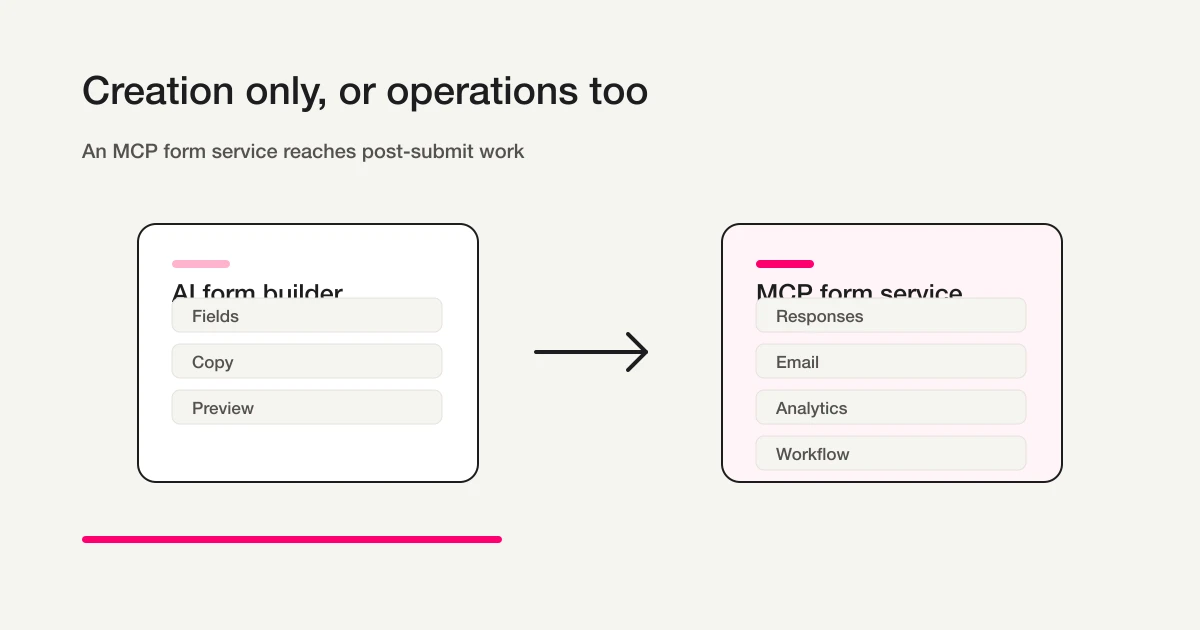
| Dimension | AI Form Builder | MCP Form Service |
|---|---|---|
| Center | Form draft | Form workflow |
| Strongest Moment | Before publishing | Before and after publishing |
| Main Objects | Fields, labels, options, copy | Forms, submissions, email, analytics, workflows |
| Typical Request | "Create a contact form" | "Classify submissions and route only real inquiries" |
| Primary Risk | Wrong field or wording | Wrong email, wrong classification, wrong notification, permission error |
| Required Design | Draft and preview | Approval, scopes, logs, confirmation, recovery |
That distinction also matches search intent.
People searching for "ChatGPT form builder" usually want the first working draft.
People searching for "MCP forms" or "MCP form service" are closer to the operational surface: which service can the agent actually reach, and what can it safely do there?
Safety Is Part Of The Product
MCP makes a form service more powerful, but it also makes safety more important.
Submissions can contain names, emails, company names, recruiting information, and free-text details. Email and notification tools can affect real people outside the product. Publishing, deleting, relabeling, or changing status can affect operational records.
The MCP specification's Security and Trust & Safety section emphasizes user consent, privacy, tool safety, and approval. Claude's remote MCP connector guidance also warns users to connect only trusted servers, review requested permissions, watch for prompt injection, and be careful with tools that read, create, modify, or delete data.
FORMLOVA's operating principle is to separate low-risk assistance from high-impact action.
| Operation Type | How It Should Behave |
|---|---|
| Draft creation, search, aggregation | Easy to do through conversation |
| Publishing, email sending, external notification | Human confirmation before impact |
| Deletion, permission changes, major integrations | Explicit approval and audit trail |
| Label or status edits | Change history and operational state |
"Can the AI do this?" is the wrong final question.
"Should the AI do this without review?" is the better question.
Good MCP form services need scopes, approvals, previews, logs, and clear failure behavior, not only a long tool list.
A Practical Evaluation Checklist
When you compare MCP form services, do not stop at the demo.
Use this checklist instead.
| Criterion | What To Check | Why It Matters |
|---|---|---|
| Tool surface | Creation only, or responses, email, analytics, and workflow too | Shows whether MCP reaches post-submit work |
| Read vs write | Which actions only read data, and which change records or send messages | Separates low-risk assistance from high-impact action |
| Approval flow | Whether publishing, sending, deleting, and external notifications require confirmation | Prevents accidental external impact |
| Permission scope | Whether access can be limited by user, team, form, or role | Protects sensitive submissions |
| Logs | Whether changes record who did what and when | Makes operations explainable later |
| Result format | Whether tools return only text, or also previews, tables, charts, and reviewable state | Helps humans make decisions |
| Failure behavior | Whether partial work, retries, and duplicate sends are visible | Prevents hidden workflow errors |
This is why tool count alone is not a reliable metric.
A server with many low-level API wrappers may still force the agent to stitch together fragile workflows. A smaller set of intent-shaped tools can be more useful if it lets the agent complete real work with fewer calls and clearer safety boundaries.
For forms, good tool names should map to operational intent:
show_unhandled_real_inquiries
prepare_event_reminder_for_review
classify_sales_email_candidates
summarize_applications_by_role
export_filtered_responses
Those are different from raw database-style actions. They reflect what the user is trying to accomplish.
Where MCP Creates Value By Use Case
The value of MCP changes by form type.
For contact forms, classification matters first.
Real inquiries, sales pitches, recruiting questions, partnership requests, and uncertain free-text messages should not all sit in the same queue. If the AI client can say "show only unhandled real inquiries excluding sales pitches," the team spends less time scanning noise.
For lead capture and content downloads, routing matters.
Company, role, buying timeline, selected resource, and free-text notes can indicate whether a submission belongs in immediate sales follow-up or nurture. If MCP can read the response and prepare a sales summary or notification, the form becomes part of the lead workflow.
For webinars and events, messaging and status matter.
Registration confirmation, event links, reminders, waitlists, attendance, and post-event follow-up happen after the form is live. AI generation can create the form, but the operational value comes from managing the state of attendees and messages.
For recruiting, consistent human review matters.
The AI should help summarize and organize applications by role, experience, portfolio, and status. It should not silently make hiring decisions. Status changes and candidate communication need review, permissions, and history.
For surveys, analysis matters.
Collecting responses is only the first step. The useful work is grouping open-text themes, separating segments, identifying friction, and turning findings into next actions. MCP can help when it can fetch submissions, classify them, and return analysis in a form the team can review.
In every case, the value is not "the form was created faster."
The value is that the post-submit workflow becomes easier to operate.
Evaluate MCP with one small contact form
Before comparing tool lists, choose one job after submission: find an unhandled inquiry, identify the correct record, and update its status. This separates form generation from the ability to operate the resulting response safely.
The following is a suggested trial prompt. It is not a record of an executed trial or a verified outcome.
Draft a contact form for an operational trial.
Include name, email, inquiry category, and message.
Show the required fields and completion message for review.
Wait for my confirmation before publishing or sending any email.
Use the preview to review fields and the completion message. Unpublished preview submissions are not saved as responses. When you are ready to test persistence, approve publication and submit your own test response. Check its response ID, update one record at a time, and retrieve it again to verify the result.
Test creation and response management together
Drafting, publication, response search, and status management are available on Free. Custom auto-replies and reminders require Standard or higher.
Sign up free to evaluate the MCP workflow
After signing up and verifying your email, connect FORMLOVA to a supported AI client and use the prompt above to create a draft. AI-client access and costs follow that provider’s terms.
The First FORMLOVA Test To Run
The fastest way to understand the category is to run one small workflow end to end.
Use a contact form.
Create the form
Review the preview
Approve and publish a controlled test form
Submit fictional test answers through the published form
Open the response list
Classify sales-like messages
Show only unhandled real inquiries
Export the test form's responses and apply any further filters in a separate working copy
Draft or review an auto-reply
The first half is creation. The second half is operations.
FORMLOVA's direction is about making that second half accessible from the same AI conversation, while still preserving preview, approval, and human review where they matter.
If the workflow stops after the draft, you tested an AI form builder.
If the workflow continues into submissions, classification, messaging, export, and reviewable next actions, you are testing an MCP form service.
External Articles Add Different Angles
The self-hosted blog articles are the core SEO pages. The external articles support the same category from different media angles.
| Platform | Article | Angle |
|---|---|---|
| note | AI form builder vs MCP form service | Personal thesis and product intuition |
| Zenn | How to evaluate MCP-ready form services | Technical evaluation criteria |
| Qiita | Form service selection checklist | Practical implementation checklist |
| DEV | AI form builders are becoming table stakes | Developer-facing architecture argument |
| Medium | The next form builder moat is not form generation | Category and market thesis |
| Indie Hackers | I rebuilt FORMLOVA's form comparison content cluster around one SEO bet | Build log and SEO cluster strategy |
The goal is not to syndicate the same article everywhere. The goal is to reinforce the same category from practical, technical, founder, and market perspectives.
Related Workflows You Can Use
To see the value of an MCP form service concretely, start with Slack Notification + Sheets Log. It uses a FORMLOVA response as the trigger and connects Slack plus Google Sheets from chat.
For sales and CRM operations, review Response to HubSpot Contact. If the workflow should store response records in a knowledge or database tool, Response to Notion Database is another clear MCP-style route.
FAQ
What is an MCP form service?
It is a form service whose real data and operations can be reached by AI clients such as ChatGPT, Claude, Cursor, or other MCP-compatible tools. For FORMLOVA, the important part is not only creating forms, but managing submissions, email, analytics, classification, and workflows after publication.
How is it different from an AI form builder?
An AI form builder generates a draft form from a prompt. An MCP form service lets an AI client operate the form system itself: create, review, read submissions, classify, analyze, manage messages, and route work. One is mainly creation; the other includes operations.
Are all MCP form services equivalent?
No. Some expose only creation or read-only access. Others expose submissions, metadata, messaging, analytics, or workflow actions. You need to inspect what the server can read, what it can write, how it authenticates, and which actions require approval.
Is MCP safe for form workflows?
It can be, but safety is not automatic. A production-ready MCP form workflow needs trusted servers, OAuth or equivalent authorization, limited scopes, human approval for high-impact actions, logs, and protection against prompt injection and unexpected tool behavior.
Where should I start with FORMLOVA?
Start with How to Create a Form with ChatGPT or Claude if you want the practical flow. Read MCP Form Builder vs AI Form Builder if you are still deciding whether you need creation only or operations too.
Summary
The value of an MCP form service is not simply that an AI can create a form.
The value is that the AI client can help operate the workflow after the form is live: submissions, labels, messages, analytics, approvals, exports, notifications, and next actions.
Use the creation guide to see the first workflow.
Use MCP Form Service: What "MCP Form" Means Beyond AI Form Creation to understand the product thesis.
Use the FORMLOVA Form Automation Guide when you want the practical automation layer: notifications, auto-replies, integrations, branches, and review points.
Use the Form Services Comparison Hub when you want to compare FORMLOVA with Google Forms, Microsoft Forms, Typeform, Jotform, formrun, SurveyMonkey, and Tally.
FORMLOVA's direction is simple: make AI form creation the entry point, then make post-submit operations the real product surface.
Sources
- Model Context Protocol: What is MCP?
- OpenAI Agents SDK: Model context protocol
- Claude: Building agents that reach production systems with MCP
- Jotform MCP Server
- Typeform MCP server
- Tally MCP Server
- Weavely.ai MCP Server
Disclosure and Verification
The text was revised on October 15, 2026. Current Typeform MCP authentication and capabilities and Tally’s MCP/Claude connector/ChatGPT plugin listings were rechecked that day. The May 13 heading and earlier verification dates record historical developments rather than the date of every current claim.
This is the parent guide for FORMLOVA's MCP-related article cluster. I am the developer of FORMLOVA. I checked the Model Context Protocol documentation and specification, OpenAI Agents SDK MCP documentation, Claude's remote MCP connector guidance, and Claude's MCP production-agents blog. Official MCP information for Jotform, Typeform, and Weavely was checked on May 13, 2026; Tally MCP was rechecked on June 18, 2026. MCP specs and client support change, so verify the official documents before implementing production workflows.
Related Articles
- ChatGPT Form Builder Guide -- Create a Private Draft Form From One Short Prompt
- Most Form Tools Stop at Creation -- FORMLOVA Starts After Publish
- MCP Form Service: What "MCP Form" Means Beyond AI Form Creation
- Buying Has Moved Into the Conversation -- Why Forms Remain in the Age of Agentic Commerce
- MCP Form Builder vs AI Form Builder -- Creation, Responses, and Operations
- Best Free AI Form Builders -- Compare Free Limits, AI Drafting, and Form Operations
- Form Creation Guide -- Choose Templates, Fields, and Workflows
- Workflow Agents vs Autonomous Agents