
Formrun pricing: plans, limits, and add-on costs
Formrun starts with a free plan. Its paid monthly contracts cost JPY 3,880 for BEGINNER, JPY 14,980 for STARTER, and JPY 29,800 for PROFESSIONAL, before tax. Annual contracts show monthly equivalents of JPY 2,980, JPY 12,980, and JPY 25,800 respectively. Your working budget also depends on required features, the number of forms and users, response volume, and optional services.
This guide helps an operator choose a budget within formrun. It separates the base subscription from capacity and feature decisions. If you are deciding whether to switch services, use the separate formrun and FORMLOVA comparison. A low base price and a suitable daily workflow are different questions, and both deserve a clear answer before you commit.
The basic plans: monthly and annual-contract rates
The following table was checked against the official formrun pricing page on November 12, 2026. All paid prices are in Japanese yen before tax. Annual figures are monthly equivalents displayed for an annual contract. They do not mean that the agreement has the same term or cancellation conditions as a monthly contract.
| Plan | Monthly contract | Annual-contract monthly equivalent | Forms | Monthly responses per form | Team members |
|---|---|---|---|---|---|
| FREE | JPY 0 | JPY 0 | 1 | 30 | 1 |
| BEGINNER | JPY 3,880 | JPY 2,980 | 5 | 100 | 2 |
| STARTER | JPY 14,980 | JPY 12,980 | 50 | Unlimited | 5 |
| PROFESSIONAL | JPY 29,800 | JPY 25,800 | Unlimited | Unlimited | 10 |
These are base-plan figures, excluding add-ons. ENTERPRISE requires a quotation. The form counts follow the main plan cards at the top of the official page. A lower section of that same page lists one form for BEGINNER, while the main card lists five. Check that the contract screen confirms the five-form condition before purchasing; do not resolve a conflicting display by assumption.
For a purchase discussion, keep three labels beside each amount: currency, tax treatment, and contract term. A figure copied without those labels is easy to compare incorrectly. An annual monthly equivalent can be useful for budgeting, but it is not enough information to predict the amount or timing of an actual invoice. Confirm payment timing and renewal conditions separately.
Also check what “monthly” means for responses. The official monthly submissions FAQ describes a period running from the previous contract renewal date and time to the current one. That may not match a calendar month. If a campaign straddles two calendar months, map the expected submissions to the team's actual counting period before choosing a limit.
Annual base budgets and contract conditions
Multiplying the displayed annual-contract monthly equivalents by twelve gives base annual budgets of JPY 35,760 for BEGINNER, JPY 155,760 for STARTER, and JPY 309,600 for PROFESSIONAL. These calculations exclude tax and options. Confirm the actual charge and payment schedule in the purchase screen.
The official annual-payment FAQ, checked on November 12, 2026, states the following conditions:
- An annual agreement lasts one year, with no refund for cancellation during the term.
- Switching from annual to monthly, or to a lower annual plan, is reserved for the next renewal.
- Options normally remain monthly even when the base subscription is annual. Ask the provider about its separate procedure if you want a combined annual invoice.
The same page discusses a special refund arrangement for changes made in July 2026. That historical arrangement is not presented here as a current general right. For a short campaign, separate the time you need the form from the term you are agreeing to pay for.
Start with the work, then choose the plan
A plan can have enough response capacity and still lack a feature your process requires. I suggest writing one sentence about what must happen after a submission. For example: “Two colleagues review inquiries, and an administrator exports a file every Friday.” That gives you a practical requirement to check rather than a feature list to read from top to bottom.
The following boundaries were checked on the official pricing page on November 12, 2026. They are a short decision aid, not an exhaustive feature comparison.
| Work you need | Plan boundary to check |
|---|---|
| Test one small form as a single operator | FREE capacity and limits |
| Send automatic replies or chat notifications | BEGINNER or above |
| Export responses to CSV or Excel | STARTER or above |
| Automatically export to Google Sheets, or use webhooks | PROFESSIONAL |
Source: formrun's official feature comparison. A chat notification means sending an alert to a tool such as Slack; it does not mean creating a form by talking to an AI assistant. A webhook sends information to another system when an event occurs. If a supplier uses similar wording for a different action, compare the actual task rather than the label.
Before choosing, sort requirements into three groups: essential now, useful later, and unnecessary for this project. A weekly export may be essential even when you collect only twenty submissions. An advanced integration may be unnecessary even when it sounds attractive. Separating those groups helps you explain the budget to colleagues and makes a future upgrade easier to justify.
Add-on costs that change the budget
Extra capacity and optional features should be listed beside the base plan. The official additional forms guide and paid options guide were checked on November 12, 2026.
| Additional requirement | Published charge or condition |
|---|---|
| Extra form | JPY 1,980 per form per month, before tax, for FREE, BEGINNER, and STARTER |
| Extra team member | JPY 1,280 per person per month, before tax, on PROFESSIONAL |
| Extra file storage | JPY 980 per GB per month, before tax |
| EFO, features intended to reduce abandonment | JPY 3,000 per form per month, or JPY 30,000 per month for unlimited use, before tax |
An extra form increases the number of forms; it does not add CSV export or another plan's features. Likewise, the member add-on shown here is specific to PROFESSIONAL. Do not assume that adding its published price to FREE creates a multi-user plan. The eligible plan and the unit being charged are part of the price.
Some external integrations and bulk email delivery have separate pricing. Write down the integration name and the number of forms that need it. Ask whether an item is included or separately charged. When a future expansion is already likely, keep two budgets: the initial setup and the expanded operation. That is more useful than silently mixing next quarter's needs into today's quote.
The number of forms also deserves a closer look. A business might describe six intake pages, but some could be variations of one form with a clear choice of inquiry type. Conversely, combining unrelated audiences just to reduce a count may make access and follow-up harder to manage. Treat the form count as an operating decision before treating it as a discount opportunity.
Does going over the response limit trigger an automatic charge?
For FREE and BEGINNER, the official monthly submissions FAQ says that reaching the limit makes the form private unless the user has already raised the limit. It does not describe an automatic charge simply because a response limit was reached. When a higher allowance is enabled, the additional response charge is based on usage and billed at renewal.
The important question is whether the intake can stop. A small invitation with a known capacity may tolerate closure. A public customer inquiry channel may need a larger allowance and a clear budget for growth. Decide who watches usage and who can approve a change before a busy period starts. Increasing a limit without understanding the charge is still a budget decision, even if the setting is easy to change.
Three fictional budgets
These examples illustrate a method, not formal quotations. They use the published base prices and only the options explicitly mentioned. Tax, partial-period billing, additional apps, and individual contract terms are not calculated. Use them to find the questions you need to answer, then confirm the final amount in the provider's contract screen.
1. One operator, one form, twenty monthly responses
Suppose you need a small pilot without automatic replies, exports, or external integrations. FREE is the first capacity check. It gives you a way to test the workflow before choosing a paid feature set. Keep the pilot separate from a customer-facing channel that must remain available at all times.
Assign someone to review usage before the allowance is exhausted. “We expect twenty” is a forecast, not a guarantee. If a new link placement or promotion could change that forecast, include the point at which the team will reconsider capacity. The decision can stay simple: identify the trigger, the person, and the action.
2. Two operators, six forms, automatic replies
Assume BEGINNER's five included forms and one additional form. The monthly-contract budget is JPY 3,880 plus JPY 1,980, giving JPY 5,860 per month before tax. On an annual-contract monthly-equivalent basis, JPY 2,980 plus JPY 1,980 gives JPY 4,960. This is a budgeting comparison; it does not establish invoice timing for the subscription and add-on.
Check responses for each form, not only the total. One popular intake could be the constraint while the other five remain quiet. Also check whether the sixth form is a separate audience or merely a different inquiry type. Either answer can be reasonable. What matters is that the chosen structure serves the people handling the responses.
3. Three operators, forty monthly responses, weekly CSV export
Here, export is the feature that drives the check. STARTER's base price is JPY 14,980 on a monthly contract or JPY 12,980 as the displayed annual-contract monthly equivalent. The low response count does not make the export requirement disappear.
Before approving the plan, clarify whether a downloadable file is genuinely required. Perhaps another team imports it into an existing process, in which case it is essential. Perhaps colleagues only need to view the same responses, in which case a different workflow may be enough. The point is to understand the handover, not to remove a useful feature solely to lower the price.
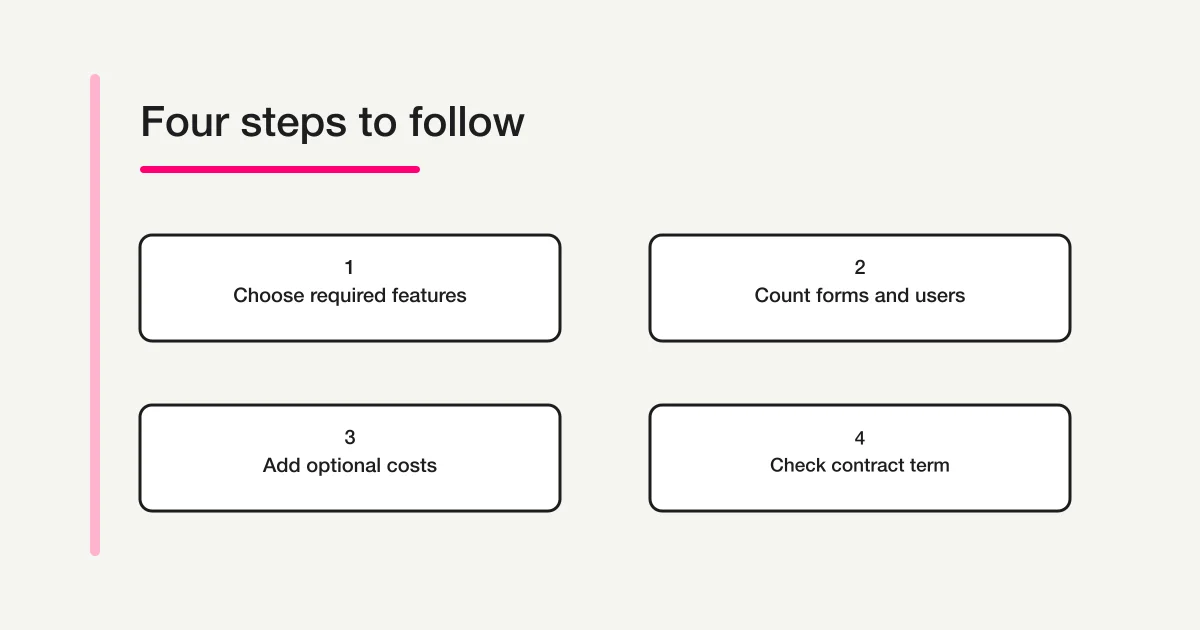
Try the same fields in an AI chat workflow
If you already use ChatGPT or Claude and want to create forms through conversation, you can also try a draft in FORMLOVA. Use the same inquiry fields so that the comparison stays practical. The aim is to see whether the way of working suits you, rather than to choose a service from a price headline alone.
FORMLOVA's free plan supports creating and publishing forms, accepting responses, and CSV or Excel export. This description was checked against the current service specification and FORMLOVA's plan information on November 12, 2026. Automatic replies and other automation have paid-feature conditions. The connected AI service has its own access requirements and potential charges.
Preparation has three steps:
- Register for FORMLOVA.
- Verify your email address.
- Connect FORMLOVA to a supported ChatGPT or Claude environment.
The ChatGPT setup guide explains the connection. Once connected, try this request. Registration alone does not create the form.
Create a draft inquiry form.
Use these fields: name, company, email address, and inquiry details.
Keep it unpublished. Help me check required fields and who may view responses.
Use fictional names and questions first. Check whether you can change a field, understand the required settings, and identify who can access the responses before collecting real customer information. A draft is a useful way to test creation, but it cannot prove that an entire production process is ready to move.
Draft the same inquiry fields through conversation
Use the free scope to make an unpublished form and try editing its fields before choosing your everyday workflow.
Register free to try an inquiry form
For ChatGPT or Claude users: register, verify your email, connect FORMLOVA to your AI chat, and send the request above. Check your AI service's access requirements separately.
If your team relies on formrun's board-based handling, a draft is not enough to decide on a switch. Response history, colleague handovers, and integrations also matter. Continue with the formrun alternative comparison for that separate decision.
A worksheet to use before signing
Copy this short worksheet into the discussion with your team. Remove fields you do not need, but keep the distinction between the base subscription and options. This is an operating aid, not a provider's quotation form.
Purpose of the intake:
Required features:
Number of forms needed at the same time:
Expected monthly responses for each form:
Number of operators:
File storage needed and expected growth:
Required integrations and affected forms:
Contract term and renewal date:
Base subscription plus add-ons, with tax treatment:
Person reviewing usage:
Conditions that trigger a budget review:
Describe review conditions as changes in the work: adding an intake, needing exports, involving another team, or increasing file storage. That gives future colleagues a reason for the original decision. A price copied into a spreadsheet becomes stale quickly; a price attached to an explicit set of requirements is easier to revisit.
Frequently asked questions
Can FREE have more than one form?
FREE is eligible for the paid additional-form option. A free base subscription does not make a paid option free. Check the additional form charge separately from response limits and feature requirements. Paying for another form does not automatically unlock the functions of a higher plan.
Can I treat an annual monthly equivalent as my monthly invoice?
No. The displayed equivalent is a comparison figure. Confirm the payment schedule, contract term, renewal, and cancellation conditions in the actual agreement. For a short event, a lower annual monthly equivalent alone is not enough to justify a longer contract.
Does this table determine the budget for an existing account?
Use the actual contract, active options, and counting period to establish an existing account's budget. This article summarizes publicly displayed general pricing checked on November 12, 2026. An individual quotation or existing agreement may require a separate check with the provider.
Related guides
- Form service comparison hub: choose which comparisons to read.
- Cross-service form comparison: compare the jobs different services emphasize.
- Formrun and FORMLOVA comparison: consider workflow differences after checking the budget.
Start with the work and quantities you need, separate base prices from additions, and test the operation that matters to you. That gives the contract a practical basis and makes the next budget review easier.
Disclosure and Verification
The author develops FORMLOVA. Formrun pricing and its official FAQs on monthly submissions, additional forms, paid options, and annual contracts were checked on November 12, 2026. Source links are provided beside the relevant facts. Budget scenarios and draft requests are illustrative, not records of purchases, migrations, or completed product tests. Price or limit changes require a review of both the tables and the calculations.