
Typeform pricing: free responses, paid plans, and billing choices
Typeform has a Free plan with 10 responses a month across all your forms. On the pricing cards checked for this guide, Basic costs $39 per month on monthly billing or $28 per month when billed annually. Start with the total responses your account needs in a busy month, then compare the billing commitment. The number of forms you can create does not tell you how many submissions you can collect.
This guide focuses on choosing a plan within Typeform: the response allowance, payment cycle, and budget questions to resolve before subscribing. If your decision is whether to change products, the separate Typeform alternatives comparison covers that broader question. Keeping those decisions separate makes it easier to test the work you actually need.
Compare the same billing cycle
The following figures were shown in the leading plan cards on the official Typeform pricing page, checked on November 16, 2026. Prices are in US dollars. The annual column is a monthly equivalent, rather than a promise of a monthly payment schedule.
| Plan | Monthly billing | Annual billing, monthly equivalent | Base responses per month | Users |
|---|---|---|---|---|
| Basic | $39 | $28 | 100 | 1 |
| Plus | $79 | $56 | 1,000 | 3 |
| Business | $129 | $91 | 10,000 | 5 |
| Enterprise | Custom quote | Custom quote | Custom terms | Custom terms |
Typeform says it experiments with pricing and plans. Account-specific offers and the purchase screen can differ from a public display. Treat this table as a dated reference; confirm currency, taxes, discounts, and the final charge before subscribing.
A monthly equivalent is useful for comparison, but it can hide the size of a commitment. Multiplying the displayed annual Basic equivalent of $28 by twelve gives $336. That is an arithmetic illustration, not a checkout quote. A project that only runs for three months has a different budgeting question from a year-round intake process. At the displayed monthly rate, three months of Basic would be $117 before any applicable tax or other purchase conditions.
Write down the intended service period next to the billing cycle. A lower monthly equivalent does not automatically make an annual commitment the better fit for a short project. If someone else approves the purchase, show the amount for the entire period you intend to use, rather than showing only the smallest number on a pricing card.
Free forms and free responses are different limits
The official Free plan guide describes unlimited forms with ten responses per month across the account. This can support a small trial of a questionnaire, but creating a second form does not give the account a second allowance.
Imagine a fictional teaching business expecting eight workshop feedback responses and three visit requests in the same month. Each form is below ten, but the combined forecast is eleven. It does not fit the stated Free response allowance. Count every form using the same account before deciding that a small individual survey will stay within the limit.
The Free guide also explains that some paid features can be tried while editing. Seeing an option in a trial is different from being entitled to publish a live form that uses it. Before choosing a plan, make a list of the question types and presentation requirements you will actually need. Check that the selected plan can publish that version, rather than testing a simpler form and assuming the rest will work later.
A useful trial has a clear purpose. You might be checking whether a satisfaction question reads well on a phone, whether an optional comment can be skipped, and whether the ending makes sense. You do not need to launch the survey to your entire audience just to make those decisions.
Separate the base allowance from extra response capacity
The official response limits guide explains how the monthly allowance is counted and what happens at the limit. Annual billing does not turn the allowance into a pool that can be spent whenever you like during the year. The response accounting period still matters.
A pricing comparison may show both a base allowance and a higher maximum. They answer different questions. For example, Basic's included base is 100 monthly responses; a displayed maximum of 750 is not an indication that all 750 are included at the base price. If you need additional capacity, get the terms and cost for your account before using that larger figure in a budget.
It helps to keep two columns in an internal estimate: capacity already included, and capacity that needs a separate price check. That small distinction prevents a team from approving a low subscription figure while planning to use a higher allowance.
The auto-upgrade guide is relevant if you plan to expand capacity automatically. Check who can enable it, who receives notices, and who approves a higher bill. A setting that keeps an intake running should also fit the way your organization approves spending. Do not assume the mere presence of an upgrade option means its cost has been agreed.
When the allowance reaches 100%, forms go into Private mode until the next period begins or the plan is upgraded. Deleting an existing response does not restore the consumed allowance. Include that consequence in the launch plan: decide who will watch capacity and what to do before a busy intake reaches its limit.
Estimate the busiest month, not just the average
The examples below are fictional planning exercises. They compare forecast response counts with base allowances. They do not claim that response count alone establishes which plan has every feature a team needs.
| Intake scenario | Forecast responses in a month | Where to start |
|---|---|---|
| Feedback from a small study group | 8 | Check the Free allowance after adding other account activity |
| One course feedback survey | 80 | Compare Basic's base with all other forms in the account |
| Course feedback and visits peak together | 800 | Check the combined forecast against Plus's base |
| Several launches share one account | 1,400 | Compare extra capacity with a higher plan |
An average of eighty responses may sound comfortable until a seasonal event brings five hundred in one month. The important question is what the account needs during that event. Conversely, an occasional peak does not automatically justify buying a large year-round commitment. Map the expected dates and quantities before comparing payment periods.
If you have previous counts, start with the highest recent month and explain what will change in the coming campaign. If you have no history, distinguish the number of invitations from the number of responses you expect. Those are different quantities. Record the assumption and the point at which you will review it.
For example, a training team might list its course survey, visit request form, and follow-up questionnaire on separate rows. A fourth row adds them together. The owner can then see that a second form launching in the same month changes the estimate even if the first form stays exactly the same. That is more useful than choosing a plan from the headline size of one survey.
Check the people and the work behind the number
After response capacity, check who needs access. One person drafting questions and reviewing results is different from a team that shares editing and reporting. Write down the required people and responsibilities; do not build a cost estimate around everyone sharing one login.
Also preserve the work that made you consider the product. A particular presentation, brand requirement, or analysis workflow may be essential. A plan is not sufficient simply because its response allowance fits. Test the feature that matters to the project before treating the budget as complete.
A practical acceptance note can be short: who edits, who checks the results, what the visitor must see, and what must happen after a submission. Use that note to evaluate the trial. If a requirement remains untested, label it as untested instead of assigning it a successful outcome.
For a wider view of the choices, the form service comparison guide and cross-service comparison cover different tools and their roles. The table in this article is intended for a Typeform plan decision, rather than a claim that competing products have identical capabilities.
Try the same questionnaire as a private FORMLOVA draft
If you already use ChatGPT or Claude and want to shape questions through conversation, you can also test the same intake fields in FORMLOVA. Make this a small trial of your actual task. It does not require changing your Typeform subscription or claiming that every feature will transfer.
For a fictional course feedback survey, you could give a compatible AI connected to FORMLOVA this request:
Create a new private draft of a course feedback form. Ask for a name, email address, a five-point satisfaction rating, and comments. Make satisfaction required and name, email, and comments optional. Do not change existing forms, publish anything, or send emails. Show the saved form name and the required or optional setting for each field.
After saving, open the preview and check whether the rating options mean what you intend. Confirm that a comment can be left blank. Decide whether name and email should be optional based on the real purpose of the intake. The example demonstrates field design; it does not determine your privacy policy or guarantee anonymity.
Start with dummy information. Check the question wording and the saved settings before inviting anyone to submit a real response. A conversation that proposes a form is not the same thing as a verified saved draft, so inspect the saved result and preview. Then decide whether to continue toward publication.
The starting steps are register with FORMLOVA, verify your email, and connect a supported AI client. The free plan lets you try creating and publishing forms and collecting responses. If your next test involves sending messages or other additional functions, check the current FORMLOVA plan information for that function.
AI client requirements and costs are separate. Claude's free plan supports one custom connector. Creating and updating through ChatGPT requires a full MCP-capable Business, Enterprise, or Edu web setup and the necessary permissions. Pro is for read/fetch access. Check the current client requirements before connecting. These conditions were checked against the current FORMLOVA specification on November 16, 2026.
Test the feedback questions in a private draft
Use FORMLOVA's free plan to draft a five-point satisfaction question and optional comments, then check the fields before deciding to publish.
Register free and draft a feedback form
Register, verify your email, and connect FORMLOVA to a supported ChatGPT or Claude setup before giving it the request above. AI client requirements and costs are separate.
Keep a short purchase note
A decision is easier to review when its assumptions are visible. After testing, collect these items in one place:
- Every form sharing the account, with ordinary and peak-month response forecasts.
- The included base allowance and any extra capacity needing a quote.
- Monthly or annual billing, the intended service period, currency, and taxes shown at purchase.
- People who need to edit or review, with the access each person needs.
- Essential questions and presentation requirements checked on the chosen plan.
- The person reading capacity notices and the person approving extra spending.
This note also creates a useful review point. When the actual intake differs from the forecast, the next person can see which assumption changed. They can update the estimate without treating the original number as a measured result or starting the whole selection process again.
Frequently asked questions
Does each free form get ten responses?
No. The Free allowance is shared across the account's forms. Add your planned activity together before deciding whether it fits.
Does annual billing create an annual response pool?
The allowance is monthly. Keep the payment cycle and the response accounting period separate when planning a seasonal intake.
Is the maximum response capacity included in the base price?
A base allowance and a maximum available capacity are different figures. If your forecast needs more than the base, confirm the applicable extra terms and price at purchase.
Should I choose the lowest monthly equivalent?
Compare the cost over the period you actually need, alongside capacity, access, and essential work. A short project and a permanent intake have different commitments, even when they use identical questions.
Disclosure and Verification
I develop FORMLOVA. On November 16, 2026, I checked Typeform's official pricing cards and the official guides for Free, response limits, and auto-upgrades. The table is a dated display reference. Pricing experiments can produce differences, so verify the offer in your purchase screen.
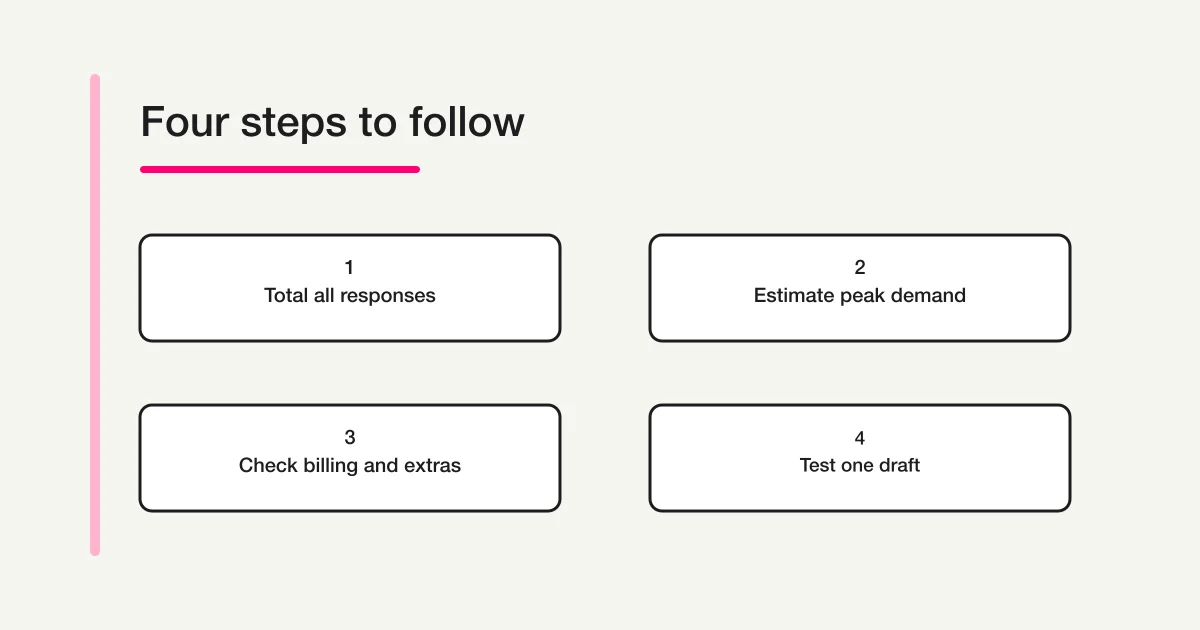
FORMLOVA's free scope and setup steps follow its current specification, plan information, and setup guide. The course and response counts in this article are fictional examples, not measured results. The diagram illustrates a decision sequence and does not represent a product screen.