
Business Trip Report Template: A Completed Example for Two Visits
A business trip report should tell your reader why you traveled, where and when you went, what you did, what you verified, what still needs checking, and who will follow up. When the trip includes more than one visit, give each stop its own objective and result. A short summary at the top lets your manager see the outcome before reading the itinerary.
Copy the blank template below into a document. The completed example uses the same fields to show how two visits can answer different parts of one business question. Use it after the trip to explain what you learned and what the team can do next.
Copyable business trip report template
Start with the trip's overall purpose. A person who did not travel should be able to read the summary and tell which question was answered, which condition remains untested, and where to look for details. Add one visit block per stop and one follow-up block per action. A single visit needs just one block.
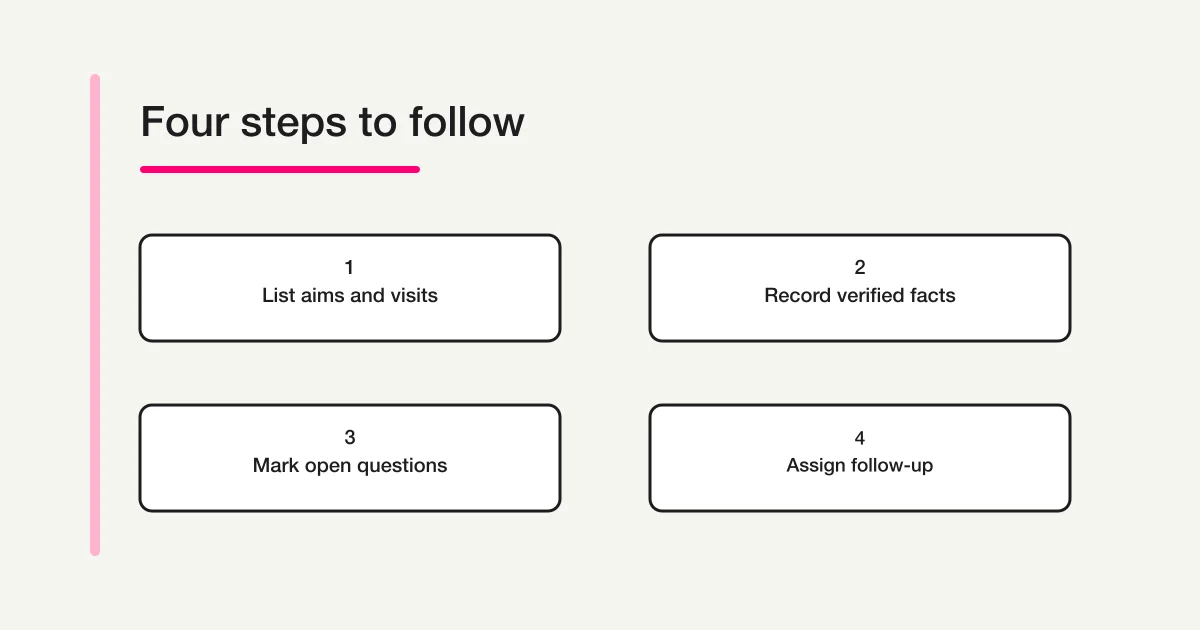
BUSINESS TRIP REPORT
Report date:
Prepared by and team:
Trip dates and location:
Report recipient:
Trip purpose:
Outcome summary (what we learned and what is still open):

VISIT RECORD (repeat for each visit)
Visit date and destination:
Visit objective:
Activity completed:
Verified facts and evidence:
Observations or proposals:
Open questions:

FOLLOW-UP (repeat for each action)
Action or check:
Owner (mark assignments still to be requested):
Due date:
What will count as done:

MATERIALS AND SHARING (once per report)
Reference materials and sharing audience:
The evidence field can be as short as a document name and its date. It should let the reader tell whether you watched a demonstration, inspected a document, or heard an explanation. If the detail will determine a decision, add the version or page number so a colleague can find it. A source name is useful even when the source itself cannot be circulated.
The person who receives the report may differ from the people who need a reference document. For example, send the summary to the team lead while sharing a permitted procedure note with the people who will test it. If you are unsure whether a vendor handout may be forwarded, name the document and the person to ask. Listing it in a report does not mean it was distributed.
Completed example: two visits to investigate a repair intake process
This fictional example follows a small process improvement team. The first visit checks how a label is produced. The second checks how an item is handed over at the warehouse. The report connects both stops to the same goal: making it easier to match a repair item with its intake record.
BUSINESS TRIP REPORT
Report date: November 11
Prepared by and team: Yamada, Process Improvement (fictional)
Trip dates and location: November 9–10, Nagoya
Report recipient: Process Improvement team lead
Trip purpose: Identify what a revised repair intake form needs to support matching intake records with item labels and handing items to the warehouse.
Outcome summary: In the demonstration, the intake slip and the item label printed the same intake number. We did not observe a busy receiving period, so we still need to check how the extra step would fit into the current process.

Visit date and destination: November 9, exhibitor booth at a logistics equipment show
Visit objective: Check how the same intake number can appear on the intake slip and the item label.
Activity completed: Watched a demonstration using fictional intake data.
Verified facts and evidence: The demonstration intake slip and item label both printed TEST-07. Evidence: demonstration sample and notes from the visit.
Observations or proposals: A shared number might make matching easier at handover. Try the outputs in the space where the current paper forms are used.
Open questions: Compatibility with our devices and paper, ongoing cost, and time needed during a busy shift.

Visit date and destination: November 10, repair intake warehouse
Visit objective: Check how an item moves from receiving to the person responsible for it.
Activity completed: Followed the receiving worker through label checking and temporary storage.
Verified facts and evidence: For the one item observed, the worker read the label number and entered the storage shelf number on the intake log. Evidence: visit notes.
Observations or proposals: The shelf number is assigned at the warehouse. Try leaving it out of the initial required fields.
Open questions: What happens when several items arrive together, and what to do if a label number cannot be read.

Action or check: Print a fictional intake slip and label on our equipment and check that the numbers match.
Owner: Yamada
Due date: November 13
What will count as done: Record the output and the device and paper used in the team's working notes.

Action or check: Ask how the warehouse handles a busy receiving period and unreadable labels.
Owner: Warehouse liaison (to be asked; not assigned yet).
Due date: Make the request by November 12 and agree on a date for the check.
What will count as done: Record what differs from normal receiving and how the team handles an unreadable number. Decide whether either case needs a new field.
Reference materials and sharing audience: Demonstration sample and visit notes. Send the report to the team lead. Check with the exhibitor before forwarding the sample.
The first stop verified a narrow result: the demonstration produced two outputs bearing the same number. It did not show that those outputs work with the team's own equipment. The warehouse visit showed what happened with one item, not how the process works on a busy day. The summary preserves those limits so a reader does not treat an observed result as a recommendation to buy anything.
The report also distinguishes the owner of a confirmed action from a person who will be asked to help. The next step for the liaison is a request with a date. After the liaison accepts it, the team can record a date for the actual check. A name and a deadline are useful commitments to track, but neither proves an action happened.
Separate activities, facts, observations, and open questions
Consider the sentence “We checked a new intake system and it looks ready for the warehouse.” It combines a visit activity, a judgment, and a conclusion the visit did not establish. A reader cannot tell what the team actually checked. Split it into short statements that describe the evidence and where it stops.
| Field | What to write in this case | What it does not establish |
|---|---|---|
| Activity | We watched a demo with fictional intake data. | The software works on our devices. |
| Verified fact | The demo intake slip and label bore the same number. | It can handle the pace of a busy shift. |
| Observation or proposal | Try matching both outputs at the existing receiving station. | The team has approved a purchase. |
| Open question | We still need to check compatibility and peak time handling. | Compatibility or capacity has been confirmed. |
| Follow-up | Yamada will test both outputs with fictional data. | The test is complete. |
If someone at the site describes a process you did not observe, attribute it. For example, “The receiving worker said that busy shifts use the same handover steps. We did not observe those shifts.” You verified that the worker gave that explanation. The explanation is a lead for a later check, especially if it will affect the team's decision. Use the same distinction for proposals: record who suggested an action and what the other party said, if anything, before calling it an agreement.
The Japan International Research Center for Agricultural Sciences trip summaries offer a public example of separating a trip's purpose, period, and results. The Research Organization of Information and Systems travel rules include an institutional business trip report form in Appendix 11 (PDF page 17), with fields for travel dates, destinations, and an overview of the work. These are examples from research organizations. Check your employer's own instructions for the required format, due date, and supporting materials.
Record a visit even if it produced no result
A trip can be useful even when it does not answer every question. Write, for example, “The demonstration was canceled. We have asked for the date of the next session, and device compatibility remains unchecked.” The team can plan another check without mistaking a blank for a missing entry. If a visit did not take place, record the change and the alternative plan rather than describing it as completed.
A visit can also reveal an issue outside its original objective. In this example, someone might notice that temporary shelves are hard to find. The main result still belongs under the original question about the intake number. Add the shelf signage idea under observations, with a separate person to consult if it warrants follow-up. The report remains readable when an extra idea does not replace the answer the trip was meant to produce.
How a trip report differs from a request or an expense claim
| Document | When it is used | What it answers |
|---|---|---|
| Travel request | Before departure, when planning or requesting approval | Why should the trip happen, and what is planned? |
| Trip report | After returning, when handing over results | What actually happened, what did we learn, and what happens next? |
| Expense claim | When processing costs already incurred | What was paid, how much was it, and what supports the claim? |
You can use the objective from a business trip request to anchor the report. Replace the itinerary with what happened. For example, “The approved plan included an equipment tour. The equipment was stopped, so the visit became a discussion with the operator.” This gives the reader a reason for the difference and explains why the report has fewer verified results than expected.
A report can reference an expense claim if your employer uses a common identifier. Writing the report does not settle the claim or approve the trip. Follow the submission process your team uses for each purpose. If the main goal was to share what participants learned in a course and how they will apply it, a training report has a more suitable set of fields for that task.
Try an unpublished business trip report draft in FORMLOVA
If several people submit similar reports, turn the blank template into fields. Start with fictional data and review the draft before collecting anything. In this example there are two visit blocks. Make the second optional so a person who visited one site can still complete the report without entering a made-up stop.
Create an unpublished internal business trip report draft. Include the report date, prepared by, trip dates, purpose, and outcome summary. Group the destination and visit objective, completed activity, verified facts and evidence, observations or proposals, and open questions. Add the same fields for an optional second visit. For follow-up, include the action, owner, due date, what counts as done, reference material names, and sharing audience. Add field guidance for "not yet verified," "assignment to be requested," and "not applicable." Leave out attachments, notifications, and external connections. Do not publish or send anything. Stop so I can review the proposed fields and which are required.
Read the proposed fields alongside the completed example. If the draft puts a confirmed result and an observation in the same box, ask to separate them. If a required owner field would force the writer to invent an assignment, make it optional or ask for a plain text note that explains who still needs to be contacted. The first test is whether someone can record an honest incomplete result and still finish the draft.
A copyable document may be enough if the same person writes reports occasionally. A form becomes useful to test when several writers keep omitting the evidence or mixing action plans with completed work. Start with the fields that solve that recurring problem. Review the proposed wording with a fictional case before considering a form for real travel information.
Draft a trip report form with facts and follow-up in separate fields
Use two fictional visits to try an unpublished draft with fields for verified results, open questions, owners, and due dates on the free plan.
Sign up free and try a trip report draft
Sign up, verify your email, connect a supported AI chat, and use the prompt above to make the unpublished draft. Check the AI client's terms and any costs separately.
The form creation guide can help you choose which fields to require. Keep the draft unpublished while checking who should submit reports and who may see them. Creating a draft does not send it through your company's submission process, approve the trip, reimburse costs, or complete the follow-up.
Check that a reader can take the next step
Read the summary first, then read the open questions. If the summary only says “trip completed as planned,” add what was learned and what remains uncertain. For each open question, decide what observation would settle it. “Check compatibility” can become “Print both documents with fictional data on the team's device, then compare the numbers.” The owner and reviewer can see the same finish line.
- Can the reader connect each visit objective to a completed activity and a result?
- Is a spoken explanation labeled separately from a document or an item you checked yourself?
- Are proposals distinct from agreements or decisions?
- Does each follow-up specify an owner or assignment state, a date, and what counts as done?
- Do reference materials have a clear audience, with any sharing still pending marked that way?
If the team tests compatibility after returning, record it as a dated follow-up. For example, “November 13: Printed matching numbers on the designated device with test paper.” Keep that result separate from the demonstration evidence. If a correction affects a report someone already read, follow the team's process to tell the recipients which information changed. Editing the document is not proof they saw the correction.
Frequently asked questions
Should the business trip report fit on one page?
Follow your recipient's requirements. Without a fixed length, prioritize a summary and a clear next action. For a trip with many visits, put the supporting details after the overview. A reader who needs the decision can stop after the summary, and someone checking the evidence can read the relevant visit block.
What if a visit did not produce a confirmed result?
State what was not confirmed, why, and what would help answer the question. “Waiting for a response,” “not observed,” and “check during the next visit” convey different stages. You do not need to invent a result to fill a field.
What if there was only one visit and no follow-up?
Use one visit block and record that no action remains. Do not assign an owner simply to fill the template. If the visit ended without a decision, say so. That can be a useful outcome for someone reading the report later.
Should I attach receipts and materials from the visit?
Follow your employer's instructions. Receipts support expense processing, while visit materials support the findings in the report. List the reference that matters to the reader and check whether it may be shared. Send financial documents through the process designated for them.
Disclosure and Verification
The FORMLOVA team prepared this article and checked the product's free scope, setup sequence, and references on November 11, 2026. The visit, completed report, and form prompt are fictional examples. They do not document a real trip, generated or submitted form, approval, reimbursement, or measured process improvement.