
ChatGPT Developer Mode: Connections and Permissions
ChatGPT developer mode appears in older instructions for connecting external tools. In the current Plugins experience, you do not need to enable Developer Mode before adding a custom MCP server. That does not mean every account can create forms or make other changes. Your plan, workspace permissions, the connected service, and the action you request still matter.
If your goal is to create an event registration form, the useful starting question is what you want the connected tool to do. A successful connection, a saved draft, a public form, and a delivered email are different results. This guide helps you make those decisions without repeating a full connection walkthrough.
Separate developer mode, connection, and permission to act
It is easy to treat a missing switch as the only obstacle. In practice, three different questions may be hiding behind the same search.
| Question | What you are deciding | Example for form work |
|---|---|---|
| Do these instructions describe developer mode? | Whether you are reading a legacy setup path or a current one | Should you keep looking for the named switch? |
| Which service am I connecting? | The provider and account you intend to use | Is this your personal workspace or your company's intake service? |
| What may the service do? | The scope of the individual operation | Should it suggest fields, save a draft, or publish a form? |
MCP, short for Model Context Protocol, is a common way for an AI client to use external tools. For the broader explanation, see the MCP form service guide. Knowing the term is useful, but it does not tell you whether a particular operation is available or appropriate for your account.
Consider an event organizer who asks for a registration form. ChatGPT might explain which questions to include without saving anything. A connected service might then save a draft. Publishing that draft would change who can access it. Sending a confirmation would affect another person. These are distinct steps even if the conversation sounds continuous.
I recommend naming the result you need before changing a setting. “I want a saved, unpublished draft that I can inspect” is a clearer trial than “I want developer mode working.” It gives you something concrete to verify and a natural place to stop.
Recognize current Plugins and legacy Apps instructions
The current OpenAI custom MCP connection help, checked November 13, 2026, says that the Plugins path does not require turning on Developer Mode first. A search-result description or an old screenshot may describe a different interface.
| What you have in front of you | The useful next check |
|---|---|
| A Plugins screen offering a custom MCP server connection | Use the current connection guidance and your account's permissions |
| An older article showing Apps, Scan Tools, or a Dev label | Check whether the article describes a legacy path |
| A company workspace where adding a service is unavailable | Check the workspace and your authority to create connections |
| A chat that mentions a service but never uses it | Distinguish installation, account authorization, and selecting the service |
Do not combine half of one walkthrough with half of another. A different button name is a reason to identify the setup path, rather than improvise a sequence from unrelated screenshots.
For the actual FORMLOVA endpoint and connection sequence, use connecting FORMLOVA to ChatGPT. This page focuses on the decision before and around that sequence: whether the instructions apply, which account is involved, and what work you are authorizing.
The word “developer” also does not mean your trial must involve writing code. You may simply want to describe registration fields in a conversation. Start with that job and choose a supported client and connection that can carry it out.
Check eligibility when a setting is missing
As of November 13, 2026, OpenAI's documented full MCP access is for Business and Enterprise/Edu on the web. Business creation requires an admin or owner; Enterprise/Edu access depends on granted permissions. Pro read/fetch access should not be interpreted as permission to create forms.
The connected-app availability guidance also makes clear that access varies with the plan, region, workspace, role, model, and interface. A FORMLOVA account does not change those ChatGPT conditions. Do not assume that Free or Plus guarantees custom write access.
If you need help from your workspace administrator, ask about the intended operation rather than just a switch:
Can I create a custom MCP connection to our chosen form service in this workspace and test saving one unpublished draft? Please confirm the connection-creation permission and the allowed actions.
That request separates access to a tool from permission to use it on company information. It also gives the administrator a bounded test to assess.
Avoid solving an organizational restriction by changing accounts or workspace settings without authorization. You can still prepare the proposed fields and copy while access is being reviewed. If you already use Claude instead, the Claude Desktop connection guide explains that client's route; its conditions should be checked independently.
Decide what information and authority to give the service
Before connecting, I would write down four short answers. This is an operating habit, rather than a claim that every client offers four matching permission switches.
Who provides the tool? Start from the service's official connection guidance. A similar name or a third-party integration is not enough to establish that you are authorizing the intended provider.
Which account will it use? Decide whether the experiment belongs to a personal account, a test workspace, or a company account. A successful sign-in to the wrong account is still the wrong connection for the job.
What information does the trial require? An example form needs field labels and sample wording. It does not need a real attendee list. Keep actual personal information out of the trial unless the task requires it and you have permission to use it.
What may change? A new unpublished draft is different from changing an existing live form. State that boundary before making a request and inspect the action that the tool actually proposes.
OpenAI's custom MCP documentation advises connecting trusted servers and reviewing write actions. A sentence such as “do not publish” helps express your intent, but it is not an access-control setting. Check the real account permissions and any action confirmation as well.
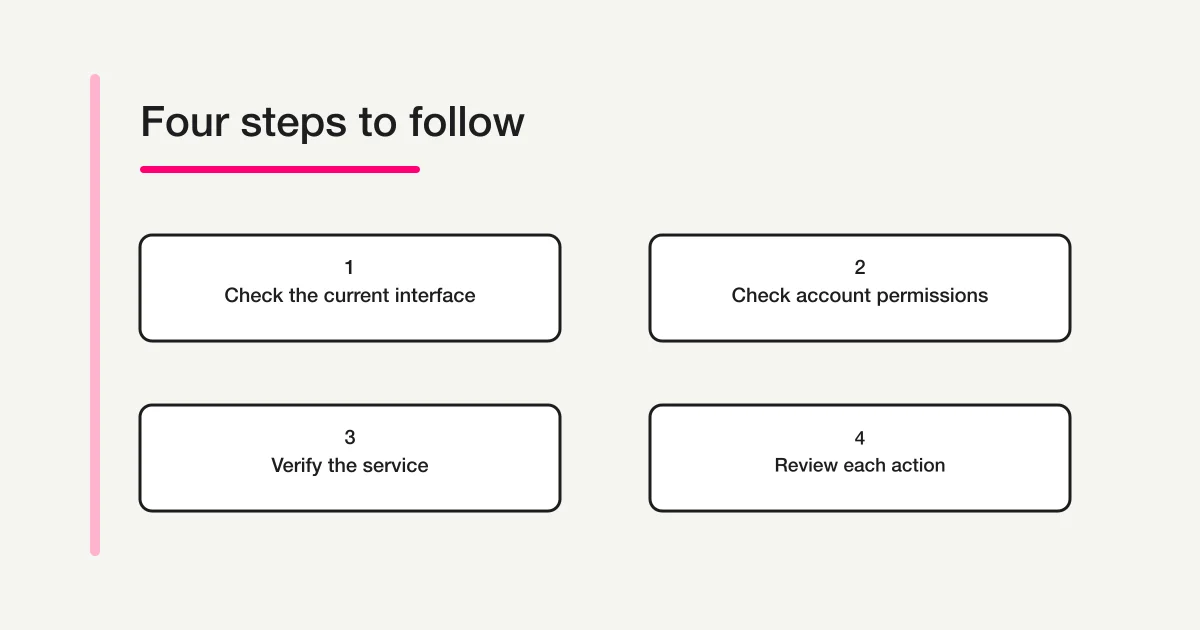
This diagram shows a thinking sequence. It does not depict an authenticated ChatGPT account or prove that a service is connected.
Divide form work into decisions you can verify
Imagine a small workshop taking registrations later this month. “Set up the registration” could mean several things: drafting questions, saving a form, opening registration, or preparing messages. The organizer and the assistant may understand that phrase differently.
A useful approach is to make the expected result of each stage explicit.
| Stage | Example request | Evidence to check before continuing |
|---|---|---|
| Plan the questions | Suggest required and optional fields | Are all the requested details necessary? |
| Save a draft | Create one new unpublished form | The saved form, its fields, and unpublished status |
| Publish | Publish the reviewed form | The actual public URL and registration display |
| Send a message | Send the agreed text to the agreed recipients | The intended recipients, content, and execution result |
For the initial trial, you can stop after the second row. You do not need to open registration or send messages to learn whether conversational form creation suits your work.
When a confirmation appears, read the target and the proposed change. If the request mentions an existing live form while your plan was to create a test draft, stop and resolve the mismatch. A familiar form name is not enough; two events can have nearly identical names.
This way of dividing work also helps after a mistake. An incorrect field in an unpublished draft can be reviewed before anyone sees it. A public announcement or a message to attendees has a different consequence. Deciding where to pause makes that difference visible.
Try one unpublished event form in FORMLOVA
The following workshop is fictional. The prompt is an example to try, not a report of a tool call performed for this article.
FORMLOVA is intended for people who use a supported AI client such as ChatGPT or Claude. Getting started has three preparation steps: register, verify your email, and connect FORMLOVA to your AI client. The AI client's contract, availability, and usage conditions are separate from FORMLOVA's plan.
After connecting, you can use this prompt:
Using FORMLOVA, create one new unpublished draft for a workshop registration form. Ask for name, email address, and number of attendees. Do not change existing forms, publish the draft, configure emails, or send messages. After saving, show the form name, fields, required or optional settings, and unpublished status. If you cannot confirm that it was saved, say so.
What makes this a useful trial is the boundary around the work. You have a specific subject, a small set of fields, and a clear stopping point. You can compare the saved result with your request before deciding whether to continue.
If you want help specifying the form itself, see drafting a form in one request. That guide addresses the drafting input; this one addresses the connection and action decisions around it.
Try a workshop registration as an unpublished draft
FORMLOVA's Free plan includes form creation, publishing, and response collection. Start with the fictional example above and inspect the saved fields and unpublished status.
Register free to try a registration draft
Register, verify your email, and connect FORMLOVA to a supported AI client such as ChatGPT or Claude. Then use the prompt above. Check your AI client's eligibility and contract separately.
Judge the saved result, rather than the reassuring reply
A reply saying that something was created is a starting point for verification. For this trial, look for the saved form's name, its questions, and its unpublished state.
Suppose the number of attendees was made optional, but you need it for planning. Review that choice before publishing. If the email field was created with an unexpected input type, inspect its behavior. Those details tell you more about the suitability of the result than the fluency of the assistant's explanation.
If the operation returns an error, first find out whether the draft exists. Asking to create it again without checking can produce a duplicate. Decide whether you are editing an existing saved draft or retrying a step that never completed.
The same distinction applies when a conversation continues later. The words “the workshop form” may no longer identify a single object. Ask the client to identify the intended form before changing it. Keep the trial separate from a live registration process until you are ready to review and publish it.
None of this requires treating every action as an emergency. It simply means using evidence that matches the result: a saved draft for drafting, a real public page for publishing, and a recorded sending result for messages.
Frequently asked questions
Does developer mode remove restrictions on ChatGPT answers?
This article uses the term in the context of connecting external tools. It does not describe a way to bypass response restrictions. For form work, the relevant questions are which service is connected and which operations you intend to allow.
Does connecting mean publishing and sending are already approved?
No. A connection makes supported operations available under the applicable permissions. Whether you want a particular form published or a particular message sent is a separate decision. The unpublished-draft trial does not require contacting real attendees.
Does a free FORMLOVA account satisfy ChatGPT's requirements?
No. FORMLOVA's account and the AI client's eligibility are separate. As checked November 13, 2026, the FORMLOVA Free scope includes form creation, publishing, and response collection. Custom automatic replies and reminders require Standard or above; bulk email requires Premium. The trial in this article does not use those sending features.
What if an older tutorial disagrees with my screen?
Compare the current official guidance with the account and workspace you are actually using. Do not infer that a missing control grants access, or that another account's screenshots prove your eligibility. While permissions are being clarified, you can prepare the proposed questions without connecting a service.
Disclosure and Verification
Choose the smallest result that would help you decide whether to keep using the service. For workshop registration, that can be a saved unpublished draft with the intended questions. Once you have reviewed it, decide whether publishing is the next appropriate step.
Use the FORMLOVA setup guide to check your client, then register, verify your email, and connect. You remain responsible for choosing the intended account and approving the work you want performed.
Verified November 13, 2026, against current OpenAI connection documentation and FORMLOVA's current specification and plan definitions. Interface names and access conditions may change. The decision tables and workshop prompt are explanatory examples, not evidence of an executed form creation, publication, or email delivery.
The author works on FORMLOVA. This article does not guarantee access for a particular ChatGPT account or claim that FORMLOVA has been approved for a public plugin directory.