
Tayori Pricing: Free Limits and Four Plans
Tayori has a Free plan and three paid plans: Starter at ¥3,800 per month, Professional at ¥11,980 per month, and Enterprise at ¥25,400 per month. Paid prices exclude tax. Start with the number of people handling inquiries and the number of intake forms you need, then check the functions that your support process requires.
A team seeking a shared FAQ and live chat has a different buying decision from someone who wants to create and operate contact forms through an AI conversation. This guide keeps those needs visible while explaining the plan choices. It does not treat a lower form-service price as proof that two products provide the same support system.
Compare the plan price with the included capacity
The figures below were checked against the official Tayori pricing page on November 14, 2026. Prices are in Japanese yen. The form, FAQ, and survey limits apply to each type separately, rather than to a combined total across all three.
| Plan | Monthly price | Included users | Forms, FAQs, and surveys | Initial fee and contract |
|---|---|---|---|---|
| Free | ¥0 | 1 | 1 of each | No initial fee |
| Starter | ¥3,800 excluding tax | Up to 3 | 3 of each | No initial fee |
| Professional | ¥11,980 excluding tax | Up to 10 | Unlimited | No initial fee |
| Enterprise | ¥25,400 excluding tax | 11–30 | Unlimited | ¥50,000 initial fee excluding tax; annual contract and bank transfer |
Starter and Professional offer a fourteen-day trial. Terms for more than thirty users require an inquiry to Tayori. The continuing Free plan and a temporary paid-plan trial serve different purposes, so keep them separate when planning your evaluation.
These are plan prices alongside included capacity. Do not read them as a per-person price that automatically scales to any team size. Equally, the size of your company is not necessarily the number of people who will operate the service. A company with ten employees may have one contact operator, while a small team may need several people to share the work.
Before deciding, write down who will actually sign in, including the person providing holiday cover. Then list the intake forms you intend to maintain. A plan can fit the first number and fail the second. Two operators managing four separate forms, for example, should notice the form count before choosing a three-form plan.
The Enterprise monthly figure also needs to be read together with its initial fee and annual contract. A monthly equivalent is useful for comparison, but it does not turn an annual commitment into a monthly cancellation arrangement. Confirm the final terms with the provider before contracting.
What the Free plan lets you evaluate
A free account is useful when you want to see whether a small intake process makes sense. However, the number of forms and the number of replies are different limits. Tayori's feature comparison lists a monthly allowance of ten replies for Free, while paid plans list unlimited replies.
The same official page, checked November 14, 2026, also distinguishes fixed automatic responses on Free from the editable options in paid plans. It lists iframe embedding for Free and reserves file uploading for paid plans. These details matter when the contact process requires more than a few text fields.
Most importantly, do not turn the ten-reply allowance into a claim that only ten submissions can be received. Receiving a submission, replying to it, and sending an automatic response are different operations. Identify which operation a stated limit describes before estimating whether it fits your workload.
Consider a fictional local class that receives questions about visits and schedules. The operator can test whether the public form asks sensible questions and whether the handling process is understandable. They should also estimate how many inquiries will need a reply through the service, rather than counting only how many people might submit the form.
Now consider a fictional design studio that needs a drawing with every quote request. If uploading a file is essential, a free text-only trial cannot establish that the whole job fits the Free plan. Otherwise, the apparent saving may introduce a second exchange in which the operator asks for the missing document by email.
That does not make a free trial unhelpful. It simply changes the question being tested. You can verify the wording and intake structure first, while recording which requirements still need evaluation under an eligible plan. A clear list of unresolved requirements is more useful than a general impression that the tool was easy to use.
Three questions that narrow the choice
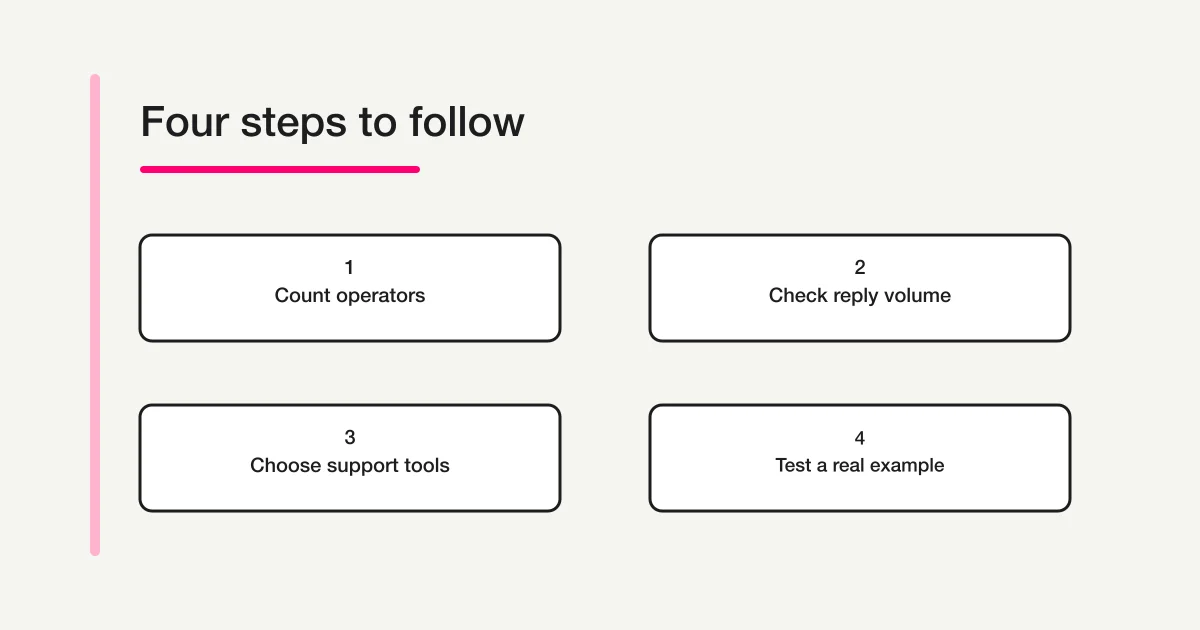
I find it easier to begin with a small requirements sheet than with every row of a feature comparison. Use these three questions to make the quantities and purposes explicit.
- Who handles the inquiries? Include the main operator and anyone who substitutes for them. Plan around the intended individual access arrangements rather than assuming that everyone will share one login.
- How many separate intake points are needed? List the reason for each form, such as different locations, products, or departments. Ask whether one form with an inquiry-type field would serve the same purpose.
- What is needed beyond a form? Keep FAQ publishing, live chat, and chatbot requirements on the sheet if they are part of the job. Do not remove them just to make a form-only price comparison look simpler.
For a fictional agency with two operators and three intake forms, Starter fits the stated user and form counts. That is a capacity check, not a complete recommendation. The agency must still confirm any required integrations, security settings, and communication features.
For a team with eleven operators, a ten-user allowance is insufficient even if the team has only one form. Enterprise becomes relevant because of the operating requirement, not because a higher plan is inherently preferable. Include the contract and initial fee when reviewing it.
There is also a useful distinction between present needs and hypothetical growth. If you expect another department to join, record what would change and when you would review it. You do not need to pretend that every possible future form is already required. Conversely, a confirmed launch next month belongs in the evaluation rather than being ignored to keep the initial estimate low.
Preserve the difference between support channels and form work
When comparing tools, write the intended job as a sentence. “We want to publish answers and handle live conversations” is different from “I want to create a contact form and review its responses from my usual AI chat.” Both can be reasonable goals, but their feature requirements differ.
| Main job | Requirements to preserve in the comparison |
|---|---|
| Help visitors find answers before contacting support | FAQ publishing, maintenance, and its relationship to inquiries |
| Guide visitors in a live conversation | Appropriate chat functions and a staffing model |
| Collect and review contact requests | Form creation, submission collection, search, and response status |
| Ask an AI to help operate forms | Supported client access, connection requirements, and available actions |
FORMLOVA is an option for conversational form creation and operation. This article does not present it as an equivalent replacement for Tayori's combination of FAQ and live-chat capabilities. If those capabilities are essential, retain them as explicit selection criteria.
For a broader route through the alternatives, use the form service comparison guide. For the work after a form goes live, the contact form operations guide covers the relationship between intake and handling. Those questions are connected to pricing, but they are not answered by the lowest monthly number alone.
Try a contact form through your AI client
If you already use ChatGPT or Claude and your immediate task is to organize an intake form, you can test a small draft in FORMLOVA. Use a fictional case so that the evaluation does not require real customer information.
Create a contact form with name, email address, inquiry type, and message. Save it as a new unpublished draft in FORMLOVA. Do not change existing forms, publish it, configure emails, or send messages. Show the saved form name, fields, and required or optional settings. If saving cannot be confirmed, say so.
For the fictional class, the inquiry types might be visits, fees, and other questions. Choose categories that help the operator act. A long list of internal department names may make sense to staff while confusing a visitor who simply needs an answer.
After drafting, inspect the result. Are the fields necessary for a useful reply? Is the email field appropriate? Does the inquiry-type list use words a visitor would recognize? A helpful conversation is not itself proof that the form was saved, so ask for the saved draft and check its state before proceeding.
The starting sequence is register, verify your email, and connect your AI client. Once connected, send the prompt, inspect the draft, and decide whether publishing is the next step. Keeping those stages visible gives the trial a concrete outcome without involving real respondents.
As checked November 14, 2026, the FORMLOVA Free plan includes form creation, publishing, and response collection. Custom automatic replies and reminders require Standard or above; bulk email requires Premium. The draft trial described here does not need those sending functions.
Your AI client's eligibility and costs are separate from FORMLOVA's plan. Claude Free supports one custom connector. For creating or updating through ChatGPT, the current requirement is a full-MCP eligible Business, Enterprise, or Edu web account with the necessary permissions. ChatGPT Pro provides read/fetch access; Free, Plus, and Pro should not be assumed to support form creation. Check the current client compatibility conditions for your account and organization.
Check your contact form as an unpublished draft
Use FORMLOVA's Free plan to draft name, email, inquiry type, and message fields, then inspect the intake structure before publishing.
Register free to draft a contact form
Register, verify your email, and connect FORMLOVA to an eligible ChatGPT or Claude client. Then use the prompt above. Check the AI client's separate eligibility and costs.
Keep a short evaluation record
When trying two services, use the same fictional questions. This helps you compare the work rather than two unrelated demonstrations. Record the result you could verify, and any requirement that remains unresolved.
- Could the intended operator change fields and required settings?
- Was it clear who would inspect a new inquiry?
- Were individual replies distinguished from automatic responses?
- Did the plan cover the actual users, forms, and necessary functions?
For example, suppose fee questions should go to one operator. Decide whether the visitor selects that category or the operator assigns it after reading the submission. These are different workflows. Adding more form fields is not always the best way to reduce staff work if it creates confusion for visitors.
Also record the moments where someone must make a decision. A service may help create a form, but the team still needs to agree on the categories, confirm the public wording, and choose when to publish. Those small decisions determine whether the form will be maintainable after the initial trial.
If you need a wider comparison of products, see the cross-service form comparison. Use this pricing guide to narrow the plan conditions, then use the comparison to check how each tool fits the intended work.
Frequently asked questions
Is Tayori's Free plan different from its trial?
Yes. The Free plan has its own capacity and feature limits. The fourteen-day trial applies to Starter and Professional. Do not assume that a feature seen during a paid-plan trial remains available under Free afterward.
Are the listed monthly prices per user?
This guide reports the plan price together with the included user allowance on the official page. Compare them together rather than multiplying an assumed per-user rate. Ask Tayori about arrangements beyond the published allowances.
Does ten replies mean ten submissions?
No such equivalence is established by that label. The official comparison describes replies. Keep submission collection, replies, and automatic responses separate when checking your requirements.
Does FORMLOVA provide the same support system?
This guide does not claim feature equivalence. If a shared FAQ or live chat is central to your process, preserve that requirement. If conversational form creation and response review are central, test that particular job with a small draft.
Disclosure and Verification
Before choosing a plan, list the operators, intake forms, and necessary functions beyond the form itself. Then test one representative case. That gives you a practical basis for choosing, rather than asking a monthly figure to answer every operational question.
Verified November 14, 2026, using Tayori's official pricing page and FORMLOVA's current specification and plan definitions. Prices and functions may change; confirm the provider's current terms before contracting. The class and agency examples are fictional explanations, not records of executed form creation, publication, or email delivery. The author works on FORMLOVA.