
An internal policy acknowledgment form can reduce printing, distribution, and retyping. It can also make responses easier to review. The form should record receipt or review without implying that an employee voluntarily consented to a contract or waived a right. Define which policy applies, who must review it, and how each response will be tied to that version.
This guide uses an internal information-handling policy as a practical example. It covers the explanation, response choices, and versioned records to check before sharing a policy form. Privacy notices and permission to publish a customer testimonial are separate topics; see our contact-form privacy and consent guide and testimonial release form guide for those workflows.
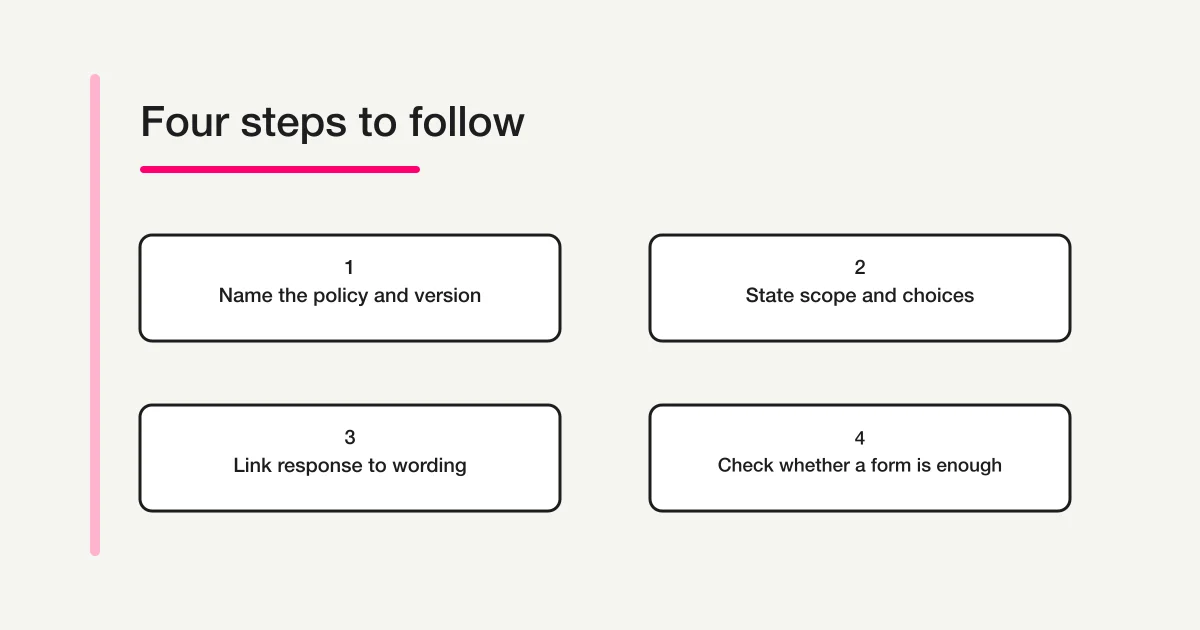
Decide these four things before writing the form
Writing the acknowledgment request first can leave the audience and scope unclear. Make a short planning note before building the form:
- Who is responding? Employees, contractors, or another defined group that needs to review the policy.
- Which policy is covered? Identify the internal information-handling policy and its revision date. Keep acknowledgment separate from any voluntary activity consent.
- What should they review? State the relevant sections, effective date, and any related material they need to read.
- What happens after the response? Name the person or team who reviews responses, and decide how staff can ask a question or request a correction.
This form records a policy review response and questions. Do not bundle a separate optional activity or unrelated personal-data use into it. If another process requires consent, explain that purpose separately and use its own choice or process.
What to put in an internal policy acknowledgment form
For an internal information-handling policy, the form may need the document name and revision date, an explanation, a reviewed/question response, enough information to match it to the person, and a contact for questions.
| Field | Example | Design check |
|---|---|---|
| Form title | October 2026 information-handling policy acknowledgment | Include the session or date so the form is recognizable later. |
| Explanation | Policy name, effective date, audience, and scope of acknowledgment | Give the conditions before asking for a decision. |
| Response | I have reviewed this policy / I have a question or need clarification | Separate acknowledgment from follow-up. |
| Respondent identifier | Name or employee number, if needed | Decide how staff will distinguish people with similar names. |
| Contact | Email address for questions or corrections | Explain why it is collected and whether it is required. |
| Management details | Policy version, effective date, response deadline | Keep enough context to identify what a response refers to. |
Ask for the minimum information needed to operate the process. An address, date of birth, or sensitive detail should not be added simply because the form builder offers a field for it. Extra data creates more access, storage, and deletion work. See our form field examples when deciding what to collect.
For a policy receipt check, offer “I have reviewed this policy” and “I have a question or need clarification.” Do not phrase receipt as voluntary consent if that is not the purpose. If a separate activity requires voluntary consent or contractual acceptance, use a distinct explanation, choice, and process confirmed by the appropriate owner.
Explain the policy and ask for acknowledgment
A useful explanation states the activity and its conditions in plain language. For example:
Please review the information-handling policy revised in October 2026. The linked page explains which staff members must follow the policy and when it takes effect. Select “I have reviewed this policy” or “I have a question or need clarification.” Responses help the policy owner track distribution and follow up on questions.
This is an acknowledgment request, not a universal consent statement. Adjust the policy name, audience, effective date, scope, retention, and contact details to match the process. Keep a receipt confirmation separate from any voluntary consent or contractual acceptance.
If a form collects personal information directly, check the notice and handling requirements that apply to your organization and jurisdiction. The purpose of this article is not to determine whether a particular notice or consent is legally sufficient. Our contact-form privacy consent guide explains the separate issue of describing personal-data use on an inquiry form.
Build, test, and share the form
Google’s official Forms help describes creating a form, editing questions, sharing it with respondents, and reviewing responses. Regardless of the tool, use a review sequence before sending the link:
- Set the title and introduction. Identify the policy and revision, response deadline, and contact for questions.
- Add one clear acknowledgment question. Offer reviewed/question choices. Keep any separate consent purpose out of this response.
- Add only necessary identifiers. Decide how the team will match a response to a person. Check the access and retention plan before collecting sensitive information.
- Set the confirmation message. Tell respondents their response was received and explain how to ask a question or correct an error.
- Separate the preview from a saved-response test. Before publication, check the explanation and choices on a phone; FORMLOVA preview answers are not saved. After publication and before distribution, submit a test for each response choice and verify the saved response and policy version.
- Check access before distribution. Confirm who can view or edit responses and whether the link opens for the intended audience.
For example, when drafting an internal policy form in FORMLOVA, put the document name and revision date in the title, explain who the policy applies to and when it takes effect, then offer reviewed and question/clarification choices. Preview the explanation and choices on a phone before publication. After publishing and before distribution, submit each test response and confirm that the team can identify its policy version and find the saved record. Keep test responses separate from actual policy acknowledgments. Response search and CSV/Excel export can help the team locate answers that need follow-up.
Try a form that records policy review and follow-up questions
Draft an internal policy acknowledgment form, include its revision date, and preview its explanation and choices before publication. After publication, test both response choices and check the saved records before distribution.
Create a free policy acknowledgment form
After signup, verify your email and connect a supported AI client to draft the form. Review its explanation and access settings with the process owner before publication.
A form may need to be updated after distribution. Record the change date and version of the explanation, and make sure staff can tell which version a response refers to. Before closing the form, check that authorized staff can still review existing responses and that the retention and deletion plan still applies. See Google Forms official help for its general create-and-share workflow.
Keep a response record that can be reviewed
A saved answer is easier to interpret when it remains connected to its purpose and version. Decide which of these details your process needs:
- the form title and covered policy;
- the version and date of the review request shown to respondents;
- the minimum identifier needed to match a response;
- “I have reviewed this policy” or “I have a question or need clarification,” with the submission date and time available in the service;
- the person who reviewed the response and any correction or follow-up;
- who can access the record, how long it is kept, and how it is deleted.
When the explanation changes, do not simply overwrite the same form and assume older answers remain tied to the original wording. Use a separate form for each major version, or include the selected document version in each response and store the exact explanation with the response record. A service may not record the displayed version automatically. Test that the response and its explanation can be matched later before sharing the form.
Decide how a respondent can correct an answer or ask about the policy, and what to record: the matching response, receipt time, person handling the request, and outcome. Do not assume deleting the original response is the right action; check retention and change-history requirements with the policy owner.
The exact response metadata available depends on the form service, configuration, and plan. Verify it with a test submission before distributing a live form. If you export responses to CSV or Excel, decide where the file will be stored, who can open it, and when it should be deleted. Limiting access in the form service does not protect a separate file that is shared broadly or left on a personal device.
For ongoing triage, our form response status management guide explains how to keep response handling visible to the team.
Check whether a form response is enough
This is the key boundary: a form submission record and a signed contract, identity check, or procedure required by law or policy are not automatically the same thing. The evidence a process needs depends on the activity, parties, risks, internal rules, and applicable law.
Ask the appropriate legal, privacy, or contract owner to confirm the process before using a form when it involves:
- entering into or changing a contract, or waiving a right;
- money, substantial responsibility, or an important legal right;
- a minor or a person responding on someone else’s behalf;
- health, belief, or other information that needs careful handling;
- identity verification, tamper resistance, long-term retention, or an audit trail;
- industry rules, internal policies, or a counterparty’s required document.
A checkbox does not automatically meet an electronic-signature requirement. The Ministry of Justice in Japan publishes information about the electronic-signature framework, but the applicable requirements depend on the specific situation and jurisdiction. Use the method your organization requires, and compare the records it produces with the records you need. This article is practical guidance, not legal advice.
Pre-launch checklist
Before sharing the form, confirm that:
- each purpose is stated separately;
- the policy name, version, audience, and effective date are clear;
- the reviewed and question/clarification choices, plus next steps, are clear;
- identifiers are limited to what the process needs;
- the policy version is stored with its response, and the response date can be checked later;
- access, retention, and deletion are assigned to an owner;
- the form works on a phone and both response paths have been tested;
- the right person has confirmed whether a form response meets the applicable requirements.
Putting an internal policy acknowledgment online takes more than copying a paper document into a form. Give people enough information to decide, make the available choices clear, keep records tied to the right version, and use a process that meets the requirements for the activity. To start with ordinary form creation and response management, see the form creation guide.
Frequently asked questions
Does a policy acknowledgment prove that an employee agreed to a contract?
A “reviewed” response records that someone submitted that answer. It does not automatically show voluntary consent or contractual acceptance. Confirm what the record is meant to establish and what other process may be required.
How should I record a question or concern?
Offer a response such as “I have a question or need clarification,” then assign a policy owner to review it and record follow-up. Do not treat an acknowledgment as voluntary consent or contract acceptance.
Should I ask for a name and email address?
Only if they are needed to identify the response or follow up. Decide why each personal detail is collected, who can view it, and how long it will be kept. Some processes may be better served by anonymous responses.
What if I change the explanation after collecting responses?
Record the date and version, then make sure each response can be tied to the explanation shown at that time. For a material change, do not assume earlier responses apply to the new terms; ask the process owner whether renewed confirmation is needed.
Disclosure and Verification
This article provides general workflow information. It does not determine whether a policy acknowledgment is sufficient evidence for a contract, legal requirement, or internal procedure. Confirm applicable requirements with the appropriate owner before relying on a form response.
Research and verification notes
- Operational reference: Google Forms help. Legal and signature requirements vary; consult the relevant owner for the actual process.
- This article does not claim that account creation, a test submission, a saved response, or legal sufficiency was verified for a reader.