
Last updated: August 31, 2026
Before publishing a customer quote, “Is it okay to use this?” is not a complete record.
Which wording may be used? On which channels? Under which name? For how long? Does the permission include a photo, company name, logo, or a case-study page? May the text be shortened for layout? Where should a withdrawal or correction request go? A testimonial release and consent form gives each answer a place in the record.
This is not an NPS survey, a satisfaction form, or a general feedback collector. It is a permission intake for a quote, review, image, logo, or customer story that has already been received and may be used in public or sales communications.
Personal information, copyright, image and portrait considerations, trademarks, and confidential business information may all be involved. Creating a form does not by itself establish that publication is allowed. Check your contracts, privacy policy, internal approval rules, and legal guidance where needed.
Quick answer: record the quote and the publication scope separately
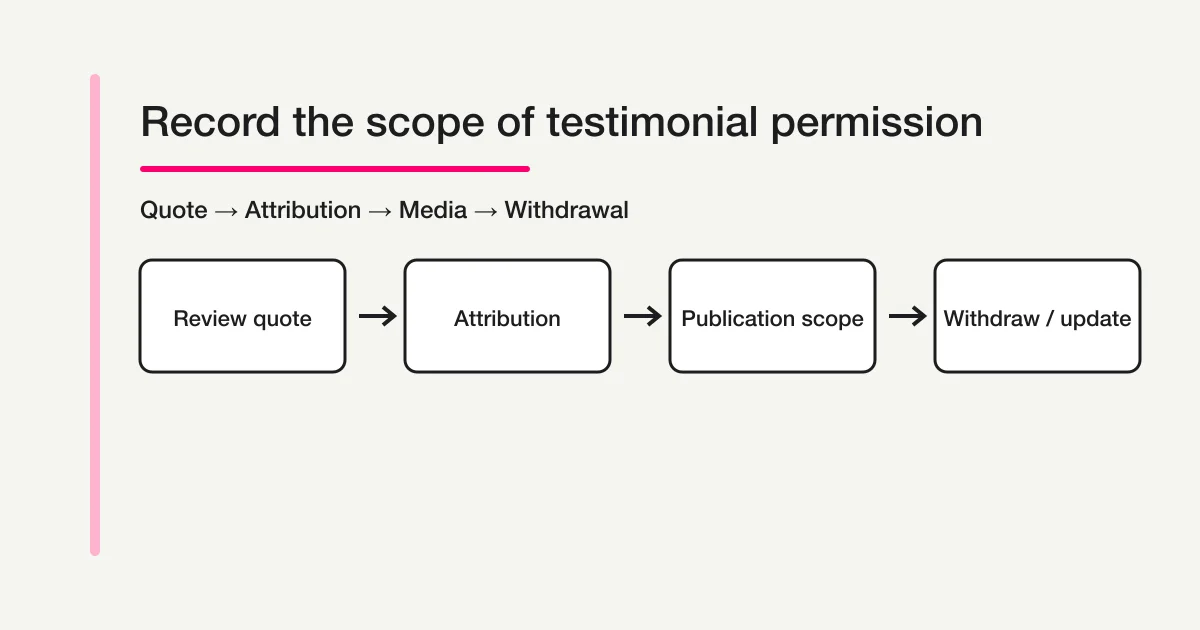
Keep these four layers distinct instead of asking for one broad “I agree” checkbox.
| Layer | What to record | What completion means |
|---|---|---|
| Material | The quote, image, logo, or case-study draft | The proposed material is identified |
| Attribution | Name, role, company, anonymous display, photo, or logo | The display method is clear |
| Scope | Website, sales deck, social media, ads, case-study page, or other channels | The intended use is named |
| State | Requested, received, clarification, permitted, revision, withdrawal, or ended | The latest decision is traceable |
A single agreement checkbox cannot tell a reviewer which sentence was approved or whether a public social post was included. Ask about the material, attribution, channels, term, revisions, and withdrawal route as separate fields.
How this differs from related forms
Several existing resources touch customer voice, but they solve different problems.
| Purpose | Related resource | Boundary from this guide |
|---|---|---|
| Measure satisfaction or recommendation | How to build an NPS/CSAT form | Collects scores and reasons; publication permission is not its core record |
| Analyze and summarize feedback | How to analyze voice of customer with AI | Turns feedback into themes; it does not grant permission to publish a quote |
| Explain general data use in a contact form | Contact form privacy-consent guide | Covers general privacy wording; it is not a channel-by-channel testimonial release |
| Ask a positive survey respondent for a story | Official testimonial request workflow | Sends or drafts a request; this guide records the permission response and scope |
The dedicated intent here is the handoff between “we received a useful story” and “we have a reviewable record of what may be published.”
Step 1: Define the purpose and the material
Start with the reason for the request and the exact material under review. “Can we use your feedback?” is too broad when the team has several comments, images, or case-study drafts.
Write a short description such as:
We would like to use the quote below in a customer story on our website and in a
sales presentation. We will show the proposed wording and display name before
publication. Please confirm the permitted channels, term, and withdrawal contact.
Show the source quote, or identify it with a response ID and date. If the team edited punctuation, shortened the quote, translated it, or added context, show the proposed version and ask how edits will be re-confirmed. Do not make the respondent reconstruct a message from an old email thread.
Keep the following separate when they are different materials:
- the original response or review;
- the edited quote or translation;
- a photograph, avatar, or video still;
- a company name or logo;
- a longer customer-story or case-study draft.
The reviewer should know exactly what they are being asked to approve.
Step 2: Ask how the person and company should be shown
Attribution is a choice, not a side effect of collecting a name. Offer options that match the real publishing layouts:
| Field | Example choices | Why it matters |
|---|---|---|
| Person display | Full name and role / first name only / initials / anonymous | The quote may be identifiable even without a full name |
| Company display | Company name / industry only / anonymous | The company may have its own approval process |
| Role | Current title / title at the time / omit role | Titles can change and may need re-confirmation |
| Image | No image / supplied photo / approved avatar | Image use is distinct from text use |
| Logo | No logo / supplied logo / text-only company name | A logo may require a separate brand approval |
If a person is responding on behalf of a company, record the respondent’s role and the company approval path. Do not assume that a work email address proves authority to approve every public use. Ask the appropriate owner when the customer’s internal rules require it.
Step 3: Separate internal review from public permission
A customer may allow a small account team to review a quote without allowing it to appear on a public website. Ask for the scope explicitly.
Select the permitted audience:
[ ] Internal team and account review only
[ ] Website customer story
[ ] Sales presentation or proposal
[ ] Social media post
[ ] Paid advertising
[ ] Partner or event materials
[ ] Permission pending for a channel not listed above
Use a separate field for whether the team may make non-substantive edits, such as shortening a sentence or adjusting punctuation. If the edit changes meaning, show the revised text again before publication according to your own process.
Do not hide a broad license inside a required checkbox. Explain the channels, audience, editing method, and contact for questions in plain language. If a channel is not intended, leave it unselected rather than relying on a general “all media” phrase.
Step 4: Set the term, revision rule, and withdrawal route
Permission records need a time dimension. A customer may approve a case study for a campaign but not want it available indefinitely, or may ask to update a job title after publication.
| Rule | Example | Record |
|---|---|---|
| Start | From the approval date | Approval timestamp and material version |
| Term | Until a stated date or until withdrawn under the agreed process | End date or withdrawal wording |
| Revision | Reconfirm the edited quote before publication | Old and new wording, reviewer, timestamp |
| Withdrawal | Send a request to the named contact | Request date, scope, action owner, completion |
| End of use | Remove or stop using the material where your process requires it | Channel, date, replacement or archive note |
Do not promise an immediate or universal removal outcome unless your policy and publishing systems can support it. The form should record the request and route it to a person who can check each channel. State what happens to historical sales materials, cached copies, partner materials, or archived records according to the company’s own policy.
Step 5: Check privacy, confidentiality, and third-party rights
The person giving a quote may not be the only person represented in it. A customer story can include a colleague’s name, a client logo, screenshots, a workplace photo, or details covered by a confidentiality agreement.
Add practical confirmations and an escalation path:
- Do not include personal information about another person unless the organization has a documented basis and approval to use it.
- Ask whether the quote contains customer, employee, patient, student, or partner information that must be removed.
- Confirm that a supplied photo, logo, screenshot, or document is cleared for the intended use by the appropriate owner.
- Keep trade secrets, private metrics, credentials, and restricted project details out of the form.
- Offer a redacted or anonymous route when the story is useful but the original material is too sensitive.
The Personal Information Protection Commission and the Agency for Cultural Affairs copyright portal are useful primary references for policy review. They are not a substitute for applying your contracts and internal controls to a particular testimonial.
Step 6: Acknowledge receipt without treating it as publication approval
The first automated message should confirm that the response arrived. It should not say that the quote has been approved, published, or accepted for every channel.
Subject: We received your testimonial permission response ({record ID})

Hello {name},

We received your response about the proposed customer story.
This confirms receipt only. Our team will check the material, requested channels,
and any internal approvals before publication.

Record ID: {record ID}
Proposed material: {short description}
Contact for questions: {owner email}
If one channel needs clarification, ask only about that channel. Keep the received response, the proposed wording, and any later reconfirmation linked to the same record.
Step 7: Model permission status and publication status separately
FORMLOVA response management supports searching responses and updating general response statuses such as new, in_progress, resolved, and spam. Those generic states are useful for handling work, but they are not a complete permission ledger.
Use tags, notes, and your approved internal record for the business-specific detail:
| Detailed state | Meaning | Next action |
|---|---|---|
| Request sent | A permission request was sent | Wait or send an approved reminder |
| Received | A response arrived | Match the material and respondent |
| Clarification needed | Quote, channel, attribution, or authority needs a question | Ask a targeted follow-up |
| Internal review | The team is checking privacy, confidentiality, and brand approval | Keep the material unpublished |
| Permission recorded | The named scope and version are approved under the company process | Pass to the publication owner |
| Revision re-confirmation | The proposed wording or display changed | Request confirmation for the new version |
| Published | The approved material is live on a named channel | Record URL and publication date |
| Withdrawal requested | A customer asked to stop or change use | Route to channel owners |
| Ended | Use has ended or the record was closed | Record channels checked and date |
| Out of scope | Another record or contract owns the decision | Link the owner and stop duplicate work |
resolved means the response was handled. It does not mean that a legally sufficient release exists or that every channel is approved. Keep publication approval, withdrawal action, and legal or contractual review with the authorized people and records.
Step 8: Separate the draft, unpublished preview, and post-publication test
Use a draft-first sequence. Before publication, check display and conditional paths in the unpublished preview; after publication, use a controlled test submit to confirm receipt and record handling:
- Describe the source quote, proposed edit, attribution, media, channels, term, withdrawal contact, and internal approver in the draft request.
- Review required and optional fields, privacy copy, access setting, confirmation wording, and upload configuration.
- Open the unpublished preview at a mobile width. Check long quotes, company names, channel lists, dates, and withdrawal instructions.
- Check the conditional paths in the unpublished preview for “website permitted,” “internal review only,” “photo or logo included,” and “clarification needed.”
- Confirm that the unpublished preview does not save responses.
- Complete the explicit publication review and publish the form before sharing its URL with a customer or teammate.
- After publication, submit a controlled test response and confirm the receipt acknowledgement, owner notification, response search, notes/tags, status, and revision route.
FORMLOVA creates an unpublished draft first, offers a preview that does not save responses for iteration, supports conditional display rules, and keeps publication behind a review gate. After publication, a controlled test submit can verify receipt and record handling. Upload availability depends on the plan and form configuration. FORMLOVA does not decide whether a person has authority, whether a quote is original, whether a photo or logo is cleared, or whether publication is legally permitted.
What to review after publication
Measure whether the permission record stays usable over time, not only how many people clicked submit.
| Metric | What it tells you |
|---|---|
| Response completion rate | Whether the scope and wording are understandable |
| Clarification rate | Whether the form leaves attribution or channel choices unclear |
| Reconfirmation count | Whether edits are being made after the first response |
| Withdrawal requests | Whether the term and contact route are visible and workable |
| Time to internal review | Whether an authorized owner is assigned |
| Time to channel checks | Whether the team can trace publication across systems |
| Out-of-scope records | Whether the request is being sent to the right customer or asset |
Do not treat a high permission rate as proof that the wording was clear or that every channel was checked. Review a sample of records with the actual published material and approval trail.
Frequently asked questions
Is a testimonial release form the same as a feedback survey?
No. A feedback survey asks for an opinion or experience. A release-consent form asks whether already-received material may be used, how it may be shown, where it may appear, and how changes or withdrawal are handled.
Can one checkbox cover the quote, photo, and logo?
It can be tempting, but a single checkbox hides important differences in material and audience. Ask separately when the photo, logo, quote, and customer-story page have different owners or channels.
Can we publish as soon as the form is submitted?
Do not make submission equal publication approval. Route the record through the company’s policy, contract, internal owner, and content review process before publishing.
What if the customer wants to withdraw later?
Keep a named contact and a withdrawal status. Link the request to the material version and check each approved channel according to your own policy. Do not promise an outcome that your publishing and partner systems cannot deliver.
Does FORMLOVA create a legally valid release automatically?
No such promise should be made. FORMLOVA can help collect and route a structured response, but authority, rights, confidentiality, policy, and legal review remain with the organization and its designated reviewers.
Summary
A reliable testimonial release and consent form makes the proposed material and its boundaries visible:
- identify the exact quote, image, logo, or case-study version;
- separate attribution from the publication channels;
- record the term, editing rule, revision, and withdrawal route;
- protect personal, confidential, and third-party information;
- keep receipt, permission, publication, and withdrawal as separate states;
- test display and every conditional path in the unpublished preview before publication, then use a controlled test submit after publication to verify receipt and record handling;
If your team currently manages customer-story permission in scattered emails, create a testimonial release-consent form draft in FORMLOVA and use it as a structured starting point for your own approval process.
Related articles
- How to build an NPS/CSAT form
- How to analyze voice of customer with AI
- Contact form privacy-consent guide
- Testimonial request workflow
Sources
- Personal Information Protection Commission: Personal Information
- Agency for Cultural Affairs: Copyright
- FORMLOVA FAQ
Disclosure and Verification
This guide is a practical form-design reference, not legal advice. Consent, copyright, portrait or image use, trademarks, confidentiality, retention, and withdrawal may depend on your jurisdiction, contracts, company policies, and the particular material. Confirm those points with your privacy, brand, customer-success, and legal owners before publication.
The FORMLOVA workflow statements were checked against the product specification and implementation available on August 31, 2026. UI labels, plan availability, and external guidance may change; review the current product and primary sources before relying on them.