
A useful contact form message tells the business why you are writing, which details matter, and what you would like it to do next. Add a date or preferred reply channel when it affects the request. A greeting and a brief thank-you are enough; a web form rarely needs the full layout of a formal letter.
Start by reading the form's instructions and choosing the closest inquiry category. Then write your message around one main purpose. The structure and examples below help you turn a blank message box into a question the receiving team can understand and answer.
Give your message a simple structure
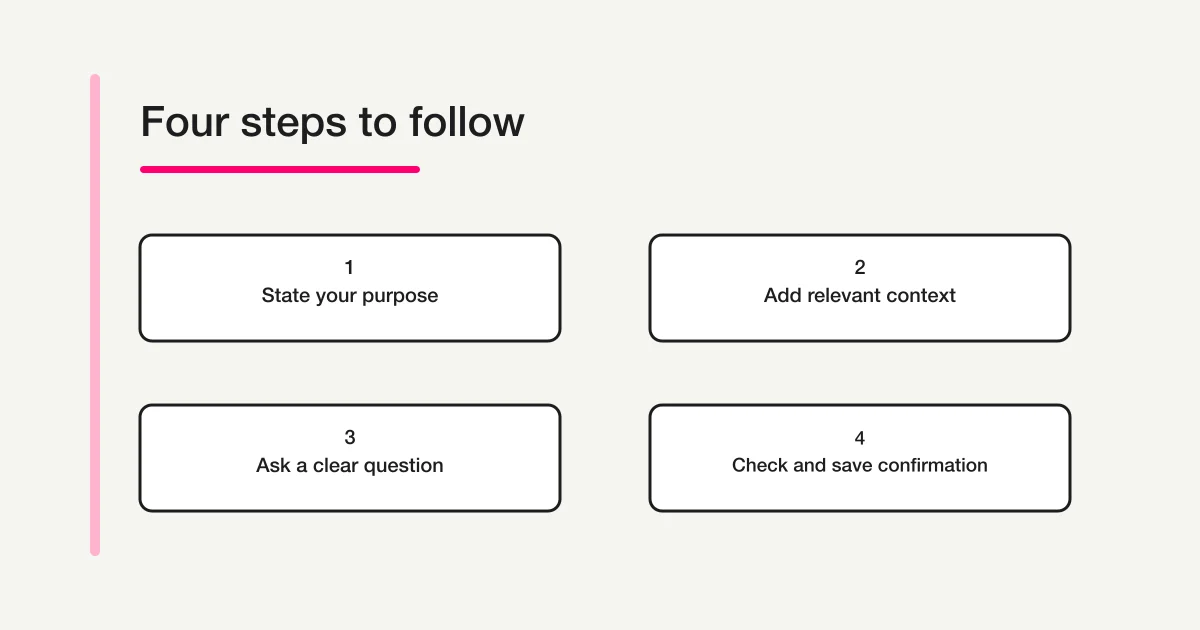
You can prepare a message in this order, then shorten it to fit the form:
| Part | What to include | What it helps the reader do |
|---|---|---|
| Purpose | The question or reason for contacting the business | Understand the topic immediately |
| Context | The relevant product, service, booking, or earlier inquiry | Identify what you mean |
| Request | The information or next step you want | Know what an answer should cover |
| Timing | A relevant date and whether it is flexible | Assess the request in context |
| Reply preference | A channel you can actually check, where the form allows a choice | Understand how you would like to continue |
For a first product inquiry, you may only need the product name and one question. For an existing booking, the reference and current date may matter more. Include details because they help the recipient answer, rather than filling every available line.
Put your main question near the beginning. A long account of how you found the website can hide the reason you contacted the business. If you have several related questions, number them. If the subjects belong to different departments, follow the site's category or contact instructions instead of combining unrelated requests.
The FTC's guidance for customer complaints recommends identifying the issue and the outcome sought, supplying relevant transaction details, and retaining a copy. Those principles also provide useful context for a clear inquiry, although an ordinary product question does not need to become a complaint letter. See the FTC's Sample Customer Complaint Letter.
Turn a vague message into an answerable question
Consider this fictional draft:
Hello. I saw your workshop and would like more information. Please contact me as soon as possible.
The recipient cannot tell which workshop, what information is missing, or why the timing matters. The sender can make it more useful without making it much longer:
Hello. I am considering the beginner pottery workshop on 12 November. Does the listed fee include firing and collection of the finished piece? I could not find that detail on the workshop page. Please reply by email using the address in this form. Thank you.
The revised message identifies the event, asks one specific question, and gives a practical reply preference. It does not demand a response within an invented deadline.
If you do have a decision date, explain it: “I am choosing a workshop by 5 November. If an answer before then is possible, that would help.” This gives the business context without presenting your preferred timing as a commitment it has already made. For a time-sensitive matter, check whether the site names a more suitable contact route.
Four contact form message examples
These are original fictional examples. Product names, businesses, references, and dates are illustrative. Replace them with your own details and follow any instructions on the actual form. Keep only the information relevant to your situation.
1. Ask about a product specification
Subject: Linden 40 desk: clearance below the desktop
Hello. I am considering the Linden 40 desk shown on your website.
I would like to use it with an existing storage unit that is 62 cm high. Could you confirm the clear height between the floor and the underside of the desk's lowest support bar?
The product page lists the overall desk height, but I could not find this clearance measurement. I have not placed an order yet.
Please reply by email using the address provided in this form. Thank you for your help.
This message asks for a measurement the sender can use to make a decision. “Will my storage unit fit?” would leave the business to guess which dimension matters. Naming the product and the particular gap makes the request easier to assess.
If several versions share a name, add the model or product-page link. An order number is useful for an existing purchase, but there is no need to invent one for a pre-purchase question. Where the form already has a product field, keep the message focused on the missing specification.
2. Ask for a service quote
Subject: Quote inquiry: photography for a small team event
Hello. I am organizing an afternoon event for Cedar Lane Studio on 4 December and would like to ask about your event photography service.
The event is in Bristol, with approximately 25 attendees. We are considering photography from 2 pm to 4 pm and would mainly need group photographs and informal event images.
Could you let me know whether you are available and what information you need to prepare a quote? Please also explain what the quoted service would include and how the photographs would be delivered.
We hope to choose a photographer by 12 November. If that timing is difficult, please let me know when an initial reply may be possible. Email is the easiest way to reach me. Thank you.
The message separates a desired service date from a desired decision date. It gives enough scope for an initial discussion without pretending every detail is final. If the budget is known and relevant, include it honestly. If it is undecided, say so rather than supplying a figure merely to complete the message.
Use a dedicated quotation form when the business provides one. Its questions may already cover the location, timing, quantity, and other details needed for the estimate.
3. Ask whether a booking change is possible
Subject: Booking BK-20418: question about changing the date
Hello. I have a booking for the introductory illustration class on 25 November at 10 am. My booking reference is BK-20418.
Would it be possible to move it to the class on 26 November at 10 am? Please let me know whether a place is available, whether any change fee would apply, and what I need to do to request the change formally.
I understand that sending this message does not confirm a change. Please confirm the available options before making any changes to my booking.
Please reply by email using the address in this form. Thank you.
The current arrangement and the requested alternative are both explicit. The message asks about availability and the process; it does not report the booking as already changed.
Check the business's booking instructions first. A contact form might be appropriate for questions, while an account page or separate process handles actual changes. The same distinction matters when asking about an application: a submitted inquiry is not evidence that an application detail has been updated or that a request has been accepted.
4. Add information to an existing inquiry
Subject: Additional information for inquiry Q-11428
Hello. I am adding information to the inquiry I submitted on 9 November about delivery access for order CL-5821. The acknowledgment reference is Q-11428.
I have now confirmed that the building's goods entrance is on Maple Street, rather than the main entrance mentioned in my original message. The receiving desk can accept deliveries between 10 am and 3 pm.
Please add this information to the existing inquiry and let me know whether you need any further access details. This message supplements the earlier request; it is not a new order.
Thank you.
The reference, original topic, and changed information help connect the messages. Repeating the entire inquiry can make it harder to see what is new. If the acknowledgment provides a reply route for the existing case, use that route as instructed instead of opening another form submission.
For a status follow-up, replace the added details with a brief request for an update. Mention the original submission date and reference. Use the business's published response guidance to decide when to follow up; these example dates are not a recommended waiting period.
Adapt the message to the fields you actually have
If there is no subject field, make the first sentence the subject. “I am asking about the clearance under the Linden 40 desk” gives the reader an immediate topic. You do not need to paste a separate email-style header into the message box. If the form offers inquiry categories, choose the closest accurate category as well.
If the message box is short, preserve the question and essential reference. Remove a repeated introduction before deleting the information needed to answer. A compact version of the product inquiry could be:
What is the floor-to-support-bar clearance for the Linden 40 desk? I need to fit a 62 cm-high storage unit beneath it. Please reply by email. Thank you.
Check the form's displayed limit while editing. There is no single ideal message length for every form. If the request cannot fit, ask which supported channel can receive the additional detail. Do not split one explanation into several submissions just to work around the box.
If company name is optional, leave it blank when it does not apply. An individual customer does not need a business identity to sound polite. If a company field is required and you have no applicable affiliation, read the site's instructions or look for its individual-customer contact route. Do not invent an employer or organization.
If contact details have their own fields, check those fields carefully. You can say that email is preferred without repeating the address throughout the message. A phone preference should match the number you supplied. Stating a preference does not guarantee that the business supports that reply channel.
Attach only what helps explain the request
A relevant attachment can clarify something that is difficult to describe. A marked photograph of the measurement you mean, for example, may help with a specification question. Name the attachment in the message and say what the recipient should look at.
Before sending, open the file yourself. Check that it is the intended version, readable, and relevant. Remove unrelated pages or visible details that the recipient does not need, while keeping the part necessary to understand the request. Use a descriptive filename, such as desk-clearance-question.jpg, rather than an unexplained camera filename.
Follow the form's accepted formats and size limit. If no attachment option is offered, describe the issue in text and ask how to provide a file if needed. A form without an upload field is not an invitation to send the same request repeatedly through different channels.
For a repair inquiry, the useful details differ from a general product question. The Repair Request Form Template guide on FORMLOVA covers describing an item's symptoms and preparing the initial handoff.
Check the message before you send it
Read the draft once as someone who has no prior context. Then check:
- Purpose: Can the recipient identify the question in the first sentence or two?
- References: Are product names, order numbers, booking references, and dates correct?
- Request: Have you said what information or next step you want?
- Timing: Is a preferred date clearly a request, with any relevant flexibility explained?
- Contact details: Can you receive a reply at the address or number entered?
- Attachments: Are the right files selected, with a brief explanation in the message?
- Form instructions: Have you completed required fields and reviewed any confirmation step?
A brief greeting and closing are enough. You do not need elaborate apologies for making an ordinary inquiry. Clear, considerate wording lets the question carry the message.
Keep the receipt and the answer separate
After submitting, read what the page actually says. A review screen may still require a final send action. A success message or acknowledgment can show that the inquiry was received, but it does not by itself approve a quote, confirm availability, change a booking, or resolve the question.
Save any reference number and a copy of the message for your own follow-up. Read an acknowledgment for response guidance and any instructions about replying. An automatic receipt may not accept replies, so use the route it identifies.
If no clear result appears, check for validation errors, a confirmation screen, or an acknowledgment before submitting again. The absence of an email alone does not establish that the form failed. Where the outcome remains unclear, use the site's stated support route and explain the uncertainty rather than describing an unconfirmed submission as a definite failure.
When a follow-up is appropriate, connect it to the existing inquiry with the date, topic, and reference. Keep the next question specific: whether more information is needed, whether a request is being reviewed, or when an update may be available.
If you also manage a contact form
Reading a form as a customer can reveal where its instructions leave people guessing. For the receiving side, see the Contact Form Operations Guide on FORMLOVA. For fields and wording, the Contact Form Template Guide on FORMLOVA covers the form itself. If you are preparing your own inquiry form, you can create a form with FORMLOVA with that structure in mind.
Disclosure and Verification
Written by @Lovanaut for FORMLOVA. The templates and examples are original illustrations, not actual customer messages or promises from a business. The linked FTC guidance was checked on 4 October 2026. Follow the receiving business's current form instructions for your actual inquiry.