
Ask about gender only when you can explain how the answer will help the survey's purpose. If you need it, name what you are asking, offer choices beyond a compulsory binary, and let people skip the question without explaining themselves. A self-description field should also be optional.
For a general customer survey, the work starts before choosing labels. Decide what you will do with the answers and how you will handle nonresponse. This guide provides an original question example, a small calculation example, and practical checks for the form and the resulting report.
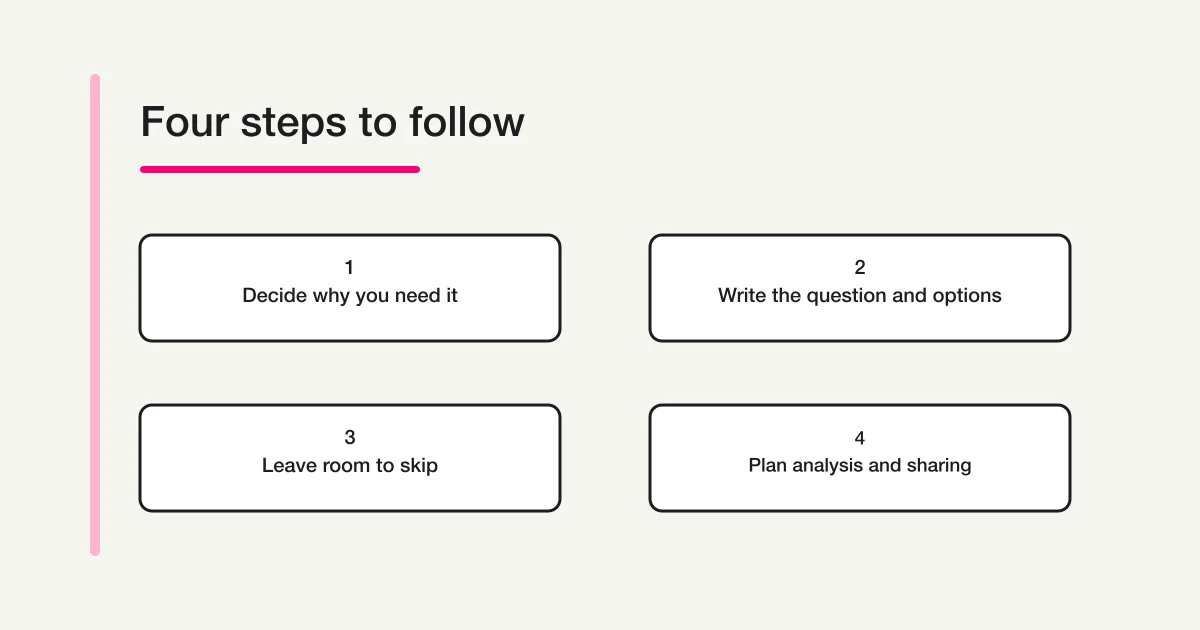
First decide whether to include the question
Write one sentence completing this thought: “We need this answer so that we can decide…” If the only ending is “what our customers are like,” the proposed use is still too vague. Identify the comparison, the person reviewing it, and the action that might follow.
| Survey purpose | A useful design decision |
|---|---|
| Understand overall satisfaction with checkout | Ask about checkout; leave gender out if it serves no defined comparison |
| Investigate whether reported experiences differ across genders | Consider an optional gender question alongside a clear review plan |
| Choose product colours or event times | Ask about colour or time preferences directly |
| Preserve every field from last year's template | Review the current purpose before retaining the field |
These are design examples, not findings about how any gender behaves. Gender does not substitute for a person's stated preferences or explain a difference on its own.
GOV.UK's form-design guidance asks teams to establish why information is needed and how it will be used before adding a question. That is a useful starting point for reviewing an inherited demographic field. GOV.UK: Structuring forms.
An optional field still creates information to interpret and manage. If nobody will use the answers, removing the field is a complete design decision. It does not need a replacement question.
Be clear about which concept you mean
Statistics Canada distinguishes gender, concerning a person's identity, from sex at birth, concerning the sex assigned at birth. Its reference guide includes self-reported gender questions. These are distinct concepts; changing a field label does not make the answers interchangeable. Statistics Canada: Gender of Person Reference Guide.
For the customer-survey example here, the question concerns gender as the respondent describes it. A label such as “Sex/gender” leaves the intended meaning unclear. Nor should a general survey add a separate sex-at-birth question simply because a demographic template contains one. Each proposed question needs its own purpose.
Use the person's answer for the stated analysis. Do not fill gaps using a name, appearance, purchase history, or another person's guess. A gender response also does not establish sexual orientation or other attributes the survey did not ask about.
Start with an optional question you can explain
The following is a fictional prototype for a team reviewing customer experiences across genders. It is an original example for adaptation, not an official statistical questionnaire or a universally correct list of identities.
Gender — optional
We would like to compare feedback about the checkout experience across genders to decide what to investigate further. You can leave this question unanswered.
Which description would you like to use for your gender in this survey? Select one, or skip this question.
- Woman
- Man
- Non-binary
- I describe my gender another way
- Prefer not to answer
If a respondent chooses the self-description option, an accompanying prompt could say:
Your description — optional
Add a description if you wish. You can continue without entering any text.
Replace the explanation with the actual purpose of your survey. Do not promise a particular reporting method, anonymity, or access restriction unless the collection and reporting process supports it.
The ABS's 2020 statistical standard includes a gender question with specified categories, a write-in route, and a nondisclosure option. It is a reference for a defined statistical collection, not a requirement to copy its complete question into every customer survey. ABS: Standard for Sex, Gender, Variations of Sex Characteristics and Sexual Orientation Variables.
Choose options and controls together
Review the proposed labels with people who can assess the intended audience and with a small group of testers. Ask whether they understand the question, can find a suitable response, and can decline without friction. Testing is a way to find problems with the draft, not proof that one list represents everyone.
The example uses a single selection. That keeps its later counting example straightforward, but it is a design choice. If your research needs people to select multiple descriptions, provide suitable controls and plan how overlapping selections will be reported. Percentages of selections and percentages of respondents are different measures.
An open-text-only version is another possible starting point:
Gender — optional
If you would like to share your gender, you may describe it here. You may also leave this blank.
This gives respondents more room to choose their wording, but creates a different review task. Decide how written answers will be handled before collecting them. Do not silently force every description into a binary category afterwards.
Avoid combining “Other / prefer not to answer” into one choice. A person using a description outside the listed labels has answered a different question from someone declining disclosure. Keep those meanings separate even if a later report needs less detail.
Make optional mean optional in the actual form
The word “optional” in a label is not enough. Test whether someone can leave the question blank and still submit the survey. Remove any required-field setting or minimum-selection rule that contradicts the wording.
Fukuroi City's policy reviews whether gender fields are needed in its own forms and gives examples of voluntary entry, nondisclosure, and free-text responses. It is a local administrative example, not a general obligation for businesses. Fukuroi City: Review of gender fields in forms.
Check the self-description route separately. A respondent who selects it should not encounter a mandatory explanation box. The purpose of that route is to allow a different description, not to require a personal account of why the listed labels do not fit.
Start with no option selected. If the form allows an accidental selection, provide a clear way to return to an unanswered state or choose nondisclosure. On a review screen, preserve the choice the respondent made. Do not replace a blank answer with the first category or a default value during submission or export.
Keep unanswered states distinct in your analysis
Treat these as separate recorded states: a selected gender description, a self-description selection without added text, an explicit decision not to disclose, and a skipped question. An empty text box attached to a selected option does not mean the entire question was skipped.
Consider this fictional single-selection survey with 100 submissions:
| Recorded state | Count |
|---|---|
| Selected a gender description | 85 |
| Chose not to disclose | 5 |
| Left the question blank | 10 |
| All submissions | 100 |
The 85 include people who selected the self-description route, whether or not they supplied extra text. Five people selected nondisclosure, and ten skipped the question.
Suppose one gender option received 34 selections. That is 40% of the 85 submissions with a gender description selected, or 34% of all 100 submissions. Both calculations are arithmetically valid, but they answer different questions. Label the denominator wherever you show a percentage.
Do not distribute the 15 nondisclosed or blank responses across other categories to make a chart look complete. Neither state tells you a person's gender. Report the amount of nonresponse alongside a description-only breakdown when that breakdown is appropriate.
If a question was hidden from some respondents, track “not shown” separately from “shown but unanswered.” The full Survey Form and Analysis Guide on FORMLOVA covers the broader aggregation process.
Record changes before comparing survey rounds
For a recurring survey, save a dated copy of the question, introductory explanation, choices, required settings, and rules used in the report. Record which version was active for each collection period. This matters when a form is edited in place: the current screen may no longer show what earlier respondents saw.
Imagine that an earlier questionnaire required a choice between two labels, while the next round uses the optional example above. A change in the resulting percentages could reflect the changed question and response routes. It is not, by itself, evidence that the customer population changed.
Before presenting a trend, compare the wording, available options, audience, collection method, and denominator. Note material differences alongside the results. Where the questions do not support a meaningful comparison, present the rounds separately and explain the break. Keeping a familiar chart is not a reason to hide a change in what was measured.
Do not guess how an earlier respondent would have answered the new question. In particular, do not reinterpret old free-text descriptions as new categories merely to make the tables align. Keep the original answer and its question version available for review within the agreed data-handling process.
After each round, ask the named reviewer what decision the gender breakdown informed. If it was collected but never used, revisit the purpose before the next survey. Removing an unused field may be more useful than carrying it forward indefinitely.
Review small groups before sharing results
A correct calculation does not automatically make a table suitable for publication. Gender combined with a location, purchase detail, or quoted comment may make a respondent recognizable within a small customer group. Review the proposed output as a whole, including other tables that reveal overlapping information.
There is no universal minimum group size supplied by this example. Decide who needs the results and whether a detailed breakdown is necessary. You may choose to omit the gender breakdown from the shared report while retaining the overall customer-experience findings. Avoid inventing a combined identity label merely to enlarge a small category.
Keep interpretation proportionate as well. A difference among a few responses is a reason to inspect the context, not a conclusion about an entire gender. For the wider collection and disclosure checks, use the Anonymous Survey Guide on FORMLOVA.
Test the whole response path
Before inviting customers, run these checks in the form preview and the actual response route:
- Blank submission: Complete the other necessary questions, skip gender, and confirm that the response is accepted.
- Nondisclosure: Choose the nondisclosure option and confirm that no explanation becomes required.
- Self-description: Test the alternative-description route both with and without text.
- Changing an answer: Move between options and check that an old text entry is not unexpectedly retained or displayed.
- Phone and keyboard: Confirm that labels remain readable, controls are reachable, and the optional text is clear without relying on colour.
- Results: Inspect saved responses and an export to ensure that selections, blank answers, and declined answers remain distinguishable.
Use fictional test data. Check what is stored as well as what appears on screen; an attractive preview cannot show whether an export later changes empty values.
Common drafting questions
Does adding “Other” solve the question design?
It provides another route, but does not establish that the field is needed, explain what it asks, or make answering optional. Review those decisions together. A more descriptive label can also make the route clearer.
Should a skipped answer be counted as nondisclosure?
Keep the original states distinct. A blank does not tell you whether someone declined, overlooked the question, or could not find a suitable description. If a report combines them as nonresponse, explain that grouping without changing the recorded answers.
Can the same wording be used in every language?
Translate the meaning and instructions, then review the labels with speakers of that language. Preserve whether a question is optional and how many selections it accepts. A literal translation alone does not establish that readers interpret it in the same way.
Fit the question into the whole survey
Use the Survey Design Guide on FORMLOVA to review the purpose and wording of the remaining questions. The Form Creation Guide on FORMLOVA provides the broader map for building a form around its intended use.
Once the decision and wording are clear, you can get started with FORMLOVA, draft optional choice and text fields, and check the preview and response path before sharing the survey.
Disclosure and Verification
Written by @Lovanaut for FORMLOVA. The question prototypes, decision table, and 100-response calculation are fictional design examples, not measured survey outcomes. The linked GOV.UK, Statistics Canada, ABS, and Fukuroi City sources were checked on 5 October 2026. The examples address general customer surveys.