
Last updated: October 15, 2026
Original verification record retained: Last verified: September 22, 2026
A repair request should state product/model, observed symptom, approximate onset and conditions, and a reply route. Follow the manufacturer’s designated form and preparation instructions first. Mark unknown details honestly and report existing observations without reproducing a hazardous fault.
Request receipt does not approve repair, warranty, cost or a visit. The template helps the provider decide the next question; it does not diagnose a device or authorize charges.
Copy-ready repair request template
Replace the bracketed text with facts you already know. Leave uncertain details marked as unknown rather than guessing. This is an original general-purpose template, not a manufacturer's official service document.
Subject: Repair inquiry for [product name and model] — [short symptom]
Hello [service team or provider name],
I would like to ask about repair options for the following item.
Product and model: [Product name, manufacturer, and model number, if known]
Reference: [Existing support case or order reference, if relevant and requested]
Problem observed: [What the item does or fails to do, in plain language]
First noticed: [Date or approximate period]
When it occurs: [The normal activity or condition during which you already observed the issue]
Frequency: [Every time, occasionally, once, or not sure]
Existing evidence: [A photo of the visible issue or displayed message, if available and safe to provide]
Relevant history: [Previous repair, recent change, or other known information; otherwise “not known”]
Requested next step: Please let me know whether you can assess this item, what information you need, and how an estimate or service appointment would be arranged.
Reply contact: [Name and the contact method requested by the provider]
Please confirm any assessment charges, proposed repair costs, and arrangements before proceeding with paid work. I understand that this inquiry is not a confirmed repair appointment.
Thank you,
[Name]
Do not add a password, device passcode, payment-card details, or unrelated personal documents. If the official process asks for additional information, provide it through the designated channel after checking that you are contacting the intended provider.
Completed example: a document scanner that leaves a stripe
The following is fictional. It shows how to report an observation without diagnosing the cause or reproducing a potentially hazardous fault.
Subject: Repair inquiry for ExampleScan S200 — stripe on scanned pages
Hello Service Team,
I would like to ask whether you can assess my ExampleScan S200 document scanner. Since approximately September 18, scanned pages have shown a narrow dark stripe down the left side. I noticed this during ordinary document scanning. It appeared on three scans made that day; I have not carried out further tests.
I have attached an existing sample made from a blank sheet. It contains no personal or customer information. I do not know the cause, and the scanner has not previously been repaired to my knowledge.
Please let me know whether you service this model, whether an assessment charge applies, and how you would provide an estimate. Please contact me through the reply address supplied in your form. I understand that this request does not confirm acceptance, cost, or a service date.
Thank you.
The useful details are the model, visible result, approximate onset, observed frequency, and requested next step. “The scanner is broken” would leave most of those unanswered. “The sensor needs replacing” would add an unsupported diagnosis.
Describe what happened, not what you think must be replaced
Separate observations from explanations. A technician can use “The screen displayed E17 during normal startup” more directly than “The main board is defective,” unless an authorized assessment has already established that diagnosis.
| Vague wording | More useful wording |
|---|---|
| It does not work | The display remains blank when I use the normal power button |
| It happens sometimes | I noticed it twice last week during normal printing |
| It is noisy | I heard an unfamiliar rattling sound during yesterday's ordinary use |
| The battery is bad | The displayed charge fell unexpectedly during the use described below |
| Please repair immediately | Please explain the assessment process and earliest available next step |
These are wording examples, not instructions to repeat the activity. Report existing observations. Do not run a product again merely to collect a more precise frequency, a video, or an error message.
If you are uncertain about the date, write “around mid-September.” If the model label is inaccessible without moving or opening the product, explain that you cannot safely read it. A clear unknown is more useful than a confident guess that sends the request to the wrong team.
Follow the provider's preparation instructions
Different products and service arrangements require different preparation. A phone appointment, a large appliance visit, and a workshop assessment should not share an invented universal checklist.
For example, Apple's instructions for an iPhone or iPad service appointment discuss preparing the device and protecting personal information. They state that Apple Account passwords, device passcodes, and account security details should not be shared. Follow the current instructions for that specific Apple service situation; do not transfer every step to unrelated equipment. Apple's iPhone and iPad service preparation guidance
A general intake form should therefore ask what item is involved before displaying any product-specific preparation advice. Link to the relevant provider's current instructions instead of copying a long checklist that may become outdated.
Do not ship or bring an item solely because you have submitted a form. Wait for the provider's stated acceptance and handling instructions where their process requires them. A requested visit date also needs a separate confirmation process; the reservation form guide explains that operational distinction.
Put safety before collecting better evidence
The purpose of the form is to collect information, not to make the requester perform a diagnostic procedure. Do not require disassembly, repeated operation, removal of protective covers, or a video of a dangerous symptom.
NITE's Japanese guidance on used products discusses abnormal operation, damage, and the risks of unsuitable repairs or modifications. Its scope is used-product safety, not a universal repair authorization rule. It supports keeping a repair intake separate from instructions to experiment with a potentially unsafe item. NITE's used-product safety guidance
For a business, place a clear notice before the ordinary request fields explaining that the form is not an emergency service. Direct urgent hazards to the appropriate emergency or manufacturer safety channel for your service area. Do not imply that someone should wait for the normal inbox response while an immediate hazard continues.
Have a qualified person review any product-specific safety wording. An intake designer should not invent technical handling instructions merely to make a form feel complete.
Turn the request into a business intake form
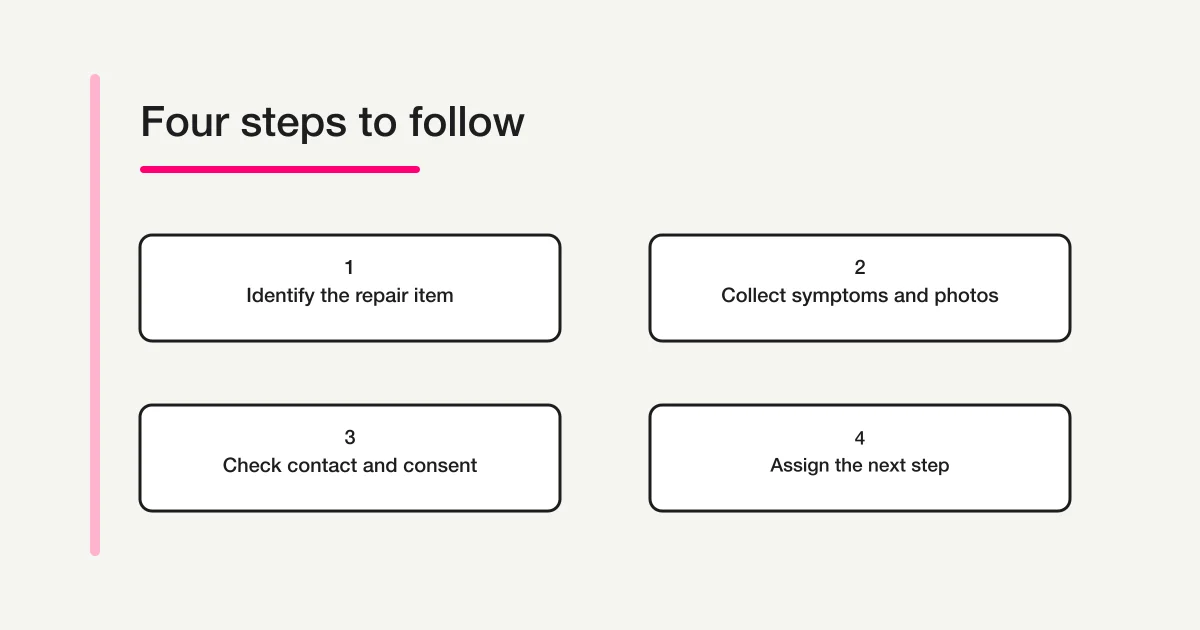
If you receive repair requests, organize the form around the decisions your team can actually make. The first decision is often whether the request belongs to your service, not which part needs replacement.
| Field | Suggested treatment | Why it helps |
|---|---|---|
| Product category | Required selection with an “Other” path | Identifies the receiving team |
| Product/model | Text with an unknown option or explanation | Supports service eligibility review |
| Symptom | Required long text with a plain-language prompt | Captures the observation |
| First noticed | Approximate date or text if uncertain | Establishes context without forced precision |
| Conditions and frequency | Short prompts or optional text | Reduces ambiguous descriptions |
| Photo | Optional unless a justified process requires it | Adds evidence without blocking safe requests |
| Reply contact | Require the channel you actually use | Enables follow-up |
| Existing case reference | Optional | Helps connect repeat contact |
| Requested next step | Assessment, estimate inquiry, or other request | Clarifies expectations |
Do not make every field mandatory. A requester may be unable to find a model number, may not have a photo, or may not know when an intermittent issue began. Decide which missing facts genuinely prevent initial review and which can be obtained afterward.
For broader ownership, response expectations, and inbox handling, use the contact form operations guide. The repair form is one entry point within that process.
Make photos useful without collecting unrelated information
Ask for a photo's purpose in the field description: “If you already have a safe photo of the visible issue or error message, you may attach it.” Avoid “Upload proof of the fault” when that wording might encourage someone to operate the item again.
Tell requesters to exclude faces, addresses, customer records, passwords, payment information, and unrelated documents. A screenshot can contain more information than the person intends to share. Where an order document is needed, explain which parts are relevant and how it should be submitted.
Test the file types and sizes your configured form accepts. Give a practical alternative when an attachment fails, such as submitting the description first and awaiting an approved follow-up method. Do not promise that every phone image format will work.
The file upload guide covers the separate access and upload considerations. An attachment's successful upload does not establish a diagnosis or prove that a repair is covered.
Write a receipt message that matches the actual process
A useful receipt confirms only what happened: the request was received. It can explain the next review step, the relevant contact channel, and what the requester should avoid doing before further instructions.
An original example for a business with a staffed review process is:
We have received your repair inquiry. Our team will review the product details and contact you about the next step. This message does not confirm repair acceptance, warranty coverage, a price, or an appointment. Please wait for our instructions before sending the item. Do not reply with passwords or payment-card details.
Add a response-time statement only if the team can support it, including its working days and applicable exceptions. Do not turn a hoped-for turnaround into an automatic promise.
If you need permission for paid inspection or repair, collect that through a clearly defined later step with the relevant terms and amount. A general acknowledgement of the intake notice should not silently authorize unspecified charges.
Give each request an owner and a next action
After receipt, a person should check whether the product is in scope, whether essential details are missing, and who should respond. Keep internal routing separate from technical judgment: a category can direct the request to a team without proving the cause of the fault.
A simple working sequence is receipt, initial review, request for information if needed, assessment arrangement, and a separately communicated decision. Record the next action and responsible person rather than relying on everyone noticing an unread message.
For example, a missing model number may require a follow-up question. A request outside your service area may need a clear decline or referral. An estimate awaiting customer approval should remain distinct from work authorized to begin.
The inquiry routing guide covers routing design. Any automatic categorization should still leave an accountable person responsible for exceptions and unclear cases.
Use FORMLOVA for intake, with explicit limits
Free supports a text-and-choice repair intake, response search and CSV/Excel export. File upload and custom respondent replies require Standard or above. Begin without attachments so an unknown model or missing photo does not block a legitimate inquiry. If later adding files, verify configured types, effective limits, conditional compression and an alternative when upload fails.
Handling states are new, in_progress, resolved and spam. “Awaiting estimate,” “warranty approved” or a technician assignment belong in defined business fields or an operating ledger, not invented status values. A resolved response is not proof of a repaired product.
Prototype a photo-optional repair inquiry without paid uploads
This is a proposed trial, not an operation or result measured for this rewrite. Use a private test draft first.
Draft a private repair inquiry with product/model including Unknown, observed symptom, approximate onset and reply email. Do not add a file field; let people state whether an existing safe photo is available. Prohibit secrets and reenacting dangerous symptoms. State that receipt does not confirm repair, warranty, price or appointment. Do not publish or send mail.
Before proceeding, check:
- Try unknown model, no photo and an approximate onset without forcing invented details.
- Have the receiving person identify the next action from a fictional record; no fault diagnosis is a draft output.
- After controlled publication, check storage and Free owner digest separately. File and custom reply tests belong to Standard or above; team permissions and routing have separate conditions.
Try repair intake before adding photo uploads
Free covers this text intake and record review. It does not include file upload, custom auto reply, repair assessment or scheduling.
Register free and draft the repair inquiry
Register, verify your email, connect a supported AI client, and paste the proposed request above. Check the saved draft before publishing. AI-client account and usage requirements apply separately.
Check the form with realistic sample requests
Before publication, submit fictional examples that exercise the decisions above. Include a complete request, an unknown model, no attachment, an unsupported file, a repeat contact, and an out-of-scope product. Check whether the response reaches the intended reviewer and whether the receipt says only what the process supports.
Read the form on a phone and confirm that long symptom descriptions remain understandable. Check that optional fields can genuinely be skipped and that error messages explain the correction needed without asking for secrets.
Finally, ask the receiving team to handle one sample from beginning to end. They should be able to identify the next action without inventing a promise about price, warranty, or timing. That operational test matters more than having a large number of fields.
What to do next
Use the provider’s official route for the actual repair. If operating your own intake, verify a fictional unknown-model/no-photo request from entry to human review before collecting customer data.
Disclosure and Verification
I develop FORMLOVA. This article was checked against the linked Apple and NITE sources and FORMLOVA's file-field and response-management implementation on September 22, 2026. The templates, examples, and review sequence are original recommendations. No real repair request was submitted, no device was diagnosed, and no live service-provider workflow was tested for this article.