
Last updated: October 15, 2026
Choose a free survey form by the number of responses you can collect, view, and export under the actual plan. Google or Microsoft can suit an existing office workflow; Tally can suit free logic under fair use; FORMLOVA lets you test collection, search/status, and CSV/Excel output from chat. Start with your required questions and a small test dataset before committing the production survey.
Quick answer: normalize the limit before comparing
| Need | Candidate |
|---|---|
| Google collaboration and Sheets | Google Forms |
| Microsoft 365 internal work | Microsoft Forms |
| A polished one-question experience for a tiny sample | Typeform |
| Research features with up to 10 questions | SurveyMonkey |
| Broad form features for up to 100 monthly submissions | Jotform |
| High response volume and logic under fair use | Tally |
| Free response search, status, and CSV/Excel exports | FORMLOVA |
For a broad feature and plan comparison, read the major form services comparison, then use the form service comparison hub for navigation. For Google-specific alternatives, see the Google Forms alternatives guide.
Seven free survey form tools compared
The facts below were checked on official vendor pages on October 15, 2026. Free tiers change, so verify again before launch.
| Service | Free response/question limit | Logic and collaboration | Export and branding | Best fit |
|---|---|---|---|---|
| FORMLOVA | Unlimited form creation, publishing, and response collection | Design controls are free; team management is Premium | Search, status, CSV/Excel are free; branding removal is Standard | Organizing responses after collection |
| Google Forms | Google documents September 2026 limits of 500,000 responses and 1 GB per form, with transition exceptions for existing enterprise forms; summary/Sheets limits also apply | Collaboration and section branching | CSV and Sheets; do not assume free white-labeling | Simple Google-based collection |
| Microsoft Forms | A free personal account: 200 responses per form; up to 200 questions | Separately, collaboration requires an eligible work/school plan; branching available | Excel export | Small personal collection, or internal collaboration under an existing eligible plan |
| Typeform | 10 responses per month across the account; unlimited forms | Logic included; team collaboration paid | Spreadsheet download; branding removal paid | Testing a polished experience with a tiny sample |
| SurveyMonkey | Basic allows 10 questions per survey; check the account screen for the viewable-response limit | Skip logic not listed in Basic; one user | Over-limit responses are not viewable; data exports are paid | Small research trials |
| Jotform | 5 active forms, 100 monthly submissions across the account, 100 fields per form; storage includes a separate 500-submission total cap | Most features available; verify collaboration before use | Excel/CSV/PDF; Jotform branding remains | Testing templates and broad features |
| Tally | Unlimited forms, submissions, and questions under fair use | Conditional logic free; team collaboration Pro | CSV; branding removal Pro | High volume and free logic |
The unit matters: per form, per survey, or across the whole account. Google’s 500,000 responses and 1 GB are platform limits rather than a monthly subscription allowance. Its official help also describes transition treatment for existing enterprise forms, so check the alert shown in your form. Jotform’s monthly submissions and total stored submissions are separate limits. SurveyMonkey's public pricing page does not provide one fixed Basic response amount; sign up or log in to check the viewable-response limit, and over-limit responses are not viewable. Typeform and Jotform count monthly use across an account.
Test Your Own Five-Question Survey Before Choosing
Use one short post-session feedback survey in every shortlisted service. Keep the questions identical so the comparison concerns the tool rather than a different questionnaire:
| Question | Format | Required? | What you will check |
|---|---|---|---|
| Which session did you attend? | Single choice | Yes | Exported session labels |
| How satisfied were you? | Single choice with 5 labeled options | Yes | Order and labels on mobile |
| Which topics were useful? | Multiple choice | No | Multiple selections in CSV |
| What should we improve? | Long text | No | Line breaks and non-English text |
| Would you attend another session? | Yes/no/unsure | No | The unsure choice remains in the export |
Do not collect an email address in this initial version. If personal follow-up is necessary, add an email field with a clear purpose in a separate test. For FORMLOVA, try this request after connecting your AI client:
Draft a post-session feedback survey.
Require session (introductory / practical) and satisfaction.
Use satisfaction labels very satisfied / satisfied / neutral / dissatisfied / very dissatisfied.
Make useful topics (explanation / exercise / Q&A) optional and allow multiple selections.
Add an optional long improvement comment and optional future attendance (yes / no / unsure).
Do not collect names or emails and do not send messages.
Show the questions and required settings before publishing.
After reviewing and publishing a test form, submit three fictional responses: one with multiple topics, one with a multiline comment, and one leaving all optional fields blank. Search the responses, export the dataset to CSV or Excel, and check whether all three records and their values match the test. FORMLOVA creation, collection, search/status, export, and basic analytics are included in Free. Advanced analysis, file upload, and branding removal require Standard; team management requires Premium.
Try your survey questions through the exported answers
Build the five-question example on the free plan, answer it on a phone, and check multiple choices and multiline comments in CSV/Excel before distributing the survey.
Sign up free to test a survey and its export
Sign up, verify your email, and connect a supported AI client. Then use the request above to create a draft and review it before publishing. Your AI client’s access and fees follow its provider’s contract.
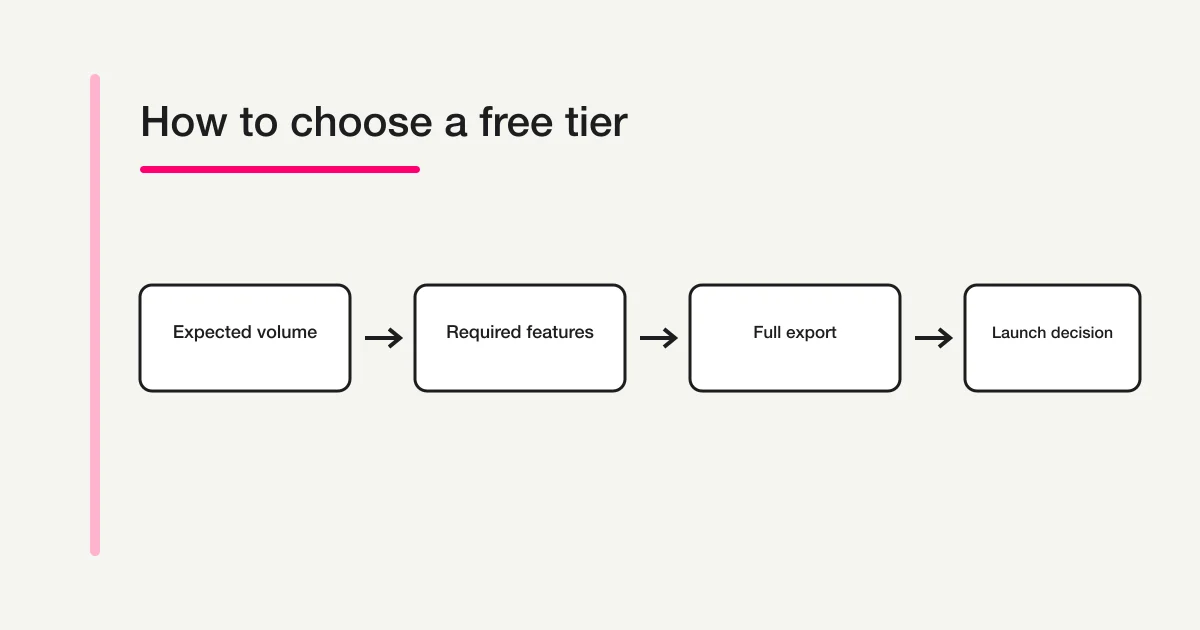
Five checks before choosing
1. Budget for tests and duplicate submissions
Do not plan exactly at the cap. Include internal tests, repeat submissions, and retries. Verify what stops after the limit: collection, viewing, or export.
2. Prototype every required question and branch
Add scales, free text, uploads, and conditional paths. A feature may be editable in a trial but require payment before publishing.
3. Audit collaborators and raw-response access
Check who can edit the form and who can view responses. Google warns that a form collaborator may also access the linked spreadsheet, and access may need removal from both.
4. Export the complete test dataset
Download CSV or Excel and inspect multilingual text, line breaks, multiple selections, and timestamps. Confirm whether over-limit historical responses remain accessible.
5. Review data protection and respondent disclosures
Document purpose, retention, deletion, access roles, and any transfer requirements. A free tier is not a promise that collecting personal data is appropriate, nor a guarantee of anonymity.
When FORMLOVA fits, and when it does not
FORMLOVA's Free plan includes form creation and publishing, response collection, response search and status, CSV/Excel export, and basic analytics. This is useful when the work continues after a respondent clicks Submit. You can check the trial against the current pricing page.
Choose Tally when advanced free logic is the priority, Google Forms for a Sheets-centered workflow, Microsoft Forms for Microsoft 365 collaboration, or SurveyMonkey for research-specific analysis. FORMLOVA team management, file upload, branding removal, and advanced analytics are not Free-plan features.
Official sources
- Google Forms: View and manage responses
- Google Forms: Show questions based on answers
- Microsoft Forms: Response limits
- Microsoft Forms: Collaborate on a form
- Microsoft Forms: Branch a form or quiz
- Typeform: Free plan
- SurveyMonkey: Plans and Pricing
- Jotform: Free plan limits
- Jotform: Excel, CSV, and PDF exports
- Tally: Plans and pricing
- Tally: Conditional logic
- Tally: CSV export FAQ
- Tally: Fair Use Policy
Data location, DPAs, contract terms, and commercial-use conditions cannot be reduced to one reliable cross-vendor row. Teams handling personal or sensitive data should check each vendor's current official documents against their requirements.
Pre-launch checklist
- Normalize the response limit and include test volume
- Publish-test every required field and branch
- Review mobile respondent screens and vendor branding
- Separate editors from raw-response viewers
- Export all test responses to CSV or Excel
- Disclose purpose, retention, and deletion contact
- Set a date to recheck the free tier
Before launch, recheck the plan in the account you will use. Re-run the five-question export test when a required feature or plan limit changes.
Verification scope
Values reflect official pages checked on October 15, 2026. Regional pricing, experiments, and account type can change what you see, so verify inside the intended account immediately before launch. This article does not guarantee rankings or outcomes.
Disclosure and Verification
This comparison includes FORMLOVA and is written by its developer. Competing products were checked against the official sources above; FORMLOVA claims were checked against current plan conditions and response retrieval/export features on October 15, 2026. Features or contract terms that could not be verified were not inferred.
Choose after the same questions and test records have passed your requirements. To try the FORMLOVA version, register free, verify your email, and connect your AI client before using the draft request above.