
Last updated: October 15, 2026
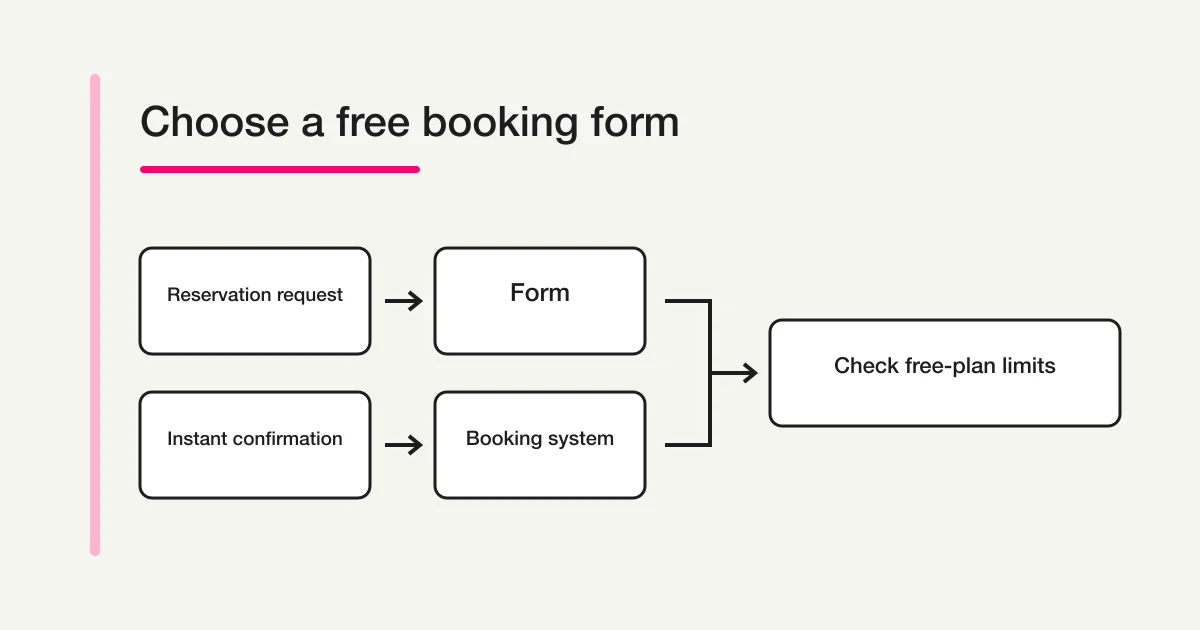
A free booking form is appropriate when visitors submit preferred times and staff confirm later. If visitors must choose live availability and reserve a slot immediately, compare scheduling systems instead. Submission and confirmed reservation must mean different things on the screen.
Compare the whole operating month: request volume, staff, calendar direction, receipts, reminders, exports and payment fees. The six options below are alternatives for different jobs, not a ranking.
Quick answer: use a form for requests and a booking system for instant confirmation
Define what submission means before you compare products.
| What the visitor needs to do | Better model | Free-plan boundary to check first |
|---|---|---|
| Submit first, second, and third preferred times for staff review | Reservation request form | Responses, fields, notifications, export, deadline, capacity |
| See open time slots and confirm one immediately | Booking system | Bookings, pages, staff, locations, calendar synchronization |
| Pay while reserving | Payment-enabled booking system | Transaction fee, refunds, cancellation, settlement timing |
| Register for a class or event at a fixed time | Registration or event form | Capacity, deadline, attendee list, confirmation communication |
A reservation request form should say that submission is not confirmation. A live booking system should account for duration, staff, location, and slot conflicts before it confirms the appointment. If that distinction is missing, the customer and the operator can leave the same screen with different expectations.
For field design, confirmation messages, changes, and cancellation rules, use the broader reservation form guide. If you specifically want to collect preferred times in Google Forms, follow the Google Forms booking guide.
Break “free” into eight comparison axes
Free plans make different tradeoffs. Check each of these items as a separate row in your requirements list.
- Duration: a permanent free plan or a limited trial.
- Booking or response volume: monthly, lifetime, or unlimited.
- Booking pages and staff: how many pages, locations, and calendars you can publish.
- Notifications: operator alerts, confirmation email, reminders, and SMS.
- Payments: whether online payment is available and which transaction fee applies.
- Integrations: one-way or two-way synchronization with Google Calendar and other calendars.
- Sharing and export: permissions, CSV, Excel, and customer-data portability.
- Presentation and fields: provider branding, custom questions, and file collection.
In this article, “confirmed” means the official page states the feature or limit. “Outside Free” means the feature is placed in another plan or paid option. “Unknown” means the available official material did not establish it, so you should ask before signing up. The existence of a calendar integration does not prove complete two-way synchronization for every booking type.
Six free booking form and scheduling options compared
The free-plan volumes and principal fee boundaries were rechecked on October 15, 2026. Prices, quotas, and plan placement can change, so open the official page again before adoption.
| Service | Confirmed in the free plan | Outside Free or important boundary | Better-fit use case |
|---|---|---|---|
| FORMLOVA | JPY 0 per month. Unlimited form creation and publishing, response collection and full viewing, response search and status, CSV / Excel export, basic dashboard and analytics, date/time fields, whole-form deadline and capacity | Operator notifications are a six-hour digest. Custom auto replies, reminders, Google Sheets, branding removal, and file upload require Standard or above. Payments and team management require Premium. It is not time-slot inventory | Collect preferred times and context, then let staff confirm the reservation |
| STORES Reservations | JPY 0 per month, 50 bookings per month, two public booking pages. One-way updates from STORES Reservations to Google Calendar are available on every plan, including Free | Advance card payment starts at 5.2% under the stated small-business rate conditions; confirm any fixed charge and eligibility. Two-way synchronization requires Team or above and is subject to supported booking-type conditions. CSV requires Business or above | Publish a small number of booking pages with modest monthly volume |
| RESERVA | JPY 0 per month, 50 bookings per month, 250 customer records, and 43 features in the official table. A JPY 0 Google Calendar option is available from Free | Online payment is 4.9%. LINE integration is JPY 3,300 per month. Do not generalize the calendar option as complete two-way sync across every reservation type, and do not assume provider-brand removal | Start with an industry-oriented booking type and a limited monthly volume |
| Square Appointments | Free at JPY 0 for one location, with email and SMS reminders and recurring appointments | Calendar sync, multiple staff, automatic booking confirmation, no-show protection, daily booking caps, and resource management are outside Free. Online payment is 3.6% | Combine one-location appointments with Square payments |
| AirRESERVE | Free at JPY 0 with unlimited monthly bookings, reservation and customer management, mobile support, online payment, confirmation email, SSL, and permission management | Online payment is 3.24%. Reminders, calendar integration, CSV, custom fields, provider-brand removal, and resource management are outside Free | Start a basic booking ledger without a monthly booking cap |
| Google Calendar appointment schedules | A personal Google Account or Business Starter can create one booking page | Advanced functionality requires an eligible subscription. Do not assume Stripe payments or automated reminders are included with a free personal account | Share one person’s availability through one booking page |
The same zero monthly fee can mean 50 bookings at STORES Reservations or RESERVA, while AirRESERVE’s official pricing table lists unlimited monthly bookings. STORES Reservations includes one-way updates to Google Calendar even on Free, but bringing calendar events back into STORES Reservations through two-way synchronization requires Team or above and supported booking-type conditions. Volume is only one axis: CSV export, calendar direction, custom questions, multiple staff, and resource controls can still determine whether a service fits.
Use a one-month evaluation worksheet
A feature table tells you what a plan includes. It does not show how your team will experience the limit. Before choosing, write a small operating forecast for one representative month.
| Worksheet item | What to record | Why it changes the choice |
|---|---|---|
| Expected demand | Normal bookings, peak-week bookings, cancellations | A 50-booking limit may be comfortable in one month and blocking in another |
| Booking ownership | One person, rotating staff, several locations | A single page or location can become the practical limit before booking volume does |
| Confirmation model | Request received or instantly confirmed | A form can safely accept requests but should not imply live inventory |
| Communication | Receipt, confirmation, reminder, change, cancellation | A product can include one message while placing the next message in a paid plan |
| Data handoff | Dashboard only, CSV, spreadsheet, calendar, CRM | Manual copying may become the largest cost of the free plan |
| Payment path | No payment, online advance payment, in-person payment | Transaction fees and refund work can matter more than the subscription |
Run one realistic sample through the candidate. Use a test customer, not real personal information. Check what the visitor sees before submission, what appears immediately afterward, what the operator receives, and where the booking record can be exported. For an instant-confirmation system, also test what happens when two people try to select the same slot and when a staff calendar becomes unavailable. Do not assume behavior that the official pricing page does not promise.
Then calculate the cost of the missing step. If CSV is unavailable, record how often someone would copy rows manually. If reminders are unavailable, estimate who sends them and how late changes are handled. If a booking cap is close to forecast demand, decide whether the service stops intake, charges an upgrade, or requires another page. The answer should come from the product’s current official material or a controlled trial.
This worksheet keeps the decision neutral. A plan with fewer free features can still be the better fit when its included booking model matches your work. A generous booking quota can still be the wrong choice if the team needs several staff calendars or portable data on day one.
Choose by use case
Consultation, tour, demo, or interview requests
Use a reservation request form when staff need to read context before confirming a time. Ask for several preferred windows, the subject, and the contact method. FORMLOVA and Google Forms are possible form-style routes.
Live availability is not required for this model. Searchable responses and portable CSV or Excel data support review. Keep business stages such as pending or confirmed in a defined field or operating ledger. FORMLOVA’s response status is limited to new, in_progress, resolved and spam. The notice shown to the visitor should distinguish “request received” from “booking confirmed.”
Store, treatment, or service slots confirmed immediately
Use a booking system when opening hours, service duration, staff, rooms, or equipment determine availability. Compare STORES Reservations, RESERVA, Square Appointments, and AirRESERVE by location, staff, calendar synchronization, resource management, reminders, and payment conditions.
If one required capability is outside Free, calculate the actual paid plan and option cost. Building a manual workaround around the free tier can increase double-booking risk and administrative transfer work.
One person sharing available meeting times
Google Calendar appointment schedules can fit a simple one-person flow. Its current boundary is one booking page for a personal account or Business Starter. Recheck the eligible subscription when you need multiple schedules, payments, reminders, or broader advanced features.
Fixed-date seminar or trial event
When every attendee joins the same fixed date, whole-event capacity and a deadline matter more than individual slot inventory. A registration form can be simpler than a scheduling system. Do not choose a booking product merely because the word “reservation” appears in the project brief.
Where FORMLOVA Free fits
Use FORMLOVA for request intake, response search and CSV/Excel snapshots. It does not synchronize time-slot inventory or staff calendars. Whole-form capacity counts accepted responses, not the number of seats typed into an attendee field; a group request can represent more than one person.
Free owner notifications are a digest delivered every six hours across owned forms and do not consume sending quota. Custom auto replies, reminders, Google Sheets integration, branding removal, and file upload require Standard or above. Payments and team management require Premium or above. Whole-form capacity is not a live inventory of time slots.
Prototype a consultation request without live booking
This is a proposed trial, not an operation or result measured for this rewrite. Use a private test draft first.
Create a private consultation request draft with topic, two preferred date/time windows and contact email. State that submission is a request and staff will confirm separately; no calendar slot is held. Do not publish, send mail or create calendar events.
Before proceeding, check:
- Check the request-only statement before and after submission.
- Review date, time zone and contact purpose without inventing availability.
- After controlled publication, export a test snapshot: fields and submission time are columns, not response ID or status. Verify who confirms and how rejected times are handled.
Try the consultation intake before adding paid follow-up
Free supports this request draft, response collection, search and export. It does not provide instant confirmation or a custom receipt email.
Register free and draft consultation requests
Register, verify your email, connect a supported AI client, and paste the proposed request above. Check the saved draft before publishing. AI-client account and usage requirements apply separately.
Signals that the free plan is no longer the lower-cost choice
Recalculate the full operating cost when any of these conditions recurs:
- The team repeatedly approaches a monthly booking cap or splits traffic across forms.
- More staff or locations create manual slot conflicts.
- Someone spends significant time copying bookings into CSV files or calendars.
- Missing reminders contribute to no-shows.
- Online payment, cancellation fees, and refunds become part of the workflow.
- Branding or field restrictions make the customer experience unclear.
Compare monthly subscription, transaction fees, booking volume, staff seats, paid options, and manual labor together. Starting free and remaining permanently inside a free plan are separate decisions.
Frequently asked questions
Can a booking form remain completely free?
Some products offer permanent free plans. Each still has boundaries around volume, pages, staff, notifications, integrations, exports, branding, or payments. Map your required workflow to the current official pricing page before relying on “free.”
Can a free form prevent double booking?
A form that collects preferred times does not reserve time-slot inventory. If you need instant confirmation and conflict prevention, choose a booking system that reflects staff and calendar availability under the plan you will use.
Should Google Forms be included in the detailed comparison?
Google Forms can collect reservation requests, but it is not a dedicated live-availability scheduler. This page keeps it as a request-form option and routes its detailed setup and limitations to the focused Google Forms booking guide.
Should I choose the service with the lowest transaction fee?
Not by fee alone. Compare subscription cost, booking limits, refund and cancellation operations, settlement timing, and the booking features you need. Separate online advance payment from in-person payment as well.
What to do next
Use one controlled request to check the customer promise and the staff confirmation step. Choose live scheduling when inventory must be reserved immediately; choose intake only when later confirmation is acceptable.
Related Guides and References
Disclosure and Verification
This article was checked on September 4, 2026, against the official pages for STORES Reservations pricing, RESERVA pricing, Square Appointments pricing, AirRESERVE pricing, features, and reservation types, plus Google’s documentation for appointment schedules and booking pages. The author develops FORMLOVA. Prices, quotas, fees, and eligible plans can change; recheck each official page before adoption. Unknown items were not inferred.
If you need a free reservation-request form that collects preferred times and context, then lets you search, manage, and export responses without promising live slot synchronization, start with FORMLOVA for free.