
Last updated: October 15, 2026
Original verification record retained: Last verified: September 22, 2026
In Google Forms, select a supported question and open More → Response validation to set its number, text, length, pattern or checkbox-count condition. Google also offers custom error text. Required status is separate: test an empty field, accepted values and rejected boundary cases.
Write the intended input before choosing a rule. A positive-number threshold does not necessarily enforce whole numbers, and an email-shaped value does not prove delivery or control of the mailbox.
Choose the rule that matches the question type
Google documents number, text, length, and regular-expression rules for short answers. Paragraph questions offer length and regular-expression rules. Checkbox questions use selection-count rules: a minimum, maximum, or exact count. Available controls depend on the selected question type. Google's validation-rule documentation
Use that menu as a starting point, then describe the input you actually need. “A valid answer” is too vague. “A workshop code beginning with EV- followed by four ordinary digits” is something you can inspect and test.
Here is a practical mapping for the examples below:
| Intended answer | Starting approach | Important remaining decision |
|---|---|---|
| A numeric value above a threshold | Numeric condition | Are fractions acceptable? |
| A short description with a length ceiling | Character-count condition | May the question be skipped? |
| A code with a fixed textual shape | Pattern match | Which spaces and letter cases are allowed? |
| Several selected choices | Selection-count condition | Is the count feasible for the available choices? |
The multiple-answer guide covers checkbox counts in detail. Keep that separate from rules for typed text: counting selected boxes is a different operation from counting characters in an answer.
Required and valid answer different questions
A required setting concerns whether the participant must answer. A validation condition concerns the acceptable form of an answer. Review both deliberately instead of using one as a substitute for the other.
Suppose an optional “Additional details” field has a maximum length. The useful test cases include an empty answer, a short answer, an answer exactly at the limit, and one beyond it. The intended behavior for the empty case comes from your decision about whether details are necessary.
For a mandatory reference code, include the empty case too. A correct pattern does not explain whether someone without a code should be allowed to proceed, contact you, or use a different route. That is a form-design decision.
The required-versus-optional field guide can help decide which answers you truly need. Making a field compulsory because it is easy to validate can create unnecessary work for participants and still produce poor information.
Write the decision beside the question in your working notes: “Optional because not every applicant has extra context,” or “Required because staff cannot locate the request without this reference.” The explanation helps another organizer maintain the rule later.
Set up one question, then test it
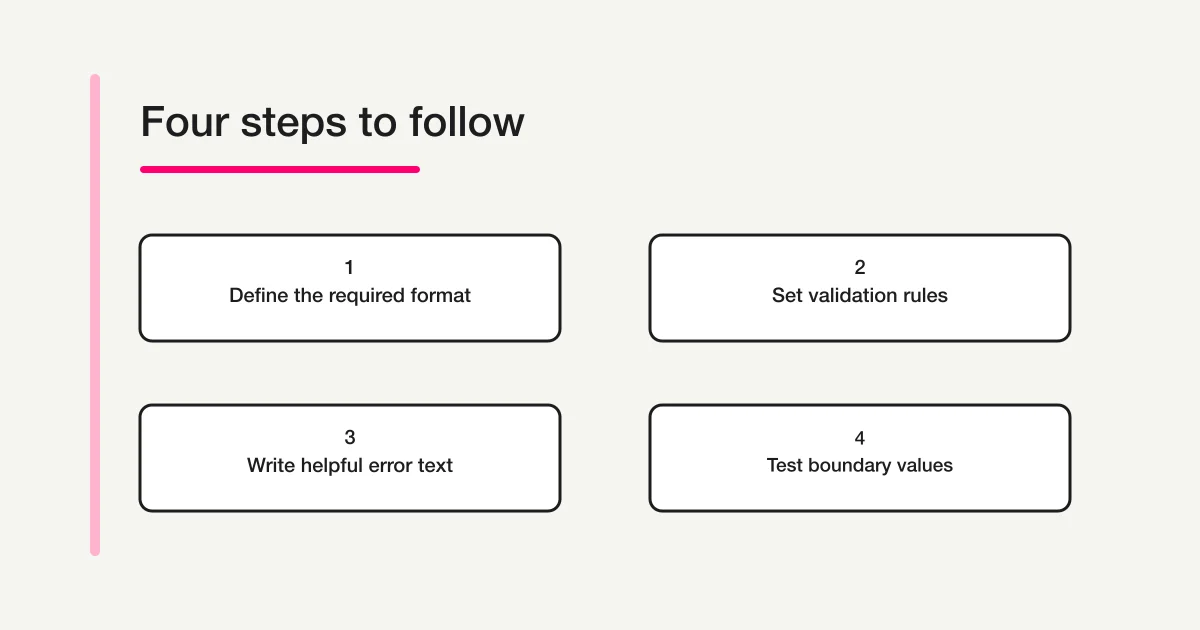
Choose the question type, open More → Response validation, select the available rule and condition, and enter its value or pattern. Google also provides a Custom error text field. Save wording that explains the correction rather than merely repeating that an answer is invalid. The official documentation linked above describes these controls.
Work on one question at a time. If you change the question type, condition, error message, and required setting together, it becomes harder to tell which change caused a problem.
A simple review note can contain five items: the question's purpose, required status, intended accepted values, intended rejected values, and the correction message. You do not need a large test suite for a short form, but you do need a few representative cases.
After configuring the rule, test the participant-facing form. Record what you observed. An intended pass/fail table is a plan until the actual form produces those results.
Example 1: a numeric threshold
Imagine a form asking for a proposed budget in whole currency units, with a minimum of one. A “greater than or equal to one” condition expresses the lower boundary. It does not, by itself, express the separate requirement that fractions are forbidden.
Use the following as a specification worksheet:
| Input | Intended result for this example | Reason |
|---|---|---|
| Empty | Reject if the field is required | A budget is necessary |
| 0 | Reject | Below the chosen minimum |
| 1 | Accept | Exactly at the lower boundary |
| 2 | Accept | Above the lower boundary |
| 1.5 | Reject for the whole-unit requirement | A threshold alone is insufficient |
| One | Reject for this numeric format | Written words are not the chosen representation |
These outcomes describe the organizer's requirement, not a claim that one Google menu selection implements all of them. If your chosen rule does not express the full requirement, revise the question or choose a supported approach that you can verify.
Also consider whether a number field is appropriate at all. A reference such as “0042” is an identifier, not a quantity. Its leading zeros may matter to the process. For identifiers, start by describing the textual format rather than treating the value as a number because it contains digits.
Example 2: a character limit
For an optional short comment, suppose your editorial limit is twenty ordinary English letters. Use plain test strings to establish the boundary before trying more complex text.
| Test input | Intended outcome | What it tests |
|---|---|---|
| Empty | Accept for this optional question | Required status |
| Nineteen repetitions of a | Accept | Just below the ceiling |
| Twenty repetitions of a | Accept | Exactly at the ceiling |
| Twenty-one repetitions of a | Reject | Just beyond the ceiling |
Twenty is a deliberately small demonstration limit, not a recommended maximum for all comments. Choose a limit that fits the information you need. If a person must explain a problem, a tiny ceiling may force them to remove the useful part.
Be precise about units. A character limit is not a word limit. Do not write “Use twenty words or fewer” when the actual condition measures characters. Include spaces, punctuation, copied text, and any language-specific characters relevant to your audience in the live test.
Do not assume the display count, your text editor, and every Unicode sequence will behave identically without checking. The plain-letter table gives you a clear baseline; additional cases should reflect the text people will realistically enter.
Example 3: a simple reference-code pattern
For this fictional workshop, an acceptable code has the literal prefix EV-, then four digits from 0 through 9. A compact pattern for that shape is ^EV-[0-9]{4}$.
The intent is deliberately narrow. This does not validate a telephone number, a person's name, an address, or whether the code was actually issued. It checks a textual shape defined for this example.
Use the regular-expression matching option and enter the pattern. Then test the real form with the cases below:
| Input | Local pattern test | Why |
|---|---|---|
| EV-0042 | Pass | Expected prefix and four digits |
| EV-042 | Fail | Only three digits |
| EV-00042 | Fail | Five digits |
| ev-0042 | Fail | Lowercase prefix |
| EV-00A2 | Fail | A letter in the digit portion |
| EV-0042 | Fail | Full-width digits rather than the chosen range |
| A space followed by EV-0042 | Fail | An extra leading character |
| EV-0042 followed by a space | Fail | An extra trailing character |
I checked these cases with JavaScript in Node.js. That confirms this small example in that local runtime; it is not a Google Forms test or a guarantee of compatibility for arbitrary regular expressions. Verify the displayed rule and each relevant case in your own form before relying on it.
If lowercase codes should be accepted, change the requirement and pattern together. If copied spaces are common, decide how you want to handle them instead of silently assuming they disappear. A rule is easier to maintain when its accepted cases are written down.
Write an error that enables the next attempt
For the example code, “Invalid input” gives the participant no useful next step. “Enter EV- followed by four digits, for example EV-0042” explains the expected shape. Put that guidance near the question as well, so people do not have to make a mistake to learn the rule.
For a length condition, state the actual limit and unit. For a numeric threshold, state the boundary in ordinary language. If the question asks for a specific code, explain where the participant can find it.
Avoid blaming language such as “You entered the wrong information.” The problem may be unclear instructions, an unexpected input method, or a rule that does not match the audience. A correction message should help resolve the mismatch.
The form error-message guide has broader examples. For this form, test that the message describes the rule you actually configured. A polished sentence can still mislead if the condition behind it differs.
Email format is not delivery or identity verification
An email-format condition checks whether an answer fits the accepted syntax. It does not establish that a mailbox exists, that a message will reach it, or that the person completing the form controls it.
Keep these outcomes separate in your process. A correctly shaped address may still contain a typo that happens to form another valid address. A successful form submission does not prove that an invitation or receipt was delivered.
If confirming control of an address matters to your task, design an appropriate confirmation process separately. Do not describe a syntax rule as “verified email” in your instructions or downstream report. Likewise, passing the workshop-code pattern does not establish that the code belongs to the participant.
Run a small release check
Before sharing, give the form to a tester who did not configure it. Ask them to try the boundary cases and explain any correction message in their own words. This can expose a gap between your intention and what the form communicates.
Keep the record concise:
| Question | Case | Expected result | Observed result | Follow-up |
|---|---|---|---|---|
| Reference code | EV-042 | Reject with format guidance | Fill after testing | Adjust if different |
| Optional comment | Empty | Accept | Fill after testing | Check required status |
| Budget | 1.5 | Reject for whole units | Fill after testing | Revisit rule choice |
The blank observation cells are intentional. Do not mark a test passed because the configuration looks plausible. After a change, rerun the cases affected by that change, including a valid answer so you know the correction did not make the form impossible to complete.
Test submission only when you intend to create a record, and label any test data so it can be distinguished from real responses. A rule-display check and a stored-response check establish different things.
FORMLOVA format rules and meaning warnings are different
FORMLOVA supports field-specific format constraints and checks pattern safety when saving. Ordinary format errors come from the product’s fixed language dictionary; this is not Google’s Custom error text control. Explain correction in labels/help, then inspect the actual message. Separate semantic rules have their own message settings and warnings that may be acknowledged; they are not strict format rejection or identity checks.
Default semantic rules use code. Custom natural-language rules can send applicable answers to the configured external judgment service and fail open when unavailable. Review that processing before using real data. Client-generated suggestions are not a server guarantee that every input mistake will be found.
Prototype a reference-code rule with an explicit test table
This is a proposed trial, not an operation or result measured for this rewrite. Use a private test draft first.
Draft a private form with required reference-code text matching ^EV-[0-9]{4}$ and optional additional comment. Explain EV- and four ordinary digits in help text. Show saved constraints and proposed pass/fail cases, without claiming execution. Do not add custom semantic rules, publish or promise a custom ordinary error message.
Before proceeding, check:
- Compare EV-0042 with short, lowercase, full-width and space-padded cases, plus required empty and optional empty.
- Correct an error and inspect retention of other entered values on phone and desktop.
- A local pattern test and preview do not establish Google compatibility or actual stored-response behavior; verify the chosen FORMLOVA constraints under controlled publication.
Try the code format without inventing validation results
Free supports the text field and format constraints. Start with a small code rule; do not treat format validation as verified identity or message delivery.
Register free and draft the code field
Register, verify your email, connect a supported AI client, and paste the proposed request above. Check the saved draft before publishing. AI-client account and usage requirements apply separately.
What to do next
Keep the intended cases, saved constraint and actual correction experience together. Rerun both valid and invalid cases after changes, and keep semantic warnings and format rejection distinct.
Related Guides and References
Disclosure and Verification
I develop FORMLOVA. I checked Google's linked documentation and FORMLOVA's field schema, format validator, and semantic-validation implementation on September 22, 2026. The EV-code examples were tested locally in Node.js 22. I did not configure these rules or submit a live response in a Google account while preparing this article. The tables are original test plans; their intended outcomes should be confirmed in the actual form.