
Ask for age only when it supports a defined survey decision. If broad comparisons are enough, use age bands. If individual ages are necessary, ask for age in completed years and specify the reference date. Collect a full date of birth only when the additional detail has a clear purpose.
The wording and the report belong together. Every age should fit exactly one relevant group, respondents should understand whether answering is optional, and the report should distinguish known age groups from declined and blank answers. The examples below are fictional prototypes for consumer feedback surveys, ready to adapt to your audience and purpose.
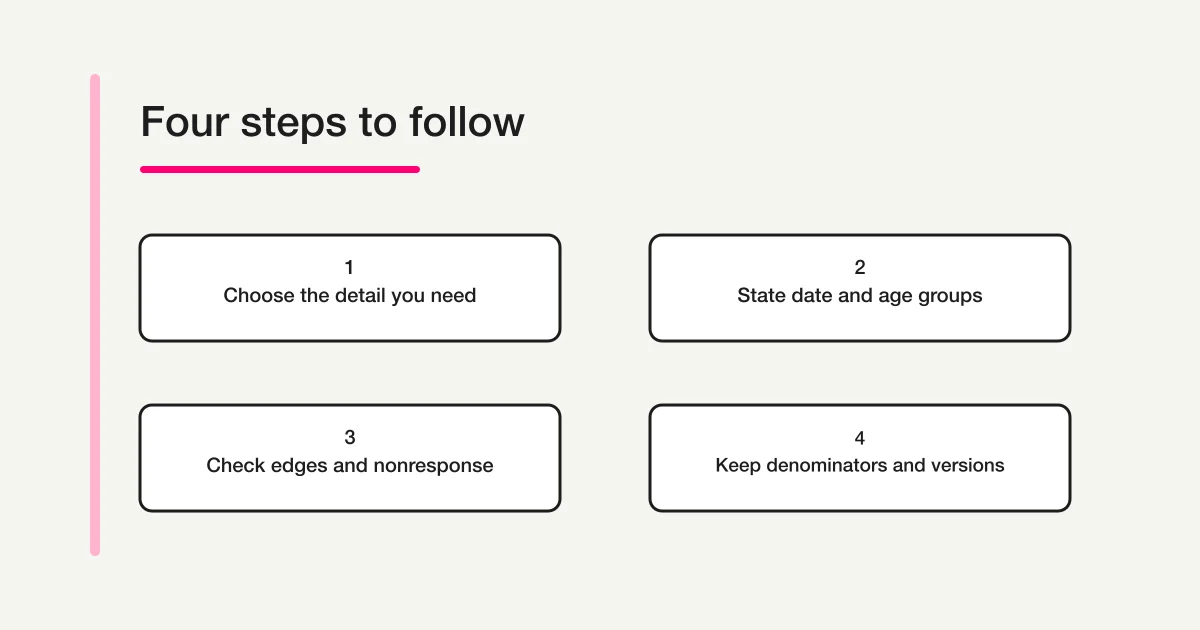
Decide what knowing age will change
Before adding the field, finish this sentence: “We need age information to decide…” Name the comparison, the person reviewing it, and the action that could follow. “To understand our customers” is a starting point, but it does not explain why age is needed.
A fictional retailer might compare reported difficulty reading product instructions across age groups to decide where to investigate further. Age can describe that comparison. It does not establish why someone found the instructions difficult. Ask about the actual experience as well.
If you want preferred event times, ask about preferred times. If you want to know whether a customer needs larger text, ask about that need. An age band is an indirect substitute for neither answer. Remove age when no useful comparison remains.
Statistics Canada's questionnaire guidance links question design to survey objectives and the planned analysis. Statistics Canada: Questionnaire design.
Record your purpose in the survey plan. This gives a future reviewer a way to decide whether the question still earns its place, rather than keeping it simply because last year's form included it.
Choose how much detail to collect
| Format | Possible use in a consumer survey | Decision to make before collection |
|---|---|---|
| Age bands | Compare feedback across predetermined broad groups | Fix complete, nonoverlapping groups and their labels |
| Exact age in completed years | Create defined groups later or analyse individual ages | Specify the reference date, whole-number rule, and relevant range |
| Full date of birth | Derive age at different dates when that detail is necessary | Explain the need for the full date and how it will be handled |
| No age question | Age does not support the survey purpose | Remove the field and use direct experience questions |
Choose the least detail that still answers the planned question. A date of birth adds information beyond a broad age band; convenience alone is a weak reason to collect it.
The ABS Age Standard defines age using completed years at a specified point in time and prefers date of birth for detailed statistical collection. That standard serves its own collection purposes; it does not endorse the fictional consumer-survey bands in this guide. ABS: Age Standard.
Detail is also a commitment. After collecting “20–29,” you cannot recover whether a particular person was 20, 24, or 29. You can combine compatible narrow groups into broader ones, but you cannot reconstruct narrower groups from broad answers. Decide before inviting respondents.
State the date and whose age you mean
“Age” needs a time reference. Someone answering before a birthday may give a different number from someone answering after it. You can ask for age on the day of response or at a fixed date, but the question should make that choice visible.
For a fixed date, write it in words:
Use your age in completed years on 6 October 2026. This means the age you had reached on your last birthday by that date.
A person turning 30 on 7 October was 29 on the reference date. A person turning 30 on 6 October was 30. Do not calculate completed years by subtracting birth years alone; whether the birthday has occurred matters.
For a short collection where the response date is the intended basis, “How old are you today, in completed years?” may be clearer. Save the collection date if your analysis relies on it, and avoid silently mixing that basis with a fixed-date question.
If a parent or guardian answers about another person, name the subject: “What was the age of the person this feedback concerns, in completed years on 6 October 2026?” Add a suitable description, such as “your child,” where that is the intended subject. Otherwise, you may accidentally collect the adult's age.
Statistics Canada's quality guidance recommends clear periods and units in questions. Statistics Canada: Questionnaire design quality guidelines.
For date-input controls and formatting, see the Google Forms Date and Time Guide on FORMLOVA. A working date picker still needs an explanation of which date the survey requires.
A copy-ready age-band question
This original example assumes a consumer survey whose planned report uses the following broad groups. The grouping needs review for your actual audience; a survey focused on older customers or a narrow age range may need different boundaries.
Age group — optional
We would like to compare feedback about product instructions across age groups to decide what to investigate further. You may leave this question unanswered.
Which age group includes your age in completed years on 6 October 2026? Select one answer, or skip this question.
- Under 20
- 20–29
- 30–39
- 40–49
- 50–59
- 60 or over
- Prefer not to answer
In this example, “Under 20” includes 19, and “60 or over” includes 60. The ranges between them include both listed endpoints. There is no implied upper age limit in the last group.
Do not copy “Under 20” merely because it appears here. If the intended population starts at 18, describe that audience and decide whether “18–19” is the appropriate first reporting group. If the sample focuses on children, decade-wide bands may conceal the differences the survey needs to examine.
These choices describe age for feedback analysis. An optional answer does not prove that a person meets an age eligibility requirement. Consumer feedback collection, official statistical collection, clinical research, and eligibility assessment can require different questions and procedures.
An exact-age question and input checks
Use a numeric question when the plan genuinely needs age in individual years. Here is an alternative fictional prototype, not an additional question to place after the bands:
Age in completed years — optional
How old were you on 6 October 2026? Enter the age you had reached on your last birthday by that date, using a whole number, for example 29. You may leave this blank.
State a relevant accepted range if the survey has one. Set it from the intended population and purpose; do not select an upper limit just to make validation convenient. A plausible age outside an arbitrary limit should not be treated as a mistake.
Test blank input, a valid whole number, a decimal such as 29.5, a negative value, and a date entered in place of age. Explain corrections in plain language, for example: “Enter your age in completed years as a whole number.” Check the saved response too. A numeric keyboard does not establish that only whole numbers can reach storage.
If respondents must be able to explicitly decline a numeric question, design a separate nondisclosure route whose behavior you can test. Do not use 0, 99, or 999 as a respondent-facing substitute for “Prefer not to answer.” Such values can contaminate later averages and ranges.
If the chosen form cannot support the required numeric and nondisclosure behavior clearly, consider the optional band question instead. Decide how the response will be recorded before promising a particular interaction.
Remove overlaps and gaps before launch
The simplest test is to walk through ages at every boundary and ask whether each one has exactly one home.
| Draft grouping | Problem | Clearer grouping for that boundary |
|---|---|---|
| 20–30, 30–40 | A 30-year-old fits both | 20–29, 30–39 |
| 20–29, 31–39 | Age 30 has no place | 20–29, 30–39 |
| Under 20, over 20 | Age 20 has no place | Under 20, 20–29, then continuing groups |
| 50–59, over 60 | Age 60 has no place | 50–59, 60 or over |
For the copy-ready example, the expected results are:
| Test age | Exactly one expected option |
|---|---|
| 19 | Under 20 |
| 20 | 20–29 |
| 29 | 20–29 |
| 30 | 30–39 |
| 59 | 50–59 |
| 60 | 60 or over |
Read the labels aloud as well. “20s” may be familiar, but a consistent range format makes the transition between groups easier to inspect. A vague final label such as “Older” cannot support a precise boundary test.
Keep nondisclosure separate from the numerical groups. It is a response state, not an extra age interval. A single-choice control should also prevent selecting two age groups at once.
Make optional behavior and placement clear
For a consumer feedback survey, age often fits near the end, after questions about the experience. The ABS question-type guidance discusses this demographic placement, with exceptions when questions support filtering. ABS: General forms design principles — Question type.
Put the actual reason for asking beside the question. Keep it brief enough to read while answering. Do not claim that the survey is anonymous simply because names are absent; age combined with location, an unusual purchase, or a comment may make someone recognizable.
An optional label must agree with the form's behavior. Start with no option selected. Confirm that a person can submit without choosing an age group, and that “Prefer not to answer” leads to no further required explanation.
Preserve three distinct meanings in the record: an age response, an explicit declined answer, and a blank answer. If your analysis uses codes, document them separately from the age value. Missing information should not become age 0 during export or spreadsheet cleanup.
Review access, retention, and the detail shared in reports. For those wider identification checks, use the Anonymous Survey Guide on FORMLOVA.
Plan the denominator before reading results
Consider a fictional survey with 100 submissions:
| Recorded state | Count |
|---|---|
| Selected an age group | 90 |
| Selected “Prefer not to answer” | 5 |
| Left age blank | 5 |
| All submissions | 100 |
Suppose the 20–29 group contains 18 responses. It represents 20% of the 90 submissions with a known age group: 18 ÷ 90. It also represents 18% of all 100 submissions. State the denominator alongside the percentage, including in charts and slide captions.
Keep the five declined responses and five blanks visible in the reporting notes. Do not assign them to age groups using names, appearance, buying behavior, or the distribution of answered questions. A blank answer gives no reliable explanation of why it was skipped.
Age bands also cannot supply an exact mean age. Replacing every 20–29 answer with a midpoint introduces an assumption, and the open-ended groups lack fixed midpoints. Report the band distribution instead when that is what you collected.
If exact ages were collected, define the grouping rules before analysis and retain the original values within the agreed handling process. Document any invalid-value exclusions and the resulting denominator. Avoid shifting boundaries after seeing the results simply to produce a more attractive comparison.
The Survey Form and Analysis Guide on FORMLOVA covers the wider reporting process. A difference between age groups is a finding to investigate in context, not proof that age caused the difference.
Keep repeated surveys comparable
Save the wording, reference-date rule, audience, options, required setting, and reporting groups for each survey round. A record of what respondents actually saw matters more than the current edited form.
If each round asks for age at its own reference date, people can move into another group as they have birthdays. That movement differs from a change in who answered the survey. Explain the basis when comparing distributions across rounds.
Changing “60 or over” into “60–69” and “70 or over” creates a detail gap: the old answers cannot be split retrospectively. A comparison using the broader “60 or over” group may be possible by combining the new groups, if the other definitions and collection conditions match. Keep the limitation visible.
Test the question and the report together
Before launch, use fictional responses to check:
- Ages 19, 20, 29, 30, 59, and 60 each fit one option.
- Birthday cases use the stated reference date and completed years.
- A parent or guardian understands whose age is requested.
- Blank and declined answers both allow submission and remain distinct in saved data.
- Numeric input follows the documented whole-number and range rules.
- Phone and keyboard users can read and select every option.
- An export preserves the groups and missing states; a sample report shows its denominator.
- A later survey round can recover the original wording and grouping version.
Ask testers what age they would report and why. This can expose an unclear date instruction even when every control technically works. Use the Survey Design Guide on FORMLOVA to review the rest of the questionnaire.
Draft a practical question in FORMLOVA
Once the purpose and bands are fixed, a useful chat request is:
Add an optional single-choice age-group question to this consumer feedback survey. Use age in completed years on 6 October 2026. Options: Under 20, 20–29, 30–39, 40–49, 50–59, 60 or over, and Prefer not to answer. Explain that the answers will help compare feedback about product instructions. Keep the question optional and show me the preview before publication.
Check the resulting wording and response path with the cases above. The draft request does not replace your decisions about eligibility, data handling, or analysis.
Use the Form Creation Guide on FORMLOVA for the wider creation process, or get started with FORMLOVA to prepare the draft.
Related reading
For another demographic question, the Gender Survey Question Guide on FORMLOVA covers gender wording and response choices. Its identity-related decisions differ from age boundaries, while both questions need a stated purpose and honest treatment of nonresponse.
Disclosure and Verification
Written by @Lovanaut for FORMLOVA. The questions, age groups, boundary cases, and 100-submission calculation are original fictional examples for consumer surveys, not measured results or official questionnaires. The linked ABS and Statistics Canada sources were checked on 6 October 2026. Official statistics, clinical studies, and age eligibility assessments require review for their own purposes and procedures.