
Last updated: August 31, 2026
A refund request form is an intake channel, not a refund button.
Its job is to collect enough context for a team to identify the transaction, check the company's refund policy, decide whether the request is eligible, and leave a trace of what happened. Receipt, review, approval, the actual payment-provider operation, and the customer's notification are different events.
If a team reuses a name-and-email contact form, the reviewer usually has to ask for the order number, the reason, and the requested amount later. That creates another email thread and makes duplicate requests difficult to spot. A dedicated refund request form keeps the minimum evidence with the request without asking for card secrets or passwords.
This guide does not make a legal statement about when a refund is required or how quickly a payment must be returned. Check your own refund policy, sales terms, contract, accounting process, and payment provider's current rules before publishing the form.
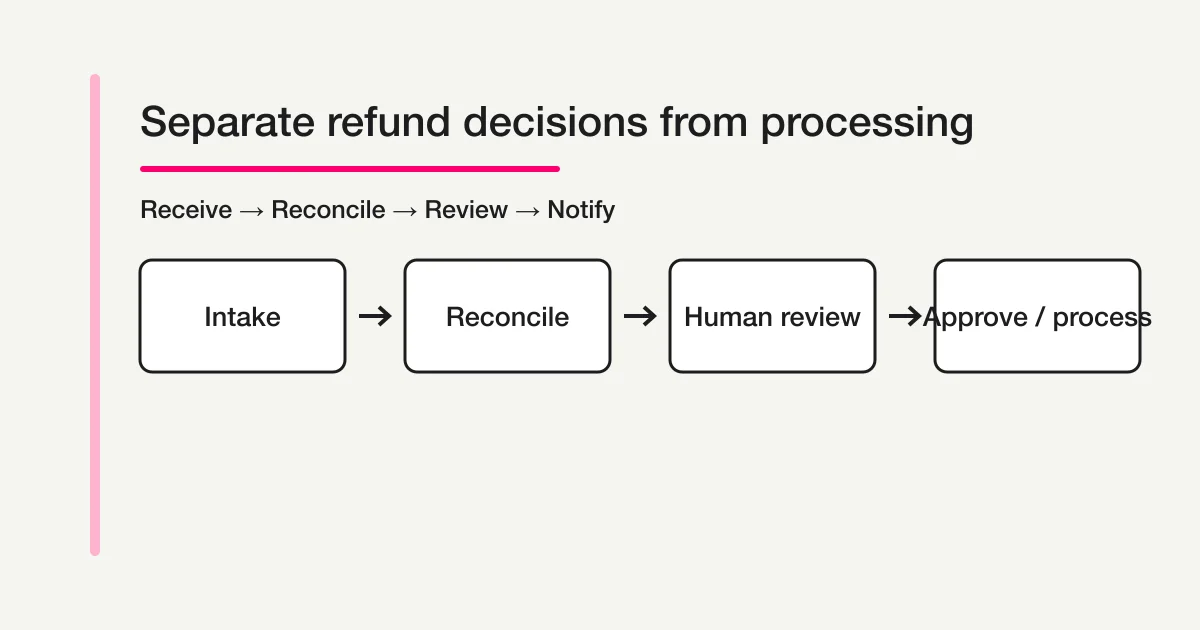
The short answer: separate intake from the actual refund
A usable refund request flow has six layers.
| Layer | What the form or workflow records | What completion means |
|---|---|---|
| Intake | Requester, contact, reason, order reference, requested amount | The request was received |
| Reconciliation | Purchase date, product or plan, payment route, transaction record | The transaction can be identified |
| Review | Policy, usage, duplicate request, supporting evidence | Someone can decide eligibility |
| Approval | Approver, approval time, approved amount, decision note | The business approved the refund |
| Processing | Payment-provider operation ID, processing date, result | The refund was actually processed |
| Notification | Acknowledgement, clarification, decision, completion message | The requester was told what happened |
Do not show “refund completed” immediately after form submission. The acknowledgement should say that the request was received and will be reviewed. It should not promise eligibility, an amount, or a bank-posting date before those facts are known.
How this differs from nearby request forms
Several forms can mention cancellations or payment, but they do not own the same job.
| The requester wants to… | Use this type of form | Boundary |
|---|---|---|
| Report a product problem or ask for help | Customer service request form | Send the case to support; switch to refund intake when transaction review and a refund decision become the work |
| Pay for an event, product, or service | Payment form | Collect money; a later refund request is a separate process |
| Change or cancel a booking | Reservation form | Receive the schedule change; do not assume the cancellation decides the refund |
| Join a queue for a released slot | Waitlist form | Handle availability; it is not a refund review |
| Ask for money to be returned | Refund request form | This article's scope |
A cancellation may be a reason for a refund, but cancellation acceptance and refund approval are not automatically the same event. Keeping them separate prevents a support agent from promising a refund before the relevant terms are checked.
Step 1: Define the policy and human decision boundary
Before opening the form builder, decide which team receives the request and where the payment operation happens.
| Decision | Example | What to verify |
|---|---|---|
| Intake channel | Dedicated form, account area, or support link | Whether every channel creates or references one request record |
| Review owner | Support, finance, or service owner | Who can approve and who can perform the provider operation |
| Eligible transactions | Product, plan, term, and usage conditions | Your own policy and sales terms |
| Amount decision | Full, partial, or no refund | The policy and accounting treatment; do not copy a generic rule |
| Additional evidence | Order record, usage record, identity check, receipt | What is genuinely needed, and who can access it |
| Processing system | Payment provider dashboard or internal system | Provider permissions, operation ID, and reconciliation |
The form description should say that the business will review the transaction and policy after submission. Avoid language such as “you will receive a refund” unless the decision has already been made by another verified process.
Step 2: Use a reason choice plus optional context
Do not make the entire reason a blank paragraph. A short choice list supports routing and reporting; an optional explanation captures the unusual details.
Why are you requesting a refund? (Required)
- I was charged more than once
- I want to cancel the order
- The product or service did not meet expectations
- A technical issue prevented use
- I need help understanding a charge
- Other

Additional context (Optional)
Tell us when the issue happened and what outcome you are requesting.
“Other” protects the record from forced misclassification. If the same reason appears in “Other” repeatedly, update the choices after reviewing real requests.
Reason is evidence for review, not a decision result. The field description should make that clear so a requester does not read a choice as an automatic eligibility guarantee.
Step 3: Collect enough transaction detail to reconcile the request
A name alone does not identify a transaction. Ask for one or more references that a reviewer can use without requesting payment secrets.
| Field | Why it matters | Design note |
|---|---|---|
| Full name | Contact and record matching | Use the name associated with the order where possible |
| Email address | Acknowledgement and result notification | Ask for the order email separately only when your process needs it |
| Order, invoice, or transaction ID | Primary reconciliation key | Show an example without forcing an arbitrary format |
| Purchase date | Separates repeated purchases | An approximate date may be useful as a secondary key |
| Product or plan | Checks the applicable policy | Use a choice list and keep “Other” when needed |
| Payment route | Identifies the provider or channel | Match the routes your business actually accepts |
| Requested amount | Records what the requester expects | Include currency and explain that the reviewed amount may differ |
Never ask for a full card number, security code, PIN, password, API key, or account credential in a refund form. A transaction identifier is a lookup key; it is not payment authentication. If stronger identity verification is required, use the method approved by your provider and security policy.
Step 4: Request evidence carefully
Screenshots, receipts, or an invoice can shorten reconciliation. They can also contain addresses, partial card details, or other personal data. Define the evidence policy before adding an upload field.
What evidence is needed?
Who can view it?
Which file types and size are reasonable?
What should the requester redact?
How long is it retained?
How is it deleted after review?
FORMLOVA file uploads depend on the plan and the form's configuration. An upload does not prove that a document is genuine and does not make the refund decision automatic. A reviewer should inspect the file alongside the request and avoid creating unnecessary copies.
Step 5: Write an acknowledgement that does not say “refunded”
The immediate message should confirm receipt and explain the next review step.
Subject: We received your refund request ({request ID})

Hello {name},

We received your refund request.
This message confirms receipt only; it does not mean that the refund has been approved or processed.

Request ID: {request ID}
Order reference: {order ID}
Reason: {reason}

We will review the transaction, our refund policy, and any supporting evidence. We will contact you if additional information is needed and will share the decision when the review is complete.
If you publish a response target, separate your internal review time from the payment provider's posting time. The provider may return a result before the customer's statement or account reflects it, so do not collapse both into one promise.
Step 6: Model work status and decision status separately
“Open” and “closed” are too broad for a refund request. The team needs to know both where the work is and what decision has been reached.
| Status | Meaning | Next action |
|---|---|---|
| Received | The request entered the queue | Check contact and order reference |
| Reconciling | The transaction is being identified | Compare order, payment, and usage records |
| Waiting for information | The requester must provide something | Send a specific question and a deadline |
| Under review | Policy and evidence are being evaluated | Record the decision basis |
| Approved | The business authorized a refund | Perform the provider operation with the right permissions |
| Declined | The request was not approved | Explain the result according to policy |
| Processing | The provider operation or confirmation is in progress | Capture the operation ID and result |
| Processed | The refund operation was confirmed | Notify the requester and reconcile the record |
| Duplicate or out of scope | Another request owns the work, or the request is not handled here | Link the record and prevent a second operation |
Approval is not processing. If one person approves and another performs the provider operation, record both roles and the operation ID. That small separation makes reconciliation and later questions much easier.
FORMLOVA can search responses and update response status using its available response-management flow, including new, in_progress, resolved, and spam. Refund-specific states such as Approved, Declined, and Processed should be represented with the available notes, tags, workflow records, or an adjoining system after checking the current configuration. Do not describe a generic response status as proof that a payment was refunded.
Step 7: Build, preview, publish, and run a controlled test submit
Before publishing, use the preview to check the display and every conditional path. An unpublished preview does not save response data, so run one controlled test submit only after publishing and then inspect the operator record.
In FORMLOVA, use this order:
- Describe the reason choices, transaction fields, amount, evidence, consent, and acknowledgement needed for the draft.
- Review required versus optional fields, privacy copy, and the access setting.
- Open the preview at a mobile width and confirm that long explanations and amounts remain readable.
- In the preview, check every conditional path, including a reason that requests evidence and the “Other” path.
- Confirm that the acknowledgement says received, not approved or refunded.
- Review the notification recipient, owner, and post-submit workflow.
- Complete the explicit final review before publishing.
- After publishing, send one controlled test submit from the public URL and confirm the response list, notification, owner record, and status.
FORMLOVA's current draft-first flow creates an unpublished form, exposes a preview for iteration, and keeps publication behind its review gate. The form can be designed with custom fields and conditional display rules. The preview must be opened and checked; a returned preview URL is not evidence that someone reviewed the copy. Publication does not perform the payment-provider refund.
Step 8: Hand off the request and prevent duplicates
After publication, define the handoff rather than notifying everyone and hoping someone acts.
Request received
  -> Reconcile order and requester
  -> Check for an existing open request
  -> Ask for missing information or start review
  -> Record approval or decline
  -> Perform and record the provider operation
  -> Notify the requester and mark processed
If the same requester submits twice, link the records and keep one owner. Deleting the second record erases the reason the duplicate existed. A clear acknowledgement with a request ID often reduces repeat submissions more effectively than a longer form.
What to review after launch
Submission count alone is not the success metric. Track where requests stop.
| Metric | Signal |
|---|---|
| Request count | Load on the refund intake |
| Unreconciled requests | Missing or confusing order fields |
| Requests waiting for information | The form or instructions may be incomplete |
| Approval and decline share | Policy clarity and product-expectation signals |
| Review-to-approval time | Internal decision queue |
| Approval-to-processed time | Provider operation or permission bottleneck |
| Duplicate requests | Missing progress visibility or acknowledgement |
| Repeat contact after notification | Result message may not explain the next fact |
Use the form record for intake counts and status history, and use the payment provider or accounting record as the source of truth for actual refunds. Do not infer processed refunds from submission count or from a generic “resolved” label.
FORMLOVA's role and the remaining systems
The safest design assigns each system a clear responsibility.
| Need | FORMLOVA can support | Still verify elsewhere |
|---|---|---|
| Build the intake | Draft, fields, required settings, consent copy | Policy-specific fields and wording |
| Ask follow-up questions | Conditional display rules and path tests | Whether every business path is covered |
| Manage responses | Search, status, notes, and tags | Approval record and accounting evidence |
| Notify the owner | Notifications and workflow configuration | On-call coverage and escalation |
| Execute the refund | Preserve the request context | Payment-provider dashboard, permissions, operation ID |
| Tell the requester | Acknowledgement, clarification, and result messages | Provider posting time and policy explanation |
FORMLOVA should not be presented as automatically approving refunds or reversing a card payment. It can organize the information and the handoff; an authorized person or approved payment process must make and record the financial decision.
Frequently asked questions
Can a refund request form automatically issue a refund?
Not by default. The form captures the request and routes it for review. Eligibility, approval, and the actual payment-provider operation remain separate steps that depend on your policy, permissions, and provider.
Should the reason be a free-text field?
Use a short required choice list with optional context. This gives the team a reportable reason without forcing every requester into a long essay. Make it clear that the choice is not an automatic approval.
Can I ask for a card number to verify the requester?
Do not collect a full card number, security code, password, or other secret in a general form. Use an order or transaction reference and follow the verification method approved by your payment provider and security policy.
Is a cancellation form enough?
Only if cancellation and refund are genuinely the same decision in your process. If cancellation triggers a policy review, keep the cancellation event and refund decision as separate records or states.
Are Received, Approved, and Processed enough statuses?
They are a useful minimum, but most teams also need reconciliation, waiting for information, under review, declined, and duplicate/out of scope. Approval is not proof that the provider operation completed.
Summary
A refund request form is a controlled intake, not a promise and not a payment-provider button.
Collect the reason, requester contact, order or transaction reference, product or plan, requested amount, and only the evidence you can responsibly review. Never collect payment secrets. Acknowledge receipt without promising a refund. Keep reconciliation, policy review, approval, processing, and notification visible as different steps.
Before publishing, use the preview to check the display and every conditional path, then confirm the owner, notification, privacy copy, and acknowledgement. After publishing, send one controlled test submit from the public URL and confirm the operator record. Use the payment provider or accounting record to prove that a refund was actually processed.
Create a refund request form draft with FORMLOVA
Related articles
- Customer Service Request Form
- Payment Form Guide
- Reservation Form Guide
- Waitlist Form Guide
- Contact Form Operations
Sources and verification
Disclosure and Verification
I checked FORMLOVA's form creation, preview, publication review, conditional-logic, response search/status, and notification implementation and specification on August 31, 2026. Verify eligibility, deadlines, fees, posting times, and provider operations against your current refund policy, sales terms, accounting process, and payment provider. This article is operational guidance, not legal or payment advice. The Rakko full export had no direct volume for the primary keyword, so no demand or difficulty figure is asserted.