
Last updated: August 13, 2026
Connecting a form to Google Sheets, a CRM, or Notion is technically simple compared with deciding what the connection means.
Should every response become a CRM contact? Which system owns the status? What happens when a field is renamed? Can a retry create a duplicate deal? Should a private support message appear in a shared Notion database? If the handoff fails, where does the response wait?
Those are workflow questions, not connector questions.
A reliable handoff defines the source record, destination purpose, field contract, eligibility rules, duplicate key, delivery state, and recovery owner before any data moves.
This guide explains that contract. For the broader response lifecycle, read the post-submit workflow guide. For attention and routing in Slack, use the Slack notification design guide.
The short answer: define four parts of every handoff
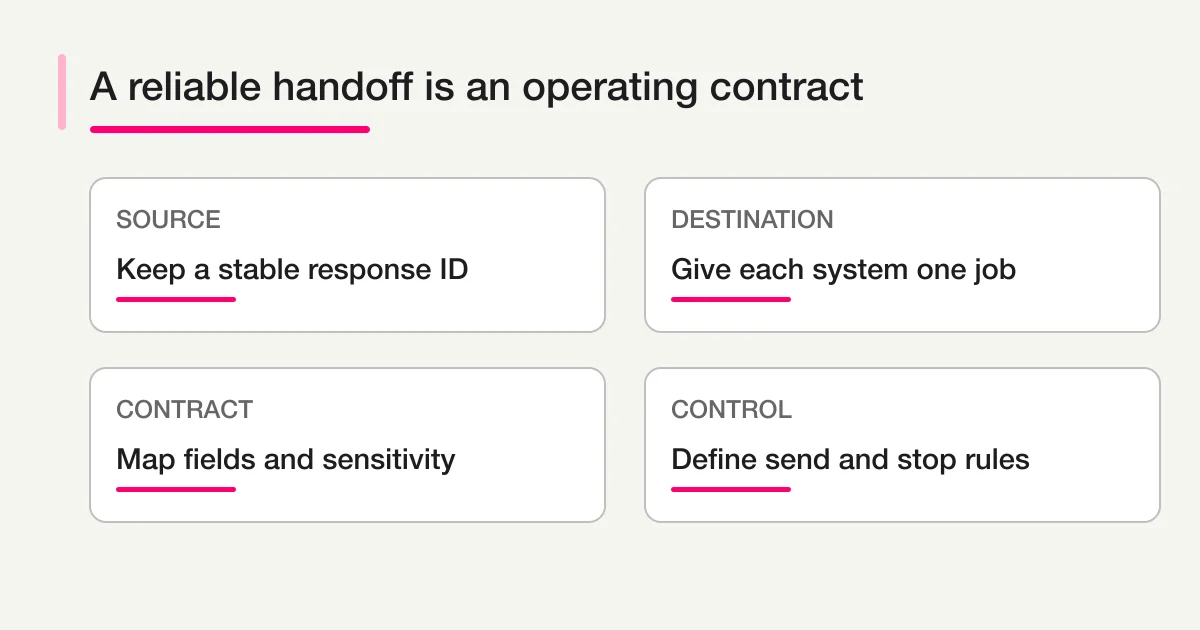
| Part | Question | Example |
|---|---|---|
| Source | Which record remains authoritative? | FORMLOVA response ID and status |
| Destination | What job does this system perform? | Sheets log, CRM sales process, Notion review queue |
| Contract | Which fields and formats cross the boundary? | Email, company, consent, summary, source ID |
| Control | When does transfer happen or stop? | Qualified only; review required if ambiguous |
If any part is missing, the integration may move data while the operation remains unclear.
Do not begin with “send everything to all three.” Begin with the job each destination must perform.
Choose the destination by its operational job
Google Sheets: a flexible log and analysis surface
Sheets works well when the team needs a familiar table, an append-style record, lightweight review, formulas, or a bridge to an existing reporting process.
Good uses include:
- A complete response log for a small operation.
- A review view with selected fields.
- Event attendance or application coordination.
- Reconciliation between the source and downstream systems.
- Temporary migration or analysis work.
Sheets becomes fragile when several people edit status, ownership, and customer details without a clear source of truth. It is easy to add a column and hard to guarantee that every automation understands the change.
CRM: qualified relationship and revenue work
A CRM should receive records that belong in a customer or prospect process.
Good uses include:
- Qualified sales inquiries.
- Known contacts with valid business identity.
- Lead source and campaign context.
- Owner assignment, lifecycle stage, and follow-up.
- Company/contact association and pipeline activity.
Do not turn every newsletter signup, support request, survey comment, event test, or sales pitch into a CRM lead. A CRM is more useful when entry conditions are deliberate.
Notion: collaborative review and contextual work
Notion works well when each response should become a page with structured properties and room for notes, decisions, or linked project context.
Good uses include:
- Editorial submissions.
- Research interviews.
- Product feedback review.
- Internal request intake.
- Qualitative case review.
Notion databases provide properties such as status, select, person, relation, date, and unique ID. That makes them useful for collaborative work, but it does not remove the need for permissions, retention rules, and an authoritative source.
Keep one authoritative response record
The original response should have a stable identity that survives every handoff.
For example:
source_system: FORMLOVA
source_form_id: form_abc123
source_response_id: res_xyz789
submitted_at: 2026-08-13T10:42:00Z
Include the source response ID in each destination. Store destination IDs back in integration state when possible.
sheets_row_key: res_xyz789
crm_contact_id: 123456
notion_page_id: 9f8e...
This allows the team to reconcile the path without relying on a person's email address or a mutable row number.
Email can help match a contact, but it is not always unique or stable. Two responses from the same person may represent different requests. Shared inboxes may represent several people. A source response ID identifies the event; a CRM contact ID identifies the relationship.
Write a data contract before mapping fields
A data contract describes the meaning, format, requirement, and sensitivity of each transferred field.
| Source field | Destination field | Type | Required | Transformation | Sensitivity |
|---|---|---|---|---|---|
| response_id | external_source_id | string | yes | none | low |
| submitted_at | intake_time | timestamp UTC | yes | normalize timezone | low |
| contact_email | conditional | lowercase, trim | personal | ||
| company_name | company | string | no | trim | business |
| message | inquiry_summary | string | no | AI summary; link to source | potentially sensitive |
| consent | marketing_consent | boolean | yes for marketing | never infer | high importance |
Treat AI-generated fields as suggestions, not original facts. Name them accordingly: ai_summary, category_suggestion, or owner_candidate. Do not overwrite the respondent's message with a model summary.
Version the contract when fields or meanings change. A renamed label in the form UI should not silently break the downstream mapping.
Design the Sheets handoff
For Google Sheets, separate a raw log from a working view when possible.
The raw log should be append-oriented and stable:
source_response_id
submitted_at_utc
form_name
email
selected_category
message
delivery_version
The working view can add formulas, filters, owner columns, or reporting fields. Protect the raw data from casual sorting, row deletion, and schema changes.
Google Sheets API documentation provides append operations for adding values after the last row of a logical table. That is a delivery mechanism, not a duplicate guarantee. Your workflow still needs an idempotency key and reconciliation method.
If a timeout occurs after the API accepted the row, a blind retry can append a duplicate. Search or maintain a key index before creating another row, or design a separate state that records confirmed delivery.
For hands-on export and Sheets operations, use the export and Sheets guide.
Design the CRM handoff
CRM entry should be based on qualification and permission.
An example gate:
send_to_crm =
  valid_contact_information
  AND consent_policy_satisfied
  AND request_type IN [pricing, demo, partnership]
  AND classification NOT IN [spam, sales_pitch, test]
If AI contributes to qualification, include an uncertainty path. A low-confidence “sales” classification should not automatically create a deal and enroll the person in a sequence.
Decide whether the workflow creates or updates:
- Contact only.
- Contact and company.
- Contact and lead.
- Deal or opportunity.
- Activity or note linked to an existing record.
These are not interchangeable. Creating a deal for every submission can damage pipeline reporting.
HubSpot's official form automation documentation describes actions that can follow a form submission inside HubSpot. When sending external form data into any CRM, verify the current API, object model, permissions, and plan requirements in that CRM's official documentation.
The hot lead routing guide covers qualification and follow-up after publication.
Design the Notion handoff
A Notion database entry should be searchable and operable without copying every raw field into the page title or body.
Useful properties include:
Title: Short request summary
Source ID: res_xyz789
Category: Product feedback
Status: To review
Owner: Product Ops
Submitted: 2026-08-13
Source URL: [restricted FORMLOVA response]
AI theme: Onboarding
Needs review: true
Keep the original response in the source system when it contains sensitive or long content. The Notion page can hold a minimum necessary excerpt, internal notes, and a protected link.
Notion's official property documentation confirms that databases can represent text, status, person, date, relation, ID, and other structured context. Those properties support workflow design, but you must still ensure the integration has access to the intended pages and not to unrelated private content.
Separate send conditions from stop conditions
Teams usually define when to send and forget when to stop.
Send conditions
- Response belongs to an approved form.
- Required fields pass validation.
- Consent supports the intended use.
- Category is eligible for the destination.
- Review has approved an uncertain classification.
- Destination connection is active.
Stop conditions
- Test, spam, or duplicate response.
- Missing or conflicting consent.
- Sensitive category not permitted in the destination.
- Field contract version is unsupported.
- Destination account or object is ambiguous.
- Integration is paused for maintenance.
- The same source response was already delivered.
Stopping should create a visible state such as blocked_policy, needs_review, or delivery_failed. It should not make the response disappear.
Make retries idempotent
Idempotency means retrying the same event does not create an additional business record.
Build an idempotency key from stable identifiers, for example:
handoff_key = destination + source_response_id + contract_version
Record each attempt:
attempted_at
destination
handoff_key
status
external_record_id
error_class
next_retry_at
Do not assume every connector provides end-to-end idempotency. The workflow must know whether a timeout happened before or after the destination accepted the request.
If the outcome is unknown, reconcile using the source ID before retrying.
Treat delivery as a state machine
pending -> delivering -> delivered
                    \-> retryable_error -> delivering
                    \-> blocked -> needs_review
                    \-> permanent_error
The response itself can remain safely stored even when downstream delivery fails. This decoupling matters: a CRM outage should not reject a valid form submission.
Define who owns each failure class:
- Authentication failure: integration administrator.
- Field validation failure: workflow owner.
- Permission failure: destination owner.
- Duplicate or ambiguous match: operations reviewer.
- Temporary service failure: automated retry, then operator.
Include a reconciliation report. It should compare eligible source responses with confirmed destination records for a period and list missing, duplicate, or mismatched items.
Human review belongs at high-ambiguity boundaries
Use review before handoff when:
- AI qualification is low confidence.
- The destination record match is ambiguous.
- The response contains sensitive personal information.
- Consent does not clearly cover the destination use.
- A new deal, case, or public-facing task would be created.
- The mapping would overwrite an existing value.
- The response requests deletion, legal review, refund, or security action.
Human review does not need to block every routine case. It should concentrate on the points where a mistaken transfer changes obligations or pollutes an important system.
Minimize data at each destination
The principle is simple: transfer what the destination needs for its job.
Slack may need a short summary and source link. Sheets may need reporting dimensions. CRM may need contact, qualification, and source. Notion may need a review title, category, owner, and internal notes.
Copying all raw answers everywhere increases exposure, deletion complexity, and inconsistency. It also makes future schema changes more expensive.
Document retention and deletion behavior. If a respondent's source record is corrected or deleted, decide which downstream copies must be updated or removed and how that action is verified.
A pre-implementation checklist
- Name the authoritative source.
- State the job of each destination.
- Define the source response ID and destination record IDs.
- Document the field contract and version.
- Mark personal and sensitive fields.
- Define qualification and consent rules.
- Separate original facts from AI suggestions.
- Define create vs update behavior.
- Choose an idempotency key.
- Define delivery states and retry policy.
- Assign owners for failure classes.
- Create a reconciliation query or report.
- Test duplicates, timeouts, revoked permissions, renamed fields, and ambiguous matches.
- Run a limited pilot before sending historical or high-volume data.
Common mistakes
Sending every response to the CRM
This inflates lead counts and mixes support, spam, surveys, and tests with genuine commercial work. Qualify first.
Treating the destination as a backup without testing recovery
A second copy is not a backup strategy unless completeness, restoration, retention, and access are verified.
Mapping by visible labels
Labels change. Use stable field identifiers and a versioned contract where the platform supports them.
Retrying blindly after a timeout
The destination may already have accepted the record. Reconcile by source ID before creating another.
Letting AI rewrite original data
Keep source answers immutable or versioned. Store summaries and categories as separate derived fields.
Declaring success after the API call
Verify the destination record, stored external ID, field values, and delivery state. A successful request log alone is incomplete evidence.
Final takeaway
A form integration is a data handoff with an operational contract.
Use Sheets for flexible logs and analysis, a CRM for qualified relationship work, and Notion for collaborative context. Keep a stable source response ID. Define field meanings and sensitivity. Send only eligible records. Make retries idempotent. Preserve failure state and reconcile outcomes.
The goal is not to make data appear in more places. It is to move the right context into the system where a specific next action happens, without losing ownership of the original response.
To design the wider automation, return to the form automation guide. To combine attention and logging, explore the Slack and Sheets workflow. You can also start with FORMLOVA or review the MCP setup guide.
Disclosure and Verification
- This is a FORMLOVA first-party workflow design guide. Destination behavior and plan availability can change.
- I reviewed the official Google Sheets API values append documentation for the current append operation.
- I reviewed HubSpot's official form automation documentation for current form-submission automation concepts.
- I reviewed Notion's official database property documentation for current structured property types.
- Verify current authentication, scopes, limits, object models, retention, and privacy controls in each destination before implementation.