
Last updated: August 13, 2026
Form responses rarely arrive as clean research data. They arrive as pricing questions, booking changes, job applications, event notes, support requests, ratings, and long free-text explanations. The problem is not merely storing them. It is deciding what deserves attention and what should happen next.
To chat with form responses is to ask a defined operational question of submission data, receive a structured answer, and keep the underlying records connected to status, owner, and follow-up action.
That is response intelligence. It is broader than making a survey summary and more concrete than asking an AI model to “find insights.” The useful output is not a polished paragraph. It is a short, reviewable set of themes, exceptions, owners, and next actions.
FORMLOVA is a chat-first form service. Its MCP server currently exposes 138 tools across 24 categories. The model runs in the AI client you choose; FORMLOVA does not silently send every response to a server-side LLM for general analysis. That boundary matters: the client session performs the reasoning, while FORMLOVA remains the source of response records and operational state.
The Five Questions Worth Asking First
Start with questions that change work.
| Question | What it reveals | Operational output |
|---|---|---|
| What is increasing? | Repeated categories or new themes | A trend to investigate |
| What is urgent? | Deadlines, strong dissatisfaction, service impact | A prioritized review queue |
| What is unhandled? | New records, missing owners, stale work | An assignment or escalation |
| What should be excluded? | Tests, duplicates, sales pitches, obvious spam | Cleaner reporting with an audit trail |
| What should change? | Repeated confusion or friction | A form, FAQ, process, or product improvement |
“Summarize these responses” is not wrong, but it collapses all five jobs into one vague request. Instead, state the population, time window, fields, decision rule, and output format.
Review submissions received from August 1 through August 7.
Group them by form type and operational category.
List urgent and unhandled records separately.
Do not infer an owner when the evidence is weak; mark those needs_review.
Return counts, response IDs, reasons, and suggested next actions.
Do not send messages or change statuses.
The response ID is essential. Without it, a useful-sounding observation cannot be traced back to the record that needs action.
Response Intelligence Is Not the Same as Survey Analysis
Survey analysis asks what a respondent population thinks. Response intelligence asks what a team needs to know or do across every kind of form submission.
| Submission type | Useful AI question | Human decision |
|---|---|---|
| Survey | Which themes explain low scores? | Whether the sample supports a conclusion |
| Contact inquiry | What category and priority does this appear to have? | Who owns it and how to reply |
| Booking | Which changes affect the next operating window? | Whether the request can be accepted |
| Job application | Which required facts need verification? | Any employment decision |
| Event registration | Which questions affect event operations? | How the organizer responds |
For a survey-only workflow, use Survey Analysis AI. For customer feedback across surveys, support, and inquiries, use Voice of Customer Analysis with AI. This article stays with the middle layer: asking operational questions of response records.
Prepare the Records Before You Ask the Model
An AI model can summarize an unstructured message column, but it cannot reliably reconstruct missing operational context. A useful response dataset usually includes:
response_id
submitted_at
form_name
response_type
category
message
score
status
owner
first_response_due_at
last_activity_at
followup_permission
exclusion_label
You do not need every field on every form. You do need enough to separate content from workflow.
messagesays what the respondent wrote.statussays where the work is.ownersays who is accountable.first_response_due_atsays when attention is required.followup_permissionconstrains what the team may do next.exclusion_labelprevents tests or sales pitches from quietly distorting totals.
If status design is the immediate gap, read Form Response Status Management. If you first need to choose the metrics and dimensions, use Form Analysis.
Use Structured Answers, Not Narrative Confidence
Ask for a table or JSON-like structure with a controlled vocabulary. This makes uncertainty visible.
For each response, return:
- response_id
- category: billing | product | support | recruiting | sales_pitch | other
- priority: high | normal | low | needs_review
- reason: one sentence grounded in the response
- owner_candidate: sales | support | recruiting | admin | unknown
- next_action_candidate
- confidence: high | medium | low

Rules:
- Never invent a missing deadline or owner.
- Use needs_review when two categories are plausible.
- Do not quote personal contact information.
- Do not send, delete, exclude, or update anything.
The confidence label is not a calibrated probability. It is a routing aid. The important behavior is that ambiguous records remain visible instead of being forced into a clean category.
Find Exceptions Before You Build a Trend Report
Averages hide the response that matters most. Run an exception pass before summarizing the whole period.
Look for:
- a deadline or event date that is close;
- strong dissatisfaction or cancellation language;
- a low rating with permission to follow up;
- a high-priority response with no owner;
- a new response that has exceeded the first-response target;
- a repeated question that signals unclear form or product copy;
- an apparent sales pitch or test submission affecting normal counts.
The output should distinguish evidence from inference.
| Field | Good output |
|---|---|
| Evidence | “The message says the event begins tomorrow.” |
| Inference | “Likely time-sensitive.” |
| Missing fact | “No owner is recorded.” |
| Candidate action | “Ask the event coordinator to review.” |
This format makes a human review fast. It also prevents an AI-generated priority label from becoming an unexplained fact.
Turn the Answer Into an Accountable Queue
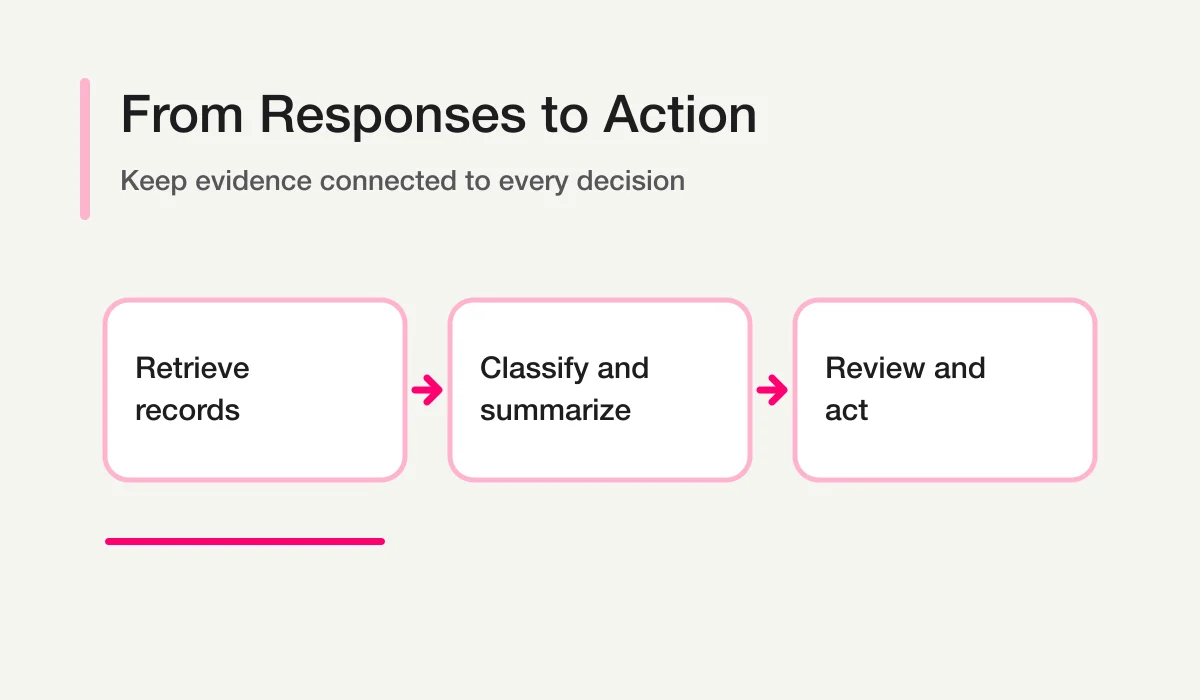
Analysis and execution are separate stages. A safe sequence is:
- Retrieve the intended response set.
- Classify, summarize, or rank it in the AI client.
- Review uncertain and high-impact items.
- Assign an owner or update status in the system of record.
- Notify the right channel only when the rule requires it.
- Recheck the queue and confirm that the record changed.
Do not treat a Slack message as a status update. A notification proves that a message was sent to a channel, not that someone accepted ownership or completed the work. Likewise, a row in Sheets is not automatically the source of truth unless your team has explicitly designed it that way.
For free-text inquiry routing, continue to AI Inquiry Classification. For overdue and unowned work, use Unhandled Form Responses. For the shared monitoring surface, use Form Submission Dashboard.
Protect Privacy and Preserve Human Review
Form responses can include names, email addresses, phone numbers, health details, employment information, or confidential business context. Before sending data to any AI client, follow your organization’s approved data-handling policy and the client’s current controls.
At minimum:
- retrieve only the fields and time range needed for the question;
- avoid repeating contact details in summaries;
- use response IDs for traceability;
- separate analysis from send, delete, exclude, and status-change actions;
- require a person to review high-impact decisions;
- keep ambiguous items in a
needs_reviewstate; - record the final status in the operational source of truth.
AI can reduce reading time. It cannot own consent, legal judgment, hiring decisions, refunds, or promises made to a respondent.
A Weekly Response-Intelligence Routine
A practical weekly routine can stay small.
Scope: submissions received in the last seven days

1. Count by form and category.
2. List unhandled and unowned responses.
3. Extract low ratings and urgent language.
4. Group free text into at most five emerging themes.
5. Identify likely tests, duplicates, or sales pitches separately.
6. Propose three next actions, each with an owner role.
7. List data limitations and items requiring human review.
The resulting report should be short enough to discuss in ten minutes. If the report is long, link back to the underlying queue rather than copying every message into the meeting document.
FORMLOVA’s AI Response Report workflow is designed for this pattern. It gives the AI client a repeatable route from response retrieval to a reviewable report. Start with one form and one recurring question. Add automation only after the team agrees on categories, statuses, and ownership.
For the wider post-submit architecture around notifications, exports, email, and operational workflows, use the FORMLOVA Form Automation Guide.
Common Failure Modes
| Failure | Why it fails | Better design |
|---|---|---|
| “Analyze everything” | Scope and decision are undefined | Specify form, dates, fields, and output |
| Summary without IDs | Findings cannot be traced | Return response IDs with every exception |
| Sentiment equals priority | Negative tone is not always urgent | Combine content, deadline, impact, and status |
| AI assigns owners automatically | Ambiguous routing becomes hidden | Produce an owner candidate and review it |
| Notification equals completion | Work can remain untouched | Update status in the source of truth |
| AI excludes records silently | Valid inquiries may disappear | Use labels and a reviewable exclusion queue |
Conclusion
Chatting with form responses is useful when each question leads to a verifiable next step. Define the response set, preserve IDs, separate facts from inferences, expose uncertainty, and keep status and ownership in the operational record.
The goal is not to make the model sound insightful. The goal is to help a team find what changed, what is at risk, who needs to act, and what evidence supports that decision.
To try the workflow on a real form, start with FORMLOVA and connect your preferred AI client through the setup guide.
Disclosure and Verification
- Product facts and tool counts were checked against FORMLOVA’s local SPEC and response-tool implementation on August 13, 2026.
- Typeform Smart Insights and SurveyMonkey analysis were reviewed for current English market vocabulary such as summaries, topic detection, sentiment, filters, and dashboards.
- Third-party features, limits, and plans can change. This guide does not depend on them for the FORMLOVA workflow described above.