
Last updated: August 13, 2026
A missed form submission is rarely caused by a complete absence of notifications. More often, everyone saw the message, nobody accepted ownership, and the record never moved into an accountable state.
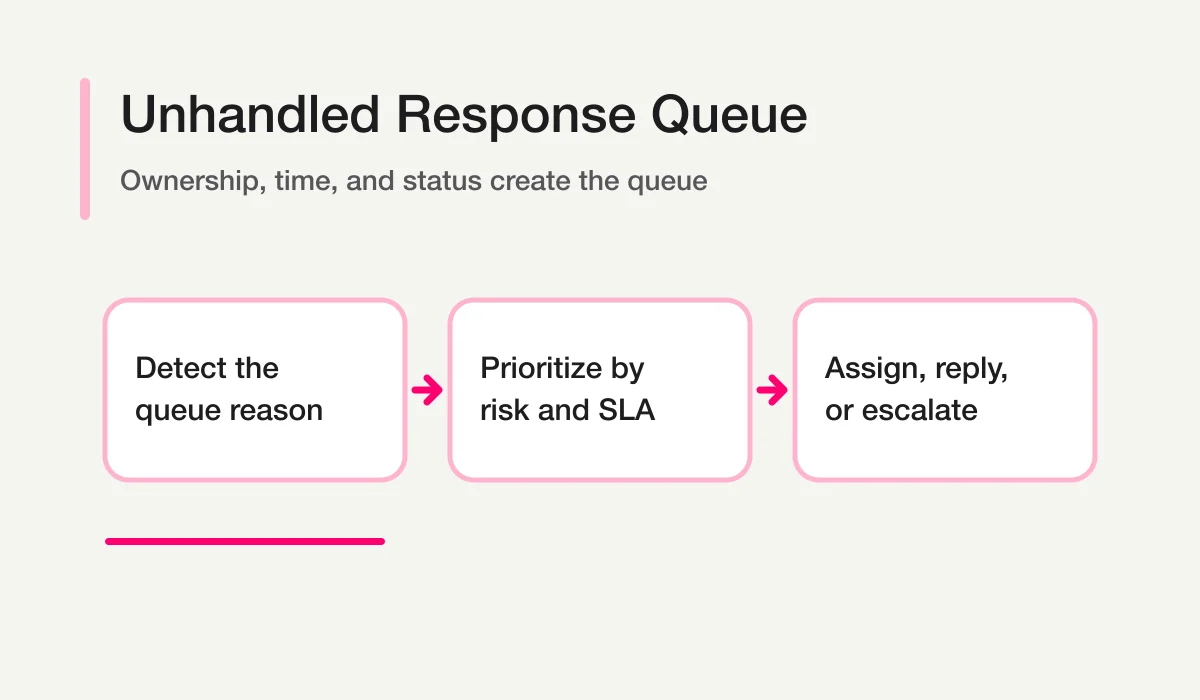
“Unhandled” is not a single status. It is a queue condition produced by missing ownership, missing activity, or a deadline breach.
This distinction matters. If you create one unhandled checkbox, you cannot tell whether the response is new, assigned but untouched, waiting on the respondent, or already resolved elsewhere.
The owner, priority, due-time, activity, and SLA-style fields in this guide are an operational model, not a claim that FORMLOVA exposes them all as native response columns. Store the additional values in a linked Sheets/CRM/Notion ledger, form fields created for the workflow, or a documented notes/tags convention. Use the FORMLOVA response ID and native response status to reconcile the two layers.
Define Unhandled as a Set of Conditions
A response should enter an attention queue when one or more conditions are true:
status is new
owner is empty while status is open
first_response_due_at has passed without a human response
last_activity_at is older than the allowed idle window
next_review_at has passed while status is waiting
priority is high while status is not done or excluded
The queue reason should be stored or computed explicitly. “Overdue” without a due timestamp is not auditable.
Use a Small Status Model
Start with a shared model such as:
| Status | Meaning | Can appear in attention queue? |
|---|---|---|
| New | Received, not yet accepted | Yes |
| Assigned | Owner accepted responsibility | Yes, if untouched or overdue |
| In progress | Work has started | Yes, if stale or overdue |
| Waiting | Blocked on respondent or another party | Yes, after next review date |
| Done | Required work is complete | No |
| Excluded | Test, duplicate, confirmed sales pitch, or other defined exclusion | No, but remains auditable |
Do not add statuses for every temporary detail. Keep the main state small and use fields such as waiting_on, next_review_at, priority, and exclusion_reason for context.
The canonical state design is covered in Form Response Status Management. This guide focuses on the attention rules built on top of those states.
Record Ownership and Time Separately
The minimum conceptual fields for that linked operating layer are:
response_id
submitted_at
status
owner
priority
first_response_due_at
first_human_response_at
last_activity_at
next_review_at
resolved_at
queue_reason
Ownership and SLA are independent. A response can be assigned and still overdue. It can receive a fast acknowledgment and remain unresolved. It can be waiting correctly and still need a review tomorrow.
Avoid using email read receipts, Slack reactions, or dashboard views as ownership. A person viewing a message does not prove that they accepted the work.
Define the First-Response Target Precisely
An SLA is meaningful only when the clock is defined.
Decide:
- whether the target is internal or contractual;
- which form types and priorities it covers;
- which timezone applies;
- whether business hours, weekends, and holidays pause the clock;
- whether an automated acknowledgment counts;
- what event stops the first-response clock;
- what happens when the target is breached.
For most inquiry operations, distinguish:
acknowledgment_at
first_human_response_at
resolved_at
An automatic acknowledgment reassures the sender that the form worked. It does not prove that a person understood or acted on the request.
Prioritize the Queue by Risk, Not Age Alone
Oldest-first is simple but incomplete. A practical queue order combines:
- high-impact overdue responses;
- high-priority unassigned responses;
- deadlines within the current operating window;
- normal overdue responses;
- waiting responses whose review date passed;
- new normal responses;
- uncertain records requiring classification review.
Always show the reason next to the priority.
Response: rsp_1234
Queue reason: first response overdue by 2h 15m
Priority: high
Evidence: respondent reports checkout unavailable for multiple users
Owner: unassigned
Next action candidate: support lead review
AI can help summarize the evidence, but the timestamps and state should come from the operational record.
Build Reminders in Stages
A useful reminder system escalates gradually.
| Stage | Trigger | Action |
|---|---|---|
| Assignment reminder | New response remains unassigned | Notify the triage channel |
| Due-soon reminder | Target is approaching | Notify the owner |
| Breach alert | First-response target passes | Notify owner and escalation role |
| Stale-work reminder | No activity within the idle window | Ask for status review |
| Waiting review | next_review_at passes | Return the item to the queue |
Do not notify the whole organization at every stage. Alert fatigue recreates the original problem. The escalation recipient and channel should reflect the risk.
The Unhandled Response Follow-up workflow supports the basic pattern. The Inquiry Unanswered Digest is useful when a scheduled digest is more appropriate than constant alerts.
Separate Notification, Assignment, Reply, and Completion
These four events are different:
- Notification: a message was delivered to a channel or inbox.
- Assignment: a person or role accepted responsibility.
- Reply: a response was sent to the respondent.
- Completion: the required operational work is finished.
A reply may ask for more information, moving the record to waiting rather than done. A task can be completed internally without sending a reply if the form did not require one. Keep the state transition aligned with the real work.
For notification design, use Form Response Slack Notifications. For the broader inquiry system, use Inquiry Management From a Contact Form.
The parent Contact Form Operations Guide shows where this queue fits in the complete intake-to-follow-up process.
Use AI to Rank and Summarize, Not to Close
An AI client can help answer:
- Which overdue responses appear most time-sensitive?
- Which new messages have no obvious owner?
- Which waiting records need a review now?
- Which queue items may be tests or sales pitches?
- What recurring cause is producing SLA breaches?
Use a constrained prompt:
Review only the open response set provided.
Return response_id, queue_reason, evidence, owner_candidate,
and next_action_candidate.
Do not change status, assign an owner, send a reply, or exclude a record.
Use needs_review when the evidence is ambiguous.
Then record confirmed actions in the response system. The conversation is not the durable queue. For the broader pattern, see Chat With Form Responses.
Review the Queue Daily and the Process Weekly
Daily review answers “what needs action now?”
- Check high-priority overdue items.
- Assign new unowned items.
- Review due-soon deadlines.
- Return expired waiting items to active review.
- Confirm that completed work is marked done.
Weekly review answers “why does work become unhandled?”
- Which categories breach the target most often?
- Are owner rules incomplete?
- Do alerts arrive in the wrong channel?
- Is the response target realistic?
- Are people using waiting without a next review date?
- Are tests or sales pitches polluting the queue?
The Form Submissions Dashboard shows how to keep these views together without turning the raw response table into the dashboard.
Report SLA Performance Without Hiding the Queue
Use both flow and stock measures.
- Flow: responses received, first responded to, and resolved during the period.
- Stock: responses still open, unassigned, overdue, or waiting at the end of the period.
A team can improve average first-response time while an old backlog grows. Report the median together with a high percentile or threshold-breach count, because a small set of very late responses matters operationally. State whether excluded records and automated acknowledgments are included.
Window: August 3-9, UTC
Legitimate responses received: 84
First human responses completed: 79
Median first human response: 2h 18m
Responses beyond the 8-hour operating target: 7
Open at period end: 13
Unassigned at period end: 3
Oldest open response: 31h
Do not present a percentage without its numerator and denominator. If business-hour calculation depends on a calendar that has not been implemented, report elapsed time honestly instead of approximating compliance. An operating target should make missed work visible, not make the report look favorable.
Keep the same definitions across periods so that improvement reflects operations rather than a changed formula.
Common Failure Modes
| Failure | What happens | Better design |
|---|---|---|
One handled checkbox | Waiting and resolved work become indistinguishable | Use small states plus dates |
| Auto-reply stops the clock | Human misses look compliant | Track first human response separately |
| Assignment inferred from notification | Nobody owns the work | Require an owner field or acceptance step |
| Waiting has no review date | Work disappears indefinitely | Require next_review_at |
| Every alert goes to everyone | Alerts are ignored | Escalate by stage and risk |
| AI can mark done | False completion enters the record | Reserve closure for confirmed action |
How FORMLOVA Fits
FORMLOVA connects response search, native status management, owner-oriented workflow recipes, summaries, and live monitoring. The recipes can help run an ownership process, but owner and SLA values still need the explicit external ledger, purpose-built response fields, or notes/tags convention described above. Through MCP, a user can ask an AI client to find and summarize the relevant response set, then take explicit approved actions against the underlying record.
Start small:
- Define new, assigned, in progress, waiting, done, and excluded.
- Add owner and first-response target to the linked operating layer or documented field/notes/tags convention.
- Build the unassigned and overdue views.
- Add a scheduled digest.
- Add escalation only after reviewing false alerts.
- Measure breaches and corrected workflow causes.
To implement the queue on a real form, start with FORMLOVA.
Disclosure and Verification
- Status, response-management, and workflow statements were checked against FORMLOVA’s local SPEC and implementation on August 13, 2026.
- “SLA” in this guide describes an operating target. It is not legal advice and does not define a contractual service commitment.