
Last updated: August 13, 2026
If you paste form responses into ChatGPT and ask it to “analyze this,” the output will usually sound reasonable and remain hard to use. The prompt has not defined the population, columns, decision, output, or review boundary.
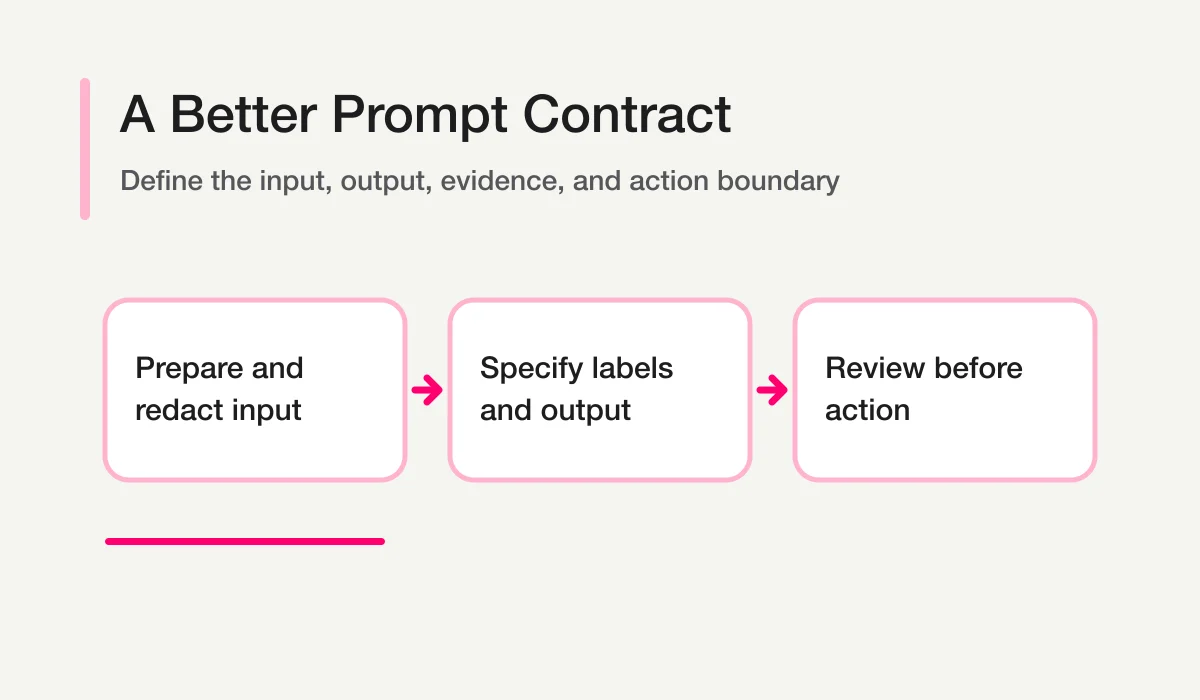
A useful form-response prompt is a small analysis contract: it names the input, labels, rules, output schema, prohibited actions, and evidence required for every conclusion.
The templates below work for inquiries, surveys, bookings, applications, and event forms. Adapt the fields and vocabulary to your operation. Do not paste personal or confidential data into any AI service unless that use is permitted by your organization and the service configuration you are using.
Prepare the Input First
Use the smallest relevant dataset. A practical structure is:
response_id
submitted_at
form_type
category
score
message
status
owner
first_response_due_at
followup_permission
source
Explain the columns in the prompt. Preserve response IDs, because analysis without traceability cannot drive work.
Before sending the data:
- remove columns the task does not require;
- mask names, email addresses, phone numbers, and other direct identifiers where possible;
- replace account or company details with controlled labels;
- define the date range and timezone;
- state how tests, duplicates, and sales pitches are represented;
- keep the original response in the authorized source of truth.
Use This Reusable Guardrail Block
Add this block to the end of each prompt.
Guardrails:
- Use only the supplied records and field definitions.
- Preserve response_id in every record-level output.
- Do not expose names, email addresses, phone numbers, or other contact details.
- Do not invent a missing owner, deadline, score, or outcome.
- Use needs_review when evidence is ambiguous.
- Separate observed facts from inferences.
- Do not send messages, assign owners, change status, delete, or exclude records.
- Do not generalize from a small sample without stating the limitation.
This does not replace your organization’s privacy or review process. It makes the intended model behavior explicit.
Prompt 1: Create a First-Pass Summary
Use this prompt to understand the dataset before asking narrower questions.
You are assisting with form response analysis.

Scope:
- Form type: [contact / booking / application / event / survey]
- Date range: [start] through [end]
- Timezone: [timezone]

Column definitions:
- response_id: stable identifier
- category: respondent-selected category
- score: optional rating
- message: free-text response
- status: new, assigned, in_progress, waiting, done, or excluded
- owner: current accountable role or person; may be empty

Return:
1. A three-sentence summary of the response set.
2. Up to five major categories or themes with counts.
3. Urgent, low-score, or unhandled records in a separate table.
4. Potential tests, duplicates, or sales pitches in a review table.
5. Three questions a person should investigate next.
6. Data limitations.

[Add the reusable guardrail block.]
Use the output as an index, not a final report. Review exceptions and definitions before accepting trend language.
Prompt 2: Classify Open-Ended Responses Into Themes
Classify the supplied open-ended responses into a maximum of seven themes.

Requirements:
- Define each theme in one sentence.
- Assign one primary theme and optional secondary theme per response.
- Keep uncommon but high-impact responses visible.
- Do not create an “Other” theme larger than any named theme without explaining why.
- Return a crosswalk table: response_id, primary_theme, secondary_theme,
  evidence_summary, confidence, needs_review.
- Return a theme summary: theme, count, share, representative meaning,
  possible next action.
- Paraphrase examples; do not quote personal details.

[Add the reusable guardrail block.]
Theme counts are descriptive. They do not establish statistical significance or explain cause. For survey-specific interpretation, use Survey Analysis AI.
Prompt 3: Find Low Scores and Follow-Up Candidates
Review the supplied responses for low-score or follow-up candidates.

Candidate rules:
- score is [threshold] or lower; or
- message describes strong dissatisfaction, cancellation, inability to use the service,
  an approaching deadline, or a request for contact; and
- followup_permission permits contact, when that field is required.

Return:
| response_id | trigger | evidence | status | owner | contact_allowed |
| priority_candidate | human_check | next_action_candidate |

Rules:
- A low score does not automatically authorize contact.
- Do not draft or send a response.
- Put unclear consent or meaning in needs_review.
- State the number of records reviewed and selected.

[Add the reusable guardrail block.]
This prompt determines reading order. It does not decide refunds, remediation, or the substance of a reply.
Prompt 4: Classify Inquiry Text
Classify each contact-form inquiry.

Allowed values:
- category: sales | billing | support | recruiting | press | other
- priority: high | normal | low | needs_review
- owner_candidate: sales | finance | support | recruiting | communications | unknown
- message_type: legitimate | sales_pitch | spam | test | needs_review

Return:
response_id, category, priority, owner_candidate, message_type,
evidence_summary, confidence, next_action_candidate.

Do not treat promotional language as proof of spam.
Do not infer urgency from tone alone.
Do not assign a named person or take an action.

[Add the reusable guardrail block.]
For production label design and evaluation, continue to AI Inquiry Classification.
Prompt 5: Build an Unhandled-Response Queue
Create a review queue from the supplied open responses.

Queue conditions:
- status is new; or
- owner is empty and status is open; or
- first_response_due_at has passed without first_human_response_at; or
- next_review_at has passed for a waiting response; or
- priority is high and status is not done or excluded.

Order:
1. high-priority overdue
2. high-priority unassigned
3. due within the current operating window
4. normal overdue
5. waiting review overdue
6. remaining new responses

Return:
response_id, queue_reason, deadline, elapsed_time, owner,
evidence_summary, next_action_candidate, needs_review.

Use timestamps from the data; do not calculate business hours unless a calendar rule is supplied.

[Add the reusable guardrail block.]
The status and SLA model behind this prompt is explained in Unhandled Form Responses.
Prompt 6: Analyze a Large CSV in Batches
Do not ask one prompt to solve every analytical job over a large file. First create a manifest and batch plan.
Inspect the CSV schema and propose a batching plan without performing the final analysis.

Return:
1. row count and column list;
2. missing-value summary for analysis fields;
3. proposed batches by date, form, or segment;
4. exception batches for low scores, unhandled work, and free text;
5. fields to remove or mask before analysis;
6. a stable output schema that can be merged across batches.

Do not infer missing values. Do not include personal data examples.
For each batch, reuse the same labels and schema. Then run a synthesis prompt:
Merge these batch summaries.
Do not add batch percentages directly; recompute from supplied counts.
Identify themes that appear across batches and themes limited to one segment.
Preserve all limitations and review flags.
Return reconciled totals before conclusions.
Prompt 7: Draft a Short Internal Report
Convert the validated analysis into a one-page internal report.

Audience: [team or role]
Decision: [what the audience must decide]

Structure:
1. Scope and definitions
2. Three-line conclusion
3. Intake and operational health metrics
4. Important exceptions, with response IDs
5. Major themes and supporting counts
6. Up to three recommended actions, each with owner role and review date
7. Limitations and unresolved questions

Do not claim causality or confirmed downstream conversion unless the supplied
data includes a reconciled identifier and the method is stated.
Do not include personal contact details.
The framework for choosing report metrics is in Form Analysis.
Prompt 8: Draft a Reply Without Sending It
Response analysis and response sending must remain separate.
Draft a reply to the supplied response.

Requirements:
- Do not send it.
- Use [VERIFY] for facts, dates, prices, promises, or policies that need confirmation.
- Do not repeat personal details unless required for clarity.
- Do not promise an outcome that is not present in the approved facts.
- Match the requested tone: [tone].
- End with a checklist of facts a person must confirm before sending.
Human review is essential for complaints, refunds, contracts, hiring, security, health, legal, or financial matters.
Improve Weak Outputs Systematically
If the answer is generic, do not merely ask the model to “be more specific.” Diagnose the missing contract.
| Weak output | Likely missing element | Fix |
|---|---|---|
| Broad summary | Decision and scope | State audience, dates, and decision |
| Unstable categories | Controlled vocabulary | Define allowed labels |
| Unsupported priority | Evidence rule | Require trigger and response ID |
| Invented owner | Unknown state | Allow unknown and needs_review |
| Personal data in report | Output restriction | Require redaction and IDs |
| False trend | Sample limitation | Require counts, denominator, and caveat |
The most reliable prompt improvements are explicit instructions, examples of the desired output shape, and a clear separation between analysis and actions. See OpenAI’s current official prompt engineering guidance for general prompting principles; verify the current product documentation for the exact model and interface you use.
Use FORMLOVA When the Prompt Becomes a Routine
Copy-and-paste analysis is useful for one-off work. It becomes fragile when the same CSV preparation, field definitions, redaction, labels, and report format must be repeated every week.
FORMLOVA connects response retrieval and operational state to a user-controlled AI client through MCP. The model reasons in that client session; FORMLOVA does not need a hidden server-side general-analysis step. Reusable routes include the AI Response Report, Open-Text Theme Report, and Inquiry Weekly Status Report.
For the operating model behind all of these prompts, read Chat With Form Responses. To try them against a managed response set, start with FORMLOVA and use the setup guide.
For the broader system around response notifications, exports, reports, and follow-up, continue to the FORMLOVA Form Automation Guide.
Disclosure and Verification
- FORMLOVA product and MCP statements were checked against the local SPEC and implementation on August 13, 2026.
- General prompt-design terminology was checked against OpenAI’s official prompt engineering documentation. This article intentionally makes no claim about current ChatGPT plans, file limits, retention settings, or UI availability.