
Last updated: August 13, 2026
AI inquiry response automation should not begin with automatic replies.
An inquiry may involve pricing, support, security, refunds, employment, personal data, legal questions, media requests, sales pitches, or an angry customer. A fluent draft can still contain an incorrect promise, expose information, or send the case to the wrong team.
The safer starting point is the work before sending:
- Read and summarize the inquiry.
- Extract facts and missing information.
- Propose a category, priority, and owner.
- Draft a response grounded in approved information.
- Route sensitive or uncertain cases to review.
- Return unattended inquiries to the queue.
AI should reduce the cost of understanding and preparing a response. A responsible person should retain authority over consequential communication.
This guide explains the full operating loop. For the parent map of contact operations, start with the contact form operations guide. For organization-wide adoption, read AI process improvement.
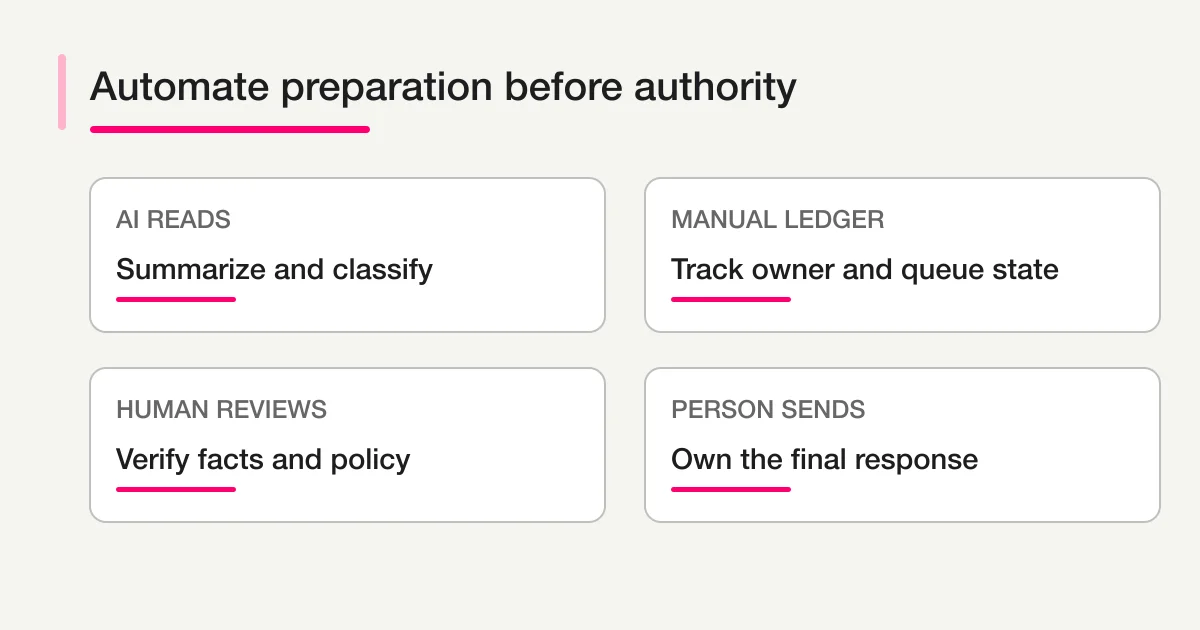
The short answer: automate preparation before authority
| Stage | AI can assist | Human or policy control |
|---|---|---|
| Intake | Summarize free text, extract entities | Required fields, consent, identity |
| Triage | Suggest category, urgency, owner | Final sensitive classification, exclusion |
| Reply | Draft structure and questions | Facts, commitments, tone, sending |
| Routing | Recommend team and escalation | Accepted owner, protected channels |
| Follow-up | Identify stalled cases | Decide next contact and closure |
| Learning | Group themes and failure reasons | Choose process or product changes |
The boundary is not “AI writes, humans watch.” Each stage needs a state, evidence, and permitted action.
Build a triage record before a reply
A useful triage output is structured.
{
  "summary": "Existing customer cannot access a form after changing team permissions.",
  "category_suggestion": "support_access",
  "priority_suggestion": "high",
  "owner_candidate": "support",
  "facts": ["existing customer", "permission change occurred today"],
  "missing_information": ["form URL", "affected user email"],
  "sensitive": true,
  "needs_review": true,
  "evidence": ["The form now shows access denied for our coordinator."]
}
Keep the original inquiry alongside this output. The summary is a navigation aid, not a replacement for the source.
Do not ask the model to invent a category taxonomy for each inquiry. Define a small list that matches real ownership, such as:
pricing
product_question
technical_support
billing
privacy_security
partnership
media
recruiting
sales_pitch
other
needs_review
The taxonomy should route work. If two labels always go to the same team and use the same process, consider whether the distinction is useful.
The AI inquiry classification guide goes deeper into label design and evidence.
Use deterministic signals before AI judgment
Some routing facts do not require AI:
- The respondent selected “Billing.”
- The form is a partner application form.
- The score is below a defined threshold.
- A required consent box is not checked.
- The requester chose an urgent deadline.
- The organization domain matches an existing customer.
Use those facts directly. Ask AI to interpret the remaining ambiguity.
For example, a selected “Other” category plus a long message may need classification. A selected “Privacy request” should route to the approved privacy process even if the model thinks it looks like support.
Policy should override model convenience.
Separate owner candidate from accepted owner
An AI suggestion such as support or sales engineering is useful. It is not proof that a person accepted the case.
FORMLOVA's native response status is limited to new, in_progress, resolved, and spam; it also supports notes, tags, and spam_label for response context. The ownership fields below are therefore a general operating model. Store them in a linked external ledger or another documented custom layer keyed by the FORMLOVA response ID, rather than assuming they are native FORMLOVA columns.
Track:
owner_candidate
owner_candidate_reason
owner
assigned_at
accepted_at
The custom operating layer can progress:
new -> triaged -> assigned -> in_progress -> waiting_customer -> done
                 \-> needs_review
This makes unattended work visible. Map that custom layer back to FORMLOVA's native status deliberately—for example, keep a newly received case as new, move work that has genuinely started to in_progress, and use resolved or spam only after the corresponding outcome is confirmed. A case with an excellent summary but no accepted owner is still unhandled.
FORMLOVA's inquiry owner assignment workflow provides an operating pattern for making that step explicit; it does not add native owner, assigned_at, or accepted_at response columns.
Draft replies from approved facts
The reply-drafting step should receive a controlled context package:
- Original inquiry.
- Verified customer and product facts.
- Approved response policy.
- Relevant knowledge-base excerpt.
- Missing questions to ask.
- Tone and language requirement.
- Statements the model must not make.
Ask for a draft and a verification checklist separately.
Draft:
Thank you for reporting the access issue...

Reviewer checks:
- Confirm the affected form URL.
- Confirm whether the permission change is visible in the audit history.
- Do not promise a restoration time until engineering confirms scope.
This is safer than a prompt that says “reply helpfully.” The reviewer can see which facts need confirmation before sending.
Decide which messages may be automatic
Not all outbound messages carry the same risk.
Usually suitable for deterministic automation
- Receipt confirmation.
- Expected response window.
- Copy of the submitted data when appropriate.
- Link to a known next step.
- Request ID.
These messages should use approved templates and should not pretend that the inquiry has been understood or resolved.
Better as AI drafts with approval
- Product or troubleshooting guidance.
- Pricing explanations.
- Requests for missing context.
- Complaint responses.
- Personalized follow-up.
- Messages referencing account history.
Require specialized review or a separate process
- Legal claims or threats.
- Privacy rights requests.
- Security incidents.
- Refund and contractual commitments.
- Employment decisions.
- Medical or financial advice.
- Any message that changes access, billing, or rights.
The workflow should classify these cases before the draft stage and restrict which context and actions are available.
Human review needs a concrete checklist
“Please review” is not enough. Reviewers should confirm:
- The recipient and identity are correct.
- The category and owner are appropriate.
- The draft answers the actual question.
- Every factual claim is supported.
- No confidential internal context appears.
- No unsupported deadline, price, refund, or legal promise is made.
- Personal data is necessary and appropriately handled.
- Links point to the correct destination.
- Tone matches the situation.
- The next state after sending is clear.
Allow reviewers to edit, reject, request more context, or escalate. Record the final sent message and the relationship to the draft.
Reviewer edits are evaluation data. Group them by reason rather than treating them as invisible cleanup.
Escalation is more than an urgent label
Define an escalation policy with observable triggers.
| Trigger | Destination | Required response |
|---|---|---|
| Security or privacy indication | Restricted specialist queue | Immediate acknowledgment by owner |
| Existing customer blocked | Support escalation | Confirm impact and next diagnostic step |
| Contract or refund request | Account or legal reviewer | Verify terms before reply |
| High-value near-term purchase | Sales owner | Accept ownership within target time |
| Threat, abuse, or self-harm language | Approved safety process | Follow organization-specific policy |
AI may identify signals, but the policy determines the route. Include the evidence sentence in the escalation record.
FORMLOVA's inquiry response and escalation workflow provides a starting point for separating receipt, review, and specialist handoff.
Do not let Slack become the inquiry system
Slack can alert the team, but the inquiry still needs a durable source and native status in FORMLOVA, plus any owner, SLA, and extra review state in the linked ledger or custom operating layer.
A useful notification includes:
Reason: Privacy-related inquiry needs review
Summary: Requester asks how to delete previously submitted data.
Owner: Privacy review queue
Custom queue state: needs_review
Action: Confirm identity and policy path
Source: [Open restricted inquiry]
Do not paste the full sensitive message into a broad channel. The Slack notification design guide covers attention, channel, privacy, and digest design.
Return unattended inquiries to a queue
Automation is incomplete if the linked operating record can remain triaged or assigned indefinitely. These are custom queue states, not additional native FORMLOVA status values.
Define timers in the external ledger or custom operating layer:
new for 30 minutes -> triage reminder
triaged without owner for 2 hours -> assignment digest
assigned without acknowledgment for 4 hours -> owner reminder
waiting_customer for 5 business days -> follow-up decision
in_progress past due -> escalation review
Use business calendars and service expectations that fit your organization. Avoid sending repeated reminders for the same unchanged item.
A daily digest is often better than individual alerts for ordinary backlog. FORMLOVA's unanswered inquiry digest provides a workflow pattern for returning items to review; owner, due-time, and custom queue-state values still belong in the linked operating layer described above.
The unhandled response management guide explains the queue model in detail.
Evaluate the draft and the operation
Test on a redacted set of historical inquiries that includes normal and difficult cases.
Triage evaluation
- Category matches the approved label.
- Priority has evidence.
- Owner candidate is reasonable.
- Sensitive cases enter review.
- Spam and sales pitches are not confused with customer inquiries.
Draft evaluation
- Every factual claim is supported.
- The draft does not invent policy or account history.
- The response asks for missing information when necessary.
- The tone is appropriate.
- Prohibited commitments are absent.
Workflow evaluation
- Every eligible inquiry receives a state.
- Duplicate events do not create duplicate messages.
- Failed notifications do not lose the source response.
- Reviewers can stop and correct the flow.
- Sent replies and state changes are recorded.
- Overdue inquiries reappear in the queue.
Outcome evaluation
- First-review and first-response time.
- Unassigned and overdue counts.
- Reviewer edit rate and edit reasons.
- Reopened cases.
- Escalation precision.
- Customer follow-up or satisfaction signal where appropriate.
An accurate classifier with no owner acceptance does not improve the inquiry process. Evaluate the full loop.
Roll out authority in stages
Stage 1: observe
AI produces summaries and categories in a test view. No operational action occurs.
Stage 2: assist triage
Reviewers confirm category, priority, and owner candidate. The system records corrections.
Stage 3: draft
AI prepares replies and verification checklists. Humans approve every send.
Stage 4: automate low-risk routing
Validated categories trigger internal notifications or assignment suggestions. Sensitive and uncertain cases remain reviewed.
Stage 5: automate narrow messages
Approved deterministic receipts or carefully bounded low-risk responses may send automatically, with monitoring and rollback.
Do not expand because the model is newer. Expand when the previous stage has enough evidence, clear failure recovery, and an owner willing to accept the risk.
Common mistakes
Starting with fully automatic replies
The highest-consequence step is automated before intake, policy, and evaluation are stable. Start with triage and drafts.
Hiding uncertainty
A single category without evidence encourages over-trust. Include a custom needs_review queue value and the reason in the linked operating layer.
Closing after sending
A reply may ask a question or require more work. In the custom operating layer, move to waiting_customer or another reviewed state. In FORMLOVA, keep the native status at in_progress until the real outcome supports resolved; do not invent done as a native status.
Using the model as the knowledge base
Provide current approved sources. Do not assume model memory reflects your current product, contract, or policy.
Measuring replies generated
Generated drafts are activity. Measure response time, ownership, corrections, unresolved work, and customer outcomes.
Copying sensitive content into every destination
Send the minimum necessary context and preserve access controls around the source.
A practical first workflow in FORMLOVA
- Collect inquiry type, contact context, consent, and free-text details.
- Send a deterministic receipt with a realistic response window.
- Generate an AI summary, category, priority, owner candidate, and evidence.
- Route sensitive or uncertain cases to a custom
needs_reviewqueue in the linked operating layer; keep the FORMLOVA response in the appropriate native status. - Ask a person to accept ownership in that linked ledger or documented custom layer.
- Generate a draft and verification checklist.
- Require approval before sending the individual response.
- Track
waiting_customeror other detailed queue states in the custom layer; update FORMLOVA only with its nativenew,in_progress,resolved, orspamstatus when the real outcome supports it. - Return overdue work in a daily digest.
- Review categories, corrections, response times, and recurring themes weekly.
For the canonical response-state model, read form response status management. To turn completed inquiries into product-learning evidence, continue to the voice-of-customer AI analysis guide.
Final takeaway
AI inquiry automation works best when it prepares people to respond, rather than impersonating responsibility.
Use AI to reduce repeated reading, propose structure, and create a grounded draft. Keep the source and native status in FORMLOVA, and keep owner, SLA, acknowledgment, and extra queue states in an explicit linked operating layer. Route sensitive cases through policy. Require human approval for consequential communication. Return stalled work to the queue and learn from reviewer corrections.
You can start with FORMLOVA, review the MCP setup guide, or inspect the MCP demo before connecting an AI client.
Disclosure and Verification
- This is a FORMLOVA first-party operations guide based on the current product repository and specification.
- I reviewed NIST's official AI Risk Management Framework for current risk-management and accountability vocabulary.
- AI-generated summaries, labels, and drafts can be incorrect. High-impact inquiries require domain-appropriate policy, access control, and qualified human review.
- This article is not legal, privacy, security, employment, medical, or financial advice.